


Key Takeaways
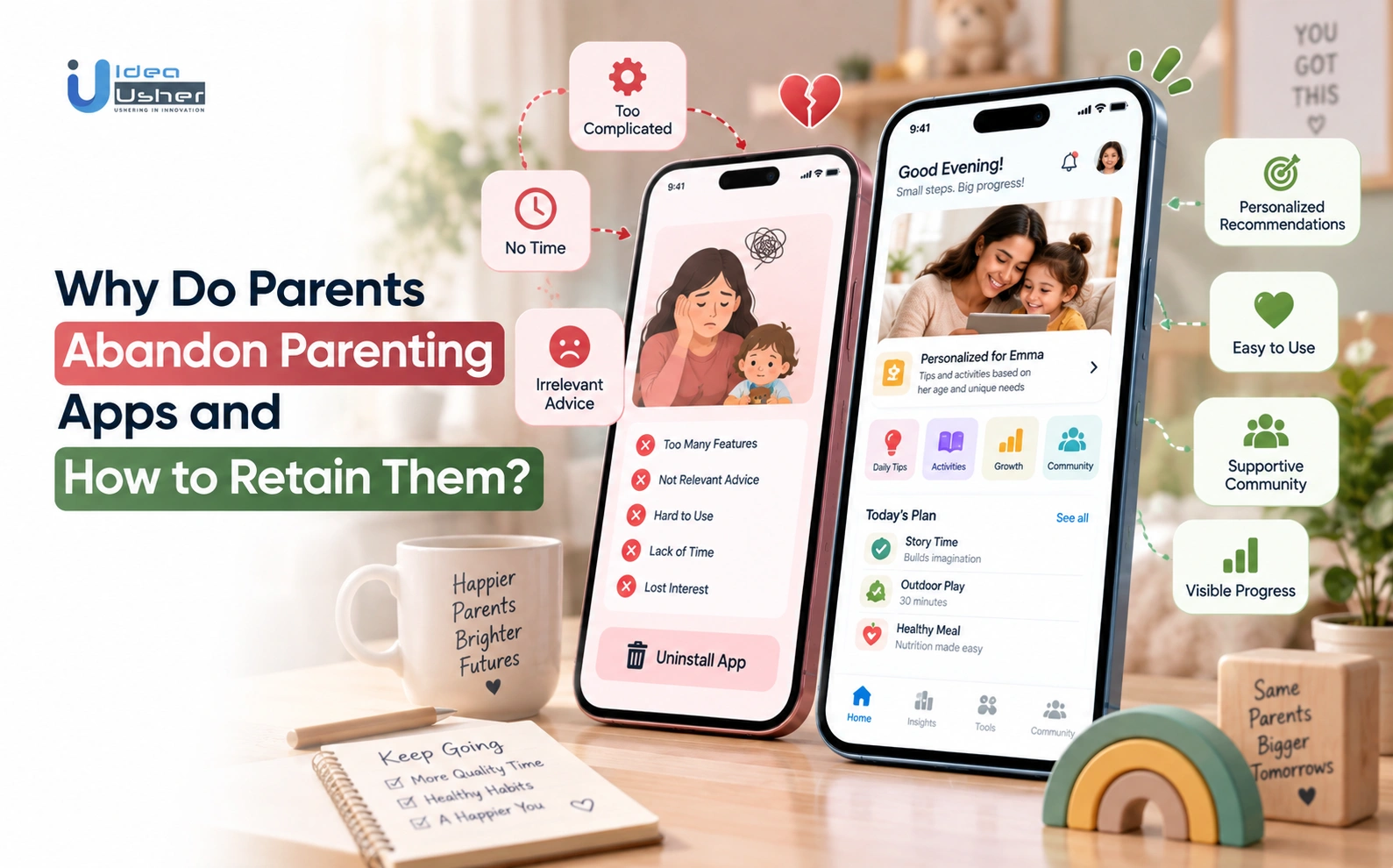
- Parents often leave parenting apps because tracking takes too much time, advice feels generic, or the app is hard to use.
- Keep things simple with quick logging, easy onboarding, useful reminders, and a clear dashboard.
- AI can make parenting advice according to queries more relevant by considering the child’s age, daily routine, and family preferences.
- Parents are more likely to trust an AI-powered parenting app that protects their child’s data, works reliably, and knows when to direct them to a doctor.
- The AI parenting app must start with useful basic features and then add features like AI support, family sharing, and pediatrician access. Gamification in parenting apps should motivate parents, not make them feel guilty.
- Check retention through D1, D7 and D30, user feedback, and feature usage. MVP parenting app retention features may cost $30,000–$75,000, while advanced features may total $70,000–$160,000.
Parents abandon parenting apps when using them takes more effort than the value they provide. Parenting app retention depends on offering timely, relevant support that grows with the child, rather than making parents repeatedly log routines or search for answers. Enterprises building these platforms must ask, “Why do parents leave, and what would make them stay?” and it starts with understanding what parents need, where apps create friction and how to earn their trust.
Traditional parenting app retention tactics like reminders, streaks and more content, can increase activity without strengthening trust or usefulness. Parents need support that adapts to their child’s stage, respects their time, and responds to real parenting needs rather than pushing routine engagement.
In this blog, we will talk about why parents leave, how product design and generative AI can address friction, and what retention strategies can help parenting apps remain valuable as family needs evolve, while creating a more personalized, trusted, and sustainable experience that encourages parents to keep coming back.
Why Parenting App Retention Is Harder Than User Acquisition
The global parenting apps market was valued at $2.9 billion in 2024 and is projected to reach $5.5 billion by 2033, expanding at a compound annual growth rate (CAGR) of 12.2%. This growth reflects rising demand for digital parenting tools, particularly platforms that offer personalized guidance, child development tracking and everyday family support.

According to the Bureau of Labor Statistics, adults living with at least one child under 13 spend 5.1 hours a day on secondary childcare alongside work and household tasks. Retention improves when an app reduces this daily effort while delivering trusted guidance.
A. Why App Installs Don’t Translate Into Daily Engagement
AI parenting apps install rarely become daily engagement when the experience feels generic, demanding, or repetitive instead of reducing effort, adapting to a child’s needs, and delivering personalized value parents find useful.
Supporting this, a 2026 CHI study analyzing real-world usage logs from the baby-tracking app Huckleberry found that parents tracked for an average of 12 months before gradually abandoning the habit, highlighting how difficult it can be to sustain repeated tracking over time.
- First-session friction: Long sign-up flows, mandatory profile fields, or an empty dashboard on day one give tired parents no reason to open the app again tomorrow.
- Novelty-driven downloads: Many parents install an app out of curiosity after a specific milestone, scare or recommendation, then quietly stop opening it once that initial concern fades.
- Undifferentiated push notifications: Generic reminders that ignore a child’s actual schedule feel like noise, training parents to swipe them away instead of opening the app.
B. What Makes Parenting App Retention Different From Other Apps?
Parenting apps face a different retention challenge because parents have limited time, changing needs and a higher level of trust involved in deciding whether an app is worth returning to.
A 2026 Lurie Children’s Hospital survey found that parents’ trust in AI varies sharply by topic, with 50% hesitant to rely on it for discipline advice and 38% for health guidance.
- Higher opportunity cost: Every minute spent in-app competes directly with feeding, soothing or supervising a child, so the app must justify itself far faster than entertainment apps.
- Trust as a retention driver: Unlike shopping or gaming apps, parents keep returning only when advice feels safe, accurate and worth acting on for their child.
- Shifting needs over time: A toddler app’s value looks nothing like a newborn app’s value, so retention depends on the product evolving alongside the child.

Why Do Parents Abandon Parenting Apps?
Parents abandon parenting apps when the experience feels burdensome, irrelevant, unreliable, or untrustworthy. While early downloads surge during pregnancy or immediately postpartum, long-term retention drops sharply once an app demands more cognitive effort than it returns in practical utility, leaving exhausted caregivers overwhelmed.

1. Manual Tracking Turns Parenting Into Another Task
Manual tracking drives parents away because repeatedly recording feeding, sleep, diapers, and milestones adds another task to already demanding routines, making the app feel like work instead of useful support.
- Repetitive Data Entry: Requiring parents to manually record every ounce of formula, sleep timestamp, diaper change, and milestone transforms routine caregiving into an exhausting administrative chore.
- Friction-Heavy Form Fields: Cluttered interfaces with multiple screens, rigid dropdowns, and duplicate entry forms create unnecessary interaction barriers for sleep-deprived parents managing a crying baby with one hand.
2. Generic Advice Fails to Match a Child’s Development
Generic advice causes churn when parenting apps ignore a child’s age, developmental stage, routines, and individual challenges, leaving parents with recommendations that feel too broad to be useful in real situations.
- Static, One-Size-Fits-All Tips: Feeding parents generic textbook articles that overlook a child’s corrected age, unique wake-window dynamics, or active feeding challenges erodes credibility fast.
- Failure to Evolve: Children grow rapidly; when algorithms remain rigid and fail to adapt guidance as a child transitions through developmental stages, recommendations quickly become obsolete and irrelevant.
3. Confusing Navigation Increases Cognitive Load
Confusing navigation increases abandonment when parents must move through multiple screens, lengthy onboarding, or crowded information before reaching the guidance or feature they need with minimal effort.
- Cluttered Onboarding: Multi-step registration funnels with buried core features alienate users seeking immediate, friction-free assistance.
- Information Overload: Presenting unstructured walls of text, charts, and metrics without a clear visual hierarchy increases cognitive load right when parents need instant clarity.
4. Privacy Concerns Weaken Confidence in Parenting Apps
Privacy concerns can drive parents away when parenting apps collect sensitive child information without clearly explaining how data is stored, shared, processed, protected, or used by AI systems or third parties.
- Opaque Data Policies: Vague disclosures regarding how intimate developmental milestones, audio clips, and photos are harvested or shared trigger immediate mistrust.
- Biometric & Behavioral Hesitancy: As parents grow increasingly wary of data brokers and unauthorized AI model training, lack of transparent consent controls prompts rapid churn.
5. Technical Failures Break Established Parenting Routines
Technical failures reduce retention when syncing problems, lost records, crashes, or unreliable performance interrupt established parenting routines and make caregivers question whether the app can be trusted with important information.
- Syncing Lags and Lost Data: Glitches that drop logged feeding timestamps or desync data across multi-caregiver accounts undermine trust in the app’s record-keeping capabilities.
- Fragile Reliability: When caregivers depend on historical logs to inform pediatricians during acute illness or well-child checks, a single crash during an appointment destroys product utility.
Which Parenting App Retention Metrics Reveal Churn?
Parenting app retention metrics reveal churn by showing when parents stop returning, where engagement declines, and why usage drops. D1, D7, and D30 retention, onboarding completion, feature engagement, and churn feedback together expose whether abandonment stems from poor onboarding, weak value, friction, or unresolved product issues.

A. Track D1, D7, and D30 Parenting App Retention
D1, D7 and D30 retention reveal churn by showing how quickly parents return after installation and whether engagement becomes sustained. Comparing these cohorts helps identify early abandonment, weak habit formation, and declining long-term value across the parenting app experience.
- D1 (First Impression): The percentage of users who return 24 hours post-install. A low D1 signals a confusing interface, excessive setup barriers, or an underwhelming initial interaction.
- D7 (Habit Formation): Tracks whether an app is integrating into weekly household routines. Drop-offs here reveal that initial excitement failed to translate into a daily utility.
- D30 (Long-Term Value): Measures sustainable, ongoing engagement. Cohort analysis across these intervals isolates whether churn is a systemic retention failure or tied to specific product release cycles.
B. Measure Onboarding Completion and Time to First Value
Track drop-off rates across child profile creation, baseline preference inputs and the first completed action, such as generating an initial routine schedule or logging a feed. If Time to First Value (TTFV) exceeds three minutes, exhausted caregivers may abandon onboarding before experiencing the core product.
C. Monitor Tracking Frequency and Feature Drop-Off
Analyze event decay across core features, including declining log frequency, uncompleted routine reminders, and abandoned interactive modules. Crucially, distinguish between negative drop-off, caused by frustration with manual logging, and “happy churn,” where a parent stops logging because a sleep regression or weaning transition was successfully resolved.
D. Use Churn Surveys to Identify the Actual Exit Reason
Trigger micro-surveys upon account cancellation or 14 days of sustained inactivity. Prompt departing users to identify their primary friction point: high logging effort, irrelevant advice, loss of trust, technical bugs, or an outgrown feature set. Correlating qualitative exit feedback with telemetry logs helps isolate the engineering and UX bottlenecks driving attrition.
How to Retain Users in Parenting Apps With Less Effort
The core reason parenting apps suffer steep retention cliffs is cognitive overload. Sleep-deprived caregivers juggling crying infants or defiant toddlers have zero surplus bandwidth for manual administration. Sustainable retention requires inverting the traditional product equation: drastically reduce the user’s input effort while maximizing the speed to actionable, personalized guidance.
1. Simplify Onboarding With Progressive Family Profiles
Forcing caregivers through a 15-screen registration hurdle like demanding birth weights, nursery layouts, dietary histories, and parenting styles before unlocking value, triggers immediate day-one drop-off.
- Minimal Day-One Registration: Collect only the essential operational baseline at sign-up: child age (or due date) and primary caregiver goal.
- Contextual Just-in-Time Enrichment: Prompt for additional context only when a specific feature demands it. When a parent first explores solid foods, prompt: “Would you like to log any food allergies or specific feeding styles like baby-led weaning?”
- Conversational Extraction: Allow the AI copilot to extract structured profile entities directly from natural chat interactions (e.g., noting that the child attends daycare three days a week) rather than requiring static form completion.
2. Replace Repetitive Logs With Low-Effort Tracking
Manual data entry transforms routine caregiving into an exhausting administrative job. Platforms must shift from high-friction forms to low-effort capture mechanics:
- One-Tap Presets: Provide smart defaults based on historical patterns (e.g., a single tap to log a standard 5 oz bottle or pre-configured 90-minute wake-window timer).
- Voice & Ambient Inputs: Enable parents holding a child with one hand to log events via audio dictation or hands-free smart-speaker integrations (“Logged wet diaper at 3:15 PM”).
- Optional Wearable Telemetry: Automatically ingest sleep duration and active play patterns from kids’ smartwatches or nursery monitors, removing the need for manual logging while preserving parental control to edit or delete entries.
3. Build a Daily Dashboard Around Immediate Parent Needs
A dashboard crammed with multi-axis scatter plots, historical averages and milestone counters overwhelms exhausted parents. The interface should answer one central question: “What matters most for my family right now?”

By hiding deep analytical charts behind an optional “Trends” tab, the primary screen stays focused purely on actionable, real-time guidance. This helps parents find relevant insights quickly without navigating through unnecessary data or complex visualizations.
4. Use Smart Reminders Instead of Fixed Notification Schedules
Fixed-interval push notifications (e.g., arbitrary 10:00 AM alerts) create notification fatigue and train parents to mute the app.
- Event-Driven Timing: Tie alerts directly to dynamic biological windows, such as nudging a caregiver 15 minutes before an estimated nap window based on morning wake times.
- Context-Aware Silencing: Prevent alerts during late-night hours or user-designated quiet windows.
- Granular Notification Controls: Let parents customize, snooze, or disable specific reminder categories (e.g., muting developmental trivia while keeping medication schedules active) with a single toggle.
5. Make Progress Visible Through Meaningful Summaries
Raw metrics do not communicate progress. Instead of displaying abstract step counts or fragmented sleep minutes, compile multi-day observations into concise, reassuring digests:
- Highlight Emerging Trends: “Over the past two weeks, Maya’s bedtime settling time has dropped from 40 minutes to under 15 minutes.”
- Low-Pressure Framing: Contextualize developmental milestones within wide, clinically normal windows rather than rigid deadlines, actively reducing parental anxiety.
- Clinical Export Summaries: Synthesize historical feeding, sleep, and symptom curves into a structured one-page summary ready for review during well-child pediatrician appointments.
6. Let Parents Control Their Own Engagement Frequency
Consumer apps often equate product health exclusively with high Daily Active Users (DAU). In parenting tech, treating daily app opens as the only metric of success alienates users as their children grow:
| Child Developmental Stage | Natural Usage Pattern | Optimal Product Experience |
| Newborn (0–4 Months) | High-frequency logging (multiple daily opens). | Ultra-fast one-tap logs, feeding timers, and wake-window counters. |
| Toddler (1–3 Years) | Situational problem-solving (episodic opens). | On-demand tantrum scripts, sensory activity ideas, and sleep transition plans. |
| School-Age (4+ Years) | Weekly or periodic check-ins. | Weekly developmental digests, behavior management frameworks, and safety controls. |
Allowing parents to step back into a low-frequency mode without bombarding them with re-engagement spam ensures long-term trust and prevents permanent uninstalls.
How AI Personalization Can Improve Parenting App Retention
AI personalization can improve parenting app retention by delivering child-specific guidance, relevant recommendations, and timely support instead of generic content. By understanding developmental stages, family routines, preferences, and past interactions, AI reduces the effort parents spend searching for answers and gives them stronger reasons to return.
1. Adapt Parenting Advice to Age and Developmental Stage
Children develop along non-linear timelines, rendering static advice obsolete within weeks. An AI-powered platform maintains a dynamic developmental profile that updates continuously as the child grows:
- Stage-Specific Calibration: A query regarding bedtime resistance yields entirely different recommendations for a 6-month-old adjusting to circadian rhythms versus an assertive 3-year-old testing bedtime boundaries.
- Proactive Routine Evolution: As infant wake windows naturally lengthen or a toddler outgrows an afternoon nap, the AI dynamically recalculates daily routine schedules, ensuring advice evolves alongside the child without requiring parents to manually reconfigure settings.
2. Use Saved Family Context to Avoid Repeated Questions
Caregivers quickly abandon conversational assistants if they must repeatedly explain their family setup in every session. A persistent, privacy-governed memory layer preserves vital context across interactions:
- Retaining Core Preferences: The system securely stores consented parameters such as a preferred gentle-parenting approach, dietary allergies, co-parenting schedules, or sensory sensitivities and automatically conditions every response on this history.
- Parent-Controlled Context Stores: To preserve trust and meet regulatory mandates, parents must have access to a transparent context dashboard where they can review, edit, or permanently purge specific stored preferences and conversational entities at any time.
3. Build an AI Parenting Assistant for Everyday Questions
Rather than presenting an open-ended, generic chatbot, an AI parenting assistant acts as an on-demand copilot grounded in structured developmental science:
- De-Escalating Daily Friction: Delivers immediate, practical playbooks for everyday friction points, such as transitional meltdowns, picky eating, or travel sleep adjustments.
- RAG-Grounded Reliability: By restricting generative answers to a vector database of peer-reviewed pediatric resources (e.g., AAP, CDC, and WHO guidelines), the assistant eliminates the risk of generic LLM hallucinations, building long-term parental trust.
4. Generate Actionable Guidance Instead of Information Overload
Unstructured walls of text increase cognitive fatigue. Personalization means transforming broad child-development concepts into bite-sized, practical execution steps:
- Two-Minute Playbooks: Instead of providing an academic essay on separation anxiety, the AI supplies a concise three-step departure script tailored to the child’s language abilities.
- Explaining the “Why”: The AI clearly ties its guidance back to recent family events (“Because Leo’s morning nap was 30 minutes shorter than his usual baseline today, shifting bedtime forward by 15 minutes will help avoid an overtired cortisol spike”).
5. Design AI Recommendations With Safety and Human Oversight
AI recommendations improve parenting app retention when they provide safe, transparent guidance with clear clinical boundaries, human oversight, and immediate escalation pathways for situations requiring professional care.
Retention collapses instantly if an app provides contradictory or medically hazardous guidance. Sustaining trust requires rigid, transparent clinical guardrails:
- Clear Diagnostic Boundaries: The system explicitly refrains from diagnosing developmental delays or medical conditions, maintaining calibrated uncertainty language for physiological symptoms.
- Deterministic Escalation: When a query trips clinical red lines such as high fevers in infants, accidental ingestions, or respiratory distress, the AI halts conversational generation and immediately presents structured escalation pathways, including direct telehealth links, nurse-line dials, or emergency resources.
Which Parenting App Features Actually Support Retention?
Retention comes from features that remove daily friction and build trust over time, not from novelty. Low-effort tracking, age-relevant content, reliable performance, and personalized AI guidance keep parents returning, while gamification alone rarely does without solving a real daily problem first.
A. Essential MVP Features for Early Parenting App Retention
Essential MVP features support early retention by removing common parenting hassles, delivering immediate value, and making daily routines easier. The right foundation helps parents form useful habits before advanced features are introduced.
| Feature | User Problem It Solves | Why It Drives Retention |
| Simple onboarding | Exhausted parents abandon apps requiring a lengthy signup process | Gets parents to real value quickly, before sleep deprivation triggers a drop-off |
| Family profiles | Multiple caregivers need shared, accurate context about the same child | Prevents duplicate data entry and keeps both parents aligned from day one |
| Low-effort tracking | Manual logging fatigue is a top reason baby trackers get abandoned | Reduces daily friction, the single biggest lever against churn in this category |
| Routine management | Parents struggle to keep feeding, sleep, and nap schedules consistent | Turns the app into a daily utility rather than an occasional reference tool |
| Age-aware content | Generic advice feels irrelevant and erodes trust in the app’s guidance | Keeps content relevant to the child’s current stage, reinforcing perceived value |
| Useful reminders | Parents forget feedings, medication, or appointments amid constant multitasking | Creates a genuine daily reason to open the app, not a guilt-driven ping |
| Progress summaries | Parents want reassurance without digging through raw logs themselves | Delivers a quick, positive touchpoint that reinforces the app is working |
Note: An MVP should prioritize low-effort workflows and immediate utility rather than feature volume. These foundational features create the daily habits and trust needed before introducing more complex AI-driven capabilities.
B. Advanced Features for Personalized Parenting Experiences
Advanced features strengthen retention by making the app more adaptive, proactive, and personalized. AI assistance, contextual recommendations, clinical support, and smarter notifications can extend the app’s value as family needs evolve.
| Feature | User Problem It Solves | Why It Drives Retention |
| AI parenting assistant | Parents have urgent questions at odd hours with no one to ask | Creates a reason to return outside scheduled logging, whenever a question arises |
| Adaptive recommendations | Generic advice stops being useful as a child’s needs evolve rapidly | Keeps guidance relevant as circumstances change, sustaining long-term perceived value |
| Pediatrician support | Parents want reassurance from a real clinician, not just an AI | Builds long-term trust and product stickiness beyond what AI alone can achieve |
| Personalized activities | Parents want age-appropriate ideas without researching independently each time | Adds daily practical value beyond passive tracking, encouraging routine engagement |
| Family sharing | One parent becoming the sole information hub creates friction and burnout | Keeps both caregivers engaged, doubling the app’s active household footprint |
| Contextual prompts | Parents don’t always know what’s relevant to ask or track in the moment | Surfaces the right suggestion at the right time without requiring parent initiative |
| Smart notification preferences | Over-notification is a top reason parents disable or delete apps | Prevents notification fatigue while keeping genuinely useful alerts active |
Note: Advanced features should reinforce the app’s core value rather than add complexity. Personalization, contextual assistance, and human-backed guidance work best when they make parenting tasks easier without increasing cognitive load.
C. When Gamification Helps and When It Adds More Pressure
Gamification isn’t inherently good or bad for a parenting app. It depends entirely on what behavior it reinforces, since the same mechanic that motivates one parent can quietly become another source of guilt for someone already stretched thin.
When it helps: Thoughtful gamification can support retention when it celebrates meaningful progress without creating pressure, helping parents recognize positive moments while keeping participation optional and emotionally supportive.
- Optional Milestone Celebrations: Marks meaningful developmental moments without implying a missed milestone means something is wrong.
- Gentle Encouragement Cues: Uses warm, low-pressure language that acknowledges effort rather than demanding constant consistency.
- Meaningful Progress Visualization: Shows growth over time in a way that reassures, rather than compares a child against rigid benchmarks.
When it adds pressure: Gamification becomes counterproductive when it penalizes missed activity, creates guilt, or encourages comparison, turning routine parenting tasks into performance metrics that can increase stress.
- Daily Streak Mechanics: Punishes a single missed log with a broken streak, turning self-care into another obligation.
- Guilt-Based Prompts: Uses language implying neglect or failure when a parent skips tracking during an already hard day.
- Reward-Driven Competition: Introduces comparison against other parents or children, adding stress rather than genuine motivation.
How Much Does It Cost to Build Retention Features?
Retention features add to the cost of a parenting app beyond its core MVP, AI personalization, integrations, security requirements and ongoing maintenance influence the overall investment. A clear budget separates essential retention capabilities from advanced features and accounts for improvements after launch.
A. What Affects Parenting App Development Costs?
Three major factors influence the cost of building retention-focused parenting apps including the app’s technical complexity, the level of personalization required and the security measures needed to protect sensitive family data:
- App complexity, user roles, platforms, and integrations: Building for both iOS and Android, supporting multiple caregiver roles per child, and adding family-sharing logic can add $20,000 to $60,000 beyond a single-user, single-platform MVP.
- AI personalization, analytics, and data infrastructure: Retention-driving personalization, RAG-based recommendations, behavioral analytics and the data pipeline behind them typically add $15,000 to $80,000 on top of core app development.
- Security requirements and ongoing maintenance: COPPA-aligned security controls add $8,000 to $35,000 upfront, while ongoing maintenance and monitoring typically run 15% to 20% of the original build cost annually.
B. Parenting App Retention Features and Development Costs
Parenting app retention starts with features that reduce parental effort and deliver immediate value. The following cost breakdown compares essential MVP capabilities with advanced retention features for future expansion.
| Tier | Feature | Estimated Cost (USD) |
| MVP | Simple onboarding | $4,000 – $10,000 |
| Family profiles | $4,000 – $10,000 | |
| Low-effort tracking | $6,000 – $15,000 | |
| Routine management | $5,000 – $12,000 | |
| Age-aware content | $4,000 – $10,000 | |
| Useful reminders | $3,000 – $8,000 | |
| Progress summaries | $4,000 – $10,000 | |
| Advanced | AI parenting assistant | $15,000 – $35,000 |
| Adaptive recommendations | $10,000 – $25,000 | |
| Pediatrician support integration | $20,000 – $38,000 | |
| Personalized activities | $8,000 – $20,000 | |
| Family sharing | $7,000 – $18,000 | |
| Contextual prompts | $5,000 – $12,000 | |
| Smart notification preferences | $5,000 – $12,000 |
Note: The listed MVP features total $30,000–$75,000, while the advanced features total $70,000–$160,000. These are sums of individual estimates, not guaranteed project quotes. Shared infrastructure, overlapping functionality, testing and integration work can change the final budget. Advanced costs are not automatically additive to every MVP estimate.
C. How to Budget for Retention Beyond the Initial Launch
Retention work continues after release as parent needs, usage patterns and product requirements evolve.
- Account for monitoring, user research, content updates, and iteration: Ongoing analytics monitoring, user research (interviews and usability testing) and regular content refreshes commonly cost $3,000 to $10,000 per month combined once the app is live.
- Treat retention as an ongoing product investment rather than a one-time feature: Budgeting 15% to 20% of the original development cost annually for iteration keeps retention features improving with real usage data, rather than freezing the product at its launch state.
A phased investment helps control costs: launch the essential retention features, measure where parents disengage, then prioritize advanced capabilities based on observed needs rather than adding features without validation.
How IdeaUsher Can Help Build a Retention-Focused Parenting App
IdeaUsher operates as an enterprise product engineering partner, backed by 11+ years of software expertise, 250+ technical specialists and a 4.9/5 Clutch rating across 1,000+ delivered builds. We help founders translate long-term retention goals into resilient architectures, engaging UX loops, and high-utility features that keep parents returning daily.
A. Design Parent-Centered UX Around Real Caregiving Routines
We engineer low-friction interfaces tailored to busy, sleep-deprived caregivers, helping them complete everyday tasks quickly while keeping essential parenting workflows simple and accessible:
- One-handed quick-logging widgets for feeding, sleep, and developmental milestones.
- Smart notification triggers timed around household schedules, minimizing notification fatigue.
- Frictionless caregiver handoffs enabling shared tracking between parents, nannies, and family members.
B. Develop AI Personalization With Relevant Family Context
We deploy context-aware machine learning models that evolve alongside the child, continuously adapting recommendations and guidance as family routines, developmental needs, and behavioral patterns change:
- Longitudinal milestone tracking that adjusts guidance to individual developmental velocity.
- Context-aware conversational assistants grounded in verified pediatric content via RAG pipelines.
- Behavioral recommendation engines suggesting age-appropriate activities and sleep schedule optimizations.
C. Build Secure Tracking and Integration Workflows
We construct cloud-native, zero-trust backends with end-to-end AES-256 encryption compliant with COPPA and GDPR-K. High-throughput telemetry pipelines capture cohort retention, feature engagement, and churn indicators in real time while safeguarding minor data privacy.
D. Improve Retention Through Testing and Product Iteration
Our engineering lifecycle incorporates continuous A/B testing frameworks, user journey telemetry and automated model evaluation. We monitor latency, drift, and engagement drop-offs, shipping regular updates under a 100% intellectual property ownership model with zero vendor lock-in.
Ready to build an AI parenting app engineered for lasting retention and enterprise-scale growth? Connect with Idea Usher’s expert developers to define your MVP, architect high-retention experiences, and create a scalable technical roadmap built for long-term success.
Conclusion
A parenting app earns a lasting place in a family’s routine when it makes everyday parenting simpler, not more demanding. Parenting app retention depends on relevant guidance, effortless tracking, timely reminders and trustworthy experiences that adapt to changing family needs. The right combination of thoughtful UX, AI personalization and privacy-first design can turn occasional usage into meaningful engagement. IdeaUsher helps businesses translate these priorities into practical parenting app solutions designed around real parental needs and long-term value.
FAQs
A.1. Parents abandon parenting apps due to excessive manual tracking, generic advice, confusing navigation, notification fatigue, technical issues, privacy concerns and limited perceived value in everyday parenting routines.
A.2. Parenting app retention improves through personalized guidance, effortless tracking, age-aware recommendations, relevant notifications, reliable performance, visible progress and privacy controls that reduce parental effort.
A.3. Essential parenting app retention features typically cost $30,000 to $75,000, while advanced capabilities may total $70,000 to $160,000, depending on integrations and implementation complexity.
A.4. AI improves parenting app retention through contextual recommendations, adaptive activities, saved family preferences and relevant reminders, helping parents access useful guidance without repetitive data entry or information overload.


