


Key Takeaways
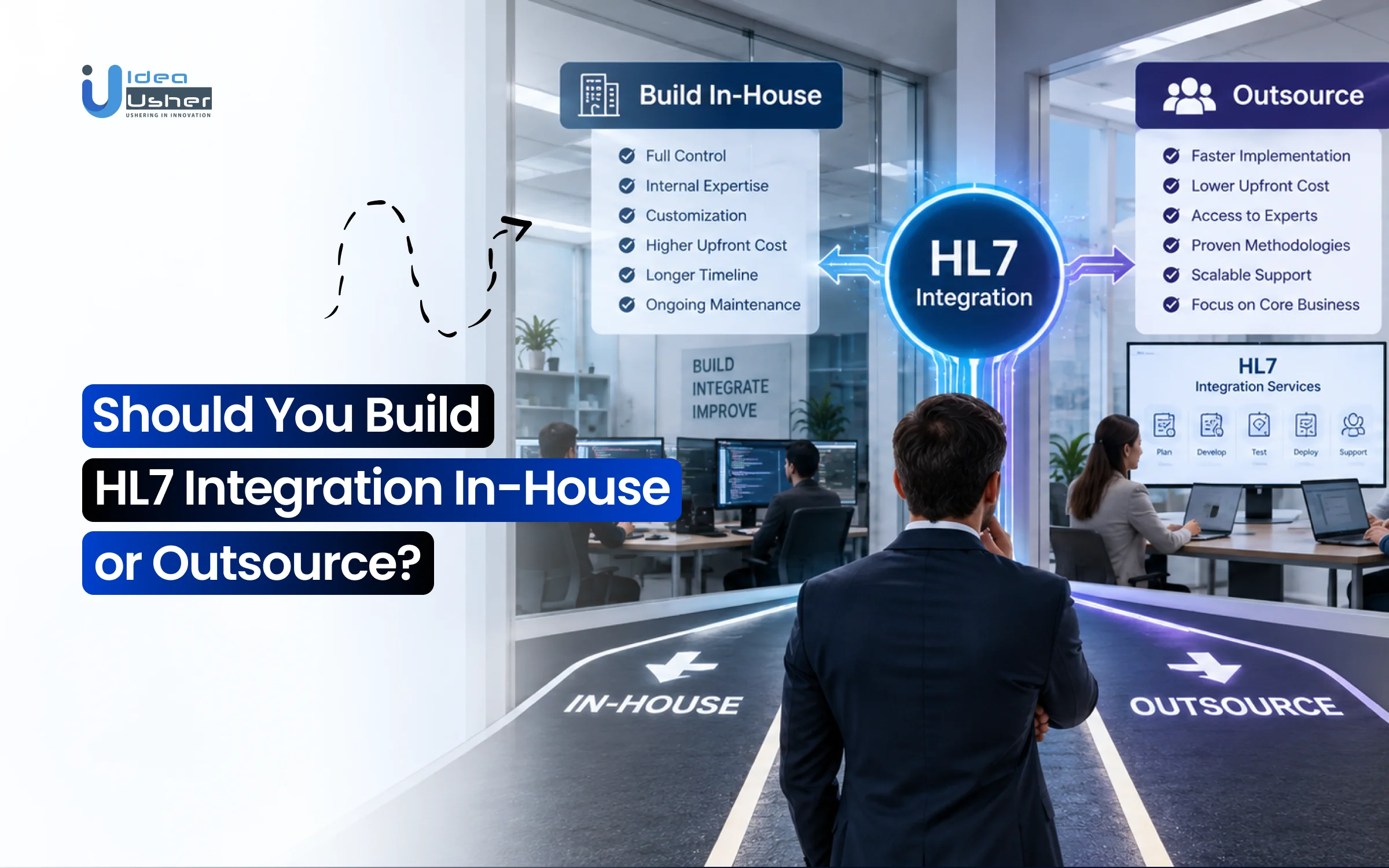
- For integrating HL7, you should outsource when you want the work handled by people who already understand healthcare integration.
- It can help you avoid a long learning process and get your integration ready without adding a full team.
- Your developers can then spend more time improving your main product instead of dealing with complex HL7 work.
- If you want to outsource HL7 integration, IdeaUsher can help you plan, build, and manage the integration based on your project needs.
You should outsource HL7 integration if your team does not have enough experience with healthcare systems. It saves you from hiring new people and lets you start the project with an experienced team. If you are looking for a team to handle your HL7 integration needs, then IdeaUsher can help you build and manage the solution based on your project requirements.
HL7 integration can look simple at first, but things can get complicated when you start connecting different healthcare systems and handling patient data. We’ve helped many healthcare businesses with HL7 integration, and in this blog, we’ll explain what to consider before deciding whether to build it in-house or outsource it.
How HL7 Integration Creates Business Value Beyond Data Exchange?
HL7 integration creates business value by helping healthcare businesses reduce manual work, speed up workflows, and make patient data easier to use. It also helps different systems share information without making staff enter the same data again. According to MarketUS, the healthcare middleware market is expected to grow from $4.6 billion in 2024 to $9.6 billion by 2034 at a 7.6% CAGR. HL7 accounted for 49.1% of the market by format, showing its importance in healthcare integration.

Source: MarketUS
Reduce Manual Healthcare Work
HL7 integration can remove a lot of repetitive data entry from healthcare workflows. Orders, results, and patient information can move between connected systems without staff having to enter them again. This saves time and can also reduce errors caused by manual work. Elation Health is one example. Its platform supports API, HL7, and FHIR integrations along with bidirectional lab connections.
These allow practices to send lab orders electronically and receive results directly in the EHR. Elation has also added a self-service Carequality connection to make sharing patient information easier.
| Without Strong Integration | With HL7 Integration |
| Repeated data entry | Automated data exchange |
| Manual order processing | Electronic orders |
| Checking results across systems | Results returned to the EHR |
| More administrative work | Less repetitive work |
Elation’s bidirectional lab integrations support both eOrdering and eResults. This helps reduce paperwork while making the workflow easier for healthcare providers.
Improve Patient Data Access
HL7 integration helps healthcare teams get useful patient information when they need it. Instead of searching through different systems or waiting for information to be entered manually, connected systems can share data as part of the workflow. Epic’s Care Everywhere shows what this can look like at scale. Epic says organizations using the network exchange more than 30 million patient records every day. Around half of these exchanges happen with organizations using a different interoperable EHR.
Elation has also expanded its developer platform with new FHIR and CCDA data elements and webhook support. Its partnership with Anthropic brought Claude into its Clinical Insights product. Elation says this helped reduce time-to-first-insights by 61%.
Build Connected Healthcare Systems
HL7 integration can become the foundation for a more connected healthcare platform. It can link EHRs with labs, pharmacies, billing systems, analytics tools, and other applications. This makes it easier for businesses to add new services without rebuilding their technology stack. Smartlink Health is a good example. Its Smartlink Data Connector supports bidirectional exchange with more than 90 EHRs using FHIR, HL7, APIs, database connections, and UI-based automation.
The company has also received a second U.S. patent for technology covering near-real-time EHR data exchange and single sign-on. Smartlink says its partnership with Manifest MedEx helped reduce integration time while expanding the number of EHR brands it could connect. It also helped reduce the work involved in ongoing support and maintenance.

What Does an In-House HL7 Integration Team Actually Need?
An in-house HL7 integration team needs more than general software development skills. The team should understand healthcare data exchange and know how HL7 works with EHR and EMR systems. They also need to test and maintain interfaces after launch. Without these skills, development can take much longer.
1. HL7 and Healthcare Interoperability Expertise
Your developers should understand how HL7 messages work and how healthcare systems exchange information. They may work with messages such as ADT, ORU, ORM, and SIU and should know how acknowledgements are handled. HL7 projects can also involve MLLP, TCP/IP, FHIR, and custom EHR fields.
A good team should also know that EHRs may use HL7 differently. Custom fields and Z-segments are common, so developers need to understand both the standard and the specific system being connected.
2. EHR and EMR Integration Experience
Knowing HL7 is only one part of the job. Your team should also have experience with the EHR or EMR platforms you plan to connect. Different systems may have different requirements for patient records, lab orders, results, appointments, and clinical documents. Some integration teams work with platforms such as Epic, Cerner, Meditech, Athenahealth, and eClinicalWorks.
| Your Team Should Know | Why It Matters |
| EHR workflows | Keeps data moving correctly |
| HL7 message types | Supports the right use cases |
| Vendor-specific fields | Handles custom requirements |
| Bidirectional flows | Supports orders and results |
| EHR testing environments | Helps validate integrations |
3. Data Mapping and Interface Development Skills
Healthcare systems may store the same information in different ways. Your team needs to map these fields correctly before data moves between systems. This can involve parsing messages, transforming fields, validating data, and routing it to the right system.
A simple HL7 workflow can look like:
EHR → HL7 Message → Data Mapping → Validation → Target System
Good mapping also makes it easier to add new healthcare systems later without changing the entire application.
4. Healthcare QA and Integration Testing
HL7 testing involves more than checking whether the software works. Your team needs to confirm that messages are created correctly, delivered to the right system, acknowledged, and handled properly when something fails. Testing can include EHR sandbox testing, message validation, error handling, parallel testing, and clinical sign-off. The team should also understand the healthcare workflow behind the integration.
5. Interface Monitoring and Support
HL7 integration does not stop after launch. Your team needs to monitor message flows and respond when connections fail or messages are rejected. They may also need to update interfaces when an EHR changes its system or workflow. Ongoing support can include error alerts, ACK tracking, retry handling, message monitoring, and interface updates. This is why businesses should consider long-term support costs when deciding whether to build HL7 integration in-house.
What Changes When You Outsource HL7 Integration?
When you outsource HL7 integration, you bring in a team that already understands healthcare data exchange and EHR connectivity. You do not need to build this expertise inside your company first. The external team can handle the integration work while your team focuses on the main healthcare product. It can also make complex projects easier to manage.

1. Get HL7 Expertise Faster
Outsourcing gives you access to developers who already work with HL7 and healthcare interoperability. They can handle messages such as ADT, ORU, and ORM and understand how they move between healthcare systems. This saves your team from spending months learning HL7 before starting the actual project.
A specialist team can also work with HL7 v2, FHIR, MLLP, and Mirth Connect. This can be more practical than hiring a full internal team for a single integration project.
2. Start With Healthcare Experience
An experienced integration partner already understands the challenges of healthcare projects. They can help with data mapping, EHR workflows, testing, and vendor-specific HL7 requirements. For example, Taction Software says its healthcare integration team has delivered more than 750 integrations and supports over 30 EHR and EMR platforms. Its services include HL7 v2, FHIR, EHR connectivity, data mapping, testing, and support.
3. Handle Complex EHR Connections
HL7 projects can become harder when you connect multiple EHRs or work with different message types. EHRs may also use custom fields and Z-segments that require additional mapping. A specialist can manage these differences without making your internal developers learn every EHR system.
InterSystems HealthShare is another example. Its platform connects information across healthcare systems and has added HealthShare AI Assistant to help users find and understand patient information. This shows how healthcare integration can support more than basic data exchange.
4. Keep One Team After Launch
Outsourcing can also cover the work after development. Your partner can monitor interfaces, fix failed messages, update mappings, and handle changes from EHR vendors. This means you can continue working with the same team after the integration goes live.
| Development Stage | Outsourced Partner Can Handle |
| Planning | Integration architecture |
| Development | HL7 interfaces and data mapping |
| Testing | Message and EHR testing |
| Launch | Production setup and go-live |
| After launch | Monitoring and maintenance |
IdeaUsher can be a strong HL7 integration partner if you want to outsource the work without building a dedicated HL7 team. We can help with HL7 integration, EHR connectivity, healthcare data mapping, and the development needed to connect your platform with existing systems.
HL7 Integration In-House vs Outsourcing: Where Does Each Model Win?
Neither approach is always better. In-house HL7 integration gives you more control, while outsourcing gives you access to specialized skills without building a new team. Your choice should depend on your team’s HL7 experience, project size, and long-term support needs.
| Decision Factor | In-House | Outsourced |
| HL7 expertise | Must be developed internally | Available through partner |
| EHR experience | Depends on existing team | Can be selected as a requirement |
| Hiring | Required | Not required |
| Control | Higher | Shared |
| Time to start | Hiring/onboarding required | Faster team availability |
| Data mapping | Internal responsibility | Partner can handle |
| Testing | Internal responsibility | Can be handled by partner |
| Maintenance | Internal team | Internal, external, or hybrid |
| Scaling | Requires hiring | Easier to add specialists |
1. HL7 Expertise
HL7 integration requires more than general software skills. Developers may need to understand HL7 v2, FHIR, message types, acknowledgements, MLLP, and healthcare workflows. They may also need to handle custom EHR fields and vendor-specific requirements. One EHR integration study found that a typical FHIR integration took a median of 7 weeks and cost around $74,000 across 33 integrations. More complex bidirectional integrations can reach $150,000 or more.
2. EHR Experience
Knowing HL7 does not always mean knowing the EHR you need to connect. Platforms such as Epic and Oracle Health have their own APIs, workflows, and integration requirements. Epic supports incoming and outgoing HL7v2 interfaces and its Care Everywhere network exchanges more than 30 million patient records every day. About half involve organizations using a different interoperable EHR.
This is why previous experience with your target EHR can be valuable when choosing an integration model.
3. Hiring vs Outsourcing
Building the capability internally means hiring or training people who understand healthcare interoperability. You may also need expertise in development, mapping, testing, and support. Outsourcing gives you access to these skills without creating a complete internal team. Thinkitive estimates that outsourcing can reduce EHR integration costs by 30% to 60% for many small and mid-sized healthcare organizations.
4. Control Over Integration
In-house development gives you more control. Your team manages the code, architecture, security, and future changes directly. Outsourcing means sharing some control with a partner. However, you can still keep product ownership and use a hybrid model where your team manages the product while specialists handle the HL7 work.
5. Time to Start
An internal team may need time to hire or train HL7 specialists before development begins. This can delay projects that require several EHR connections. An outsourced team can start with discovery, data mapping, architecture, and sandbox testing once the scope is clear. Simple FHIR connectors may take around six weeks, while complex enterprise HL7 pipelines can take several months.
6. Data Mapping and Testing
HL7 data can look different across healthcare systems. Your team needs to map and transform fields correctly and then test the messages before going live.
| Work | In-House | Outsourced |
| Field mapping | Internal team | Integration partner |
| Message transformation | Internal team | Integration partner |
| EHR sandbox testing | Internal team | Partner can manage |
| Error handling | Internal team | Partner can manage |
| Validation | Internal QA | Partner QA or hybrid |
Ongoing maintenance also adds to the cost. Estimates put maintenance at $3,000 to $15,000 per interface each year for monitoring, error resolution, and vendor changes.
7. Maintenance and Scaling
With in-house development, your team handles EHR changes and new integrations. Adding more systems may also require more specialists. Outsourcing lets you add expertise as the project grows without immediately expanding your permanent team. This can help when a platform needs to support multiple EHRs.
How Much Does It Cost to Build HL7 Integration In-House vs Outsource?
The cost of HL7 integration depends on the project scope and the resources involved. In-house development includes salaries, tools, testing, and support. Outsourcing lets you pay for the specific integration work you need. Your choice should depend on the project size and long-term requirements.
1. In-House HL7 Team Costs
An in-house team may require HL7 developers, QA engineers, DevOps support, and healthcare IT expertise. Training and retaining these specialists can add to the total cost. A single HL7v2 interface can cost around $10,000–$20,000, while bidirectional HL7v2 integration can reach $25,000–$45,000.
| In-House Cost | Typical Expense |
| Single HL7v2 interface | $10,000–$20,000 |
| Bidirectional HL7v2 | $25,000–$45,000 |
| Multi-EHR integration | $80,000–$150,000+ |
| Ongoing team costs | Salaries + training + tools |
For larger projects, costs can increase as more specialists and support are required.
2. Outsourced HL7 Costs
With outsourcing, you pay for the integration scope rather than building a permanent team. This can include development, data mapping, testing, EHR connectivity, and go-live support. A simple HL7v2 interface may cost $10,000–$20,000, while a full integration suite can reach $50,000–$80,000. Multi-EHR projects can exceed $150,000.
| Project Scope | Estimated Cost |
| Single HL7v2 interface | $10,000–$20,000 |
| Bidirectional HL7v2 | $25,000–$45,000 |
| Full EHR integration suite | $50,000–$80,000 |
| Multi-EHR integration | $80,000–$150,000+ |
Outsourcing can also make costs easier to plan around a defined project scope.
3. HL7 Maintenance Costs
HL7 integration still needs support after launch. Teams may need to monitor messages, fix failures, update mappings, and handle EHR changes. Maintenance is commonly estimated at $3,000–$15,000 per interface each year. Larger organizations may need 2–5 full-time staff for integration operations. Managed outsourced services can cost around $10,000–$50,000 per month, depending on the SLA and support level.
4. Look Beyond Initial Cost
A low development quote does not always mean a lower total cost. Mapping, testing, certification, maintenance, and future EHR connections can add significantly to the final bill. A basic read-only FHIR connection can start around $15,000, while bidirectional multi-resource integration can reach $50,000–$150,000+. Epic integrations can cost around $18,000–$80,000 due to additional certification requirements.
Compare the total cost of ownership, including development, staffing, maintenance, testing, and future integrations, before choosing between in-house and outsourced HL7 integration.
When Does Building HL7 Integration In-House Make Sense?
Building HL7 integration in-house makes sense when you already have the right people and plan to make healthcare interoperability a long-term part of your product. It can give you more control over the code, data flows, and future changes. However, your team also needs to be ready for the ongoing work that comes with supporting HL7 interfaces.
1. You Already Have HL7 Specialists
In-house development is a good option when your team already has people who understand HL7, FHIR, EHR workflows, and healthcare data exchange. This means you can start development without spending time hiring or training new specialists. Epic notes that organizations using its EHR typically have a dedicated interface team for implementing and supporting integrations. Its platform supports HL7v2 along with FHIR and other standards.
In-house works well when you already have:
| Capability | Why It Matters |
| HL7 expertise | Handles messages and interfaces |
| EHR knowledge | Understands vendor requirements |
| FHIR skills | Supports newer integrations |
| QA experience | Tests healthcare workflows |
| Integration support | Handles issues after launch |
2. Integration Is A Long-Term Need
Building internally makes more sense when integration is going to be a core part of your product. If you expect to keep adding EHRs, labs, hospitals, or other healthcare systems, having your own integration team can reduce your dependence on outside developers. This growing market also creates a stronger case for businesses that plan to make interoperability a permanent part of their technology strategy.
3. You Need More Control
In-house development gives you direct control over the integration layer. Your team can decide how data is mapped, how messages are handled, and how new EHR connections are added. This can be useful when integration is closely tied to your product’s core workflows.
It also means your team does not have to wait for an external partner whenever a small change is needed. The trade-off is that you take full responsibility for security, testing, maintenance, and compliance. Thinkitive also highlights control and customization as key reasons larger healthcare organizations may prefer an in-house model.
4. You Can Support It Long-Term
In-house integration only works well when you have the resources to support it after launch. HL7 interfaces need monitoring, error handling, testing, and updates when connected systems change. A healthcare organization may need dedicated resources just for interface management. UC Davis Health, for example, has a systems integration team that handles interface testing, monitoring, interoperability consulting, and vendor evaluation.
When Is Outsourcing HL7 Integration the Better Option?
Outsourcing HL7 integration makes sense when your team lacks healthcare integration experience or needs skills it does not have internally. It can help you connect EHRs faster without hiring a new team. It also lets your developers stay focused on the main product. You can also get ongoing support without managing every integration issue yourself.

Your Developers Lack Healthcare Experience
General software skills are not always enough for HL7 integration. Developers may need to understand HL7 v2, FHIR, MLLP, data mapping, EHR workflows, and healthcare data. One EHR integration study found a median integration time of 7 weeks with a median cost of about $74,000 across 33 integrations. Complex HL7 projects can take much longer.
For teams new to healthcare, an experienced HL7 partner can be more practical than building this expertise from scratch.
You Need Multiple EHR Connections
Supporting several EHRs is more complex than connecting one system. You may need to work with Epic, Oracle Health, athenahealth, or MEDITECH, each with different requirements.
| Integration Scope | Typical Cost |
| Single HL7v2 interface | $10,000–$20,000 |
| Bidirectional HL7v2 | $25,000–$45,000 |
| Full EHR integration | $50,000–$80,000 |
| Multi-EHR environment | $80,000–$150,000+ |
Multi-EHR projects can quickly become expensive. Outsourcing gives you specialists who can handle different EHR requirements without training your internal team on every platform.
You Need Integration Without Hiring
If HL7 is only one part of your product, building a permanent integration team may not be practical. You may need specialists for one project without having enough work for them later. Outsourcing lets you bring in these skills when needed. A specialist team can handle interface development, data mapping, testing, and EHR connectivity while your developers focus on the product.
A single-EHR FHIR integration can take 8–16 weeks and cost around $40,000–$90,000. Multi-EHR work can reach $80,000–$150,000.
Integration Is Slowing Your Roadmap
HL7 work can pull developers away from product development. Message mapping, sandbox testing, EHR onboarding, and interface errors can all take time. Outsourcing separates these responsibilities. Your internal team can work on the application while the integration partner manages the healthcare connections.
A read-only FHIR connection can start around $15,000, while a bidirectional multi-resource integration can reach $150,000 or more.
You Need HL7 and FHIR Expertise
Some projects need both HL7 v2 and FHIR. HL7 v2 may support hospital feeds while FHIR can power newer API-based connections. Managing both can require specialized knowledge. An experienced integration team can help decide which approach fits each workflow while connecting older systems with newer APIs.
For businesses without strong internal HL7 expertise, outsourcing can be a practical choice. It gives you access to specialists without making healthcare interoperability a permanent responsibility for your product team.
What If You Don’t Want to Choose Between In-House and Outsourcing?
You can use a hybrid HL7 integration model when you want to keep control of your healthcare product but still need outside expertise. Your internal team can manage the product and clinical workflows while an external team handles specialized integration work. This gives you more flexibility without fully handing the project to another company.
1. Keep Product Work In-House
Your internal team can continue managing the parts of the product they know best. This can include clinical workflows, product decisions, user requirements, and the overall roadmap. They stay close to the people who will actually use the healthcare platform.
| Keep In-House | Outsource |
| Product roadmap | HL7 development |
| Clinical workflows | EHR connectivity |
| Business requirements | Data mapping |
| Product decisions | Complex testing |
This approach helps your company keep its core product knowledge while bringing in specialists only where they are needed.
2. Outsource HL7 Development
You can outsource the technical HL7 work without giving up ownership of the product. An external team can handle interface design, message mapping, EHR sandbox testing, and the work needed to get the connection ready for production. This can be useful when your developers understand your product well but do not have deep experience with healthcare interoperability. Instead of hiring a permanent HL7 team, you can bring in specialists for the part of the project that needs them.
3. Bring In Specialists When Needed
A hybrid model also works well when only some parts of the integration are difficult. Your team might handle a simple connection while an external partner takes care of a complex EHR or FHIR integration. For example, a healthcare platform may need to connect with Epic, Cerner, and eClinicalWorks while also supporting HL7 v2 and FHIR.
A specialist can take care of those connections while your internal developers continue building the main product. Some healthcare outsourcing providers report that their teams support 30+ EHR and EMR platforms, showing the value of having experience across multiple systems.
4. Take Over Maintenance Later
You do not have to outsource HL7 work forever. Your team can first work with an external partner and gradually take over maintenance once it has gained enough knowledge and experience. The partner can also leave documentation and integration knowledge behind for your developers.
A simple transition could look like:
External team builds → Internal team learns → Both teams support → Internal team takes over
IdeaUsher can support this kind of hybrid HL7 integration model by handling the specialized integration work while your team stays involved in the product. This lets you keep ownership of your platform without having to build every HL7 skill internally from day one.
Which HL7 Integration Model Fits Your Project?
The right HL7 integration model depends on the size of your project and the skills your team already has. A simple connection may be manageable in-house, while a larger EHR project may need outside specialists. If you want to keep control but need extra expertise, a hybrid model can work well.
| Your Situation | Recommended Approach |
| One simple interface | In-house may work |
| Multiple EHR integrations | Outsource or hybrid |
| No HL7 expertise | Outsource |
| Strong healthcare IT team | In-house |
| Fast product launch | Outsource |
| Enterprise interoperability program | Hybrid / in-house |
| Complex HL7 + FHIR requirements | Specialized partner |
| Long-term integration capability | In-house or hybrid |
One Simple Interface
If you only need one straightforward HL7 connection and already have developers who understand healthcare systems, in-house development may be enough. A simple HL7v2 interface can cost around $10,000–$20,000 depending on the scope. This option works best when the interface does not require complicated data mapping or connections with several EHRs. Your team can also keep full control over future changes.
Multiple EHR Integrations
Multiple EHR connections are usually better suited to outsourcing or a hybrid approach. Each EHR can have different requirements, APIs, workflows, and testing processes. For larger projects, multi-EHR integration can cost around $80,000–$150,000+. Having specialists handle the integration can save your internal developers from learning every EHR platform separately.
No HL7 Expertise
If your team has never worked with HL7, outsourcing is usually the more practical option. Developers need to understand message types, data mapping, acknowledgements, EHR workflows, and interface testing. Trying to learn all of this during the project can increase both development time and cost. A specialist partner can start with the integration requirements and help move the project toward testing and launch.
Strong Healthcare IT Team
An experienced healthcare IT team can make in-house development a good choice. If your developers already work with HL7, EHRs, and healthcare data, you may not need outside support for a standard integration. The bigger advantage is control. Your team owns the code and can make changes without depending on an external partner.
Fast Product Launch
If getting your product to market quickly is important, outsourcing can help. An experienced team can begin integration work while your developers continue building the core product. Some EHR integration projects can take 8–16 weeks depending on the number of systems and the required functionality. Outsourcing can help avoid delays caused by hiring or training a new team.
Enterprise Interoperability Program
Large healthcare programs often benefit from a hybrid or in-house model. Internal teams can manage the product strategy and architecture while external specialists handle complex interfaces when needed. This gives the organization more control as the integration layer grows. It also makes it easier to bring in specialized expertise for new EHRs or difficult interoperability requirements.
Complex HL7 + FHIR Requirements
Projects that need both HL7 and FHIR can benefit from a specialized integration partner. HL7 v2 may be needed for existing hospital interfaces while FHIR can support newer API-based connections. A partner with experience in both standards can help decide where each approach fits. This is especially useful when the project involves multiple EHRs or bidirectional data exchange.
Long-Term Integration Capability
If interoperability will remain a major part of your product, in-house or hybrid development may make more sense. You can build internal knowledge while still using external specialists when the workload becomes difficult. This approach can also make future EHR integrations easier to manage as your product grows.
Why Choose IdeaUsher for HL7 Integration?
IdeaUsher can help you build and manage HL7 integrations without the need to create a separate healthcare integration team. Our developers understand healthcare data exchange and can work with HL7, FHIR, EHR, and EMR systems. We can support the full integration process from development and data mapping to testing and ongoing improvements.
Healthcare Integration Experience
Our team has 500,000+ hours of coding experience across different software projects. We have experience building healthcare solutions that need secure data exchange and integration with external systems. This helps us understand the technical work involved in connecting healthcare platforms and keeping data flows reliable.
HL7 and FHIR Expertise
We work with HL7 and FHIR to connect healthcare systems and move data between platforms. Our team can handle HL7 message development, data mapping, interface development, and FHIR-based integrations. This makes it easier to support both traditional healthcare systems and newer API-based workflows.
EHR and EMR Expertise
We can connect your platform with EHR and EMR systems based on your product requirements. Our developers can work on data exchange, mapping, testing, and integration workflows while keeping your existing product architecture in mind. Our team also includes ex-MAANG and FAANG developers, bringing strong engineering experience to complex healthcare integration projects
Conclusion
Choosing between in-house and outsourced HL7 integration depends on your team’s expertise, project needs, and long-term goals. In-house development can give you more control when you already have strong healthcare integration skills. Outsourcing can help you access HL7 expertise and start faster without building a new team. A hybrid approach can offer both flexibility and control.
FAQs
A1: Neither option is always better. In-house development works well when you already have HL7 and healthcare integration expertise and need long-term control. Outsourcing is often better when you need specialized skills or want to start faster without hiring a dedicated team. A hybrid model can work when you want to keep product control while using outside HL7 specialists.
A2: HL7 integration costs depend on the number of systems, integration type, data mapping, and project complexity. A single HL7 v2 interface can cost around $10,000–$20,000, while bidirectional integrations may cost $25,000–$45,000. Multi-EHR projects can reach $80,000–$150,000 or more, depending on the scope.
A3: HL7 integration can take anywhere from a few weeks to several months depending on the number of systems and workflows involved. A simple interface may take less time, while projects involving multiple EHRs, complex data mapping, testing, and bidirectional workflows require more development time. Proper planning and access to EHR testing environments can help reduce delays.
A4: Yes, you can outsource HL7 integration while keeping your existing developers involved. Your internal team can continue working on the core product while the external team handles HL7 development, EHR connectivity, data mapping, and testing. This approach also lets your developers learn from the integration specialists and gradually take over more of the work if needed.


