


Key Takeaways
- A child development app helps parents track physical growth, developmental milestones, behavioral progress and age-appropriate skills in one digital platform.
- Core features include milestone tracking, visual guidance, personalized activities, progress reports, early-concern guidance and healthcare-ready summaries.
- AI supports personalized activities, developmental pattern analysis, parenting guidance, and AI-generated summaries for more informed pediatric discussions.
- AI should support developmental surveillance, not diagnosis, while pediatricians handle formal screening, medical evaluation and clinical decisions.
- Development costs range from $50,000 for basic MVPs to $620,000+ for enterprise platforms, depending on AI, personalization, content and scalability.
Child development is too complex to be captured through occasional measurements or static milestone checklists. Parents increasingly want a clearer picture of their child’s physical growth, language, cognition, behavior and social skills, creating demand for child development apps that turn everyday observations into structured, ongoing developmental insights.
Modern child development apps combine milestone tracking, growth charts, developmental assessments, activity recommendations, behavioral observations, health records and personalized guidance to help parents monitor progress more consistently. The strongest apps also connect parents with evidence-based resources and professional support, making developmental tracking more actionable rather than simply another record-keeping task.
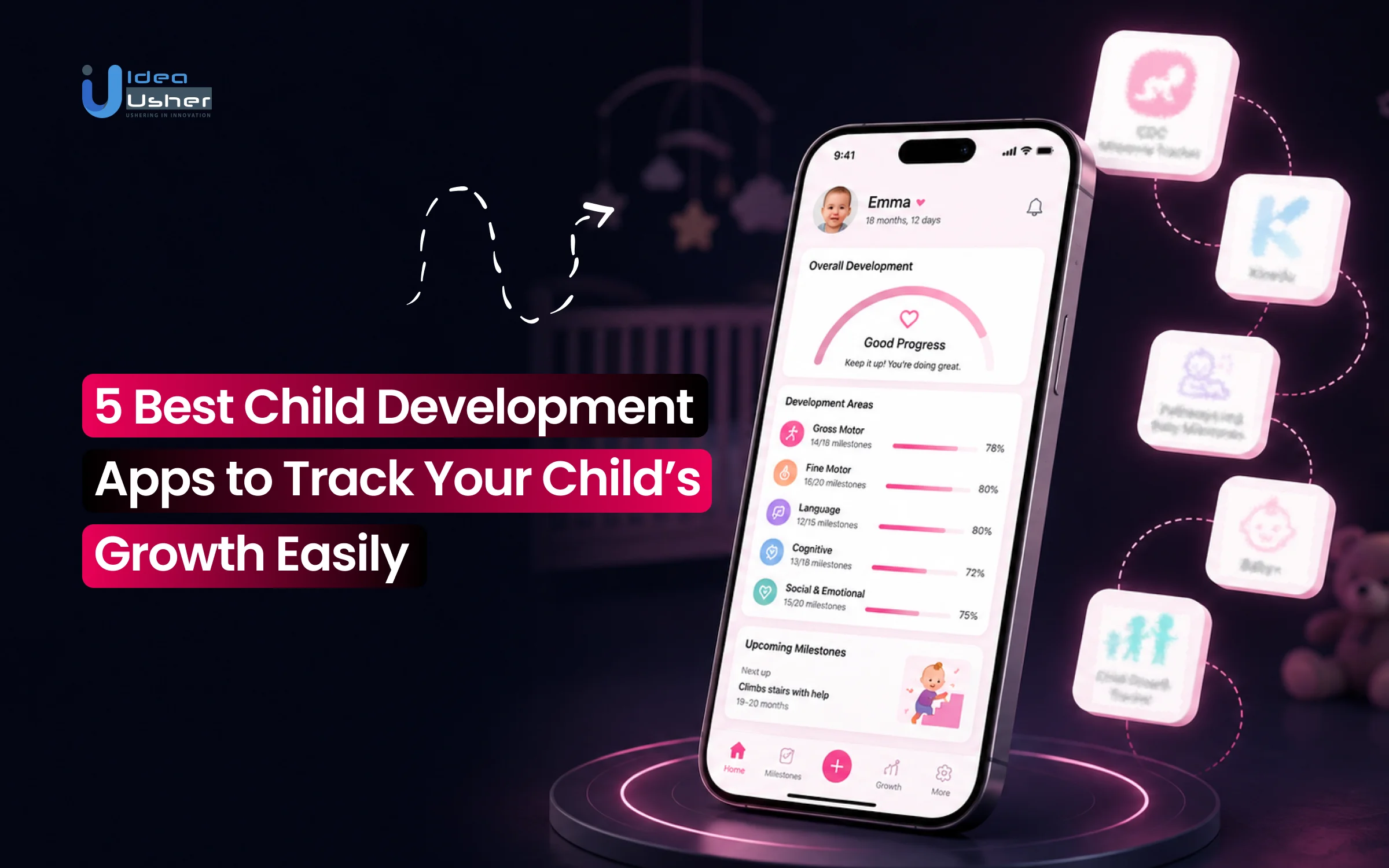
In this blog, we will talk about the 5 best child development apps to track your child’s growth in 2026, their key features, strengths, use cases and what businesses can learn when building the next generation of child development apps, connecting parents, caregivers and experts with robust privacy, expert guidance, and intuitive design.
What Is a Child Development App?
A child development app is a digital health and parenting tool designed to monitor, record, and evaluate an infant or young child’s physical growth, cognitive capabilities, and behavioral progress over time. Often built upon clinical guidelines from public health organizations such as the CDC, WHO, and the American Academy of Pediatrics (AAP), these apps bridge everyday home observations with professional pediatric care.
As the global parenting and child development apps market is valued at approximately $1.93 billion in 2026 and is projected to reach up to $4.91 billion by 2035, growing at a compound annual growth rate (CAGR) of about 12.6%, reflects rising demand for digital tools that help parents monitor, understand and support child development more systematically.

Recent research also shows strong user acceptance of digital parenting tools. A 2025 study of the DOLPHIN parenting app found that 96.9% of contacted caregivers considered the platform useful and user-friendly, highlighting parents’ willingness to use digital tools for age-appropriate activities, developmental guidance and parenting support.
A. Physical Growth vs. Developmental Milestone Tracking
Growth measurements and developmental milestones assess different aspects of a child’s progress, helping parents distinguish physical changes from cognitive, behavioral, and motor development. Understanding the distinction between growth and development is fundamental to evaluating child health:
- Physical Growth (Quantitative Expansion): Measures changes in a child’s body size, including weight, standing height or recumbent length, and head circumference. These metrics help indicate nutritional status, metabolic health, and physical growth.
- Developmental Milestones (Qualitative Progression): Tracks neurological, behavioral, and motor development, such as rolling over, holding a spoon, babbling, and responding to their name.
- The Clinical Separation: A child may have average height and weight but delayed speech or motor skills, while another with slower physical growth may meet cognitive and communication milestones on schedule.
B. Which Developmental Areas Can These Apps Monitor?
These apps typically track multiple areas of early childhood development, giving parents a broader view of how children build physical, cognitive, communication, and social skills over time. Comprehensive development apps organize child progression across five core functional domains:
| Developmental Domain | Key Skills Monitored | Typical Early Milestones |
| Gross Motor Skills | Large muscle groups, posture, balance, and spatial navigation. | Rolling over (4–6 mo), sitting unsupported (6–9 mo), independent walking (12–15 mo). |
| Fine Motor Skills | Small muscle coordination (hands, fingers, eyes) and dexterity. | Pincer grasp (9–12 mo), transferring objects hand-to-hand, stacking blocks. |
| Language & Communication | Receptive understanding and expressive verbal/non-verbal speech. | Cooing/babbling (2–6 mo), first words (12 mo), 2-word sentences (24 mo). |
| Cognitive Development | Information processing, memory, curiosity, and problem-solving. | Object permanence (peek-a-boo), cause-and-effect exploration, sorting shapes. |
| Social & Emotional Skills | Emotional regulation, interpersonal bonding, and social responsiveness. | Social smiling (2 mo), eye contact, joint attention, empathy, cooperative play. |
C. How Growth Charts Help Parents Track Progress
Child development apps integrate digital growth charts derived from vast population datasets published by the World Health Organization (WHO) for children aged 0–2 and the CDC for ages 2 and older.

Milestone data can give parents a clearer picture of how their child is progressing over time, making it easier to recognize possible delays, document concerns and provide useful information during conversations with pediatricians or developmental specialists.
- Understanding Percentiles: A percentile shows how a child’s measurements compare with peers of the same age and biological sex. For example, the 25th weight percentile means 25% weigh less and 75% weigh more.
- Curve Consistency vs. Raw Numbers: Healthy growth generally means following a consistent personal percentile curve, not reaching the 50th percentile. A child consistently tracking around the 10th percentile may still be growing normally.
- Warning Triggers: Apps can flag concerns when a child crosses multiple percentile lines rapidly, such as dropping from the 70th to 15th percentile, potentially indicating nutritional deficits, malabsorption, or failure to thrive.
D. Can Child Development Apps Detect Developmental Concerns?
These child development apps act as first-line surveillance and screening companions, but they do not provide definitive medical diagnoses.
- Proactive Red-Flag Detection: Apps based on CDC “Learn the Signs. Act Early.” frameworks can alert parents when expected milestones are missed, such as social smiling by 4 months or single words by 15–18 months.
- Streamlining Pediatric Consultations: Instead of relying on vague recollections during brief 15-minute well-child visits, apps provide milestone summaries and growth logs clinicians can review when considering formal developmental screening.
- Early Intervention Pathways: Identifying potential speech, sensory, or motor delays earlier can help families access early intervention programs and therapies sooner, supporting better long-term developmental outcomes.
Key Takeaway: Translating clinical percentiles and milestone frameworks into everyday parenting requires software built on validated developmental science. To cut through the crowded digital health landscape, we evaluated the top five platforms leading the market in accuracy, engagement, and pediatric utility.

5 Best Child Development Apps to Consider in 2026
Child development apps help parents monitor milestones, build healthy routines, and support learning through age-appropriate activities. In 2026, the best apps combine personalized guidance, developmental tracking, educational content, and parent-friendly insights to make everyday child development more engaging and easier to manage.
1. CDC Milestone Tracker
The CDC Milestone Tracker is a free public-health app developed and maintained by the U.S. Centers for Disease Control and Prevention (CDC). It is designed to help parents and caregivers systematically monitor developmental progress from age 2 months through 5 years.

A. Key Milestone-Tracking Capabilities
The app provides practical tools that help parents monitor developmental progress, recognize milestones, and prepare useful information for healthcare appointments.
- Uses official, evidence-based milestone checklists for ages 2 months to 5 years.
- Features interactive photo and video demonstrations to help parents visually identify specific behaviors and physical milestones in their child.
- Includes built-in appointment logs and “When to Act Early” reminders for scheduled doctor visits or developmental concerns.
B. Developmental Areas Covered
The CDC Milestone Tracker organizes development across key areas, helping parents understand different aspects of their child’s growth and emerging abilities.
- Social-Emotional: Interactions with others, emotional expressions, and play behaviors.
- Language/Communication: Receptive understanding, babbling, verbalization, and early speech patterns.
- Cognitive: Problem-solving, learning, curiosity, and spatial awareness.
- Movement/Physical: Fine and gross motor skills, crawling, walking, and manual dexterity.
C. Milestone Summaries and Progress Tracking
Parents can check off completed milestones as their child demonstrates them. The app generates a downloadable, exportable Milestone Summary PDF that can be reviewed, emailed, or printed to share directly with pediatricians during routine well-child visits.
Activities and Parenting Guidance: Offers age-tailored tips, games and everyday activities suggested by public health experts to support early learning and social development.
Pros & Cons:
The app stands out for its medical credibility, accessibility, and straightforward approach to developmental milestone tracking.
- Unrivaled public-health and medical credibility based on peer-reviewed pediatric data.
- 100% free with no ads, subscriptions, or paywalls.
- Objective, straightforward checklists to identify potential delays early.
Limitations: Lacks daily play schedules, rich video activity libraries, routine baby tracking (sleep, feeding), and personalized machine-learning activity feeds offered by commercial alternatives.
Best Suited For: Parents prioritizing medical authority, objective screening standards, and trusted milestone guidance without commercial distractions.
2. Pathways.org Baby Milestones
Pathways.org Baby Milestones is a free, expert-driven platform created by Pathways.org, a non-profit organization focused on children’s physical and behavioral health. Guided by pediatric occupational, physical, and speech-language therapists, it pairs milestone monitoring with intentional play.

A. Milestone Tracking
Its milestone tracking tools combine age-specific checklists with visual resources, helping parents understand developmental skills and recognize how milestones appear in everyday situations.
- Provides age-appropriate developmental checklists grounded in findings supported by the American Academy of Pediatrics (AAP) and the CDC.
- Real-baby video clips show parents exactly how each milestone looks in practice.
B. Purposeful Play Activities
The platform connects developmental milestones with practical activities, helping parents encourage specific skills through structured and intentional play.
- Includes over 300 expert-designed play activities designed to nurture specific motor, sensory, and communication skills.
- Integrates specialized tools like a built-in Tummy Timer to assist parents in achieving daily tummy-time targets.
C. Educational Videos and Resources
Pathways.org supplements its tracking features with visual educational resources that demonstrate play techniques and activities parents can incorporate into daily routines. Features extensive visual libraries showing proper play techniques, sensory integration exercises, and physical therapy-approved games.
D. Progress and Parent Engagement
The app encourages ongoing participation by helping parents track activities, monitor progress, and share developmental information with people involved in the child’s care. Encourages continuous engagement by providing daily activity prompts, progress updates and shareable summaries for family members or healthcare specialists.
Pros & Cons:
Pathways.org stands out for combining professional developmental guidance with practical visual resources and purposeful play activities.
- High-quality visual guidance with real-baby video demonstrations.
- Focuses on how to help babies hit milestones through purposeful physical play.
- Completely free resource operated by a dedicated non-profit foundation.
Limitations: Does not offer algorithmic daily lesson planning, personalized AI activity adjustments, or comprehensive routine tracking beyond basic feeding/diaper logs.
Best Suited For: Parents seeking trusted, video-backed milestone tracking combined with expert-approved physical and sensory play activities.
3. BabySparks
BabySparks is a commercial early-childhood developmental application (covering ages 0–3) that focuses on providing daily, structured play routines to support critical early brain development.

A. Developmental Activities
BabySparks offers a broad collection of short, guided activities covering multiple developmental areas and encouraging active parent-child engagement. Features a library of over 1,800 brief, video-based activities covering gross motor, fine motor, cognitive, speech/language, social-emotional, sensory, and self-care skills.
B. Personalized Activity Recommendations
The platform uses adaptive technology to adjust recommended activities according to the child’s developmental progress, logged achievements and mastered skills. Utilizes smart adaptive technology that adjusts daily activity recommendations based on the child’s specific developmental pace, logged achievements, and mastered skills.
C. Milestone and Progress Tracking
Parents can monitor developmental progress through dashboards that organize completed milestones and provide a clearer view of skill development over time. Includes developmental progress dashboards where parents can mark completed milestones and generate progress reports mapping skill growth over time.
D. Parent Engagement Features
The platform encourages consistent parent participation through customized activities, short instructional videos, and educational resources designed for everyday use.
- Delivers a customized daily play program consisting of targeted exercises.
- Includes brief instructional videos for every suggested game alongside a searchable parenting article database.
E. Pros & Cons
BabySparks is particularly useful for parents who want structured activities, adaptive recommendations, and frequent opportunities for hands-on developmental play.
- Vast collection of structured, short video-guided play activities.
- Adaptive technology tailors daily suggestions to the child’s demonstrated progress.
- Strong focus on active, parent-child offline bonding.
Limitations: Requires a paid subscription to access the full activity database and adaptive features. Less focused on clinical screening than public health options.
Best Suited For: Parents who want structured, personalized daily activities to actively stimulate their infant or toddler’s development.
4. Kinedu
Kinedu is an all-in-one child development platform designed for parents from pregnancy through age 6. It combines adaptive activity plans, milestone tracking, and expert-led parenting classes.

A. Personalized Developmental Programs
Kinedu creates personalized programs based on a child’s developmental stage, helping parents receive activities that align with their child’s current needs and progress. Creates individualized daily plans tailored to a child’s exact developmental stage. The algorithm shifts activity recommendations forward or backward based on logged achievements.
B. Developmental Activity Library
The platform provides a large collection of video-based activities and learning resources designed to support different developmental skills through guided play. Contains thousands of video-based learning activities, play prompts, and expert-backed skill-building exercises.
C. Milestone Tracking
Parents can monitor milestone completion across core developmental areas and connect individual skills with relevant activities for targeted practice.
- Visual progress bars track milestone completion across core skill areas.
- Allows parents to link specific milestones directly to activities that practice that exact skill.
D. Progress Insights and Recommendations
Kinedu transforms milestone and activity data into visual insights, helping parents identify developmental areas that may benefit from additional attention. Translates milestone input data into visual skill charts, giving parents actionable suggestions on areas where their child may benefit from targeted play.
E. Pros & Cons:
Kinedu combines broad age coverage, personalized activities, and expert resources into a comprehensive developmental support platform.
- Broad age coverage extending from pregnancy up to age 6.
- Seamless integration between milestone tracking data and specific skill-building exercises.
- Offers access to live/recorded expert classes and parenting articles.
Limitations: Full functionality requires a premium subscription, and the vast array of features and classes can feel overwhelming for parents seeking simple tracking.
Best Suited For: Parents seeking highly personalized, long-term developmental programs accompanied by expert guidance.
5. Huckleberry
Huckleberry is a baby-tracking platform that combines routine daily care tracking with data science to optimize infant sleep schedules, feeding, and growth.
A. Baby Tracking Capabilities
Huckleberry provides detailed logging tools that allow parents to record essential daily care activities and monitor changes in their child’s routine over time.
- Logs sleep duration, nap times, nursing/bottle feeds, solids, pumping, diaper changes, and growth metrics (weight, height, head circumference).
- Uses proprietary algorithms (SweetSpot®) to predict the child’s next ideal nap window based on wake windows and cumulative sleep history.
B. Developmental Support
The platform supports broader child development by helping parents understand how sleep, nutrition, and daily routines may relate to their child’s overall wellbeing. Supports overall health and development by analyzing how physical sleep, nutrition, and routine consistency impact a child’s mood and physical growth.
C. Personalized Insights and Recommendations
Huckleberry uses logged information to provide personalized guidance around sleep schedules, routines, and daily adjustments based on the child’s patterns. Uses logged data to generate custom sleep plans, schedule recommendations, and routine adjustments created by pediatric sleep experts and algorithms.
D. Progress Tracking
Parents can review visual data and historical patterns to understand routine consistency, identify disruptions, and make informed adjustments to daily schedules. Visualizes daily charts, weekly trends, and historical sleep/feeding patterns over time, allowing parents to identify schedule disruptions early.
E. Pros & Cons:
Huckleberry is particularly strong for parents who want detailed routine tracking and data-driven support for infant sleep and daily care.
- Outstanding data logging tools for sleep, feeding, and daily care routines.
- Predictive wake-window algorithms reduce overtiredness and improve household routines.
- Comprehensive overview of a child’s day-to-day physical needs.
Limitations: Primarily designed around routine care tracking and sleep optimization rather than formal, domain-by-domain developmental milestone screening.
Best Suited For: Parents who prioritize comprehensive daily care tracking and routine/sleep management alongside general development support.
The best child development app depends less on the number of features and more on what parents need to monitor. While CDC Milestone Tracker prioritizes developmental milestones, platforms such as BabySparks and Kinedu focus more heavily on personalized activities, while Huckleberry takes a broader approach to everyday baby care and routines.
What Features Should a Child Development App Include?
A strong child development app should do more than store milestones. It should help parents understand developmental progress, identify age-appropriate skills, take meaningful action, and share relevant information with caregivers or healthcare providers.
1. Personalized Developmental Milestone Tracking
Milestone tracking is the foundation of a child development app, helping parents monitor age-specific skills across language, movement, cognition, and social-emotional development. Personalized checklists should account for the child’s age, profile, and prematurity while making progress easy to review.
2. Visual Milestone Guidance With Photos and Videos
Visual guidance helps parents understand what developmental milestones actually look like instead of relying on written descriptions alone. Photos, real-child demonstrations, and instructional videos can show specific behaviors, improve milestone recognition, and make developmental tracking easier for caregivers.
3. Personalized Activities for Developmental Skills
Personalized activities turn developmental tracking into practical action by recommending age-appropriate exercises linked to specific skills and milestones. A platform should adapt activities to a child’s developmental stage and cover areas such as language, cognition, sensory, motor, and social-emotional development.
4. Developmental Progress Reports and Insights
Progress reports transform individual milestone records into an understandable view of developmental changes over time. A strong platform should provide milestone completion, developmental trends, personalized reports, and shareable summaries that help parents monitor progress and prepare for healthcare conversations.
5. Early-Concern Guidance and Healthcare Support
Child development platforms should provide responsible guidance when parents notice potential developmental concerns without presenting the app as a diagnostic tool. Features can include “act early” prompts, screening reminders, appointment preparation, and shareable developmental summaries for pediatricians or other providers.
6. Multi-Child Profiles and Caregiver Collaboration
Multi-child profiles and caregiver sharing help maintain one consistent developmental record across parents, grandparents, childcare providers, and other caregivers. The platform should support role-based access, shared milestone progress, activity recommendations, and synchronized information without fragmenting the child’s development history.
How Can AI Personalize Child Development Tracking?
AI can make child development platforms more responsive by analyzing milestone history, activity engagement and developmental patterns to personalize recommendations. Rather than replacing pediatric expertise, AI can help parents organize information, discover relevant activities and prepare better for developmental conversations.
| Personalization Dimension | Core AI Mechanism | Key Features & Output | Practical Parent & Clinical Benefit |
| AI-Generated Age-Appropriate Activity Plans | Dynamic recommendation engines, adaptive skill graphs and household-item computer vision | Tailored 5–15 minute play plans, automatic difficulty scaling, and stage-matched sensory/motor exercises | Replaces generic searches with actionable offline activities matched to the child’s developmental stage. |
| Developmental Progress Pattern Analysis | Longitudinal time-series ML, multi-domain anomaly detection, and baseline curve comparison | Milestone acquisition charts, cross-domain lag detection, and skill-plateau identification | Surfaces subtle developmental patterns and delays parents may miss during daily observation. |
| Personalized Parenting Recommendations | Context-aware generative AI copilots and RAG over clinical pediatric guidelines | Adaptive sleep/feeding tips, evidence-based behavioral guidance, and advice tailored to family routines | Provides stage-specific, evidence-based guidance grounded in validated pediatric resources. |
| AI-Generated Summaries for Pediatric Visits | Clinical text summarization, structured observation synthesis and EHR formatting | One-page visit reports, milestone timelines, and highlighted questions or observations for clinicians | Bridges home monitoring and clinical visits, improving the value of brief pediatric checkups. |
Where AI Should Not Replace Pediatric Expertise
While artificial intelligence excels at synthesizing longitudinal observations, generating activity ideas, and organizing records, it cannot perform medical evaluations or replace clinical decision-making.
- Monitoring vs. Formal Diagnosis: AI apps support developmental surveillance through continuous, informal skill tracking but cannot replace validated instruments such as ASQ-3, M-CHAT-R, or Bayley Scales or provide formal diagnoses for ASD, developmental delays, or sensory processing disorders.
- Absence of Physical Examination: AI cannot assess muscle tone, cranial nerve reflexes, hearing/vision, or subtle psychosocial factors that pediatricians and therapists evaluate in person.
- Algorithmic Bias & Hallucination Risks: Generative AI may misinterpret edge cases or produce false reassurance or alarms. Outputs should remain observational context for clinician discussions, never definitive medical conclusions.
What Is the Cost of Child Development App Development?
Child development app development can cost approximately $25,000 to $400,000+ in 2026, depending on features, platforms, personalization, AI, integrations, security, content complexity, and scalability requirements.
A. Development Phase-Wise App Cost
The development budget is distributed across discovery, design, engineering, testing, deployment, and post-launch preparation. A feature-rich platform requires additional effort for personalization, child-data security, content architecture, and integrations.
| Development Phase | Estimated Cost (MVP → Enterprise) | What It Covers |
| 1. Discovery & Requirements | $3,000 – $25,000 | Market research, user personas, product requirements, feature prioritization, technical feasibility, compliance planning and development roadmap |
| 2. UI/UX Design | $5,000 – $45,000 | User flows, wireframes, parent dashboards, milestone interfaces, caregiver experiences, prototypes and design system |
| 3. Mobile App Development | $15,000 – $150,000 | iOS/Android app, authentication, child profiles, milestone tracking, activities, notifications and caregiver features |
| 4. Backend & Admin Development | $12,000 – $100,000 | APIs, database, authentication, CMS, content management, analytics, role management and administration |
| 5. Personalization & AI | $10,000 – $100,000 | Recommendation engine, personalized activities, developmental insights, AI-generated summaries and intelligent content delivery |
| 6. Third-Party Integrations | $5,000 – $60,000 | Healthcare APIs, wearable devices, analytics tools, communication services, payment systems and external data platforms |
| 7. Testing, Security & Compliance | $5,000 – $70,000 | Functional testing, device testing, performance testing, security audits, privacy controls, data validation and compliance requirements |
| 8. Cloud Infrastructure & Scalability | $3,000 – $40,000 | Cloud deployment, databases, storage, API infrastructure, monitoring, backups, scalability and enterprise-grade infrastructure |
| 9. Deployment & Launch | $2,000 – $30,000 | App Store/Google Play deployment, production configuration, monitoring, documentation and launch support |
| Estimated Total | $50,000 – $620,000 | Complete child development platform depending on features, AI complexity, integrations, security requirements and scalability |
These phase-level figures are planning estimates derived from current 2026 app-development benchmarks and child-development-specific estimates. Actual budgets vary based on team rates, platform scope and requirements.
B. Child Development App Cost by Complexity
The platform’s complexity has a larger impact on cost than the number of screens alone. Milestone tracking, personalized activities, analytics, AI, healthcare workflows and enterprise infrastructure progressively increase development effort.
| Platform Type | Estimated Cost | Typical Scope |
| Basic Child Development MVP | $50,000 – $120,000 | Parent account, child profile, milestone checklist, basic activities, progress tracking, notifications and admin panel |
| Standard Child Development App | $120,000 – $230,000 | Personalized milestones, activity recommendations, progress reports, multiple child profiles, caregiver sharing, CMS and analytics |
| Advanced Child Development Platform | $230,000 – $370,000 | AI recommendations, developmental insights, advanced analytics, multimedia content, professional dashboards and third-party integrations |
| Enterprise Child Development Platform | $370,000 – $620,000+ | Multi-role ecosystem, provider portals, advanced APIs, enterprise security, scalable infrastructure, integrations and custom reporting |
Important: These should be presented as estimated development ranges, not fixed market prices. The final cost can vary based on the platform choice, AI complexity, integrations, security requirements, compliance needs and customization level.
C. What Factors Affect Child Development App Costs?
The final development budget depends on the product’s technical scope, data requirements and level of personalization. The major cost drivers include:
- Developmental Data Model & Rules Engine: Basic milestone checklists require simple logic, while age ranges, developmental domains, corrected age, milestone dependencies, and progression rules can add 5,000–15,000+ in backend and data-engineering work.
- Growth-Chart Calculation Architecture: Height, weight, BMI-for-age, and head-circumference tracking against recognized growth standards can add 5,000–15,000+, depending on percentile/z-score calculations, reference datasets, longitudinal charts, and visualization needs.
- Adaptive Recommendation Engine: A rules-based activity recommender may cost 5,000–10,000, while systems analyzing milestone history, developmental areas, and engagement patterns can reach 15,000–30,000+.
- Provider-Ready Workflow Architecture: Pediatrician dashboards, caregiver-provider sharing, developmental summaries, screening workflows, and role-based permissions can add 10,000–30,000+, especially with healthcare integrations.
- Developmental Content Production & Management: Hundreds or thousands of age-specific activities, milestone explanations, videos, and expert-reviewed resources can add 10,000–40,000+, depending on content volume and production needs.
- Privacy, Consent & Child-Data Architecture: Caregiver permissions, consent workflows, encryption, audit logging, secure data sharing, and child-data controls can add 8,000–25,000+, depending on data flows and regulatory requirements.
How IdeaUsher Can Help Build a Child Development App
IdeaUsher is an expert product engineering partner with 11+ years of experience across 50+ countries. Powered by 250+ experts, 1,000+ completed builds, and a 4.9/5 Clutch rating, we build custom child development platforms from scratch.
Instead of generic templates, we build scalable, cloud-native family tech architectures featuring clinical milestone tracking, AI parenting assistants, multimodal cognitive feeds, and strict COPPA/GDPR-K compliance frameworks to ensure your app achieves market leadership.
A. Validate Your Child Development App Concept
We collaborate with your team to refine functional roadmaps and align product scope with clinical accuracy and commercial sustainability.
- Target Age Cohorts & Clinical Framework Alignment: We structure developmental pathways for infancy, toddlerhood, and early childhood, aligning tracking metrics with established CDC and AAP milestones.
- Multi-Tier Monetization Architecture: Our architects design flexible revenue models supporting freemium tiers, family subscriptions, expert consultation marketplaces, and B2B daycare/pediatric licensing.
- Parent-Centric UX/UI Prototyping: We build intuitive, low-stress flows for sleep-deprived parents and busy caregivers, enabling quick, one-handed logging of feedings, sleep cycles, daily activities, and milestones.
B. Design Personalized Child Development Experiences
We develop customized interfaces and adaptive curriculum engines that evolve alongside the child’s unique pace of growth.
- Dynamic Developmental Pathways: We build adaptive curriculum engines delivering age-appropriate activities, sensory play, and cognitive micro-exercises based on the child’s recorded progress.
- Multi-Caregiver Synchronization: Our engineers build collaborative profiles enabling parents, nannies, grandparents, and pediatricians to log observations, manage schedules, and view progress dashboards.
- Multimedia Memory & Journaling Tools: We develop rich journaling modules with milestone photo/video scrapbooks, audio recordings, and downloadable growth summaries for pediatric visits.
C. Build Milestone Tracking and AI Features
We engineer intelligent machine learning microservices that convert daily parenting observations into actionable developmental insights.
- Predictive Milestone & Anomaly Detection: We train ML models to analyze milestone timelines across gross motor, speech, sensory, and social-emotional domains, proactively flagging potential delays for pediatric consultation.
- Conversational AI Parenting Assistant: We integrate context-aware LLM copilots that use child age, sleep patterns, and dietary habits to provide real-time, evidence-based parenting guidance.
- Computer Vision & Speech Telemetry: Our developers build edge-optimized AI tools that assess speech development, vocabulary growth, and physical posture/movement through guided video and audio check-ins.
D. Launch a Secure and Scalable Child Development Platform
We deploy robust cloud infrastructure engineered to handle massive media concurrency while upholding the highest child data protection standards.
- Strict COPPA & GDPR-K Data Governance: We implement AES-256/TLS 1.3 encryption, automated parental consent, and strict data partitioning to protect children’s PII.
- Auto-Scaling Cloud Infrastructure: We deploy containerized Kubernetes microservices on AWS/GCP to support high-resolution media uploads, streaming audio guides, and real-time push notifications.
- Zero Vendor Lock-In Asset Delivery: We deliver clean, well-documented, open-source code, giving your organization complete platform ownership from day one.
Ready to build a high-performance, enterprise-grade child development platform that empowers parents and caregivers? Partner with Idea Usher’s principal healthtech and AI software architects to map out your custom product build today.
Conclusion
A reliable child development app should give parents more than a digital checklist. Meaningful value comes from connecting milestone tracking, personalized activities, developmental insights, caregiver collaboration and responsible AI within one secure platform. For businesses, this creates an opportunity to move beyond basic parenting tools and offer a more comprehensive child development experience. The right technology partner can help translate that product vision into a scalable, user-friendly and privacy-conscious solution. IdeaUsher supports businesses with the expertise needed to bring such platforms to market.
FAQs
A.1. Child development app development typically costs $50,000 to $620,000+, depending on platform complexity, milestone logic, personalization, AI, healthcare integrations, content requirements, security and scalability needs.
A.2. Core features of child development apps include personalized milestone tracking, visual guidance, developmental activities, progress reports, early-concern guidance, caregiver collaboration, child profiles and secure data management for reliable monitoring.
A.3. AI can personalize activity plans, analyze developmental progress patterns, generate parenting recommendations and prepare pediatric visit summaries while supporting monitoring and guidance without replacing qualified healthcare professionals.
A.4. A child development app can track milestones, developmental skills, activities, growth measurements, progress patterns, caregiver observations and age-specific achievements to create a structured developmental history.


