


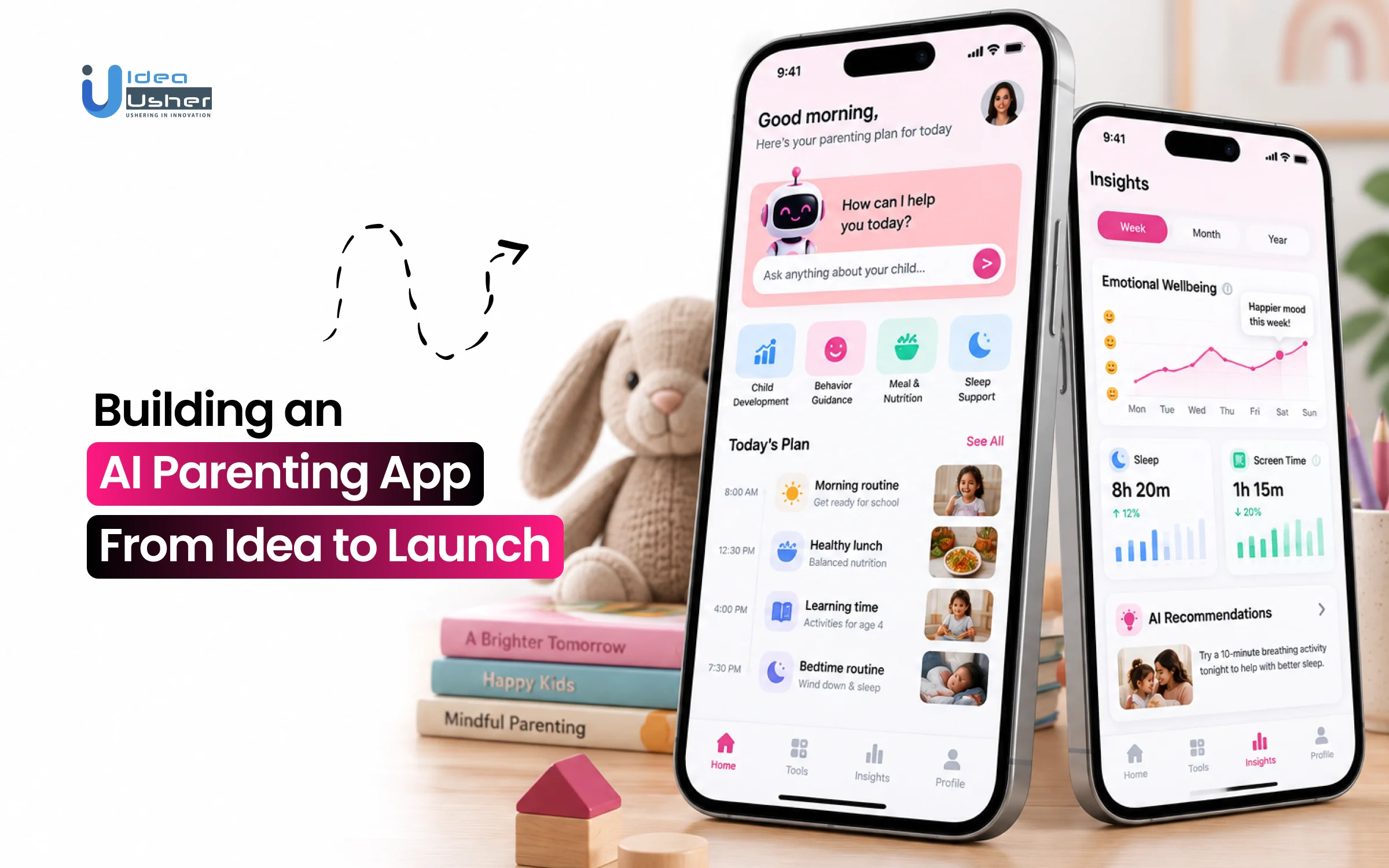
Key Takeaways
- AI parenting apps do more than track routines. They use family context, RAG, personalization and conversational AI to give parents more relevant guidance.
- Start with one clear parenting problem and age group instead of trying to cover every parenting need from the beginning. Set clear AI safety limits as well.
- A practical MVP can include parent and child profiles, AI assistance, age-based content, routine tracking, reminders, progress dashboards and a trusted resource library.
- The development process covers market research, UX design, AI architecture, app development, model integration, privacy, testing, beta testing and post-launch monitoring.
- The AI parenting app development cost depends on platform complexity and the features included. An MVP parenting app costs around $40,000–$100,000, while an advanced or enterprise-level app can cost around $100,000–$500,000+.
An AI-powered parenting app cannot simply be a chatbot wrapped around parenting articles. The app needs to understand the family’s situation, find reliable information, provide relevant guidance, protect sensitive family data and know when not to provide an AI-generated answer. This is the challenge for companies that want to create an AI parenting app that truly helps without compromising trust, safety or privacy.
Traditional parenting apps largely depend on articles, trackers, checklists and generic recommendations. That model is becoming less compelling as parents expect context-aware guidance, conversational support, milestone insights and routine assistance within one experience. An AI parenting app must therefore balance personalization with safety, privacy and clear limits on AI-generated advice.
In this blog, we will talk about how to build AI parenting app from idea to launch, covering product strategy, core features, AI architecture, data protection, safety mechanisms, development costs and scalability, helping you plan a reliable and parent-focused product that is ready for real-world adoption.
What Is an AI Parenting App?
An AI parenting app is a mobile platform using ML, NLP, predictive analytics and IoT to support childcare, growth tracking, safety, and behavior management.
Unlike static baby trackers that merely record logs, AI parenting apps evaluate ongoing child data against clinical benchmarks (like WHO, CDC, or AAP guidelines). Serving as non-custodial smart digital co-assistants, they analyze a child’s age, biometrics, behaviors, family routines, and localized standards to answer questions, detect anomalies, and suggest real-time interventions.
A. How AI Parenting Apps Work
AI parenting apps turn collected information into personalized support rather than simply storing records. Their underlying architecture determines how effectively the platform can understand family needs and deliver useful guidance.

Modern AI parenting platforms combine machine learning infrastructure, specialized data pipelines, and natural language interfaces:
1. Ingestion of Child and Family Context
The system establishes a dynamic profile containing hard attributes (chronological and adjusted age, growth percentiles, allergies, dietary constraints) and soft attributes (parenting philosophy, sibling dynamics, daily household schedules).
2. Pattern Recognition and Anomaly Detection
ML models track ongoing behavior (sleep, feeding, crying, screen time) against a child’s rolling baseline instead of static averages to detect developmental leaps, sleep debt, or feeding regressions.
3. Grounded Retrieval-Augmented Generation (RAG)
To avoid generic or hallucinated advice, enterprise AI parenting apps use RAG architecture to combine peer-reviewed clinical knowledge (e.g., American Academy of Pediatrics, NICE guidelines, World Health Organization protocols) with the child’s specific context before answering queries.
4. Conversational AI with Session Memory
Conversational copilots use multi-turn dialogue to replace static search results. By remembering past context like texture aversions or missed naps, they tailor advice without needing repeated input.
5. Dynamic Recommendation Engines
Vector-based recommendation engines update daily plans dynamically. If a parent logs that their 18-month-old skipped their afternoon nap, the recommendation engine shifts evening activities from high-sensory play to low-stimulation routines and recalculates the target bedtime.
B. Types of AI Parenting Apps and Their Core Features
Traditional apps function as passive ledgers and reference guides, AI parenting apps address varied family needs including infant routines, developmental support, digital safety, and co-parenting.
Each category combines specific features with AI capabilities to help families manage childcare, monitor progress, improve safety and coordinate everyday responsibilities.
| Category / Model | Core Capabilities & Functionality | AI Mechanisms Applied | Example Use Cases |
| Infant Care & Routine Optimization | Tracks sleep cycles, feeding intervals, diaper frequency, and physical growth trajectories. | Pattern recognition algorithms, wake window engines, WHO/CDC velocity metrics. | Nanit, Lunara, Huckleberry |
| Developmental & Behavioral Guidance | Monitors cognitive, emotional, and language milestones; provides contextual parenting advice. | Fine-tuned Large Language Models (LLMs), natural language developmental assistants. | Kinedu, BabySparks, ParentPal |
| Cyber Safety & Digital Wellbeing | Monitors screen time, filters web content, detects online predators, and tracks real-world geofences. | Computer vision, NLP sentiment analysis, predictive geofencing alerts. | Bark, Qustodio, Aura Home |
| Family Management & Co-Parenting | Synchronizes custody calendars, shared expenses, health records, and emergency access. | Automated scheduling optimization, OCR receipt scanning, shared ledger verification. | OurFamilyWizard, Amicable |
Why AI Parenting Apps Are Gaining Market Traction
The global parenting apps market is projected to expand from $1.93 billion in 2026 to over $3.11 billion by the early 2030s, sustaining a 12.6% CAGR. Over 70% of millennial and Gen Z parents identify as “digital-first” caregivers, relying on mobile platforms to manage infant nutrition, sleep schedules, cognitive development, and behavioral regulation.

The modern adoption driver is shifting from passive digital logbooks to predictive, contextual AI assistants. A 2026 Lurie Children’s survey found 81% of parents use AI for parenting tasks, with 43% using it weekly, signaling growing demand for privacy-first, specialized parenting intelligence.
A. Where Existing Parenting Apps Still Fall Short
While legacy competitors (e.g., BabyCenter, Huckleberry, Sprout, What to Expect) command substantial brand awareness, their software architectures have stagnated, creating clear points of friction:
- Excessive Manual Logging Fatigue: Traditional baby trackers demand constant manual timer taps for feeds, diapers, and naps. A 2026 CHI study found 39% of tracked children had parents logging five or more entries daily, driving abandonment.
- Static Milestone Anxiety: Conventional apps map development against rigid, single-metric checklists. A University of Michigan poll found nearly 1 in 4 parents worried their child was delayed, with many never consulting a provider.
- Ad-Heavy, Low-Trust Monetization: Most legacy platforms monetize through intrusive ads, banners, and sponsor-driven formula placements, eroding trust. A 2026 review analysis found ad complaints make up 35% of all one-star kids-app reviews.
- Unstructured, Unvetted Forum Chaos: Parents seeking advice get routed to unmoderated boards full of contradictory opinions and unproven remedies. A 2023 Mott Poll found 80% use social media for parenting advice, and 43% saw unsafe behavior.
B. AI Parenting App Market Opportunities to Explore
The parenting tech market is fragmented: the top 10 legacy players control less than 4% of total market revenue, leaving the category wide open for AI-native platforms built around specific, defensible workflows:
| White-Space Opportunity | Structural Problem | Defensible AI-Native Solution | Commercial Advantage |
| Acoustic Infant Cry Analysis | Parents cannot distinguish hunger, colic, fatigue, and pain cries. | Acoustic classifier trained on clinical infant audio for real-time cry pattern analysis. | Addresses anxiety in the first 0–6 months and drives word-of-mouth adoption. |
| Pediatric Computer Vision | Parents struggle to assess infant rashes, stool consistency, and solid-food intake. | On-device multimodal vision assesses stool patterns and skin irritations for clinical triage. | Supports $9.99–$19.99/month conversion by reducing late-night health searches. |
| Neurodivergent Milestone Screening | Early ASD, ADHD, or sensory-processing signs can go unnoticed until ages 3–5. | Computer vision + motor-skill tracking analyzes parent-uploaded videos against developmental norms. | Creates a potential acquisition target for pediatric and early-intervention networks. |
| Co-Parenting Mediation & Orchestration | Separated or busy parents face logistical friction, tone conflicts, and schedule drift. | NLP tone-filtered agent coordinates custody calendars, expense splits, and medical logs. | Drives multi-year LTV and expands reach into school-age care (ages 4–14). |
The Enterprise Takeaway: The next generation of parenting apps will move beyond passive data entry. Founders who leverage multimodal ingestion such as cry acoustics, image-based rash and nutrition triage, while replacing fear-inducing forums with clinical, hallucination-resistant pediatric copilots, can capture high-margin subscription revenue in a fragmented, dissatisfied market.

How to Validate Your AI Parenting App Idea?
The most common failure mode when building an AI parenting product is starting with the technology such as “How can we integrate an LLM into a parenting app?” instead of identifying a high-frequency, high-anxiety parental problem.
Parenting is not a single monolith. An anxious first-time mother tracking 3-week-old newborn feeding intervals operates in a completely different psychological and operational reality than a working parent managing a 4-year-old’s bedtime tantrums.
A successful AI parenting product does not try to be a generic digital guardian for all childhood stages; it identifies a specific operational friction point, defines clear safety boundaries, and uses AI to reduce cognitive load.
A. Define the Parenting Problem Your AI Will Solve
Artificial intelligence is an enabling architectural layer, not a value proposition. Effective product direction begins with identifying core parental pain points. This ensures the AI addresses genuine user needs rather than adding tech for its own sake.

Before selecting models, vector databases, or prompt frameworks, you must identify whether your core product resolves an analytical burden, an emotional/behavioral impasse, or an administrative bottleneck:
- The Fatigue-Driven Problem (0–12 Months): At 3:00 AM, parents need direct guidance, not long-form literature. The AI analyzes recent behavioral data to answer situational questions like “He woke up after 35 minutes; should I extend the wake window or attempt a contact rescue nap?” through pattern recognition and immediate instruction.
- The Emotional De-escalation Problem (1–4 Years): During public meltdowns, biting or food refusal, parents need actionable help at the moment. The AI translates developmental psychology into a 2-sentence script they can immediately say and use.
- The Developmental Anxiety Problem (All Stages): Parents constantly worry about developmental delays. The AI analyzes rolling milestone baselines to provide grounded reassurance or structured early-intervention play ideas without triggering unnecessary medical panic.
B. Define the Parent, Child Age Group and Use Case
An AI architecture that attempts to serve infants, school-age kids, and teenagers simultaneously fails because the underlying data pipelines and user interfaces must be completely different:
| Target Child Age Group | Primary User Persona | Core Use Case | Critical Technical Deliverable |
| Newborn & Infant (0–12 mo) | First-time, sleep-deprived parents | Sleep tracking, feeding, wake-window predictions and safe-sleep guidance | Predictive ML time-series models, voice logging, and strict safe-sleep RAG constraints |
| Toddler & Preschool (1–4 yr) | Working parents and parents of multiples | Tantrum mitigation, speech scaffolding, potty training, picky eating and boundary setting | Low-latency conversational LLM, structured dialogue scripts, and behavioral memory buffers |
| Early Childhood (5–8 yr) | Dual-income families and neurodivergent households | Emotional regulation, sensory routines, homework challenges and peer dynamics | Scenario simulations, multimodal routine visualizers and collaborative family calendars |
| Pre-Teen & Teen (9–15 yr) | Guardians navigating child independence | Screen-time mediation, cyberbullying, digital safety, and mental wellness check-ins | Device telemetry integrations, sentiment analysis, and strict child-privacy boundaries |
Narrowing your product scope to a single demographic cohort defines your data model: an infant app requires a time-series database optimized for high-frequency logs, whereas a toddler app requires a vector knowledge base rich in child development and behavioral therapy literature.
C. Decide Where AI Should and Should Not Give Guidance
Design and build AI parenting app requires engineering hard stop boundaries. Parents will inevitably ask the AI high-stakes medical and safety questions. If the system improvises or offers speculative advice in high-liability zones, it endangers children and exposes your company to legal risk.
1. Green Zones: Operational and Pedagogical Guidance
AI excels at contextualizing non-medical, routine parenting challenges. It should freely synthesize information regarding:
- Routine scheduling and developmental leaps.
- Positive reinforcement frameworks (e.g., gentle parenting, Montessori methods).
- Recipe suggestions based on tracked allergen stages and accepted food textures.
- Stage-matched motor and language stimulation games.
2. The Red Lines: Clinical Diagnosis and Emergency Triage
The application must never function as an autonomous medical diagnostic engine. The system prompt and moderation middleware must immediately catch clinical trigger words (e.g., “lethargic,” “infant breathing fast,” “swallowed a battery,” “seizure”) and execute a hard protocol handoff:
- Zero Speculation: Prohibit the LLM from saying, “It might just be a common viral rash, but…”
- Standardized Escalation: Immediately render a high-visibility clinical routing card displaying local emergency contacts (e.g., 911 / 999), Poison Control numbers, or direct links to on-call telehealth services.
- Pediatric Visit Preparation: Instead of diagnosing symptoms, the AI should assist by structuring objective logs for the doctor: “Here is a summary of your child’s temperature readings over the last 48 hours and their fluid intake to show your pediatrician.”
Establishing these guardrails early to build AI parenting app, dictates your backend design, requiring deterministic keyword interceptors and clinical safety filters that run before the prompt ever reaches the core generative model.
What Features Should an AI Parenting App Include?
A strong AI parenting app should do more than answer questions. It needs to understand family context, deliver relevant guidance and support parents throughout everyday routines. The right feature set brings these capabilities together while creating a foundation for trust, personalization and long-term engagement.

A. MVP AI Parenting App Features
The MVP focuses on getting the core loop right: know the child, answer the parent’s questions, and keep essential care routines on track.
| Feature | What It Does | Why It Matters |
| Parent and child profiles | Stores each child’s age, developmental stage, and preferences to personalize every interaction | Personalization only works once the app knows who it’s talking to and about |
| AI parenting assistant | Answers parenting questions in natural language using a conversational AI trained on parenting guidance | Gives parents instant, judgment-free answers instead of endless searching across forums and articles |
| Age-based knowledge feed | Delivers articles, tips, and guidance matched to the child’s current age and stage | Keeps content relevant instead of overwhelming parents with generic, one-size-fits-all advice |
| Personalized recommendations | Suggests activities, products, or routines based on the child’s profile and recent activity | Makes the app feel tailored to one family rather than a static content library |
| Routine and milestone tracking | Logs feeding, sleep, and developmental milestones against expected benchmarks | Helps parents spot patterns early and flag concerns during pediatrician visits |
| Smart reminders | Sends timely nudges for feedings, naps, vaccinations, or checkups based on the child’s schedule | Reduces mental load for parents juggling constant, small caregiving decisions |
| Progress dashboard | Visualizes a child’s growth and milestone history in one simple view | Gives parents a quick, reassuring snapshot without digging back through logs |
| Parent resource library | Houses curated articles, guides, and expert content organized by topic and age | Builds trust and keeps parents returning to the app between AI conversations |
These features need to ship together because each supports the product’s core value. A parenting app with tracking but no AI assistant, or an assistant without a child profile, creates an incomplete user experience. Cutting core features from the MVP can undermine validation, making it harder to measure real demand, retention and investor confidence.
B. Advanced Parenting App Features
Phase 2 features depend on usage data the MVP has already collected. They turn the app from a helpful assistant into a genuinely predictive parenting companion.
| Feature | What It Does | Why It Matters |
| Voice-based parenting assistant | Lets parents ask questions and log activities hands-free through voice commands | Fits real caregiving moments where hands are full and typing isn’t practical |
| Predictive recommendations | Uses historical data to anticipate upcoming needs, like a growth spurt or sleep regression | Moves the app from reactive advice to proactive parenting support |
| Behavior pattern analysis | Identifies recurring patterns in mood, sleep, or behavior logged over time | Surfaces trends a busy parent would likely miss on their own |
| Emotion-aware interactions | Adjusts tone and suggestions based on detected parent stress or child mood signals | Makes the assistant feel supportive rather than clinical during hard moments |
| Proactive parenting alerts | Flags potential concerns, like missed milestones or unusual patterns, before a parent asks | Adds real safety value beyond simply delivering information on request |
| Wearable and IoT integration | Connects to baby monitors, smart wearables, and connected devices for automatic data capture | Removes manual logging, one of the biggest reasons tracking apps get abandoned |
| Multilingual assistance | Delivers the AI assistant and content library in multiple languages | Expands the addressable market well beyond English-speaking households |
| Multi-parent context sharing | Syncs data and conversations across both parents or caregivers in real time | Keeps co-parents aligned without one person becoming the sole information hub |
The distinction matters for budgeting and product planning. Phase 2 features like predictive recommendations and behavior pattern analysis require months of real MVP usage data. Building them too early creates unreliable AI outputs, wastes resources and can quickly damage parent trust.
How to Build an AI Parenting App From Scratch
Building an AI parenting app requires more than a chatbot bolted onto a tracking tool. This development framework covers everything from market validation through AI model integration, safety controls, beta testing, and post-launch monitoring, turning a parenting concept into a reliable, trustworthy product.
1. Validate the Parenting Problem and Market
Our team starts by validating real parenting pain points through market research, competitor analysis, and target user interviews, confirming genuine demand exists before any design or development work begins.
- Parent Pain Point Research: Interviews target parents directly to uncover unmet needs current parenting apps fail to address.
- Competitive Landscape Analysis: Reviews existing parenting apps to identify feature gaps and positioning opportunities in the market.
- Target Persona Definition: Builds detailed parent personas covering demographics, parenting stage, and technology comfort level.
- Demand Validation Testing: Runs landing page tests or surveys to confirm real willingness to adopt and pay.
2. Define MVP and User Journeys
We translate validated research into a scoped MVP feature set and map complete user journeys to build AI parenting app, defining exactly how a parent moves from onboarding to daily use of the assistant.
- MVP Feature Prioritization: Ranks features by user value and build effort to define what ships first.
- User Journey Mapping: Charts each step a parent takes from signup through daily assistant interaction.
- Core Use Case Definition: Identifies the primary parenting scenarios the AI assistant must handle reliably at launch.
- Success Metric Planning: Defines measurable goals for engagement, retention, and assistant accuracy before development starts.
3. Build the AI and Data Architecture
Our engineers translate the validated product requirements into a scalable AI and data architecture, defining how child profiles, activity logs, conversations, knowledge sources, and AI services work together to deliver personalized parenting guidance reliably.
A well-planned architecture connects data storage, AI orchestration, real-time processing, security, and knowledge management to support reliable and scalable parenting experiences.
| Layer | Recommended Technologies | Purpose |
| Structured data storage | PostgreSQL, Amazon Aurora | Stores parent and child profiles, activity logs, and relational app data reliably |
| Vector database | Pinecone, Weaviate, pgvector | Stores embedded parenting knowledge for fast, accurate AI retrieval |
| AI orchestration framework | LangChain, LlamaIndex | Connects the language model to retrieval, memory, and knowledge base logic |
| Real-time data pipeline | Apache Kafka, AWS Kinesis | Streams activity, tracking, and wearable data into the system continuously |
| Cloud AI infrastructure | AWS SageMaker, Google Vertex AI | Hosts and scales AI model inference without managing raw infrastructure directly |
| Encryption and key management | AWS KMS, HashiCorp Vault | Secures sensitive child and family data both at rest and in transit |
| Knowledge base and content management | Contentful, Sanity | Structures and maintains the curated parenting content the AI references |
Note: The technology stack to build AI parenting app should match your app’s data volume, AI workload, security needs, and scalability goals. Selecting managed services can simplify infrastructure management while supporting reliable performance and future growth.
4. Connect the AI Models and Knowledge Base
Our AI engineers integrate the language model with the parenting knowledge base, connecting retrieval systems and conversational logic so responses stay accurate, relevant, and grounded in trusted guidance.
The right AI model depends on your app’s conversation needs, data requirements, privacy expectations, scalability goals, and budget.
| AI Model / Provider | Best For | Key Strength | Suitable Use |
| Anthropic Claude | Empathetic, safety-conscious parenting conversations | Strong guardrails and cautious, context-aware responses | Primary conversational assistant for sensitive parenting questions |
| OpenAI GPT series | General-purpose conversational AI with broad knowledge | High fluency and strong multimodal text and image handling | Flexible assistant responses and general content generation |
| Google Gemini | Multimodal parenting scenarios, including photo-based questions | Native reasoning across text, image, and audio inputs together | Visual milestone recognition and photo-based parent queries |
| OpenAI Whisper or Deepgram | Voice-based parenting assistant features | Accurate, low-latency speech-to-text transcription | Hands-free voice logging and spoken parent queries |
| OpenAI or Cohere embedding models | Powering retrieval-augmented generation from the knowledge base | High-accuracy semantic search over curated parenting content | Matching parent questions to verified, trusted guidance |
| Fine-tuned open-source models (Llama, Mistral) | Cost-sensitive or privacy-first deployments | On-premise or private-cloud hosting keeps data fully internal | Enterprises requiring strict data residency or lower inference cost |
Note: AI model selection to build AI parenting app should align with the app’s use cases, privacy requirements, response quality, infrastructure needs, user volume and budget. Testing models before deployment helps balance performance, cost, reliability and scalability effectively.
5. Add AI Safety and Privacy Controls
Our team layers safety guardrails and privacy protections directly into the AI system, ensuring the assistant avoids harmful advice while keeping every child’s sensitive data properly protected and controlled.
- Content Safety Guardrails: Filters AI responses to prevent harmful, medically risky, or inappropriate parenting advice.
- Data Privacy Controls: Encrypts child and family data and restricts access based on defined permission levels.
- Escalation Pathways: Routes sensitive or medical questions toward verified professional resources instead of AI answers.
- Regulatory Compliance Review: Aligns data handling practices with children’s privacy laws such as COPPA and GDPR.
6. Test AI Responses With Real Parenting Scenarios
We run the AI assistant through hundreds of realistic parenting scenarios, checking response accuracy, tone, and safety across edge cases before any real parent ever interacts with the system.
- Scenario-Based Testing: Runs the assistant through common and edge-case parenting questions to check response quality.
- Tone and Empathy Review: Evaluates whether responses sound supportive and appropriate rather than robotic or dismissive.
- Edge Case Identification: Surfaces unusual or high-risk questions where the assistant might respond inappropriately or unsafely.
- Accuracy Benchmarking: Compares AI responses against verified expert guidance to measure factual correctness before launch.
7. Run Beta Testing With Parents
Our team launches a closed beta with real parents, gathering direct feedback on usability, AI helpfulness, and trust before opening the app to a broader public audience.
- Closed Beta Recruitment: Selects a representative group of parents matching key target personas for testing.
- Usability Feedback Collection: Gathers structured feedback on onboarding, navigation, and daily app usability from testers.
- AI Trust Assessment: Measures whether parents find the assistant’s advice credible, helpful, and appropriately cautious.
- Bug and Issue Tracking: Logs technical problems and AI failures surfaced during real-world beta usage.
8. Launch and Monitor AI Performance
We manage the public launch after build AI parenting app and set up ongoing performance monitoring, tracking AI accuracy, engagement metrics, and user feedback continuously to guide fast fixes and future feature development.
- App Store Launch Management: Coordinates release, listings, and rollout timing across iOS and Android platforms.
- Real-Time Performance Monitoring: Tracks app stability, response times, and AI accuracy continuously after public launch.
- User Feedback Loops: Collects ongoing reviews and in-app feedback to guide continuous product and AI improvement.
- Roadmap Prioritization: Uses post-launch data to prioritize which Phase 2 features to build and refine.
How Much Does AI Parenting App Development Cost?
The cost to build AI parenting app means looking beyond one headline figure. The tables below break total investment down first by development phase, then by product tier, giving founders and enterprises a realistic, structured view before scoping any vendor conversation.
A. AI Parenting App Cost by Development Phase
Each development phase carries its own cost drivers, from early market validation through AI architecture and post-launch monitoring. Breaking the build down this way shows exactly where budget concentrates and where it stays comparatively light.
| Phase | Estimated Cost | What Drives the Cost Here |
| Problem & Market Validation | $3,000 – $15,000 | Market research, competitor analysis, and demand validation testing |
| MVP & User Journeys | $5,000 – $20,000 | Feature prioritization, user journey mapping, and success metric planning |
| UX & Onboarding Design | $8,000 – $30,000 | UI/UX design depth, onboarding flow complexity, and accessibility work |
| AI & Data Architecture | $15,000 – $80,000 | Vector database setup, RAG architecture, and cloud AI infrastructure |
| App & Backend Development | $20,000 – $90,000 | Cross-platform app build, backend APIs, and database infrastructure |
| AI Model & Knowledge Base Integration | $10,000 – $40,000 | Language model integration, embedding setup, and knowledge base structuring |
| AI Safety & Privacy Controls | $8,000 – $35,000 | COPPA and GDPR compliance, encryption, and content safety guardrails |
| AI Response Testing | $5,000 – $20,000 | Scenario testing, accuracy benchmarking, and tone and empathy review |
| Parent Beta Testing | $5,000 – $15,000 | Beta recruitment, usability feedback collection, and bug tracking |
| Launch & Performance Monitoring | $5,000 – $15,000 upfront, plus 15-20% of build cost annually after launch | App store launch management and ongoing performance monitoring |
Phases 4 and 5, building the AI architecture and the core app itself, consistently absorb the largest share of budget. Founders underestimating either one is the most common reason AI parenting app projects run over their original quote.
B. AI Parenting App Cost by Product Complexity
Product complexity is often the bigger lever on total cost than any single phase. This table lays out what changes as the product moves from a lean MVP toward a full-scale AI platform.
| Tier | Estimated Cost | Typical Timeline | What It Includes |
| MVP | $40,000 – $100,000 | 3 to 6 months | Core profiles, AI assistant, age-based content, tracking, reminders, and a basic resource library |
| Advanced AI Product | $100,000 – $250,000 | 6 to 10 months | MVP features plus voice assistant, predictive recommendations, behavior pattern analysis, and emotion-aware interactions |
| Full-Scale Platform | $250,000 – $500,000+ | 9 to 14 months | Advanced tier plus wearable/IoT integration, multilingual support, multi-parent sharing, and enterprise-grade infrastructure |
Note: Jumping straight to the Advanced or Full-Scale tier without MVP validation is a common and costly mistake. Predictive and emotion-aware AI features perform poorly without real usage data, so skipping the MVP stage rarely saves money long term.
C. What Drives AI Parenting App Development Cost?
Several factors push AI parenting app budgets up or down independent of which tier you start at. Understanding each one helps set realistic expectations to build AI parenting app before scoping a vendor conversation.
- AI Model Sophistication: Moving from a basic conversational assistant to predictive, emotion-aware AI can add $60,000 to $150,000 to total build cost.
- Compliance Requirements: COPPA and GDPR compliance work, including legal review and consent flow design, commonly adds $8,000 to $35,000 to the project.
- Data Infrastructure Depth: Vector databases, retrieval-augmented generation, and real-time tracking pipelines typically add $15,000 to $80,000 beyond a standard app build.
- Device and Wearable Integrations: Connecting baby monitors, smart wearables, and IoT devices can add $20,000 to $70,000 in integration and testing work.
- Multilingual and Multi-Parent Support: Expanding language coverage and shared caregiver access typically adds $10,000 to $30,000 in localization and additional testing.
What Privacy and COPPA Requirements Should an AI Parenting App Meet?
The FTC’s amended Children’s Online Privacy Protection Act (COPPA) Rule, finalized in April 2025, became fully enforceable on April 22, 2026. For any AI parenting app handling child data, from profiles to voice recordings, this is not a future compliance concern. It is the current legal standard the product must already meet.
What Changed Under the 2025 COPPA Amendments
The 2025 COPPA amendments introduce stricter requirements for consent, data sharing, retention and personal information. The table below highlights the key changes AI parenting apps must address before launch.
| Requirement Area | Previous Standard | Current Standard (Effective April 22, 2026) |
| Third-party data sharing | One general consent covered both collection and downstream sharing | Separate, additional verifiable consent required specifically for third-party disclosure |
| AI training and advertising consent | Could be bundled with general consent to app functionality | Bundling is prohibited; each purpose requires its own distinct opt-in |
| Data retention | No explicit time limit defined under COPPA | Data may only be kept for as long as reasonably necessary for its original purpose |
| Personal information definition | Covered identifiers like name, address, and contact details | Expanded to explicitly include biometric data and government-issued identifiers |
| Verifiable parental consent methods | A narrower, older set of accepted verification methods | Eight approved methods including text message verification and facial recognition comparison |
| Mixed audience services | No formal definition existed | Formally defined; these services must now age-screen visitors directly |
| Safe harbor program transparency | Membership and compliance details were not publicly required | Safe harbor members must now publicly disclose membership lists and report to the FTC |
These changes affect more than privacy policies. They shape how an AI parenting app collects data, obtains consent, processes information and manages third-party access. The following areas outline the practical requirements teams need to address.
A. Determine Whether COPPA Applies to Your Product
Before any other privacy decision, the product team needs a clear answer to whether COPPA applies at all, since the standard is broader than most founders assume.
- COPPA covers any operator whose product is “directed to children” under 13, or one that has “actual knowledge” it is collecting data from a child, regardless of the app’s general audience.
- The 2025 amendments formally defined “mixed audience” services for the first time, covering apps used by both parents and children that must now age-screen visitors accordingly.
- The FTC now weighs additional factors when judging whether a product is child-directed, including marketing materials, representations made to third parties, and the ages of users on comparable services.
- Misclassifying a child-directed product carries real financial exposure. A recent COPPA enforcement action against Disney resulted in a $10 million penalty tied specifically to failing to properly designate child-directed content.
B. Design Parental Consent and Control Workflows
Consent is no longer a single checkbox. The amended Rule separates core consent from third-party data sharing consent, and both must be built into the product correctly.
- Verifiable Parental Consent (VPC) must use one of the FTC’s eight approved methods, including knowledge-based authentication, text verification, or signed consent forms.
- Facial recognition comparison, accepted in 2025, requires immediate deletion of the underlying facial image once verification is complete.
- Separate consent for third-party disclosure is required, particularly for targeted advertising; general parental consent no longer covers this purpose.
- Consent for advertising or AI training cannot be bundled with core app functionality; each purpose requires a separate, clear opt-in.
- Parents retain ongoing rights to review, refuse further use, and request deletion of their child’s data after initial consent.
C. Minimize Child and Family Data Collection
Every data point collected from a child should be traceable to a specific product purpose. The amended Rule expanded what counts as personal information, widening what this principle now covers.
- The definition of “personal information” under COPPA now explicitly includes biometric data and government-issued identifiers, directly affecting apps with voice assistants or photo-based features.
- Operators cannot condition a child’s participation in an activity on disclosing more personal information than is reasonably necessary for that specific feature.
- Each data field collected, from a child’s birthdate to activity logs, should map to a documented, specific purpose rather than being gathered speculatively for future use.
- Voice recordings used for a voice-based parenting assistant now fall under the expanded personal information definition and require the same consent and minimization treatment as any other identifier.
D. Control Data Retention and Third-Party AI Processing
For the first time, COPPA imposes explicit limits on how long a child’s data can be kept, closing a gap the original 2000 and 2013 rules never addressed.
- Children’s personal information may only be retained “for as long as is reasonably necessary” to fulfill its specific purpose, rather than indefinitely.
- A formal data retention and deletion schedule should document retention periods for every category of child data the app stores.
- Sending child data to a third-party AI model or LLM provider constitutes third-party disclosure, requiring separate verifiable parental consent.
- Parental notices must identify the third parties or categories of third parties, including AI vendors, receiving children’s personal information.
- FTC-approved safe harbor operators must publicly disclose membership lists and provide additional compliance information directly to the FTC.
Mistakes That Can Derail an AI Parenting App
The challenges to build AI parenting app involves beyond conventional mobile development. Inconsistent AI responses, fragmented family data, and complex third-party integrations can affect reliability, personalization, safety, and the overall user experience if they are not addressed early.
1. Unreliable AI Responses From Incomplete Context
Challenge: AI may generate inconsistent recommendations when child profiles, conversation history, routines, or relevant knowledge sources are incomplete or poorly structured.
Solution: Our developers build contextual data pipelines combining structured profiles, conversation memory, curated knowledge bases, and RAG workflows to provide responses grounded in relevant family context.
2. Synchronizing Family Data Across Multiple Features
Challenge: Sleep, feeding, milestones, reminders, and caregiver activity can create fragmented data when multiple app modules use different structures.
Solution: Our developers establish a centralized data model and API architecture, allowing features to exchange validated information while maintaining permissions, synchronization, and consistent child-profile data.
3. AI Parenting App Medical Safety and Symptom Escalation
Challenge: AI may misinterpret serious symptoms or provide false reassurance, delaying medical care and creating significant child safety and liability risks.
Solution: Our developers implement symptom detection, targeted follow-up questions, uncertainty controls, and escalation rules, directing parents to appropriate medical services while restricting diagnosis and medication guidance to approved clinical content.
How IdeaUsher Can Build Your AI Parenting Platform
IdeaUsher is an enterprise product engineering partner with 11+ years of experience across 50+ countries. Driven by 250+ specialists, 1,000+ completed builds and a 4.9/5 Clutch rating, we deliver custom, family-focused digital solutions.
Instead of generic scripts, we construct secure cloud architectures featuring context-aware milestone modeling, pediatric RAG pipelines, multi-modal telemetry, and COPPA/GDPR-K-compliant vaults to drive long-term market leadership.
A. From Product Discovery to AI Architecture
Building a defensible parenting platform requires translating clinical, developmental, and behavioral science into resilient software systems:
- Use-Case & Persona Mapping: We map target age cohorts to personalize parent dashboards, caregiver coordination, and age-adapted interactions.
- Hybrid AI & RAG Architecture: We build RAG pipelines with vetted pediatric and developmental-psychology sources to reduce hallucinations and improve guidance reliability.
- Multi-Modal Data Ingestion: We integrate milestone, sleep, nutrition, sentiment, and screen-time data to build accurate, longitudinal child profiles.
- Privacy-by-Design Compliance: We implement AES-256 encryption, zero-retention biometric processing, and RBAC aligned with COPPA, GDPR-K, and child-safety requirements.
B. Building a Focused MVP Before Scaling the Platform
We de-risk product launches by identifying and executing high-impact core workflows that establish product-market fit before allocating heavy capital:
- Targeted Feature Prioritization: We focus initial builds on high-retention loops like daily routine planners, AI milestone checkers, and behavioral advice bots.
- Native Cross-Platform Clients: Our developers deliver lightweight iOS, Android, and web apps with empathetic, frictionless UX for sleep-deprived, time-constrained parents.
- Monetization & Micro-Transactions: We integrate freemium tiers, family passes, and trial funnels with Stripe, Apple In-App Purchases, and Google Play Billing.
- Zero Vendor Lock-In: We deliver clean, documented, tested source code after build AI parenting app, ensuring your enterprise retains full ownership of its IP and data.
Have an AI parenting app concept? Discuss the use case, AI architecture, MVP scope, timeline, and estimated development cost with our team. Connect with Idea Usher’s principal AI and mobile software architects today to transform your vision into an enterprise-grade digital product.
Conclusion
The right product strategy can turn an AI parenting app into a trusted everyday companion rather than another source of generic parenting content. From focused MVP features and grounded AI responses to privacy safeguards and scalable architecture, every layer needs thoughtful planning. For businesses exploring AI parenting app development, the priority should be validating the core use case before expanding into advanced intelligence. With the right technology partner, your idea of build AI parenting app can move from an initial concept to a secure, user-focused product ready for real-world adoption.
FAQs
A.1. An AI parenting app needs a focused use case, parent and child profiles, grounded AI assistance, personalized recommendations, privacy controls, testing, analytics, and a scalable technical foundation.
A.2. AI parenting app development typically costs $40,000–$100,000 for an MVP, $100,000–$250,000 for an advanced AI product, and $250,000–$500,000+ for a full-scale platform, depending on features and integrations.
A.3. Core features can include parent and child profiles, conversational AI, personalized recommendations, milestone tracking, routines, reminders, dashboards, and trusted resources, with advanced capabilities added later.
A.4. Safe guidance requires curated knowledge sources, RAG, response guardrails, scenario-based testing, escalation pathways, privacy controls, and clear boundaries that prevent unsupported medical or developmental recommendations.


