


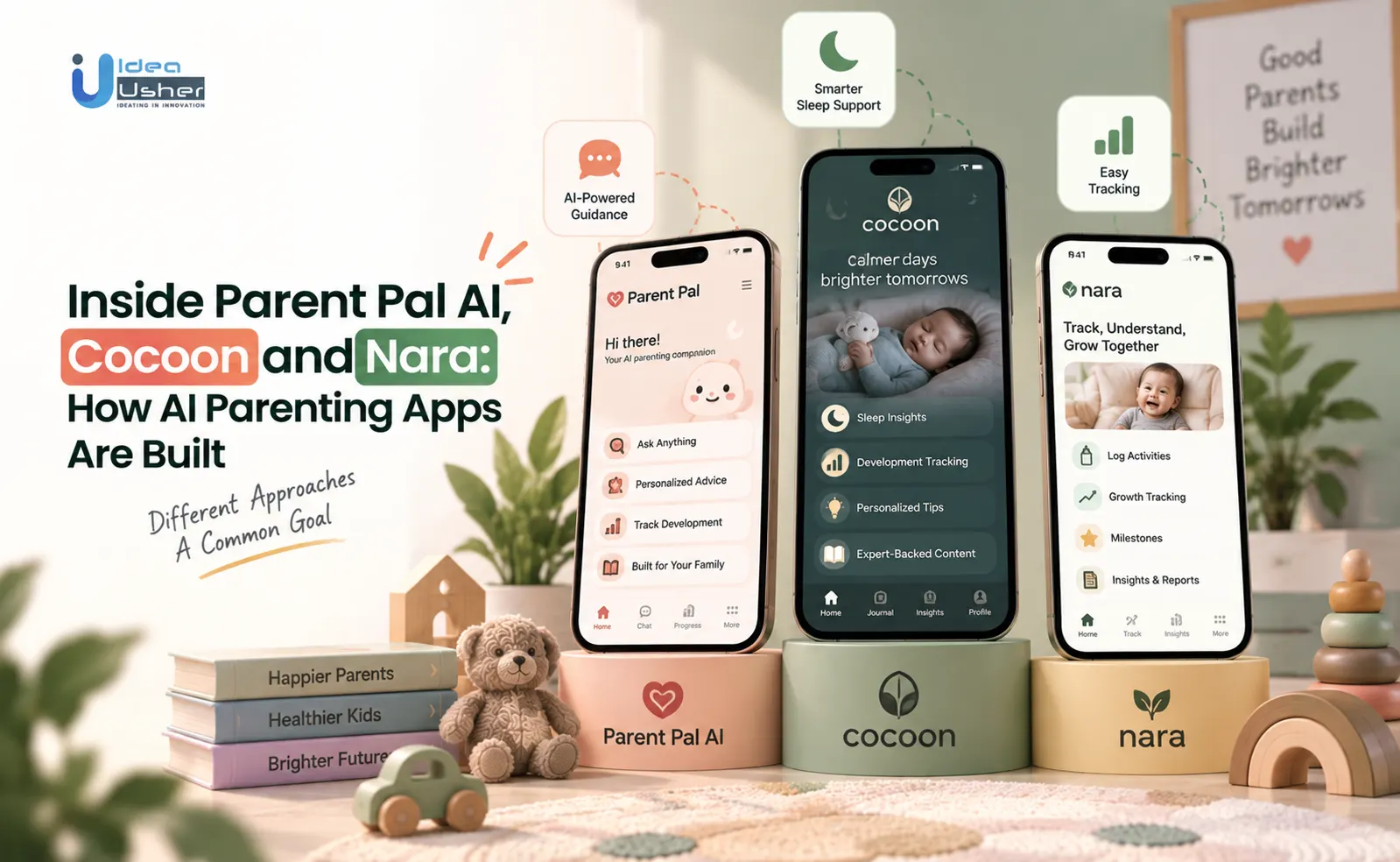
Key Takeaways
- Building an AI parenting app like Parent Pal AI, Cocoon and Nara starts with an architecture that can handle complex data while protecting sensitive child information.
- The app should turn everyday parenting information into simple and useful insights for each family.
- Behind this experience, AI works with the app’s data to understand patterns and give better responses.
- The product also needs proper testing so the advice stays useful and safe for parents.
- Learn how Idea Usher can develop an AI parenting app that gives parents personalized support.
To build an AI parenting app like Parent Pal AI, Cocoon or Nara, you need continuous data processing, context-aware intelligence, and strong safety controls that go beyond standard consumer apps. When businesses come to Idea Usher to make an app like this, they usually want more than someone who can write code. They want to know what features are worth building and what could cause problems later. They also want someone who can explain the technical choices in a simple way before development begins.
A lot of startups across the US have approached us specifically to build AI parenting apps. Interest in this space is rising fast, and founders want to move quickly without cutting corners on safety or data handling. That demand is exactly why we put this blog together. Let’s start!
The AI Parenting App Market Right Now
According to Roots Analysis, the AI parenting app market is growing steadily. The global parenting app market was valued at $1.69 billion and is expected to reach $1.94 billion, before growing to $6.02 billion over the next decade at a 12.0% CAGR. This shows that parenting apps are becoming a long-term digital market rather than a short-lived trend.

Source: Roots Analysis
Why Parents Embrace AI
Parents have become more comfortable with AI through simple tools such as sleep alerts and feeding reminders. According to a Statista survey, more than 8 in 10 U.S. parents use at least one parenting or tracking app every month. Owlet shows how this trust can grow over time. The company has reached more than 2.5 million families through its connected baby monitors. It also announced a partnership with webAI to bring private, enterprise-grade AI to its Dream Sock and Dream Sight camera.
The idea is to use years of infant sleep and health data to provide personalized insights while keeping that data under family control.
Regional Adoption Trends
North America currently leads the market. Smartphone adoption, subscription spending and familiarity with wearables are some of the factors supporting this growth.
| Region | Adoption Signal |
| North America | More than 35% of the AI parenting app market |
| Europe | Growing steadily with a strong focus on GDPR and privacy |
| Asia | Fastest-growing region, led by China, India and Japan |
| Latin America & Middle East | Early-stage markets with rising smartphone and app usage |
North America has the largest share today, but Asia’s rapid growth makes it an important market for founders planning their launch strategy.
What This Growth Means for New Entrants
The market offers room for new products, but growth also brings more competition. Founders need to solve a real parenting problem instead of simply adding a chatbot to a basic tracker. Babylist has grown from a baby registry into a platform serving more than 9 million families a year and has generated over $500 million in revenue in one year.
Its recent features show the value of solving specific parent needs. The Early Investor tool lets family members contribute to a child’s 529 or 530A savings account. Its “Open to Secondhand” feature also lets parents accept used items. Within six months, more than 600,000 registry items had been tagged for secondhand use.

Three Apps, Three Different Bets on What “AI Parenting” Means
Nara, Cocoon, and Parent Pal AI make three different bets on where AI belongs in a parenting app. Nara puts AI at the center by generating personalized content. Cocoon uses AI as a supporting layer around expert-led content and milestone data. Parent Pal AI combines an AI assistant with tracking and device-control tools, making AI one part of a broader utility app.

1. Nara: Generative AI Stories
Nara’s core idea is simple. Instead of giving children fixed stories, it creates personalized versions where the child becomes the hero, then narrates them with synced text highlighting. Its Play Store listing describes “personalized story creation guided by parents” alongside classic, science, and growing-up stories. Its latest update positions Nara as an “AI-powered storybook companion.”
That makes Nara fundamentally different from a static storybook app. Its product quality depends on how well the AI generates unique, age-appropriate stories rather than how large its content library is.
Why Personalized Stories Work
Research supports the broader value of shared reading. A meta-analysis of 99 studies published in Psychological Bulletin by Mol and Bus found a moderate effect on children’s language outcomes. The commercial opportunity is also established. Personalized-book competitors such as Lullaby.ink price digital stories from $9.99 and physical hardcovers up to $39.99.
Nara follows a similar model with a free starting experience and paid access to the full library. However, with only 50+ Google Play downloads, it remains an early-stage product.
Nara’s Prompt Layer
Nara hasn’t disclosed its technical architecture. A useful reference is Chandan Shetty’s documented build of Better Parent Everyday, another AI parenting content app. His implementation covers prompt engineering, temperature tuning, structured JSON outputs, and automated content generation.
The Generation Pipeline
| Layer | What it does | Example from the documented build |
| Prompt construction | Turns topic, age, and sources into instructions | Uses structured prompts and curated sources |
| Model + temperature | Controls creativity and consistency | Temperature of 0.7 balances variation and reliability |
| Output validation | Checks generated responses | JSON validation prevents malformed outputs |
| Storage | Saves content for retrieval | Firebase stores topic, source, and content |
| Automation | Runs generation automatically | GitHub Actions handles scheduled generation |
Why Temperature Matters
Shetty chose 0.7 to keep content fresh while remaining grounded. A story generator faces a similar trade-off: too little variation feels generic, while too much can produce strange or inappropriate results.
| Temperature | Behavior | Best suited for |
| 0.1–0.3 | Highly predictable | Factual or safety-sensitive content |
| 0.4–0.7 | Balanced creativity | Personalized stories and parenting tips |
| 0.8–1.0 | More unpredictable | Experimental creative writing |
The economics are also notable. Shetty generated 500+ parenting tips for under $20 using GPT-4 and Claude 3.7, with generation automated through a GitHub Actions job running every twelve hours. For a product like Nara, this suggests that AI generation can be relatively inexpensive compared with illustration, narration, editorial review, and quality control.
2. Cocoon: Expert Content First
Cocoon takes almost the opposite approach. Its positioning centers on content “created by child development experts who are also moms.” The product includes hundreds of developmental activities, expert-led video classes, milestone trackers, and a resource library. Its FAQ mentions an AI-powered support system, but AI sits beneath the larger experience rather than driving it. The product relies more heavily on structured milestone data and human-created content.
Why Cocoon Uses Experts
Cocoon faces competition from free resources. The CDC provides a free milestone tracker covering children from 2 months to 5 years. A paid product therefore needs to offer more than basic tracking, such as expert video classes, community features, and a polished experience.
Cocoon currently uses a 14-day free trial and waitlist model. Its website also credits Digital Mules as the build partner behind the marketing site.
3. Parent Pal AI: Utility First
Parent Pal AI combines several products into one: GPS family tracking, safe-zone alerts, app locking, an events/to-do planner, and an AI Parenting Assistant for questions about parenting, nutrition, and child behavior. That creates a much broader engineering scope. The product needs real-time location, device-level permissions, task management, scheduling, and conversational AI in one app.
Parent Pal AI currently has 4.3 stars from 20 reviews, 10K+ downloads, and an ad-supported model.
The Utility Bundle
AppHubZone, the developer behind Parent Pal AI, also has several other utility products, including WriteScan, SmartWin, PayZone, Social Recovery, Mr AI, and Smart Guardian. This points to a small studio building across multiple utility categories rather than specializing solely in child safety.
Features for AI Parenting Apps like Nara, Cocoon, or Parent Pal AI
AI parenting apps like Nara, Cocoon, and Parent Pal AI need more than a chatbot. Core features include personalized child profiles, age-based content, AI recommendations, conversational assistance, real-time alerts, caregiver access, rich activity libraries, flexible monetization, strong data controls, and clear AI safety boundaries. Together, these features help turn parenting data into relevant guidance while keeping the experience useful, personalized, and trustworthy.
1. Child Profiles That Matter
A child profile should actively change what the app shows or recommends. Nara uses the child’s name, age, and interests to personalize stories, while Cocoon uses age and milestones to surface relevant activities. If profile data does not change the experience, parents have little reason to keep it updated. Accurate profiles therefore become the foundation for personalization, recommendations, and content access.
2. Age-Based Content Gating
Showing a child’s age is easy. Using it to control what content they see is harder. Cocoon organizes activities around developmental stages, while Parent Pal AI uses age to surface appropriate educational videos. This logic also protects trust. If a product promises age-appropriate or expert-backed guidance, showing unsuitable content can quickly undermine that promise.
3. Personalization That Improves
Nara generates stories around the child, Cocoon uses milestone data to recommend activities, and Parent Pal AI offers AI-generated activity and learning suggestions. This does not require advanced machine learning from day one. Even simple rules based on age and past behavior can create meaningful personalization if they change what each parent sees.
4. Trigger-Based Real-Time Alerts
Parent Pal AI uses geofencing to alert parents when a child leaves a safe zone. Similar trigger-based alerts could help milestone apps surface meaningful changes rather than sending routine notifications. The key is making notifications event-driven. Parents need alerts when something important happens, not more scheduled app reminders.
5. Conversational AI for Parents
Parent Pal AI’s assistant answers questions about parenting, nutrition, and child behavior, while Cocoon offers an AI-powered support system. This reflects a growing expectation for parents to ask questions naturally instead of searching through static content. But conversational AI also introduces accuracy risks.
6. Free Access Before Payment
Nara uses a free-to-start model with a paid upgrade, Cocoon offers a 14-day free trial, and Parent Pal AI remains free with ads. Each model creates a different path from first use to monetization. The conversion differences can be significant. Freemium products average around 13.3% visitor-to-signup conversion, with about 2.6% of free users converting to paid. Credit-card-required trials show roughly 48.8% conversion, compared with 18.2% for opt-in trials.
7. Usable Data Controls
Nara and Parent Pal AI both state that users can request data deletion. For parenting apps handling child and family information, deletion and access controls should be built into the product from the beginning. COPPA violations can carry civil penalties of up to $53,088 per instance. Recent FTC actions include Epic Games’ $520 million settlement and Google’s and YouTube’s $170 million settlement.
8. Multi-Caregiver Access
None of the three apps publicly highlights shared access for co-parents, grandparents, or nannies. That leaves room for a stronger multi-caregiver experience. Apps such as OurFamilyWizard and AppClose already demonstrate the underlying model. AppClose’s “Circles,” for example, separates calendars, messages, and expenses across different relationships.
9. A Library Built for Retention
Cocoon’s hundreds of activities help solve a common problem: giving parents enough fresh content to keep returning. The broader app market makes retention difficult. Average 30-day retention is around 6%, while another study found U.S. users uninstall about 48% of the apps they install within 30 days.
For parenting apps, content depth therefore matters because repetition can quickly give users a reason to stop returning.
10. Clear AI Safety Boundaries
None of the three public listings clearly describes explicit AI safety guardrails, despite Parent Pal AI inviting parents to ask about parenting, nutrition, and child behavior. Research shows why this matters. One study found ChatGPT missed two-thirds of key messages when its pediatric emergency guidance was compared with established resuscitation guidelines.
Other research from Mount Sinai found that chatbots can repeat false medical information introduced by users, while a built-in warning prompt reduced the risk.
How to Build an AI Parenting App like Nara, Cocoon, or Parent Pal AI?
Building an AI parenting app like Nara, Cocoon, or Parent Pal AI starts with choosing one core use case, then designing the child profile, AI layer, and data architecture around it. You can use generative AI for personalized content, RAG for expert-backed guidance, or lightweight rules for simpler recommendations. From there, build age-based personalization, safety controls, privacy features, monetization, and a focused MVP before expanding based on real user feedback.
1. Pick One Core Bet
Every team needs to decide whether it is building a content-generation product, an expert-content and tracking platform, or a broader utility app. Nara puts generative AI at the center with “personalized story creation guided by parents.” Cocoon puts human expertise first, using AI as a supporting layer. Parent Pal AI combines GPS tracking, app locking, event planning, and an AI chatbot, but its 4.3-star rating from 20 reviews and 10K+ downloads shows the execution challenge of covering so much in one product.
The lesson is focus. Build the core loop first, then expand into secondary features once real users validate the product.
2. Define the Child Profile
The child profile feeds almost every personalized feature. Nara needs details such as name, age, and interests to generate relevant stories, while Cocoon uses age to determine which activities and milestones apply. Getting this schema right early also reduces future rework. IBM research found that production defects can cost 4 to 100 times more to fix than defects caught during design or early development.
3. Choose the AI Layer
The AI architecture should match the product.
- Nara-style: prompt generation, temperature tuning, and output validation.
- Cocoon-style: retrieval from expert-curated content.
- Parent Pal-style: simple rules and approved responses can come before a full LLM.
AI API pricing typically ranges from $0.002 to $0.05 per 1,000 tokens, so using a simpler retrieval or rules-based system where possible can also reduce ongoing costs.
4. Match the Tech Stack
The stack should solve the product’s actual engineering problem rather than follow a generic template.
| Core bet | Main challenge | Stack priority |
| Nara-style generation | Prompt reliability and AI cost | LLM APIs, caching, safety filters |
| Cocoon-style tracking | Structured child data | Relational database, CMS |
| Parent Pal-style utility | Real-time location | Geofencing, location services, modular architecture |
5. Build Compliance Early
Consent, data deletion, and age-appropriate content controls should be part of the initial architecture. Nara and Parent Pal AI already state that users can request data deletion. COPPA violations can carry penalties of up to $53,088 per instance. Recent FTC cases include Epic Games’ $520 million settlement, including $275 million related to children’s data, and Google’s and YouTube’s $170 million settlement.
6. Plan Monetization Early
Nara uses a free-to-start model with paid upgrades. Cocoon offers a 14-day free trial, while Parent Pal AI remains free with ads. Each requires different entitlement, usage, and billing logic. Freemium products typically convert around 2.6% of free users to paid, compared with roughly 48.8% for credit-card-required trials and 18.2% for opt-in trials.
7. Test the Riskiest Feature
Find the feature most likely to break the product and prototype it first. For Nara, that’s the generation and safety pipeline. For Parent Pal AI, it’s geofencing. Continuous GPS can consume 20–30% of battery per day, while optimized geofencing can keep the cost below 1% per day.
Geofences also need realistic radius settings. A radius below 100 meters can trigger unreliably, which is why production implementations may use 150 meters or more with a short dwell time.
8. Test Real Parenting Questions
Traditional QA cannot reliably catch an AI giving incorrect parenting or health advice. AI needs its own testing process built around real questions, edge cases, and safety scenarios. A BMJ Open audit found nearly half of responses from five major chatbots were problematic, with around 19.6% highly problematic. Another study found ChatGPT missed two-thirds of key messages in pediatric resuscitation guidance.
9. Launch a Narrow MVP
The first release should prove the core product bet rather than include every possible feature. For Nara, that could mean one child profile, one personalized story, and narration. For a tracking product, it could mean reliable safe-zone alerts before adding app locking, event planning, and AI chat.
10. Build the Feedback Loop
The architecture should support continuous improvement after launch. A generation app can track which stories are completed. A milestone app can learn which activities parents actually use. A utility app can measure correct versus false safe-zone alerts. These signals can then improve prompts, recommendations, and product decisions over time.
What It Would Cost to Build a Nara, Cocoon, or Parent Pal AI-Style App?
Building a Nara, Cocoon, or Parent Pal AI-style app can cost roughly $20,000 to $140,000+, depending on the product model and feature scope. A Nara-style app may cost $40,000–$90,000, while a Cocoon-style app can range from $50,000–$140,000 due to content and development requirements. A Parent Pal-style app may start around $8,000–$25,000 for basic tracking and reach $50,000–$90,000+ with AI, GPS, safe zones, app locking, and other integrations.
Why Flat Estimates Mislead
Most development guides give a broad $10,000–$250,000 range for AI parenting apps. The problem is that Nara, Cocoon, and Parent Pal AI are fundamentally different builds. Nara’s budget leans toward AI generation. Cocoon spends more on expert content and milestone tracking. Parent Pal AI carries more integration costs because it combines GPS, app controls, planning, and AI.
The better question is, which cost structure does your product actually need?
Nara-Style App Costs
A Nara-style app puts more budget into its AI generation pipeline. Prompt engineering, output validation, personalization, and content-safety filtering can cost around $10,000–$50,000, depending on complexity. AI usage itself can remain relatively affordable. API pricing typically ranges from $0.002 to $0.05 per 1,000 tokens, while GPT-5 mini is around $0.25 per million input tokens and $2 per million output tokens.
Combined with $20,000–$80,000 for core app development, a lean Nara-style MVP can fall around $40,000–$90,000.
| Feature / Component | What It Includes | Estimated Cost |
| UI/UX Design | Child profile, story creation flow, library, onboarding, personalization screens | $4,000–$10,000 |
| Child Profile | Child’s name, age, interests, preferences, and personalization settings | $3,000–$7,000 |
| AI Generation Pipeline | Prompt engineering, model integration, generation workflows, personalization | $10,000–$30,000 |
| Output Validation | Structured outputs, content validation, formatting, error handling | $3,000–$10,000 |
| AI Safety Filtering | Age-appropriate content checks, moderation, safety rules, response filtering | $5,000–$15,000 |
| Personalized Content | AI-generated stories, activities, tips, or other child-specific content | $5,000–$15,000 |
| Narration / Audio | Text-to-speech, voice selection, playback, audio management | $3,000–$10,000 |
| Content Library | Saved stories, generated content, search, categories, history | $3,000–$8,000 |
| AI API Integration | LLM API integration, token management, caching, usage controls | $2,000–$8,000 |
| Backend & APIs | User accounts, child data, content storage, API infrastructure | $7,000–$20,000 |
| Notifications | Story reminders, new content alerts, engagement notifications | $2,000–$5,000 |
| Admin Dashboard | User management, content monitoring, AI usage, moderation controls | $4,000–$10,000 |
| Privacy & Compliance | Consent, data deletion, access controls, child-data protection | $5,000–$20,000 |
| Testing & QA | Functional testing, AI output testing, safety testing, device testing | $4,000–$10,000 |
| Cloud & Deployment | Database, storage, hosting, monitoring, production deployment | $3,000–$8,000 |
| AI Usage Costs | LLM API consumption based on input/output tokens | $0.002–$0.05 / 1K tokens |
| GPT-5 mini Usage | Input and output token usage | ~$0.25 / 1M input; $2 / 1M output tokens |
| Core App Development | Mobile app, backend, APIs, authentication, core functionality | $20,000–$80,000 |
| Estimated MVP Cost | Lean Nara-style product with AI generation and personalization | $40,000–$90,000 |
Cocoon-Style App Costs
Cocoon shifts more of the budget toward milestone tracking, UX, and expert content. UI/UX can cost around $5,000–$15,000, while core development can range from $20,000–$80,000. The bigger ongoing expense is content. Hundreds of expert-reviewed activities, videos, and articles require continuous production or licensing. A Cocoon-style product can therefore reach around $50,000–$140,000 when content and milestone architecture are included.
| Feature / Component | What It Includes | Estimated Cost |
| UI/UX Design | Parent dashboard, child profile, milestone screens, activity library, onboarding | $5,000–$15,000 |
| Child Profiles | Age, development stage, interests, preferences, multiple child profiles | $3,000–$8,000 |
| Milestone Tracking | Developmental milestones, progress tracking, age-based recommendations | $8,000–$20,000 |
| Activity Library | Expert-reviewed activities, categories, filters, age-based discovery | $5,000–$15,000 |
| Expert Content System | Articles, videos, guides, parenting resources, CMS | $5,000–$15,000 |
| AI Support Layer | AI-powered recommendations, parenting assistance, contextual responses | $8,000–$20,000 |
| Personalization Engine | Recommendations based on age, milestones, activities, and child profile | $5,000–$15,000 |
| Video & Media | Expert-led classes, video hosting, playback, content management | $3,000–$10,000 |
| Notifications | Milestone reminders, activity suggestions, personalized alerts | $2,000–$5,000 |
| Backend & APIs | User management, content APIs, child data, analytics, integrations | $8,000–$20,000 |
| Admin Dashboard | Content management, user management, analytics, activity management | $4,000–$10,000 |
| Privacy & Compliance | Consent management, data deletion, access controls, child-data safeguards | $5,000–$20,000 |
| Testing & QA | Functional testing, AI response testing, security and usability testing | $4,000–$10,000 |
| Cloud & Deployment | Cloud setup, databases, storage, monitoring, production deployment | $3,000–$8,000 |
| Content Production/Licensing | Ongoing expert activities, videos, articles, illustrations, licensed resources | $10,000–$30,000+ |
| Estimated Total | Full Cocoon-style product with milestone architecture, AI, and content | $50,000–$140,000+ |
Parent Pal-Style Costs
Parent Pal AI combines GPS tracking, safe zones, app locking, event planning, to-do lists, and an AI chatbot. The challenge is not just building each feature but integrating them reliably. Flutter or React Native can reduce iOS and Android development costs by up to 40% compared with building separate native apps.
| Feature scope | Estimated cost | What’s included |
| Single-feature utility | $8,000–$25,000 | Basic GPS tracking, no AI |
| Mid-tier bundle | $40,000–$50,000 | Tracking, basic AI, analytics |
| Full Parent Pal-style | $50,000–$90,000+ | Tracking, app locker, chatbot, planning |
The jump from $25,000 to $90,000+ comes largely from integration rather than individual features.
Compliance Adds to Cost
Compliance is another cost shared by all three models. Development estimates typically allocate $5,000–$20,000 for security and compliance, including consent, deletion, and age-based controls. COPPA penalties can reach $53,088 per violation. Epic Games paid $520 million, including $275 million related to children’s data, while Google and YouTube paid $170 million. GDPR penalties can reach 4% of annual global revenue. Nara and Parent Pal AI already disclose data-deletion options in their Play Store listings.
What Changes the Cost
For Nara-style apps, language support can increase both development and AI costs because each language may require separate prompt tuning and validation. For Cocoon-style products, content depth is the bigger variable. Original expert content costs more than licensing an existing library.
For Parent Pal AI-style products, feature scope has the greatest impact. Launching with tracking and a chatbot before adding app locking and event planning can spread integration costs across multiple releases.
Across all three models, the biggest cost driver isn’t simply AI. It’s how much the first version is expected to do.
Nara vs. Cocoon vs. Parent Pal Pricing Models
Cocoon, Nara, and Parent Pal AI are all free to download, but each uses a different monetization model. Nara limits content, Cocoon limits time, and Parent Pal AI uses ads instead of a paywall. These choices reflect how much product value each company expects parents to experience before paying.
Nara’s Free-to-Start Library
Nara lets parents start with personalized stories before requiring an upgrade for broader access and premium features. Its current pricing includes $9.99/month, $14.99 for three months, or $49.99/year. The model depends on parents finding enough value in personalized stories to keep coming back and eventually upgrade.
Freemium conversion is typically just 2–5%, according to Appcues and Adapty. So out of 100 families trying Nara, roughly 2–5 may become paying customers. Nara is still at an early stage, with 50+ Google Play downloads, so the model has not yet been proven at significant scale.
Cocoon’s 14-Day Trial
Cocoon takes a different approach with a 14-day free trial. Its value comes from milestone tracking, expert-led video classes, and a resource library, which can take longer to appreciate than a single personalized story. After the trial, Cocoon lists pricing of $9.99/month or $49.99/year.
A 2025 First Page Sage study found that opt-in free trials without a credit card average 18.2% conversion to paid, several times higher than typical freemium conversion. Cocoon’s FAQ also emphasizes consistent use, noting that developmental impact comes from using the product daily or whenever it fits into your routine.
Parent Pal AI’s Free Tier
Parent Pal AI takes a lower-cost entry approach, offering free access alongside premium subscriptions. Its features include GPS tracking, app locking, an AI parenting assistant, and event planning. The current pricing lists $2.99/week or $79.99/year for premium access.
Instead of relying entirely on a paywall, this model gives parents a free entry point while creating an upgrade path for users who want continued access to premium features.
Why “Free” Differs
The same $0 download price creates three different product experiences. Nara offers limited access indefinitely, Cocoon gives full access for 14 days, and Parent Pal AI removes the paywall entirely. That also changes what each product needs to measure. Nara needs to prove that personalized stories drive upgrades. Cocoon needs to show value within the trial period. Parent Pal AI needs to maximize installs and engagement because those metrics drive ad revenue.
What Each Model Assumes
None of these models works universally. Freemium can suit products with low marginal costs, such as AI-generated stories. Trials fit products whose value builds through repeated use, like milestone tracking and educational content. Ads remove the payment barrier but require sufficient scale to generate meaningful revenue.
| App | Model | Core Assumption |
| Nara | Freemium content library | Habit forms first, with 2–5% of users eventually converting |
| Cocoon | 14-day free trial | Parents need time to experience the product’s value |
| Parent Pal AI | Ad-supported free tier | Scale and engagement can replace subscription conversion |
For a founder building an AI parenting app, the key question is how quickly the product proves value to parents, not which monetization model is universally better.
Build an AI Parenting App with Idea Usher
Building an AI parenting app requires more than connecting an LLM to a mobile interface. IdeaUsher brings 500,000+ hours of coding experience and a team that includes ex-MAANG and FAANG developers to build AI parenting products around personalization, reliable knowledge retrieval, and secure family data.

AI and LLM Integration
We integrate LLMs into parenting workflows such as conversational assistance, personalized recommendations, story generation, and age-aware guidance. Our approach focuses on controlling AI outputs through structured prompts, validation, model selection, and safety rules rather than relying on raw chatbot responses.
RAG and Knowledge Architecture
For apps that provide parenting guidance, RAG can connect AI responses to curated developmental resources and expert-reviewed content. We design retrieval pipelines, vector databases, content indexing, and source controls so the AI can use relevant information while reducing unsupported responses.
Personalized AI Experiences
We build AI experiences around each child’s profile, including age, interests, milestones, routines, and previous interactions. This allows recommendations and content to become more relevant over time instead of giving every parent the same generic response.
Secure Family Data Architecture
Family and child data requires privacy-first architecture from the beginning. We design secure authentication, role-based access, encryption, consent flows, data deletion, and controlled data access to support safer handling of sensitive family information.
Conclusion
The teardown of Nara, Cocoon, and Parent Pal AI shows that AI parenting apps do not all work the same way. Nara uses AI to create personalized stories. Cocoon uses AI to support its expert-led parenting content. Parent Pal AI focuses more on everyday parenting tools. The main lesson for founders is simple: AI alone is not enough. The app also needs useful data, a good user experience, strong safety measures, and a clear reason for parents to keep using it. The best starting point is to solve one real parenting problem well and then build from there.
FAQs
A1: Nara is better described as an AI-powered storybook app than a full AI parenting assistant. It uses AI to create personalized stories where a child can become the main character. The app focuses on making storytime more personal rather than providing broad parenting guidance.
A2: Nara uses AI to generate stories based on details parents provide about their child. The system can use information such as the child’s name, age, and interests to create a more personalized story. This makes the content different for each child instead of giving every family the same stories.
A3: Cocoon uses AI as a support layer around its expert-led parenting content. Its experience includes developmental activities, milestone tracking, expert videos, and parenting resources. The AI can help make this information more relevant to a parent’s situation instead of acting as the entire product.
A4: Parent Pal AI includes an AI Parenting Assistant that can help parents with topics such as parenting, nutrition, and child behavior. It also combines AI with practical tools such as GPS tracking, safe zones, app locking, and event planning, making it more of an all-in-one parenting utility.
A5: An AI parenting app can cost around $20,000 to $140,000+ depending on its features and complexity. A simple AI content app may require less development, while products with personalization, milestone tracking, RAG, real-time features, safety systems, and compliance can cost much more. The AI model itself is only one part of the overall development budget.
A6: AI parenting apps commonly use Flutter or React Native for the mobile app and Node.js or Python for the backend. LLM APIs power conversational or generative features, while RAG and vector databases can support expert-backed answers. PostgreSQL or MongoDB can manage family data, while cloud platforms such as AWS, Azure, or Google Cloud support hosting and scaling.


