


Key Takeaways
- A real-time AI parenting app can use Flutter or React Native for the mobile app. Node.js or Python can handle the backend while AI models power its smart features.
- With real-time technology, parents can get quick responses instead of waiting for the app to process their requests.
- A strong database and cloud setup also help manage family profiles, app activity, and growing user data.
- Learn how IdeaUsher builds an AI parenting app and chooses the right technology for each product.
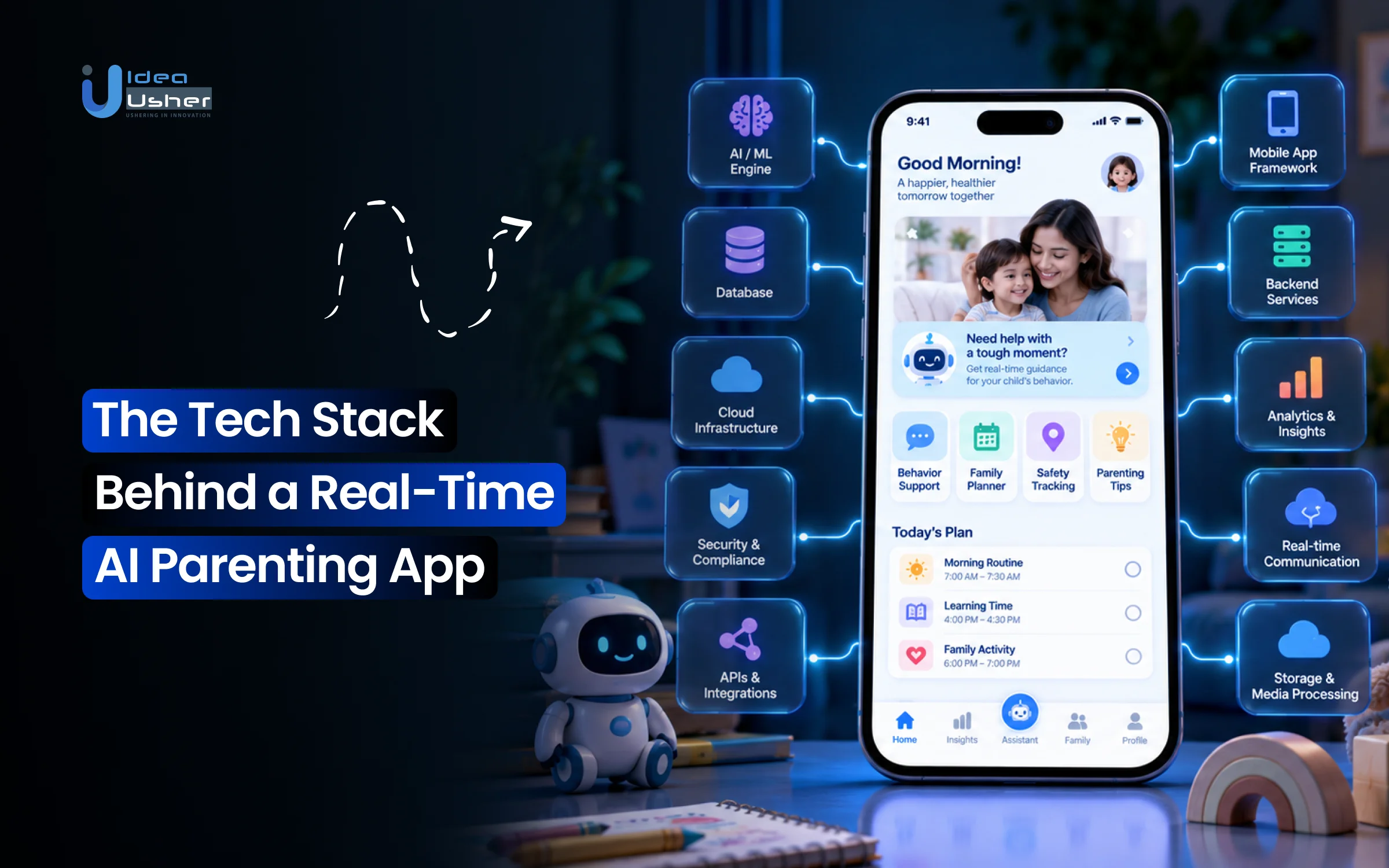
A real-time AI parenting app is built on a layered technology architecture that brings together edge processing, real-time data pipelines, and purpose-built AI models. These technologies work together to support child safety, continuous monitoring, intelligent alerts, and natural conversational assistance. Founders who want to build an AI parenting app with us can expect us to first understand their idea and then suggest the right technology for it. We help decide which AI features are worth building and how the app should handle user data, real-time interactions, and future growth.
Many startups in the USA have also approached us to build AI-powered parenting apps. More founders are now interested in these apps because they can give parents quick and personalized support. That is why we have put together this blog to explain what technology goes into building a real-time AI parenting app and what founders should consider before they start.
Market Demand for AI Parenting Apps
The demand for AI parenting apps is growing as parents look for faster and more personalized support. According to Research and Markets, the global parenting apps market is projected to grow from $1.71 billion to $1.93 billion, representing a 12.8% CAGR, with AI integration identified as one of the factors expected to support future growth.

Source: Research and Markets
AI Adoption Among Parents
AI is quickly becoming part of everyday parenting. A 2026 survey by Lurie Children’s of 1,004 U.S. parents found that 81% had used AI for parenting tasks. Around 43% used it weekly, and 15% used it daily. The survey also found that 90% felt AI made parenting easier, while 91% said it improved their confidence.
Parents mainly use AI for practical needs. 53% used it for health or medical information, followed by meal planning at 49%, behavior advice at 43%, homework support at 42% and activity planning at 37%. AI also saved parents an average of 58 minutes every week.
Nurt Meld is one example of this approach. It combines an AI parenting coach with child profiles, developmental milestones, behavior logs and growth tracking. This allows its AI to use a child’s age and recent information to provide more relevant responses.
Personalized Parenting Support
Parents want more than general information. They want advice that fits their child’s age, routine and situation. UNESCO reported that 52% of Indian Gen Z parents trust AI over traditional search engines for parenting advice, with parents using AI for areas such as development, education, health, sleep and nutrition.
| Parent need | AI parenting app solution |
| Quick answers | AI chat support |
| Age-based guidance | Personalized recommendations |
| Routine support | Smart reminders |
| Development tracking | Milestone insights |
| Less mental load | Personalized suggestions |
Nurture+ takes this idea further by combining routines, milestones and an AI parenting coach. Its AI coach uses Gemini for age-aware guidance, while caregiver accounts can stay synchronized in real time.
Startup Opportunities
The opportunity goes beyond building another parenting tracker. The Business Research Company expects the parenting apps market to reach $3.11 billion, with AI-based health and nutrition tracking, growth monitoring, and smarter co-parenting tools supporting future growth.
Startups can also focus on specific parenting needs. Pukaar AI uses AI for baby cry analysis and tracking, while Nurtoora focuses on child development with 150+ milestone checkpoints, 200+ activities and AI-powered insights from daily tracking.

What Happens Behind the Scenes When a Parent Uses an AI Parenting App?
When a parent uses an AI parenting app, the request passes through several layers before the answer appears. It starts with the mobile app and moves through the API, family data and AI engine. A safety layer can then check the response before sending it back. This helps the app provide fast and relevant support.
Parent → Mobile App → API → Context/Data → AI Engine → Safety Layer → Real-Time Response
1. From Parent Question to AI Answer
A parent may ask something like “Why is my child waking up at night?” The app sends the question to the backend through an API. The system can check details such as the child’s age, routine and past interactions before sending the right context to the AI. This helps create a more relevant answer.
Kidosense uses a similar approach through daily check-ins that collect observations about cognitive, language, motor and social-emotional development. Its 24/7 AI chat assistant uses this information to offer personalized guidance. The app says it was developed with child psychiatrists and validated across hundreds of families.
2. How Apps Build Family Context
An AI parenting app becomes more useful when it understands the family behind each question. It can connect a new request with the child’s profile and information already shared by the parent. This may include age, routines, milestones and previous interactions.
| Context | Why It Matters |
| Child’s age | Age-appropriate guidance |
| Daily routine | Identifies patterns |
| Previous questions | Keeps conversations connected |
| Milestones | Adds developmental context |
| Parent preferences | Improves recommendations |
Kindling also uses this approach. Its AI parenting assistant provides real-time support while its personalized assessments and weekly challenges are built around parenting patterns. Its Reflect tab focuses on reflection and challenge progress to help create smarter plans.
3. Where Real-Time Processing Happens
Real-time processing mainly happens across the backend and AI layers. The server receives the request, checks the user and retrieves relevant family context before sending it to the AI service. Technologies such as WebSockets can help keep the experience responsive while the answer is being generated.
The app can also use caching or smaller AI models for simple requests. More complex questions can use the full AI pipeline. This helps balance speed, response quality and infrastructure costs.
4. How the Response Reaches the Parent
After the AI generates an answer, the system can run safety and validation checks before returning it to the app. The answer can then appear in the chat or trigger a real-time alert when needed. This makes the experience feel immediate rather than delayed. For parenting apps, speed is only part of the goal.
Responses also need to be relevant, safe and easy to understand, especially when parents ask about health or behavior. Kidosense, for example, positions its AI around instant support while also highlighting expert-approved answers and privacy controls.
The Real-Time Architecture of an AI Parenting App
The architecture of a real-time AI parenting app connects the mobile app with the backend, AI services and family data. Each layer has a clear role in processing requests and delivering responses. Technologies like Flutter, Node.js, WebSockets and cloud services can work together to keep the app responsive.

1. Mobile Application Layer
The mobile app is where parents interact with the AI. Flutter or React Native can support cross-platform development, while Swift or Kotlin can be used when deeper device features are needed. The app can support chat, voice input, profiles and other parenting tools. Parentii is an example of a real-time AI parenting copilot. Its features include Crisis Mode, Child Growth Score, a tantrum timer, sensory games and caregiver sync. This shows how the mobile layer can bring several AI features into one experience.
2. API and Backend Layer
The backend connects the app with AI services and databases. It manages authentication, family profiles and requests from the mobile app. Node.js or Python can be used to build this layer and connect different services.
| Backend task | Possible technology |
| APIs | Node.js / Python |
| Authentication | OAuth 2.0 / JWT |
| Fast data access | Redis |
| Main database | PostgreSQL / MongoDB |
| AI services | OpenAI / Gemini / Claude |
3. Real-Time Communication Layer
The real-time layer helps the app respond when something changes. WebSockets and Firebase can send updates without requiring parents to refresh the app. This works well for AI conversations, caregiver updates, reminders and alerts. For example, one caregiver can add information about a child’s routine and another caregiver can receive the update almost immediately.
4. AI Orchestration Layer
The AI orchestration layer controls how a request moves through the AI system. It can select an AI model, retrieve relevant family information and then generate the response. Tools such as LangChain and LlamaIndex can connect AI models with application data and services. This layer can also add safety checks. Simple questions may use a direct LLM call while more sensitive requests can go through additional context and validation.
5. Data and Context Layer
The data layer stores information that helps the AI understand each family. This can include child profiles, routines, milestones and previous conversations. PostgreSQL or MongoDB can manage application data, while Pinecone or Qdrant can support AI-based semantic search.
Lunara is an example of how different family data points can be connected. Its platform brings together sleep, feeding, milestones, growth and vaccination information and uses AI to identify patterns across them.
6. Notification and Event Layer
The notification layer helps the app respond when something important happens. Firebase Cloud Messaging or OneSignal can deliver reminders and alerts, while an event-driven backend can decide when they should be sent. The goal is to make notifications useful rather than overwhelming. The system can consider user preferences and the importance of an event before sending an alert.
Which Frontend Technologies Work Best for AI Parenting Apps?
Flutter and React Native are strong choices for AI parenting apps because they support cross-platform development from a shared codebase. Native iOS and Android development is better when deeper device access is needed. The choice depends on the app’s AI, voice and device requirements.
1. Flutter vs React Native
Flutter and React Native can help startups launch on iOS and Android without building two separate apps. Flutter compiles to native code, while React Native uses native components within the React ecosystem.
| Technology | Best suited for |
| Flutter | Custom UI and shared codebase |
| React Native | React apps and native integrations |
| Swift | iOS-specific features |
| Kotlin | Android-specific features |
For an MVP, Flutter or React Native is usually a practical starting point. Flutter supports Android and iOS from the same codebase.
2. When Native Development Makes Sense
Native development is useful when the app needs advanced audio processing, background services, wearables or platform-specific privacy controls. Swift gives more control on iOS while Kotlin does the same for Android. However, apps focused on AI chat, profiles, routines and notifications can usually use cross-platform development. Native code can be added only where deeper device access is required.
3. Building Voice-First Experiences
Voice can make parenting apps easier to use when parents are busy. The app can capture speech, convert it to text, process it with AI and return a spoken response. Apple’s Speech framework supports live speech recognition and partial results while a person is speaking. AmyNest AI is a current example. Its AMY Speech Coach offers five-minute speech sessions, pronunciation practice and progress reports powered by ElevenLabs AI voice.
4. Designing for Multiple Children
A parenting app should support multiple child profiles instead of treating one account as one child. Parents should be able to switch profiles while keeping each child’s data and AI context separate. AI Parenting Companion supports multiple child profiles with individual stories and rewards. It also offers Family Sharing across Apple devices.
For larger products, the frontend can add co-parent accounts, caregiver permissions and shared routines so approved family members can work together without accessing restricted information.
What Backend Stack Can Handle Real-Time Parenting Data?
A real-time AI parenting app can use Node.js or Python, WebSockets or Firebase, Redis, API gateways and event-driven architecture. Each layer has a specific role in processing AI requests, syncing family data and delivering smart alerts. Together, they help keep the app fast and responsive as usage grows.

1. Node.js vs Python Backend
Node.js works well for the main application backend when the app needs many concurrent connections. Its event-driven and non-blocking architecture is designed for scalable network applications. Python is also a strong choice when the backend has heavy AI and machine learning workloads.
Its asyncio framework supports concurrent network operations and works well with AI services and data-processing pipelines.
| Backend | Best use |
| Node.js | APIs and real-time connections |
| Python | AI and ML workloads |
| Node.js + Python | Larger AI platforms |
A practical setup can use Node.js for app traffic and Python for AI inference, recommendations and analytics. This keeps AI workloads separate from core application requests.
2. WebSockets vs Firebase Updates
The choice between WebSockets and Firebase depends on how much control the product needs. WebSockets create a persistent two-way connection so the server can push updates without waiting for another request. Firebase provides managed real-time synchronization and can keep clients responsive even when connectivity is interrupted.
| Technology | Best for |
| WebSockets | AI chat and live events |
| Firebase | Data sync and notifications |
| Both | Larger mixed-use apps |
For example, WebSockets can handle live AI conversations, while Firebase can manage caregiver updates and synchronized routine data.
3. Redis for Faster Data
Redis can cache frequently requested data between the application and primary database. Its cache-aside approach can deliver repeated reads at sub-millisecond latency. For an AI parenting app, Redis can temporarily store:
- Active chat sessions
- Child profile context
- Recent AI responses
- Notification states
This reduces repeated database queries and helps speed up common interactions.
4. API Gateways for Integrations
An API gateway acts as the front door between the mobile app and backend services. It can manage authentication, access control, routing, monitoring and traffic limits while connecting the app to AI models and external services. AWS API Gateway supports both REST and WebSocket APIs and can handle large numbers of concurrent API calls.
A typical flow can look like:
Parent → API Gateway → Backend → AI Model / Database / External API → Response
This is useful when connecting AI APIs, payments, calendars, wearables and notification services.
5. Event-Driven Smart Alerts
An event-driven backend allows the app to react when something happens instead of constantly checking for changes. A child’s completed activity, missed routine, new milestone or scheduled reminder can create an event that triggers another backend service.
| Event | Possible action |
| Routine completed | Update progress |
| Milestone logged | Generate insight |
| Reminder due | Send notification |
| New AI message | Update chat |
WiseParent uses AI chat and voice alongside child progress tracking. Its recent update included “Improved AI calls with smoother interruptions and better understanding”, plus speech-to-text and UI improvements.
What AI Technologies Power a Real-Time Parenting Assistant?
A real-time AI parenting assistant can combine LLMs, RAG, recommendation engines, machine learning, speech AI and safety guardrails. Each technology handles a different part of the experience. Together, they help the app understand questions, use family context, personalize guidance and deliver safer responses.
1. LLMs for Parenting Support
Large language models or LLMs power the conversational layer of an AI parenting app. They can understand questions, follow conversation history and generate natural responses. One study involving 170 parents tested a 15-minute AI chatbot intervention for positive parenting skills.
A production app can use an LLM such as GPT with system prompts, family context and application rules. GPT-5 mini costs $0.25 per 1 million input tokens and $2 per 1 million output tokens, making smaller models useful for high-volume tasks.
2. RAG for Better Context
Retrieval-augmented generation, or RAG, gives the LLM trusted information before it generates an answer. It can retrieve parenting resources, child-development information or approved family data from a knowledge base. The PAT parenting chatbot uses RAG to retrieve scientifically supported information. Research on RAG for child-related case analysis reported 82% to 95% accuracy for selected child-protection factors.
3. Recommendation Engines for Guidance
Recommendation engines help the app provide personalized activities and guidance instead of only answering questions. They can use a child’s age, routines, milestones and parent preferences to select relevant recommendations.
| Input | Recommendation |
| Child’s age | Age-appropriate activity |
| Recent behavior | Parenting strategy |
| Developmental stage | Learning activity |
| Parent preferences | Personalized routine |
Boostmychild analyzes observations across 6 categories to create a development profile and provide customized weekly guidance, activities and worksheets.
4. Machine Learning for Patterns
Machine learning can identify patterns across sleep, mood, activities, routines and developmental progress. This allows the app to provide trend detection, progress summaries and useful signals. Bheeli includes advanced pattern detection along with personalized activities, detailed insights and smart reminders.
These models should not turn patterns into medical diagnoses. They can highlight changes and suggest when professional advice may be appropriate.
5. Speech-to-Text and Text-to-Speech
Voice AI makes parenting support easier when parents are busy. Speech-to-text converts spoken questions into text, while text-to-speech turns AI responses into audio. Apple’s Speech framework supports partial and final transcriptions and can support on-device recognition.
6. AI Guardrails for Child Safety
AI guardrails are important when an app handles child development, behavior, health or emotional concerns. They can detect risky prompts, restrict unsafe responses and route sensitive situations toward professional resources. The WHO warns that LLMs can produce authoritative-sounding but incorrect health information. It recommends expert supervision, transparency, evaluation and safety protections for health-related AI.
A practical flow is:
Parent Question → Safety Check → RAG + Context → LLM → Safety Check → Response
emoGlow: Smart Parenting uses its Bloom Experience Engine and Bloom Response Intelligence System with psychology and AI research. Its Safe by Design system checks conversations and can surface crisis resources.
How Does an AI Parenting App Remember Family Context?
An AI parenting app can remember family context by storing profiles, routines, preferences, and conversation history in structured databases. RAG and vector search can then retrieve relevant information for each question. This helps the LLM provide personalized responses without using the entire family history every time.
1. Creating Parent and Child Profiles
The first layer is a structured family profile. It can store details such as child age, interests, developmental stage, routines, and parent preferences. PostgreSQL works well for this type of structured data and its jsonb format can store flexible profile information while supporting indexing.
| Profile data | Example |
| Child | Age and development |
| Preferences | Food and interests |
| Parent | Parenting goals |
| Access | Parent and caregiver permissions |
Kikotto uses child profiles with age, interests, personality traits and developmental focus. Its AI consultations use this information to personalize advice.
2. Storing Routines and History
The backend can store routines, milestones, previous questions, completed activities and interaction history in PostgreSQL. Redis can hold frequently used or temporary context so the application does not repeatedly query the main database.
A simple setup is:
PostgreSQL → Long-term data
Redis → Frequently used context
Vector database → Semantic memory
A family-focused AI parenting study used user profiles, child profiles, conversation summaries and tracking features to support personalized digital parenting services.
3. Retrieving Relevant Family Context
The app should not send every stored detail to the LLM. Instead, the backend can identify the child, retrieve relevant history and combine it with the current conversation. For a bedtime question, it could retrieve the child’s age, recent sleep routine and previous bedtime questions before sending the context to the AI through RAG.
4. Using Vector Databases
Vector databases find information based on meaning rather than exact keywords. Family notes and conversations can be converted into embeddings and searched for similar information. Redis supports vector search and can combine semantic searches with metadata filters.
So a question like “My child is struggling at bedtime again” can retrieve older sleep-related conversations even when the wording is different.
5. Preventing Outdated AI Context
AI memory should not keep everything forever. Old routines or preferences can cause poor responses, so stored context should use timestamps, relevance rules and update controls. Raising AI takes a privacy-focused approach by keeping child profiles and session history on-device only. Its recent “fresh new look” update redesigned the home and session flow while retaining its parenting coach.
The overall flow is:
Parent Question → Profile Lookup → Context Retrieval → RAG → LLM → Personalized Response
Which Data Sources Can a Real-Time AI Parenting App Connect?
A real-time AI parenting app can connect wearables, baby monitors, calendars, health platforms, parent-entered logs and third-party APIs. These sources give the AI more context about a child’s routines, activity and daily needs. The backend can then combine this data with family profiles to create more useful and timely guidance.
1. Wearables and Activity Trackers
Wearables can provide data such as sleep, movement, heart rate and activity levels. With permission, an AI parenting app can use this information to identify routine changes and combine it with other family data. Apple Health, for example, centralizes information such as sleep, medications and activity while keeping health data encrypted on the device. The app can use this data to build a wider picture instead of relying only on manual logs.
2. Baby Monitors and IoT Devices
Baby monitors can provide sleep, sound, movement and breathing data in real time. AI can then detect events and send relevant alerts instead of making parents watch the monitor continuously. Nanit combines its Smart Baby Monitor with AI-driven Sleep Score, NextNap and Smart Notifications. Its system can use real-time sleep, sound and motion data to generate insights and alerts.
This type of integration can also connect cameras, nursery sensors and other IoT devices through secure APIs.
3. Calendars and Reminder Systems
Calendars help the AI understand the family’s schedule. The app can combine PTMs, appointments, activities, medication reminders and routines with the child’s profile.
| Data source | Possible AI use |
| Google Calendar | Events and appointments |
| Apple Calendar | Family schedules |
| Outlook | School and work events |
| App reminders | Routines and tasks |
AI Parent recently added support for Google Calendar, Outlook Calendar and Apple Calendar. Its tasks can also appear in connected calendars based on the user’s sync settings.
4. Health and Wellness Data
Health data can include growth, vaccinations, temperature, medications, sleep and developmental milestones. The app should only access information that the parent has clearly approved. Apple Health supports centralized health information and trend analysis while protecting data with device-level security. The CDC also provides its Milestone Tracker for children from 2 months to 5 years, giving developers a useful reference for structured developmental data.
The AI can combine these sources with parent observations to create more complete insights without treating the data as a medical diagnosis.
5. Parent-Entered Logs and Observations
Manual logs remain important because parents can record information that sensors cannot easily capture. These can include feeding, mood, tantrums, sleep quality, activities and symptoms. A natural-language interface can make logging faster. HeyFini lets parents say entries such as a feeding amount or diaper change instead of typing through multiple screens.
Its recent “Today vs. Normal” feature compares sleep, meals and diapers with the baby’s own rhythm from the previous 14 days.
After three weeks of data, HeyFini can also identify connections between events. For example, it can show when teething days are associated with shorter sleep without claiming that one caused the other.
6. Third-Party APIs
Third-party APIs allow the parenting app to bring outside services into the same AI workflow. These can include AI models, calendars, health platforms, maps, payments, weather services and communication tools. For example, Kiddiebox uses Gemini’s API to generate personalized recommendations from child activity and development data. Its platform also uses Firebase for the application infrastructure.
A typical integration can look like:
Wearable / Monitor / Calendar → API → Backend → Family Context → AI → Personalized Insight
When Should You Use an API-Based AI Model vs a Custom Model?
An LLM API is usually the best starting point for conversational AI without building a model from scratch. RAG can add trusted parenting knowledge, while custom ML and fine-tuning are useful for more specialized requirements. The right choice depends on the app’s data, AI needs, performance goals and budget.
1. When an LLM API Is Enough
An LLM API can power AI chat, activity ideas, summaries and general parenting guidance. Founders can use a proven model while focusing on prompts, context, safety and the user experience. AWS recommends starting with the least resource-intensive approach before customizing a model.
ParenAI uses personalized AI chat, child profiles, growth logs and weekly tips. Its recent “Agentic Chat enhancements” update improved its conversational experience.
2. When RAG Is Better Than Fine-Tuning
RAG works well when the app needs trusted or frequently changing information. It retrieves relevant content and adds it to the prompt without changing the underlying model.
| Need | Better approach |
| General AI conversation | LLM API |
| Parenting knowledge | RAG |
| Changing information | RAG |
| Specific behavior | Fine-tuning |
| Specialized prediction | Custom ML |
AWS recommends RAG for question-answering systems using custom documents because information can be updated without retraining the model.
3. When Custom Machine Learning Makes Sense
Custom ML makes sense when the app needs to predict or classify specific patterns rather than generate text. Examples include sleep patterns, developmental trends, activity recommendations or routine changes. AWS recommends custom models when existing models do not meet specific requirements or greater model control is needed.
An app could therefore use an LLM for conversations and a custom ML model for tasks such as predicting nap timing or identifying routine patterns.
4. When Fine-Tuning Is Worth It
Fine-tuning can be useful when prompting and RAG cannot deliver the required behavior, terminology, format or task performance. Google notes that fine-tuning can improve specialized language and output behavior. For parenting apps, it could teach a model a specific coaching style or help classify parenting situations consistently. AWS notes that fine-tuning can take hours to days, depending on model size.
Parenting Plus combines an AI Assistant, child-development tracking and expert-written parenting content in text and audio.
Building Custom AI With IdeaUsher
IdeaUsher can help founders choose between an LLM API, RAG, custom ML model or fine-tuning based on their product requirements. Our expertise covers LLM integration, RAG, machine learning, AI orchestration and real-time data pipelines. We can also combine these approaches.
For example, an app can use an LLM API for conversations, RAG for parenting knowledge and custom ML for behavioral patterns while keeping the architecture ready for future AI customization.
How Do You Make an AI Parenting App Respond in Real Time?
An AI parenting app can feel real-time by reducing the time spent before the first response and avoiding unnecessary AI processing. Streaming, caching, model routing, selective RAG and performance monitoring can work together to keep conversations responsive. The goal is not only faster servers but a backend that knows when and how much AI processing is actually needed.
1. Streaming AI Responses
Streaming lets the app display an AI response as it is generated instead of waiting for the complete answer. AWS identifies time-to-first-token as an important performance metric for user-facing AI systems. A controlled CHI study compared 2, 9 and 20-second time-to-first-token delays and found that latency affected how users perceived AI responses. This makes streaming especially useful for parenting conversations where parents may be asking questions while actively handling a child.
2. Caching Frequently Used Data
Not every request needs a fresh database or AI call. Redis caching can keep frequently requested information such as child profiles, recent conversations, routine data and common recommendations close to the application layer.
A simple architecture can be:
Request → Redis Cache → If Missing → Database / AI Service
This reduces repeated processing and lets the app return frequently used information faster.
3. Routing Simple Queries
A parenting app does not need its most powerful model for every request. Simple tasks such as rewriting a reminder, summarizing a routine or answering a basic question can go to a smaller model while complex or sensitive requests use a stronger model. Recent research on LLM routing found that model selection can improve the balance between latency, cost and accuracy.
One FLARE evaluation reported reductions of up to 68% in latency and 75% in cost while maintaining competitive accuracy.
Parent Pal AI is an example of a broader AI parenting platform combining an AI parenting assistant with family tracking, child tasks and parental controls. Its recent update focused on “Enhanced security measures” and stability improvements.
4. Using RAG to Reduce Calls
RAG can reduce unnecessary generation by retrieving the right information before deciding how much AI processing is needed. Simple questions may need little or no retrieval, while complex parenting questions can use deeper retrieval from the knowledge base. A recent cost-aware RAG study found that query-specific retrieval routing produced 26% fewer billed tokens and 34% lower mean response time while maintaining comparable answer quality
This means the app should not automatically retrieve ten documents for every question. Retrieval depth can change based on query complexity.
5. Monitoring AI Latency and Costs
Real-time performance needs continuous monitoring. The backend should track TTFT, total response time, model usage, token consumption, cache hits and infrastructure cost for each AI request.
| Metric | What it shows |
| TTFT | How quickly AI starts responding |
| Response time | Total request duration |
| Token usage | AI processing volume |
| Cache hit rate | Repeated data efficiency |
| Cost per request | AI infrastructure spend |
BabyNena shows how performance can become part of the product itself. Its “AI cry analysis engine rebuilt for faster, more accurate results” was introduced alongside a “Wellness Score” dashboard with real-time updates and a new AI parenting assistant.
For a production AI parenting app, these metrics can help identify whether a slow response comes from the mobile app, network, retrieval layer, model or backend infrastructure before it affects more users.
Which Database Should You Choose for an AI Parenting App?
For most AI parenting apps, a combination of PostgreSQL or MongoDB, Redis, a vector database and cloud object storage works better than relying on one database. PostgreSQL or MongoDB can manage family records, Redis handles fast-changing data, vector storage supports AI retrieval and cloud storage keeps large files separate from operational data.
1. PostgreSQL vs MongoDB
PostgreSQL is a strong choice when family data has clear relationships between parents, children, caregivers, routines and permissions. Its jsonb support also lets developers store flexible profile data while keeping relational structure. MongoDB is useful when the data structure changes frequently or contains different fields for different children.
Its document model stores JSON-like records and supports flexible schemas, transactions and vector search.
| Database | Best suited for |
| PostgreSQL | Relational family data |
| MongoDB | Flexible child profiles |
| Both | Larger mixed-data systems |
2. Redis for Real-Time Operations
Redis can handle temporary and frequently accessed data such as active sessions, recent conversations, notification states and cached profiles. Redis documentation notes that cache-aside patterns can serve repeated reads at sub-millisecond latency. This keeps high-frequency operations away from the primary database and helps the app respond faster during live interactions.
3. Vector Databases for AI
A vector database stores embeddings so the AI can retrieve information by meaning rather than exact keywords. This is useful for conversation history, parenting resources and family notes that need to be retrieved through RAG. For example, a parent asking about a child’s sleep can retrieve older sleep-related conversations even if the wording is different. Vector search can also be combined with filters such as child ID, date or content type to keep retrieval relevant.
4. Cloud Storage for Large Files
Photos, audio recordings and documents should usually stay outside the main database. Cloud object storage such as Amazon S3 is designed for large-scale file storage and provides 99.999999999% durability.
A typical setup is:
PostgreSQL/MongoDB → Family Data
Redis → Fast Data
Vector DB → AI Memory
Cloud Storage → Photos, Audio, Documents
Uni is a useful example of a family-focused AI app that supports multiple family profiles. Its recent “AI coach chats” update allows up to 10 profiles, helping personalize the experience for different family members.
5. Designing Multi-Child Data Models
The database should treat each child as a separate entity while allowing approved caregivers to access shared information. A parent may have several children, and each child can have different routines, milestones, permissions and AI context. Nurt Meld supports up to 5 child profiles on its Premium plan and includes caregiver permissions for parents, grandparents and nannies. Its recent update improved profile management for up to 5 children, along with performance and stage-based coaching.
A simple structure can be:
Family → Parents/Caregivers → Children → Routines / Milestones / Conversations / Files
This keeps each child’s data separate while still allowing the AI to understand the wider family context.
Build a Real-Time AI Parenting App with Idea Usher
Building a real-time AI parenting app requires more than connecting an LLM to a mobile interface. IdeaUsher brings 500,000+ hours of coding experience and a team of ex-MAANG and FAANG developers to build AI systems that can handle real-time interactions, family context, recommendations and secure data.
AI and LLM Integration Expertise
We can integrate LLMs, RAG, vector databases, AI agents and conversational AI into parenting apps. Our team can also build context-aware AI that uses child profiles, routines and interaction history to provide more personalized responses. We can select the right AI approach based on your product goals and data requirements.
Real-Time Application Architecture
We build real-time systems using WebSockets, APIs, Redis and event-driven architecture. This helps support live AI conversations, caregiver synchronization, smart alerts and fast updates across the application. The architecture can also be designed to scale as user activity and AI requests increase.
Secure Cloud and Data Infrastructure
Our team can design scalable cloud infrastructure for family profiles, conversations, photos, audio and other sensitive data. We can implement authentication, access controls, encryption and secure API integrations while preparing the architecture for future growth. This helps create a secure foundation for handling family and child-related information.
Custom AI and Recommendation Systems
When an API model is not enough, we can develop custom ML models, recommendation engines and specialized AI workflows. These can support features such as developmental insights, activity recommendations, behavioral pattern detection and personalized parenting guidance.
Conclusion
The tech stack behind a real-time AI parenting app should be chosen based on what the app actually needs. You do not need to use every new AI tool just because it is available. Start with a solid mobile and backend setup and then add AI features that can make the app more useful for parents. If your app needs deeper AI, real-time features or custom recommendations, the technology can grow with the product. With the right development team, you can build the first version faster and keep the platform ready for future growth.
FAQs
A1: An AI parenting app can use Flutter or React Native for the mobile app and Node.js or Python for the backend. The AI layer can use an LLM with RAG, vector search and recommendation systems. PostgreSQL or MongoDB can manage family data while Redis can support faster real-time operations. WebSockets or Firebase can also be added for live updates and alerts.
A2: There is no single best stack for every AI parenting app, but Flutter, Node.js, PostgreSQL, Redis and an LLM API with RAG can be a strong starting point. This setup can support cross-platform apps, real-time features and personalized AI responses. The stack can later be expanded with custom ML models or other AI services as the product grows.
A3: Real-time AI works by sending a parent’s question from the mobile app to the backend where the system checks the user’s profile and relevant family context. The AI then processes the request and streams the response back to the app. WebSockets, Redis and streaming AI responses can help reduce delays and make the conversation feel more immediate.
A4: The best AI model depends on the features and level of accuracy your parenting assistant needs. A capable LLM API can handle general conversations while a smaller model can manage simple tasks to control costs. For sensitive child-related questions, the model should also work with RAG and strong safety guardrails instead of relying on the LLM alone.
A5: RAG is usually the better starting choice when the app needs trusted parenting information or frequently updated content. It lets the AI retrieve relevant information without retraining the model. Fine-tuning makes more sense when you need the model to follow a specific behavior or specialized output style that prompting and RAG cannot achieve.


