


Key Takeaways
- For EHR integration using HL7, start by understanding what your healthcare team needs and what data they will use.
- Then create a secure connection with the EHR so information can move safely without adding extra work for the users.
- Create clear mapping rules so the data from the EHR reaches the correct place in your platform.
- Run test messages before going live to make sure the data moves correctly, and the EHR responds as expected.
- If you are looking for an experienced team, IdeaUsher can help you build and implement the HL7 EHR integration.
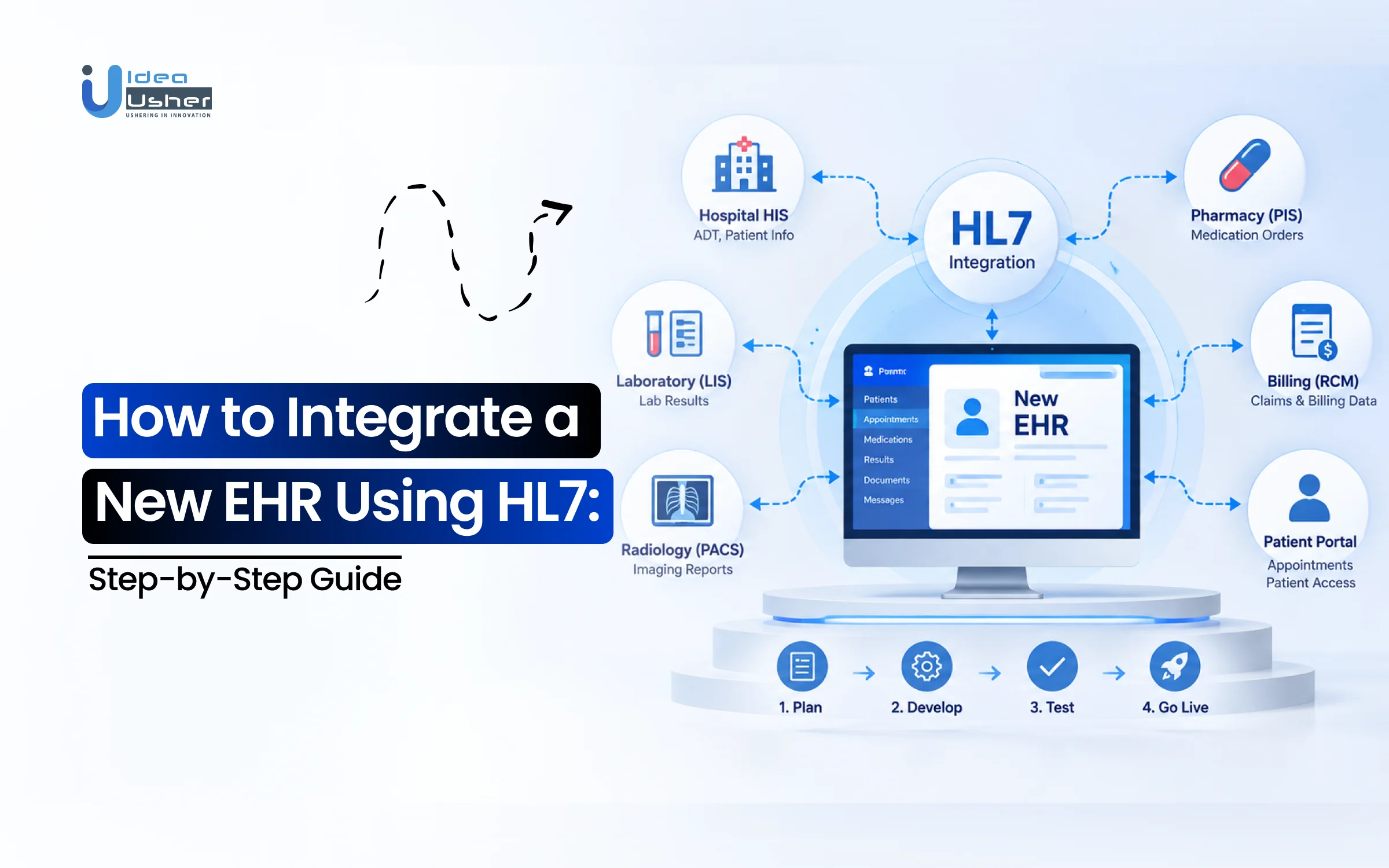
To integrate a new EHR using HL7, start by finding out which systems need to share data. Then check how the EHR handles HL7 and what data it can exchange. After that, connect the systems and map the data so it goes to the right place. Test everything before launch to make sure messages are moving correctly. Once the integration is live, keep checking it so small issues do not turn into bigger problems. If you are looking to outsource the work, IdeaUsher can help you handle the HL7 EHR integration from development to deployment.
Connecting a new EHR to your healthcare platform can be tricky when different systems use different ways to store and share data. We at IdeaUsher have worked on unique EHR solutions using HL7 and FHIR, so in this blog, we’ll explain how the integration process works and what you need to consider before getting started.
What is the Business Value of Integrating a New EHR Using HL7?
Integrating a new EHR using HL7 can reduce manual work, connect more healthcare systems, and make clinical data easier to use. It also allows businesses to add EHR connections without rebuilding their entire platform. According to Fortune Business Insights, the global EHR market was valued at $32.44 billion and is projected to reach $52.60 billion, while North America held a 47.33% market share.

Source: Fortune Business Insights
Reducing Manual Data Entry
HL7 can automatically move patient, order, result, and encounter data between connected systems. This reduces repeated data entry and can lower the risk of manual errors. It also gives healthcare teams more time for patient-facing work.
| Manual Process | With HL7 Integration |
| Re-enter patient data | Transfer data automatically |
| Copy lab results | Send results electronically |
| Re-enter orders | Exchange orders |
| Check multiple systems | Access connected data |
Connecting More Healthcare Systems
HL7 can connect a new EHR with laboratories, pharmacies, imaging systems, medical devices, billing platforms, and other healthcare applications. This creates a reusable integration foundation as the business adds more systems. University Hospital Giessen uses the MEONA hospital information system and participates in Germany’s Medical Informatics Initiative. Its data integration center uses HL7 FHIR to transform clinical information into standardized FHIR resources.
A scalable integration model can support:
- Multiple EHR systems
- Laboratory and diagnostic systems
- Pharmacy and medication data
- Medical devices
- Analytics platforms
This helps businesses expand their healthcare ecosystem without rebuilding the core platform for every new connection.
Turning EHR Data Into Decisions
HL7 integration becomes more valuable when clinical data is used for analytics, care coordination, reporting, and patient services. Consistent data can give healthcare teams a clearer view of the information they need. Research involving 77 German hospitals found that EHR data can support medical quality assurance and cross-institutional research. It also highlighted how data silos can limit access to useful clinical information.
A well-designed HL7 integration can therefore turn fragmented data into information that supports faster workflows, better coordination, and improved patient services.

What Does an EHR Need for HL7 Integration?
An EHR needs compatible HL7 interfaces, defined data workflows, vendor specifications, and the right integration architecture. Before development, identify which systems will exchange data and which messages they require. You should also confirm whether the EHR can connect directly or needs an integration engine.
1. HL7 v2 Interface Support
The EHR should support the HL7 version and message types required by your workflows. Common HL7 v2 messages include ADT, ORU, ORM, MDM, and SIU.
| HL7 Message | Common Use |
| ADT | Patient admissions and transfers |
| ORM | Clinical orders |
| ORU | Results and observations |
| MDM | Clinical documents |
| SIU | Scheduling |
HL7 support does not always mean systems can exchange data directly. AHRQ notes that HL7 allows significant customization, so systems may still require an interface engine for successful exchange.
2. EHR Data Exchange Workflows
Define the workflows that need to exchange information before development. These may include registration, admissions, orders, lab results, medications, scheduling, and clinical documents. Each workflow can require different messages and data mappings. For example, an immunization workflow can use HL7 v2 query and response between an EHR and an immunization information system.
HL7’s ImmDS implementation guide describes how the external system evaluates a patient’s history and returns the result to the EHR.
3. EHR Interface Specifications
Ask the EHR vendor for its interface specifications before development. These should cover supported messages, fields, codes, transport methods, acknowledgments, authentication, testing, and vendor-specific rules. Because HL7 implementations can vary, your integration team needs the actual EHR specifications rather than relying only on general HL7 documentation.
Key specifications include:
- HL7 versions
- Message types
- Required fields
- Transport methods
- ACK requirements
- Code sets
- Testing requirements
4. EHR Integration Engine Requirements
An integration engine is useful when an EHR needs to connect with several systems or when messages require routing, transformation, validation, and monitoring. It provides a central layer for managing these connections. This becomes especially useful when older HL7 systems need to connect with newer FHIR applications. AHRQ notes that HL7 customization can make direct exchange difficult, creating a need for interface engines.
A simple setup may use:
EHR → Healthcare Application
A larger environment may use:
EHR → Interface Engine → Labs / Pharmacy / PACS / Applications
Choosing the architecture early can reduce duplicated work and make future integrations easier.
Which EHR Data Should You Exchange Through HL7?
The right EHR data to exchange depends on the workflows your healthcare platform needs to support. Start with the information that staff or other systems need to receive or send during patient care. This could include patient details, orders, results, appointments, or clinical documents. Once these workflows are clear, you can choose the HL7 messages that fit them.

1. Patient Registration and Demographics
Patient registration is usually one of the first areas to consider. Basic details such as a patient’s name, date of birth, address, and identifiers may need to move between the EHR and other systems. Keeping this information synchronized helps reduce duplicate records and patient-matching problems.
Common data includes:
| Data | Purpose |
| Patient ID | Identifies the patient |
| Name and DOB | Matches the patient |
| Address | Keeps contact details updated |
| Insurance details | Supports administrative workflows |
HL7 ADT messages are commonly used for patient administration and demographic updates. HL7’s current specifications also identify ADT as an Admit, Discharge, Transfer message type.
2. Admissions, Transfers, and Discharges
Patient movement creates another important data exchange workflow. When a patient is admitted, transferred, or discharged, other connected systems may need to know about the change. This can help laboratories, pharmacies, billing systems, and care teams keep their records aligned.
HL7 ADT messages are designed for these events. A change in patient status can then trigger actions in other connected systems instead of requiring staff to update each system separately. HL7’s EHR functional model also recognizes integration with laboratory, pharmacy, radiology, and hospital information systems.
3. Lab Orders and Results
Lab workflows often need data to move in both directions. An order may start in the EHR and go to the laboratory. Once the test is complete, the result can return to the EHR for the care team to review. This is where ORM and ORU messages can become important. HL7 identifies ORM for orders and ORU for structured observation reports. A laboratory result implementation also defines an ORU message followed by an acknowledgment from the receiving system.
4. Clinical Orders and Observations
Clinical orders can include requests for tests, procedures, or other services. The resulting observations can then be sent back to the EHR and linked to the patient’s record. This creates a workflow where clinicians can order something and later see the related information in the same environment.
HL7’s EHR model specifically supports exchanging discrete information such as problem lists, medications, and allergies with an integrated data repository. It also supports exchanging clinical documents with a clinical document repository.
5. Scheduling and Appointment Data
Scheduling data can also be exchanged when appointments need to stay synchronized across systems. This can include new appointments, cancellations, changes, and other scheduling events. It becomes more useful when several departments or healthcare applications depend on the same appointment information.
SIU messages are commonly used for scheduling workflows. Keeping this data connected can reduce the need for staff to update multiple calendars or systems after every appointment change.
6. Clinical Documents and Reports
Some workflows require more than structured fields. Clinical notes, reports, summaries, and other documents may also need to move between systems. These records can give clinicians important context that may not fit into a simple patient or order message. HL7 identifies MDM as Medical Document Management and also supports CDA and C-CDA document formats. Its EHR functional model recommends the ability to exchange clinical documents with an integrated document repository.
How to Integrate a New EHR Using HL7?
To integrate a new EHR using HL7, first understand the workflows that need to share data. Then confirm the EHR’s capabilities and collect its technical specifications. Next, design the architecture, map the data, and configure the required interfaces. Finally, test the workflows, complete vendor approval, and monitor the integration after launch.
1. Document the EHR Workflows
Start by defining what the EHR needs to exchange with your platform. Focus on workflows such as patient registration, admissions, lab orders, results, scheduling, and clinical documents. A simple workflow map should show where the data comes from, where it goes, and what should happen after the message arrives.
2. Confirm HL7 Capabilities
Check which HL7 standards and message types the EHR supports. Many healthcare systems use HL7 v2, while newer systems may also support FHIR APIs. For example, ADT supports patient events, while ORM and ORU support orders and results. HL7 guidance covers these interfaces across patient administration, pathology, imaging, medication, and clinical workflows.
3. Collect Interface Specifications
Ask the EHR vendor for its interface specifications before development. These should explain the fields, segments, message types, transport methods, acknowledgments, and vendor-specific rules. This matters because two EHRs can support the same HL7 standard but still implement it differently. Custom fields and Z-segments may also need to be handled.
4. Define Messages and Segments
Define the messages and segments your integration will use. An ADT workflow may need MSH, PID, and PV1, while other workflows may require additional segments.
| Workflow | Common Message |
| Patient movement | ADT |
| Orders | ORM |
| Results | ORU |
| Scheduling | SIU |
| Documents | MDM |
This keeps the development scope clear for everyone involved.
5. Design Integration Architecture
Decide how the EHR will connect with your healthcare platform. A simple connection may work for one system, while larger environments may need an integration engine. Providence uses HL7, FHIR, and SFTP integrations along with HIE connectivity to bring patient information together across external EMRs and health systems.
6. Configure the Interface Engine
If an engine is required, configure the channels that receive, process, and send HL7 messages. This is where routing, transformations, acknowledgments, retries, and error handling can be managed. The engine should also provide message monitoring so teams can identify delayed, rejected, or failed messages.
7. Map EHR Fields
Match the EHR’s data with the correct HL7 fields. For example, a patient identifier may need to map to the PID segment in an ADT message. Do not rely only on similar field names. The mapping should also account for codes, formats, units, and custom values.
8. Build Transformation Rules
Some EHR data may need to be changed before another system can use it. Transformation rules can standardize formats or convert vendor-specific data into the required structure. Validation can then catch missing fields, invalid values, incorrect codes, or malformed messages before delivery.
9. Configure Routing and ACKs
The integration needs to know where each message should go and how to respond after receiving it. Routing rules direct messages to the correct destination, while acknowledgments show whether they were accepted. For example, an AA acknowledgment indicates acceptance. Failed messages should also have a clear retry or error-handling path.
10. Test Clinical Workflows
Test the actual workflows your healthcare team will use. This should include patient messages, orders, results, scheduling, and other required transactions. Also test incorrect data and connection failures. This shows whether the integration can handle problems as well as normal transactions.
11. Complete Vendor Validation
Before production, the EHR vendor may need to review and approve the interface. User acceptance testing also gives healthcare staff a chance to confirm that the data appears correctly in their workflows. This helps catch workflow issues before they affect real patient data.
12. Deploy and Monitor
Once testing and approval are complete, the interface can move into production. The first stage after launch should include close monitoring so the team can quickly identify failed messages, unexpected data, or connection problems. A successful HL7 integration does not end at deployment. The interface should continue to be monitored and updated when the EHR, workflows, message specifications, or connected systems change.
How to Map EHR Data to HL7 Fields Without Losing Meaning?
Mapping EHR data to HL7 fields means more than matching one field with another. The integration needs to preserve what the information actually means when it moves between systems. This includes patient identity, clinical context, codes, units, and custom fields. Good mapping makes sure the receiving EHR gets data it can understand and use correctly.
1. Patient Identifiers and Demographics
Start with patient identifiers such as the medical record number, name, and date of birth. In HL7 v2, patient identity is commonly carried through the PID segment. Patient matching needs care because the same person may have different identifiers across systems. HL7’s EHR model supports exchanging patient information with connected systems.
2. Encounters, Providers, and Locations
Patient data also needs its clinical context. An encounter should remain linked to the correct provider, department, and location. HL7 v2 uses segments such as PV1 for encounter and visit information.
| Data | HL7 Context |
| Patient | PID |
| Encounter | PV1 |
| Provider | PV1 / related fields |
| Location | PV1 / related fields |
This helps prevent data from being linked to the wrong visit or provider.
3. Mapping Orders and Clinical Results
Orders and results need to remain connected. An order may start in one system while the result comes later from a laboratory or diagnostic system. The mapping should preserve the link between the patient, test, order, and result. Common HL7 v2 mappings include ORC for orders, OBR for test requests, and OBX for observation values. HL7 guidance also maps these concepts to FHIR resources such as Observation and DiagnosticReport.
4. Handling Code Sets and Terminologies
Two systems may use different codes for the same clinical concept. The integration needs to translate them without changing their meaning. Common standards include LOINC for laboratory observations and SNOMED CT for clinical concepts. A study of laboratory data found that these standards are important for describing tests and results across systems. Another German hospital study mapped 76 of 86 document categories to LOINC, although 38 mappings were not specific enough.
This shows why simple text matching is not enough. The mapping must consider the clinical meaning behind each code.
5. Managing Custom HL7 Fields
EHRs may use local fields or custom extensions that do not have a standard mapping. These can appear as Z-segments in HL7 v2 or locally defined terminology. The integration team should identify them early and decide how to represent them. Research from the University of Michigan explored converting clinical information into machine-readable HL7, LOINC, and SNOMED CT formats across several clinical systems.
6. Validating Data Before Sending
Data should be checked before reaching the receiving EHR. Validation can cover required fields, identifiers, codes, formats, and relationships between related data.
Useful checks include:
- Required fields
- Patient identifiers
- Clinical codes
- Units and values
- Message structure
- Data relationships
Duke Health provides an example of this approach. Its Epic-based EHR was integrated with SMART on FHIR to support provider and patient applications, using OAuth 2.0 for security.
How Do You Test a New HL7 EHR Interface?
A new HL7 EHR interface should be tested with both normal and failure scenarios before it reaches production. Start by checking message structure and acknowledgments, then test duplicates, invalid data, and patient matching. After that, run complete clinical workflows and let the end users validate the interface before deployment.
1. Validate HL7 Message Structure
Start by checking whether each HL7 message follows the expected structure. Required segments and fields should be present, values should use the correct format, and the message should match the EHR’s interface specification.
| Test Area | What to Check |
| Message structure | Correct segments |
| Required fields | No missing values |
| Data format | Valid values |
| Codes | Accepted terminology |
| Message type | Correct HL7 event |
HL7’s FHIR specification also provides integrated examples based on real healthcare records that can be used for development and testing.
2. Test Positive and Negative ACKs
Acknowledgments should be tested because they tell the sending system what happened to a message. Test both successful responses and failures so the integration knows when to continue and when to investigate. For example, an AA acknowledgment indicates that a message was accepted. Error responses should trigger the appropriate retry or error-handling process rather than being treated as successful transactions.
3. Test Duplicate and Invalid Messages
The interface should also handle messages that should not be processed normally. Send duplicate messages, incomplete records, invalid codes, and incorrectly formatted data to see how the system responds. This is important because real healthcare environments can contain inconsistent data. ONC found that 73% of hospitals reported greater challenges exchanging data across different vendor platforms, while 48% reported needing customized interfaces.
4. Test Patient Matching Scenarios
Patient matching needs its own test cases. Try records with different names, addresses, phone numbers, or identifiers to make sure the interface does not create duplicate patients or attach information to the wrong record. ONC defines patient matching as linking one patient’s information across systems using demographic fields such as name, birth date, phone number, and address. Earlier ONC research found that 46% of hospitals reported difficulty identifying or matching patients between systems.
5. Run End-to-End Clinical Tests
Testing should then move beyond individual messages. Run complete workflows such as registration to admission, order to result, or appointment to clinical documentation. This shows whether each part of the integration works together. MultiCare Health System provides a useful example. MultiCare and Regence spent about one year testing and refining FHIR-based processes for prior authorization data exchange. Their work was also tested through HL7’s Da Vinci Project and helped demonstrate the practical use of FHIR APIs.
6. Complete UAT Before Deployment
User acceptance testing gives healthcare staff a final chance to check whether the integration works in their actual workflows. Testers should confirm that patient records, orders, results, and other information appear correctly and that the process makes sense for daily use. Cleveland Clinic shows why testing matters at enterprise scale. The organization reported 3.6 million unique patients, 15.9 million patient encounters, and $18.3 billion in operating revenue. Its large clinical environment makes reliable digital workflows especially important.
How Much Does New EHR Integration Using HL7 Cost?
New EHR integration using HL7 can cost around $10,000 to $150,000+ depending on the number of systems, interfaces, data workflows, mapping requirements, and EHR vendor rules. A simple one-way connection usually costs less than a bidirectional or multi-EHR integration. Ongoing testing, deployment, monitoring, and maintenance can also add to the total budget.
What Determines HL7 Integration Cost?
The main cost comes from what the integration needs to do. A basic connection with one message type is much simpler than an integration that handles several workflows across multiple systems. The choice between point-to-point integration and an interface engine can also change the overall budget.
| Project Type | Estimated Cost |
| Basic HL7 interface | $10,000–$20,000 |
| Standard EHR integration | $20,000–$45,000 |
| Bidirectional integration | $25,000–$60,000+ |
| Multi-EHR integration | $80,000–$150,000+ |
| Enterprise integration layer | $150,000+ |
These are useful planning ranges rather than fixed prices. The final estimate depends on the EHR, workflows, message volume, testing requirements, and integration architecture.
How Do Interfaces Affect Cost?
Every additional interface creates more development and testing work. Connecting one EHR to a laboratory is different from connecting that EHR to a lab, pharmacy, PACS, billing system, and patient application. Reusable integration components can help control the cost as more connections are added.
Typical planning ranges:
- 1 interface: $10,000–$25,000
- 2–3 interfaces: $30,000–$75,000
- 4–5 interfaces: $60,000–$125,000+
- Multi-EHR environment: $100,000–$200,000+
How Does Data Mapping Affect Cost?
Data mapping can become a major part of the budget when two systems structure information differently. The team may need to map fields, convert codes, standardize values, and handle custom segments before the receiving system can use the data correctly. A simple mapping project may add around $5,000–$15,000, while complex clinical transformations can reach $20,000–$50,000+. HL7-to-FHIR conversion can also increase the scope when legacy messages need to be transformed into modern resources.
How Do Vendor Rules Affect Cost?
EHR vendors can have their own interface specifications, testing processes, authentication requirements, and approval steps. These requirements can add work that is not visible in the basic development estimate. For example, a vendor may require a dedicated testing environment or certification before production access. API access can also involve separate vendor charges. These costs should be confirmed before development begins rather than added later.
What Are Development and Maintenance Costs?
The total budget should cover more than development. Testing, deployment, monitoring, fixes, and ongoing maintenance can continue after the interface goes live.
| Cost Area | Typical Range |
| Development | $10,000–$60,000+ |
| Testing | $5,000–$20,000 |
| Deployment | $3,000–$10,000 |
| Annual maintenance | 15%–20% of development cost |
| Complex enterprise support | $20,000–$50,000+ annually |
For a practical budget, a basic MVP can fall around $15,000–$30,000, a mid-scale integration around $40,000–$80,000, and an enterprise integration can exceed $100,000.
HL7 vs FHIR for a New EHR Integration: Which Should You Choose?
The right choice depends on the EHR systems you need to connect and how your application will use healthcare data. HL7 v2 is often practical for existing hospital workflows, while FHIR works well for modern API-based applications. Many new projects use both so they can connect older systems while still supporting newer digital healthcare experiences.

When HL7 v2 Is the Practical Choice
HL7 v2 makes sense when the EHR already relies on traditional interfaces for admissions, orders, results, or scheduling. It is widely used across hospitals and can support real-time message exchange between clinical systems.
| Need | Better Fit |
| Patient admissions | HL7 v2 |
| Lab results | HL7 v2 |
| Clinical orders | HL7 v2 |
| Scheduling | HL7 v2 |
| Legacy hospital systems | HL7 v2 |
HL7 v2 is especially useful when you need to work with an existing hospital environment instead of replacing its established interfaces.
When FHIR APIs Make More Sense
FHIR is often a better fit for applications that need modern API-based access to healthcare data. It uses resources such as Patient, Encounter, Observation, and Medication and supports web-based technologies that are easier to use in modern applications. Mayo Clinic has also expanded its use of FHIR through its Mayo Clinic Platform.
The platform provides APIs and tools that allow healthcare organizations and developers to work with clinical data while supporting applications built around standardized healthcare information.
When EHRs Need Both Standards
Many healthcare environments do not have to choose between HL7 v2 and FHIR. An EHR may continue using HL7 v2 for internal workflows while exposing FHIR APIs for newer applications. This lets organizations modernize without removing interfaces that already support critical clinical processes.
A common architecture can look like this:
EHR → HL7 v2 → Interface Engine → FHIR API → Healthcare App
This approach can also reduce disruption when a business needs to connect legacy systems with newer patient-facing products.
Can HL7 Become FHIR?
Yes. HL7 v2 messages can be transformed into FHIR resources when a modern application needs API-based data. The transformation needs to map the original fields to the right FHIR resources while preserving clinical meaning.
For example:
| HL7 v2 | FHIR |
| ADT | Patient + Encounter |
| ORU | Observation + DiagnosticReport |
| ORM | ServiceRequest |
| MDM | DocumentReference |
The conversion is not always one-to-one. Some HL7 fields may require terminology mapping, extensions, or additional logic before they can be represented correctly in FHIR.
What Should New Apps Choose?
For a new healthcare application, FHIR is often the stronger choice when the EHR provides suitable APIs. However, HL7 v2 may still be necessary when the application needs to connect with hospitals or legacy clinical systems. Boston Children’s Hospital has been involved in FHIR-based interoperability work through the SMART on FHIR ecosystem. Its researchers have also contributed to projects exploring how standards-based APIs can support healthcare applications and clinical data exchange.
Why Choose IdeaUsher for EHR Integration Using HL7?
IdeaUsher can help you build and connect EHR systems using HL7 based on your healthcare workflows and integration needs. Our team understands the technical side of healthcare interoperability and can support the project from planning through development and testing. We have 500,000+ hours of coding experience and a team that includes ex-MAANG and FAANG developers.
HL7 and Healthcare Expertise
Our team can work with HL7-based healthcare data exchange and help connect different clinical systems. We can handle interface development, message processing, testing, error handling, and monitoring. This helps create integrations that are easier to manage as your healthcare platform grows.
EHR and EMR Integration
We can connect your healthcare application with EHR and EMR systems while working with their different interface requirements. Our team can handle the data exchange between systems and help ensure that information reaches the right workflow. We can also support integrations involving multiple healthcare systems.
HL7 and FHIR Development
We work with both HL7 v2 and FHIR based on what your project requires. This can include traditional HL7 interfaces as well as modern FHIR APIs for newer healthcare applications. We can also help connect legacy HL7 systems with FHIR-based platforms.
Conclusion
Integrating a new EHR using HL7 takes more than connecting two systems. You need to understand how the EHR works and make sure the data moves in the right way. Good testing is also important before the integration goes live. When the setup is done well, your platform can exchange data more smoothly and support better healthcare workflows.
FAQs
A1: Start by understanding the data your platform needs from the EHR. Then set up a secure HL7 connection and map the EHR data to the right fields. Test the messages before going live and monitor the connection after deployment. This helps make sure the data moves correctly without affecting daily healthcare workflows.
A2: You need the EHR’s interface details and the HL7 version it supports. You should also know which data needs to be exchanged and how often it should move. Access details and vendor requirements are also needed before development starts. Having these details ready can make the integration process faster and easier to plan.
A3: Common HL7 messages include ADT for patient updates and ORU for clinical results. ORM is used for orders while SIU handles scheduling. MDM can be used when clinical documents need to be exchanged. The right message types depend on the workflows and data your healthcare platform needs to support.
A4: No. Most major EHRs support some form of HL7 but the available versions and message types can differ. Some systems may also use FHIR APIs or require custom interface work to connect with your platform. Checking the EHR’s integration options early can help you avoid technical issues later.


