



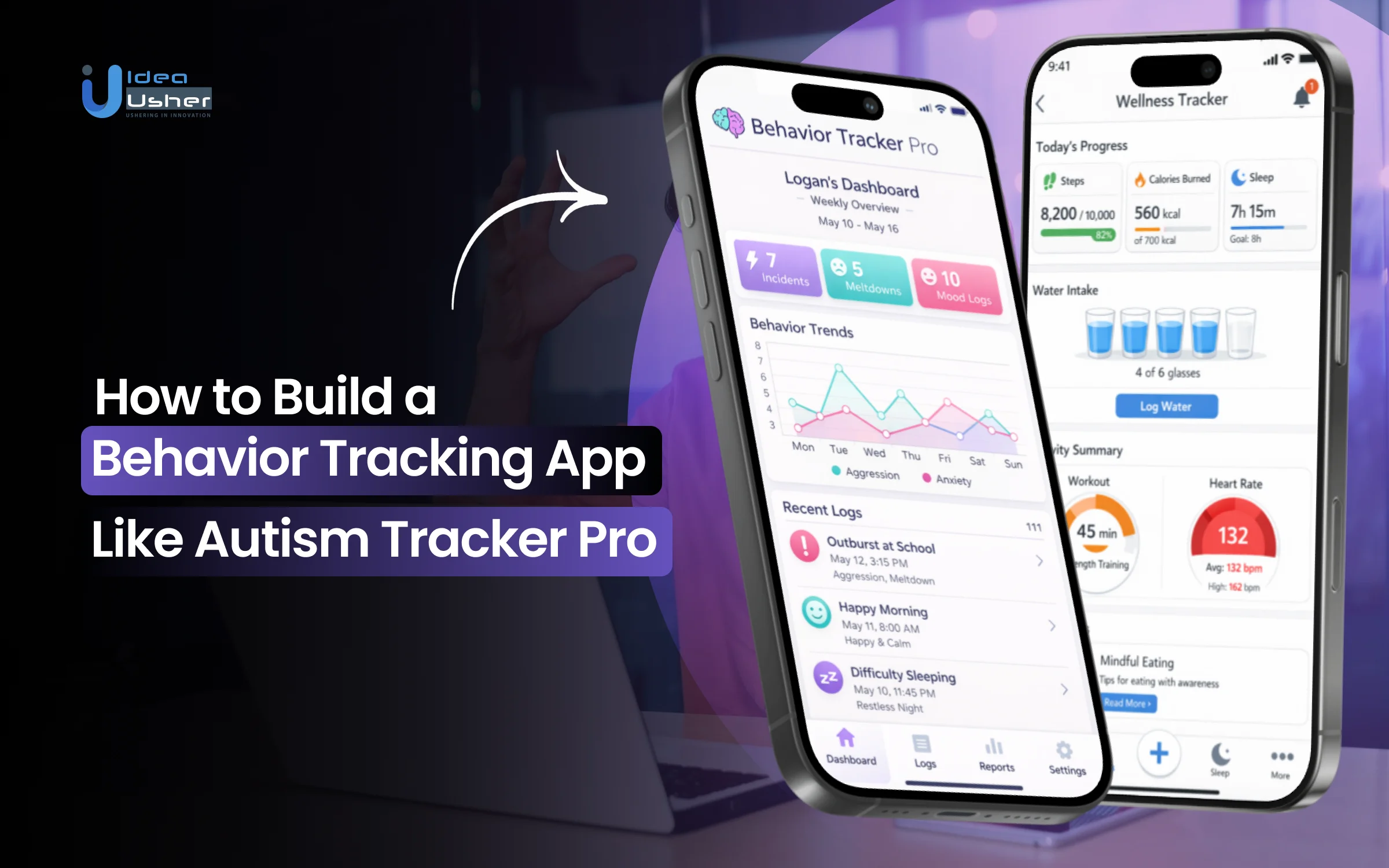
Not every behavior tells its story immediately. Sometimes it may take days or even weeks before a pattern becomes clear. Without a reliable system, families often end up guessing, and that can slow down real progress. The popularity of behavior tracking apps has started increasing because caregivers need structured data that can support therapy decisions and reduce uncertainty.
Smartphones now allow users to quickly log events in real time, and this can improve accuracy. Visual analytics can then reveal trends that might otherwise stay hidden, and this can guide timely interventions. As awareness has grown, professionals may rely on these tools more because they make consistent data collection feel practical and manageable.
Over the years, we’ve developed several behavior tracking solutions powered by applied behavioral analytics and interoperable health data systems. With this expertise, we’re sharing this blog to discuss the steps to build a behavior tracking app like Autism Tracker Pro.
Why Behavior Tracking Apps Are Gaining Rapid Demand?
According to Fortune Business Insights, the global behavior analytics market was valued at USD 1.5 billion in 2025 and is projected to grow from USD 2.06 billion in 2026 to USD 7.63 billion by 2034, with a CAGR of 17.81%. North America led the market with a 42.98% share in 2025. This shift represents a fundamental transformation in how behavioral health is managed and monetized.

Source: Fortune Business Insights
The surge in tracking apps stems from clinical necessity and economic efficiency. For years, Applied Behavior Analysis relied on manual, observation-heavy processes. Investors now recognize that paper-based systems create bottlenecks, leading to long waitlists and inconsistent outcomes.
As autism diagnoses reach 1 in 31 children, infrastructure is buckling. Behavior tracking apps solve this by centralizing data and automating progress reports. These tools are now essential for insurance reimbursement as payers demand objective data to justify therapy costs.
Data-Driven Autism Care
Autism care is shifting toward rigorous evidence. In 2026, clinical excellence is defined by correlating interventions with measurable changes. This Value-Based Care model aligns financial incentives with the quality of outcomes achieved.
Digital platforms track micro-progressions missed by humans. CentralReach, an EMR leader, shows how integrating clinical data streamlines care. AI-driven analytics help identify behavior patterns to allow for:
- Precision Intervention: Adjusting protocols in real time based on daily metrics.
- Predictive Modeling: Using historical data to forecast regressions and enable proactive care.
- Standardization: Ensuring uniform data collection across clinic, school, and home settings.
Gaps in Traditional Methods
Traditional logs and summaries are inherently flawed, suffering from observer bias and data loss. For an entrepreneur, these gaps represent market inefficiency. Data recorded hours after an event loses nuance, leading to ineffective therapy plans.
Manual methods also fail to integrate a whole-person view. Information from various therapists often sits in silos. A digital ecosystem bridges these gaps by providing a single source of truth.
Platforms like Thread Learning address this by enabling real-time data sharing. This ensures every educator and therapist works from the same live data set. Without this digital thread, it is difficult to maintain skill generalization across different environments.
Digital Therapy Support Market
Demand is accelerated by digital-native parents and a strained BCBA workforce. Professionals face burnout from administrative burdens. A platform that reduces paperwork offers a compelling ROI for clinic owners and healthcare networks.
The scalability is unparalleled for investors. Unlike physical clinics, a tracking platform can support thousands of users globally with marginal costs. Key drivers include:
- Payer Scrutiny: Insurance requires clean data and transparent progression for reimbursement.
- Parental Involvement: Families demand mobile access to progress dashboards.
- Workforce Efficiency: Automating notes and billing codes lets clinicians focus on direct care.

What Makes Autism Tracker Pro a Benchmark Product?
Autism Tracker Pro is a benchmark for investors because it pairs high-fidelity data with a friction-free experience. It avoids data fatigue by organizing tracking into logical screens like Mood, Behavior, Food, and Health. This modular approach allows entrepreneurs to bridge the gap between home life and clinical oversight.
The app’s success lies in its multidimensionality. By tracking variables like Sleep, Caffeine, Weather, and Stress, it creates a holistic data set. This comprehensive view meets the demands of value-based healthcare, making it a primary reference for scalable, commercially viable health-tech.
Fast One-Tap Logging
The main barrier to accurate data is the time tax of documentation. Autism Tracker Pro uses One-tap Yes / No items for instant recording during high-stress moments. This reduces recall bias, ensuring data reflects real-time events like Bolting or Tantrums rather than vague memories.
These quick-entry fields drive app stickiness. High usage frequency is the vital metric for any behavioral platform. By removing friction, the app ensures a continuous data stream essential for longitudinal analysis and insurance reimbursement.
Visual Scales for Consistency
Consistency is vital for reliable data, yet intensity is often subjective. The app uses Customizable visual scales, such as 1-10 sliders or smiley faces, to standardize metrics. This ensures a specific level of Hyperactivity is interpreted the same way by both parents and clinicians.
Visual anchors provide a common language for care teams. For developers, these scales reduce data noise. Clean data is more valuable for machine learning, allowing the software to identify genuine behavioral shifts rather than reporting inconsistencies.
Analytics for Pattern Discovery
The ROI of a tracking platform is its analytical power. Autism Tracker Pro includes a Powerful analytical package with Daily, Weekly, and Monthly graphs. These Multi-item graphs help spot correlations, such as how Gluten or Casein intake impacts a child’s Happiness.
These analytics enable evidence-based discussions. Instead of reporting a “difficult month,” caregivers present Trend graphs showing exact frequencies. This transforms the app from a diary into a diagnostic tool that optimizes treatment plans.
UX Focused on Caregivers
Clinical tools often fail because they are built for researchers, not families. This app succeeds with a caregiver-centric UX, including a Visual Calendar for at-a-glance daily summaries. Features like private group sharing and Dropbox backups ensure data is both collaborative and secure.
Focusing on daily reality fosters user agency. High usage rates create the comprehensive data sets that attract healthcare networks. For investors, balancing clinical rigor with human features like Photo Notes is the key to capturing market share.
Core Features Behavior Tracking Apps Must Include
Behavior tracking apps must move beyond basic logging to remain competitive. Investors recognize that platform value is tied directly to data utility. To challenge market leaders, new entrants must provide a technical ecosystem that supports clinical precision while remaining accessible to families.

Modern standards require a transition from static recording to dynamic, contextualized data. A competitive platform bridges daily life and clinical intervention, ensuring every data point contributes to a larger picture of progress. These features are essential for clinical buy-in and high user retention.
1. Custom Tracking with Smart Tags
Standardized tracking often fails to capture individual nuance. Implementing Smart Tags allows users to categorize behaviors beyond simple names. For instance, a “Tantrum” can be tagged with “High Intensity” or “Duration >10 mins,” making the data more actionable for a BCBA.
These tags enable sophisticated filtering in the backend. Instead of seeing flat lists, clinicians can filter by tag combinations to identify trends. This customization ensures behavior tracking apps adapt to unique plans without requiring interface overhauls.
2. Trigger and Context Logging
Behavior does not occur in a vacuum. A competitive app must include Antecedent-Behavior-Consequence logging. By providing fields for Triggers and Context, like noise levels or environment, the app moves from a simple counter to a diagnostic tool.
This feature is a major differentiator for entrepreneurs. It allows the platform to support Functional Behavior Assessments, the clinical gold standard. Capturing environmental variables provides the “why” missing from paper logs, increasing the clinical value of a behavior tracking app.
3. Trend Dashboards
Data is only useful if it is visualized. Users require dynamic dashboards that distill raw numbers into visual trends. High-fidelity graphs showing frequency and duration are mandatory. These visualizations help parents notice slow progress, providing the emotional win that keeps them engaged.
Strategic dashboards should support multi-item overlays. A user might overlay a “Sleep” graph on a “Tantrum” graph to confirm if poor rest is a leading indicator. For investors, these insights represent the core intellectual property that makes behavior tracking apps indispensable.
4. Multi-User Access
Behavioral care involves parents, teachers, and therapists. A benchmark product must support granular multi-user access. This allows parents to invite school staff or private BCBAs to view specific data domains. Centralizing communication eliminates the data silos that hinder progress.
This feature serves as a growth lever. When therapists use the app to track one client, they often recommend it to their entire caseload. By facilitating seamless collaboration, behavior tracking apps embed themselves into professional workflows, creating a powerful network effect.
5. Secure Storage and Privacy
In healthcare, security is a foundation. To compete, an app must be HIPAA and GDPR compliant. This requires end-to-end encryption and multi-factor authentication. Given that these apps track sensitive data about minors, privacy weaknesses are fatal flaws for both users and investors.
Entrepreneurs must prioritize Privacy by Design architecture. This includes automated backups and the ability to export or delete data at any time. Demonstrating a commitment to security through third-party audits is often the deciding factor for networks adopting new behavior tracking apps.
Advanced Features That Differentiate Your Product
Behavior tracking apps must transition from passive repositories to active intelligence tools. Investors prioritize platforms that use technology to solve human error. Moving beyond manual entry offers predictive value that traditional methods cannot match.
These advanced capabilities turn a standard app into an indispensable clinical partner. For entrepreneurs, these features represent significant intellectual property. Leveraging automation and hardware integration is the key to achieving a dominant market position.
1. AI-Based Predictions
The move toward predictive analytics is a major evolution. Machine learning algorithms analyze thousands of data points to identify non-obvious correlations between the environment and behavioral spikes. This allows software to identify triggers that human observers might miss.
Predictive modeling shifts care from reactive to proactive. If an app forecasts a meltdown based on sleep patterns, caregivers can intervene early. This transforms behavior tracking apps into preventative health tools, a major selling point for insurance providers.
2. Smart Escalation Alerts
Real-time utility is a major differentiator. Smart alerts notify the care team when data indicates a significant deviation from a child’s baseline. If self-injury frequency increases by 20% over 48 hours, an automated alert ensures a BCBA can adjust the treatment plan immediately.
These alerts prevent small regressions from turning into major clinical setbacks. For an investor, this feature enhances the product safety profile. It ensures the app is a live monitoring system providing value during critical care windows.
3. Voice and Image Logging
The future of data entry lies in reducing physical interaction with the device. Natural Language Processing allows for voice-activated logging when a caregiver’s hands are full. A simple voice command records the duration and intensity of an event without manual typing.
Image and video-based logging further enhances clinical accuracy. Attaching short video clips of environmental factors provides therapists with objective evidence. This multi-modal approach ensures that behavior tracking apps capture the most authentic representation of daily challenges.
4. Wearable Integration
Connecting with hardware like smartwatches provides physiological data that manual logs cannot capture. By integrating heart rate variability (HRV) or sleep metrics, the app tracks internal stress before a behavior occurs. This creates a biometric signature for sensory overload.
For entrepreneurs, wearable integration opens doors to the Internet of Medical Things (IoMT) market. Combining behavioral data with activity metrics from external devices creates a comprehensive profile. This depth makes behavior tracking apps highly attractive to healthcare conglomerates seeking data-rich opportunities.
How to Design UX for Caregiver Adoption & Retention?
Caregiver adoption is the primary metric that determines the success of behavior tracking apps. If an interface feels like a “third shift” of work, users will abandon it. Successful platforms prioritize emotional intelligence in design to ensure high-quality data collection.
1. Reducing Entry Friction
The “time tax” is the enemy of accurate logging. Developers must minimize the number of taps required to record an event.
- Progressive Disclosure: Show only the most common fields first; hide advanced details behind a “More” button.
- Predictive Text: Suggest common triggers based on historical data.
- Persistent Shortcuts: Keep a “Quick Log” button visible on every screen.
2. Designing for Stress
Caregivers often use these apps during or immediately after a crisis. High-stress environments impair cognitive load, meaning the UI must be dead simple.
Design Principle: Use high-contrast buttons and large touch targets. Avoid complex sub-menus or “tiny” text that is hard to read when a user is distracted or physically exhausted.
Color psychology also plays a role. While red is often used for “bad” behaviors, it can increase user anxiety. Consider using neutral, calming palettes to keep the experience clinical yet supportive.
3. Accessibility for All
Not every caregiver is a digital native. Behavior tracking apps must accommodate grandparents, babysitters, and teachers with varying technical skills.
| Feature | Implementation | Benefit |
| Guided Tours | Overlay hints for new users | Shortens the learning curve |
| Iconography | Use universally understood symbols | Reduces reliance on text |
| Offline Mode | Sync data once Wi-Fi is available | Ensures data is never lost in transit |
4. Visualizing Without Overload
Raw data can be intimidating. The goal is to provide “glanceable” insights rather than dense spreadsheets.
Use simple Heat Maps to show time-of-day trends and Traffic Light Systems (Green/Yellow/Red) to indicate if behaviors are within a normal range. This allows a caregiver to understand their child’s week in under ten seconds. By presenting data as a story rather than a math problem, you increase the likelihood that the app remains a daily habit.
How to Build a Behavior Tracking App Like Autism Tracker Pro?
A behavior tracking app like Autism Tracker Pro should be built by structuring inputs into clear domains and enabling fast logging to capture events in real time. The system may use standardized scales and could quietly normalize data for consistency across users. We have developed several behavior tracking apps like Autism Tracker Pro, and this is how they are usually built.

1. Defining Logging Logic
We work with you to architect a modular data hierarchy. By splitting inputs into domains like Mood, Health, and Behavior, we ensure the app captures a 360-degree view. This structured logic allows our backend to correlate factors like sleep or diet with behavioral spikes later on.
2. One-Tap Data Capture
Our UI strategy focuses on logging “in the moment.” We develop One-tap Yes / No items and quick-action buttons so caregivers can record events in under three seconds. By minimizing this friction, we ensure data is recorded in real-time, eliminating the recall bias of manual logs.
3. Consistent Visual Scales
To solve the problem of subjective reporting, we build Customizable visual scales using 1-10 sliders, letter grades, or smiley faces. This standardizes what “High Intensity” means across a child’s entire care team. When everyone uses the same visual language, the data remains clean and valid.
4. Analytical Pattern Detection
We transform raw entries into a Powerful analytical package. Our developers build custom engines to generate Daily, Weekly, and Monthly graphs. By allowing users to overlay different data sets, your app can visually prove how triggers like weather or caffeine impact behavior.
5. Privacy and Secure Storage
Security is our baseline, not an afterthought. We ensure every platform is HIPAA and GDPR compliant with end-to-end encryption. From secure cloud syncing to Dropbox backups, we implement the rigorous privacy controls necessary to win the trust of families and healthcare providers.
6. Real-World Workflow Testing
We don’t just test for bugs; we test for “stress-usability.” We put prototypes into the hands of caregivers in high-distraction environments. This feedback loop allows us to refine the UX until the app feels like a support system rather than a chore, ensuring long-term retention.
Cost to Build a Behavior Tracking App
Building a behavior tracking app involves balancing clinical features with strict regulatory requirements. The total investment typically spans from a lean MVP to a feature-rich enterprise solution. Below is a breakdown of the capital required to bring such a product to market.

Feature & Complexity Breakdown
The cost of your application is primarily driven by the “intelligence” of the features. A basic tracking tool is significantly more affordable than a predictive, AI-driven platform.
| App Tier | Key Features | Estimated Cost |
| Basic MVP | Simple logging, basic profiles, local storage. | $30,000 – $60,000 |
| Mid-Level | Real-time sync, ABC logging, advanced reporting. | $80,000 – $150,000 |
| Advanced | AI predictions, wearable integration, HIPAA vault. | $200,000 – $400,000+ |
Costs by Team Structure
Your choice of development partner shifts both the price point and the level of domain expertise. While offshore teams offer high cost-efficiency, onshore agencies provide localized regulatory knowledge (like HIPAA/FDA) and easier communication.
Pro Tip: For healthcare apps, a “Hybrid Model” is often the most effective. Use a local Project Manager and Architect ($150–$250/hr) paired with offshore developers ($30–$60/hr) to balance quality and budget.
- Onshore Agency (US/UK): $150,000 – $400,000+
- Nearshore Team (LATAM/Europe): $80,000 – $180,000
- Offshore Team (India/Asia): $40,000 – $100,000
Maintenance & Scaling
The build is only the beginning. Post-launch expenses are mandatory to keep the app functional and compliant.
- Annual Maintenance: Budget 15% – 20% of your initial build cost for bug fixes and OS updates.
- Compliant Hosting: Secure, HIPAA-compliant servers (like AWS Nitro or Google Cloud Healthcare) typically cost $500 – $2,000 per month, depending on user volume.
- Security Audits: Regular penetration testing and compliance reviews usually require $5,000 – $15,000 annually to maintain trust with clinical partners.
How Behavior Logging Translates Into Better Outcomes?
Precision in behavior logging is the bridge between daily management and clinical success. Behavior tracking apps allow care teams to shift from anecdotal reporting to a high-fidelity data stream, optimizing interventions and securing the financial future of a child’s treatment. By centralizing these records, stakeholders can move beyond guesswork and toward evidence-based results.
1. Actionable Care Plans
When caregivers log behaviors in real-time, the resulting data removes the guesswork for therapists. A structured log allows a BCBA to see exactly which skills are being mastered and where regression occurs, leading to a truly individualized care plan.
- Standardized Metrics: Using frequency and duration counts to set objective goals.
- Faster Adjustments: Reducing the time it takes to pivot failing strategies from months to days.
- Parental Agency: Empowering families to participate in clinical decisions with hard evidence.
2. Identifying Warning Signs
Behavioral trends often act as a leading indicator of health or environmental issues. By analyzing daily entries over weeks or months, the app can surface early warning signs, such as a spike in Hyperactivity following a poor night’s Sleep, before they escalate into a crisis.
Clinical Insight: Research suggests that early, intensive intervention based on digital behavioral data can lead to significant long-term savings. In constant dollars, estimated cost-benefits for early intervention range from $187,000 to over $203,000 per child by age 22.
3. Bridging the Data-Intervention Gap
The ultimate goal of a behavior tracking app is to ensure that home-life data informs clinic-level intervention. This closed-loop system creates a single source of truth that all stakeholders, parents, teachers, and doctors, can access and trust.
| Intervention Stage | Manual Logging (Old) | Digital Tracking (New) |
| Data Collection | Fragmented and Biased | Real-time and Objective |
| Analysis | Monthly or Quarterly | Daily or Instant |
| Payer Approval | Often Disputed | Evidence-Backed |
| Lifetime Savings | Hard to Quantify | Up to $1,000,000+ per child (to age 55) |
Designing One-Tap Logging for Real-Life Use Cases
The effectiveness of behavior tracking apps hinges on performance during a crisis. If a caregiver must navigate submenus while managing an escalation, the data is never recorded. Our design philosophy centers on making the interface a natural reflex, ensuring that capturing information is faster than using pen and paper.
1. Logging in High-Stress Moments
In high-arousal situations, fine motor skills and cognitive processing decline. We design interfaces that prioritize muscle memory over mental effort.
- Massive Touch Targets: Oversized buttons are easy to tap, even when moving or distracted.
- Haptic Feedback: Subtle vibrations confirm a successful log without needing to look at the screen.
- Single-Handed Operation: Critical functions stay within thumb reach for caregivers physically supporting a child.
2. Fast and Accurate Inputs
Speed should not come at the cost of clinical integrity. We achieve this balance through smart defaults and adaptive interfaces.
Note: By using geolocation and time of day, the app can automatically suggest the most likely setting, such as “Home” or “School,” and the most frequent antecedents for that hour.
This approach pre-fills approximately 70% of the log. The caregiver only needs to confirm duration or intensity, reducing interaction time to under five seconds. This speed ensures the log is an objective snapshot rather than a filtered memory recorded later.
3. Maximizing Contextual Data
How do we capture the “Why” without asking the user to type? We utilize a visual selection matrix. Instead of open-ended text fields, we provide a grid of icons representing common triggers and consequences.
- Select the Behavior: A single tap on a specific icon, like “Hand Flapping.”
- Toggle the Intensity: A simple 1 through 5 slider that defaults to the child’s average.
- Tag the Context: Rapid-fire selection of tags like “Loud Noise” or “Transition.”
By transforming qualitative observations into quantitative tags, we ensure the backend performs complex trend analysis. This structure allows the app to remain a quick log for the parent while functioning as a high-density data source for the clinician.
How to Capture Triggers Without Adding Complexity?
The true power of behavior tracking apps lies in identifying the “why” behind an action. However, traditional ABC logging is often too cumbersome for daily use. High-performing platforms like Autism Tracker Pro and Behavior Tracker Pro focus on ambient data collection, where the app captures environmental variables with minimal user effort.
1. Logging Contextual Data
Context is the missing link in most behavioral records. Modern systems automatically pull in external data points to provide a fuller picture of an event.
- Automated Environmental Sync: Integration with local weather, noise levels, and school schedules.
- Health Overlays: Pulling in data from sleep trackers or meal logs to see if physical states influence moods.
- Simple Atmosphere Selectors: One-tap icons like Crowded, Quiet, or Busy define the setting instantly.
2. Tagging Without Fatigue
To prevent user burnout, open-ended typing is replaced with a Smart Tagging system. Instead of requiring a parent to describe a trigger, the app presents a dynamic list of the most frequent stressors based on the child’s history.
Design Insight: Predictive AI sorts these tags. If a child usually struggles with transitions at 8:00 AM, that tag moves to the top of the list during that window, reducing search time to a fraction of a second.
3. Seamless Trigger Detection
The goal is to make trigger detection an analytical byproduct rather than a manual task. By structuring data into discrete tags, the backend runs correlation tests automatically, a feature that distinguishes high-end Behavior Tracking Apps from simple digital journals.
- Passive Observation: The app tracks behaviors and simple contextual tags over time.
- Pattern Recognition: The engine identifies that meltdowns occur 80% of the time when loud noises are tagged.
- Proactive Insight: The user receives a summary report: “Loud environments are a high-probability trigger.”
This transforms the app into a diagnostic partner. By automating the heavy lifting of data analysis, behavior tracking apps provide clinical value without requiring the user to be a data scientist.
Why Visual Behavior Scales Improve Data Quality?
In behavior tracking apps, data is only as good as its consistency. When multiple people, parents, teachers, and therapists, report on a single child, “high intensity” can mean different things to different observers. Visual scales bridge this gap by providing a universal language for measurement.
1. Standardizing Caregiver Inputs
A common failure in behavior logging is the lack of alignment between team members. By using a standardized visual scale, the app ensures that everyone is measuring against the same benchmark.
| Standardization Tool | Implementation | Benefit |
| Universal Symbols | Use of icons like a flame or thermometer | Provides a non-verbal cue for intensity |
| Defined Benchmarks | Level-specific tooltips | Ensures consistent interpretation of numbers |
| Calibration Guides | In-app training tutorials | Aligns all caregivers on a single measurement scale |
2. Reducing Logging Subjectivity
Subjectivity is the enemy of clinical progress. Behavior tracking apps utilize visual spectrums to strip away emotional bias from the data entry process.
Clinical Principle: Humans are better at matching a feeling to a visual representation than assigning it a random number. A color-coded gradient from cool blue to intense red naturally maps to the physiological state of a behavioral event.
3. Intuitive Scale Design
Designing for speed means removing the need for a user to think about their choice. The scale should be so intuitive that a decision is made in less than a second.
- Sliding Scales: A horizontal slider allows for fine-grained control without the clutter of many buttons.
- Toggle Grids: For categorical data, a 3×3 grid of distinct icons allows for a single tap selection.
- Contrast and Color: High arousal behaviors are represented by warmer colors, while calm or baseline states use cooler tones, creating an instant psychological link.
By implementing these visual strategies, behavior tracking apps transform messy, subjective observations into a clean, longitudinal data set. This allows clinicians to trust the numbers they see on a dashboard, knowing they reflect a standardized reality rather than a caregiver’s temporary mood.
How to Make Behavior Data Useful for Therapists?
Data collection is only half the battle. For Behavior Tracking Apps to be truly effective, the information must be digestible and actionable for clinicians. Therapists often have limited time to review logs, so the app must act as a filter that highlights critical shifts and patterns rather than just delivering a raw list of events.

1. Structuring Exportable Reports
A pile of data is a burden; a curated report is a tool. Effective reporting modules prioritize clarity and speed, allowing a therapist to grasp a week’s worth of progress in a single glance.
- Visual Trend Lines: Plotting frequency against time to show if an intervention is working.
- Segmented Summaries: Breaking down data by location (e.g., home vs. school) to identify environmental triggers.
- One-Click PDF Exports: Ensuring reports are formatted correctly for insurance audits and clinical reviews.
2. Aligning with Clinical Frameworks
Therapists work within specific methodologies, such as Applied Behavior Analysis (ABA). Behavior Tracking Apps should mirror these frameworks to ensure the data is immediately applicable to the child’s treatment plan.
| Feature | Clinical Utility | Impact |
| ABC Correlation | Links Antecedents, Behaviors, and Consequences | Identifies the function of the behavior |
| Duration Tracking | Measures exactly how long an episode lasts | Tracks progress in self-regulation skills |
| Scatterplot Views | Displays behavior density by time of day | Pinpoints high-risk windows for staffing/support |
3. Enabling Stakeholder Collaboration
A child’s care team often includes a diverse group of people who rarely meet in the same room. The app serves as a digital bridge, ensuring that everyone is looking at the same evidence-based reality.
Clinical Workflow: When a teacher logs a “High Intensity” event, the BCBA receives an instant notification. They can then leave a “Clinical Note” directly on that entry, giving the parent immediate instructions on how to handle the evening routine.
This real-time feedback loop transforms Behavior Tracking Apps from passive diaries into active communication hubs. By providing a “Single Source of Truth,” the app reduces conflicting reports and ensures that therapy remains consistent across all environments, leading to faster mastery of new skills.
Why Choose IdeaUsher for Behavior Tracking Apps?
Choosing the right partner is vital for a niche like health-tech. It requires a blend of technical mastery and an understanding of caregiver stress. IdeaUsher can help you build high-impact behavior tracking apps that turn clinical requirements into user-friendly digital tools.
With over 500,000 hours of coding experience, our team of ex-MAANG/FAANG developers specializes in creating scalable, secure, and intuitive platforms designed for real-world healthcare challenges.
Track Record with Complex Apps
Building clinical-grade tools requires deep experience with regulatory standards. Having delivered numerous health-tech solutions, the team understands how to implement HIPAA-compliant storage and end-to-end encryption. This ensures your platform is ready for professional use from day one.
UX That Drives Engagement
Data is only useful if it is recorded consistently. By applying advanced UX principles, the interface is optimized for high-stress environments. This focus on “stress-usability” results in higher retention rates and cleaner data sets for therapists.
Faster Time-to-Market
A dedicated team structure allows for a streamlined development lifecycle. By using agile methodologies and pre-built healthcare modules, the path from prototype to launch is shortened. This efficiency enables your organization to start helping families and gathering data sooner.
Conclusion
Building a high-performance behavior tracking app requires a balance between clinical depth and extreme ease of use. By focusing on one-tap logging, visual data scales, and seamless reporting for therapists, a platform can move beyond a simple diary to become a critical diagnostic tool. Success in this space is measured by how effectively the app disappears into the caregiver’s workflow, providing maximum insight with minimum friction for the families who need it most.
FAQs
A1: Building a behavior tracker requires a focus on stress, usability, and data integrity. The process begins with identifying the user persona, such as parents or clinical therapists, and mapping out a one-tap logging flow. Developers then choose a HIPAA-compliant tech stack, design a library of quick input icons, and build a backend for automated ABC reports.
A2: A frequent mistake is data fatigue caused by requiring too much manual typing during high-stress moments. When an app is too complex, caregivers stop logging in real time. This leads to recall bias, where data is entered later and loses accuracy. Another error is failing to track the trigger, which leaves behaviors without actionable context.
A3: Behavior tracking apps are profitable when positioned within the growing digital health and ABA markets. Revenue models often include monthly subscriptions for families or enterprise licensing for therapy clinics and schools. By simplifying insurance reimbursement audits for clinicians, these apps offer a high value-to-cost ratio that drives long-term retention.
A4: The cost of developing a behavior tracker typically ranges from $30,000 to $100,000+, depending on the feature set. A basic MVP sits at the lower end, while a clinical-grade platform with AI pattern recognition and full HIPAA compliance requires a higher investment. Factors like custom icon design and wearable integration also influence the final budget.


