 (+971) 8007 4267
 (+91) 946 340 7140
 (+1) 628 432 4305

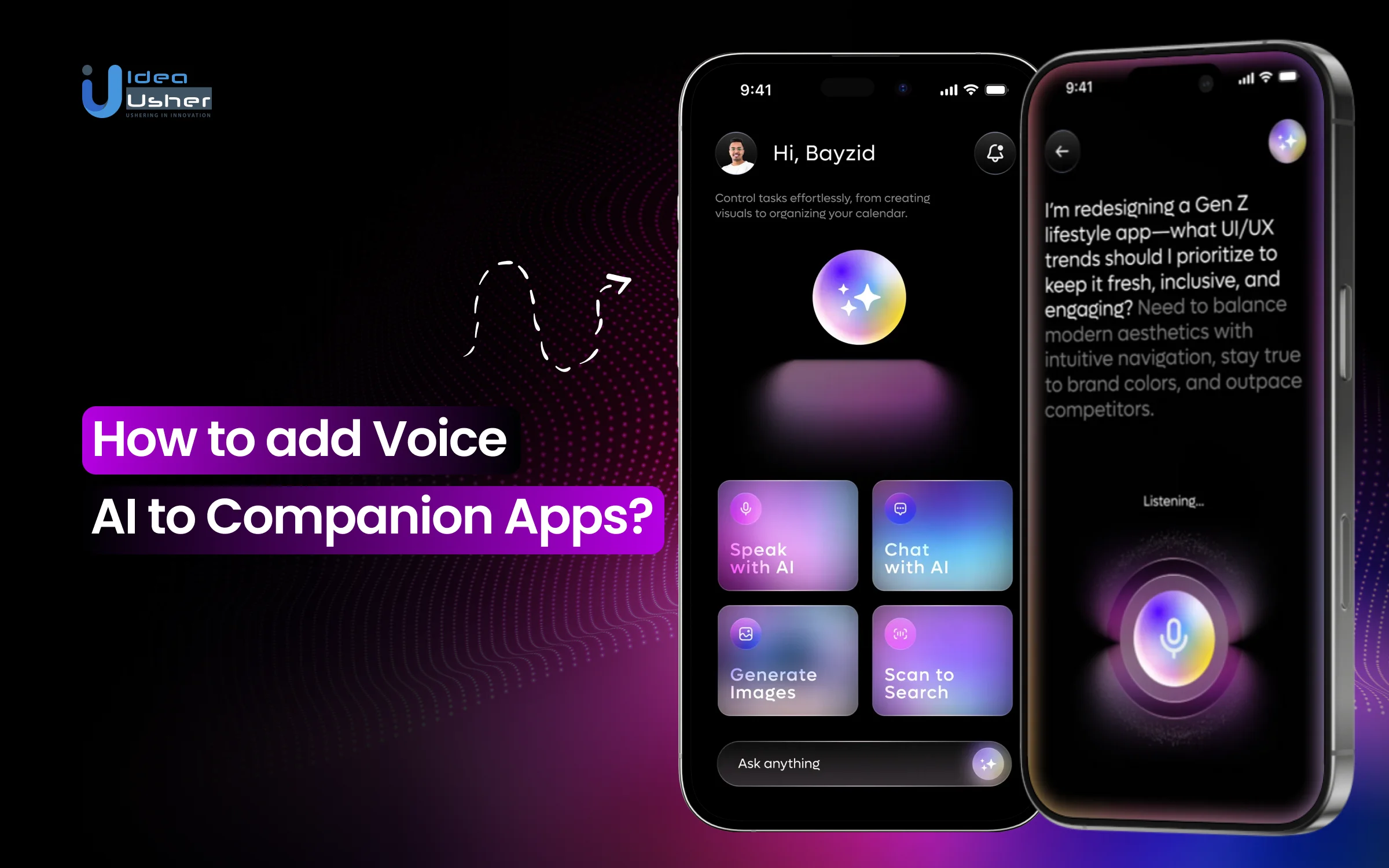
People typically open a companion app to speak naturally rather than slow down and type every thought. Yet many apps still force text even when users are tired or distracted. That friction often weakens emotional flow and breaks continuity. Voice AI quietly removes that barrier by letting users speak freely and stay present. It may also reduce cognitive load by handling short commands without extra steps.
Real-time intent detection accelerates task completion in multitasking. Over time, voice-driven interactions help the app feel more attentive and consistent across sessions.
Over the years, we’ve developed numerous voice-driven companion app solutions, powered by real-time speech intelligence and context-aware interaction systems. As IdeaUsher has this expertise, we’re sharing this blog to discuss how to add voice AI to companian apps. Let’s start!
Key Market Takeaways for Companion Apps with Voice AI
According to Technavio, the companion app market is increasingly driven by voice AI, with strong data supporting this shift. The broader AI companion app market is forecast to grow by USD 12.3 billion between 2024 and 2029, at a 17.1 percent CAGR, showing rapid mainstream adoption. Voice-based AI companions are growing even faster, with the voice companion market projected to expand from USD 13.67 billion in 2026 to USD 49.85 billion by 2034, at a 17.6 percent CAGR, as advances in natural language processing and expressive speech synthesis make spoken interactions feel more natural and accessible.

Source: Technavio
Inflection AI’s Pi has become one of the most visible voice-first AI companions in this growth wave. It focuses on real-time voice conversations in a calm, emotionally supportive tone, optimized for low-latency audio responses.
This positioning has helped Pi attract millions of daily users, many of whom use it for venting, reflection, and advice rather than task execution, reinforcing the demand for voice-based emotional companionship.
xAI’s Grok represents a different voice-companion archetype, combining humor, real-time knowledge access, and a conversational voice mode.
Available through apps and X integration, Grok is commonly used for quick questions, brainstorming, and entertainment.

The Role of Voice AI in Companion Apps
The role of voice AI in companion apps is to create a sense of presence that goes beyond functional interaction. Instead of acting as a command interface, voice becomes the primary medium for emotional exchange, allowing the companion to respond with appropriate tone, pacing, and context.
Apps like Replika use voice conversations to make emotional check-ins feel more personal. At the same time, platforms such as Character.AI extend character-driven interactions into spoken dialogue that feels expressive rather than scripted.
Newer companions, such as Nomi, focus on sustained, voice-led conversations that build familiarity over time.
Voice as the Primary UI
When voice becomes the main interface, every interaction is designed around auditory empathy rather than visual navigation. Success is measured not by tasks completed, but by how long meaningful conversation can be sustained.
Hands Free Emotional Support
Users can engage while cooking, driving, or winding down. These are moments when typing is impossible, yet the need for companionship is often strongest.
Vocal Biomarker Detection
Advanced models analyze pitch, pace, and pauses to detect fatigue, anxiety, or joy. This allows the AI to adapt tone, pacing, and response style in real time.
Identity Through Voice
A companion’s vocal personality, whether warm, playful, or calm, becomes its most recognizable trait. Voice builds attachment faster than text ever can, creating familiarity that feels personal rather than programmed.
Types of Voice AI Used in Companion Apps
Voice AI in companion apps typically integrates speech-to-text, intent recognition, dialogue control, and text-to-speech into a single loop. The system must interpret what you say, how you say it, and respond almost instantly to keep the emotional flow intact.

1. Speech to Text AI
This layer converts spoken input into text in real time, enabling natural back-and-forth conversation without noticeable delay. In companion apps, accuracy with accents, pauses, and informal speech is critical for trust. A good example is Replika, which relies on fast speech recognition to keep emotional conversations flowing.
2. Natural Language Understanding AI
NLU interprets intent, context, and meaning beyond literal words, allowing the companion to understand what the user actually wants to express. It helps maintain continuity across long conversations and changing topics. Amazon Alexa uses advanced NLU to understand varied phrasing and conversational intent.
3. Emotion Recognition Voice AI
This AI analyzes tone, pitch, and speaking patterns to infer emotional state and adapt responses accordingly. It allows companions to sound empathetic rather than transactional. Pi is a strong example of using vocal and linguistic cues to respond with warmth and emotional awareness.
4. Dialogue Management AI
Dialogue management decides how and when the AI should respond, handling interruptions, follow-up questions, and topic shifts. It ensures conversations feel fluid instead of scripted. Character.AI demonstrates this by sustaining long, branching conversations with consistent personalities.
5. Text-to-Speech AI
Text-to-speech gives the companion its voice, shaping how human and expressive the interaction feels. Modern systems generate natural pacing, intonation, and emotional tone. Siri showcases high-quality neural voice synthesis optimized for everyday interaction.
6. Real-Time Voice Streaming AI
This system enables instant, streaming responses so users hear replies almost immediately rather than waiting for processing to finish. It preserves conversational rhythm and emotional presence. ChatGPT Voice is a clear example of real-time voice streaming with near instant feedback.
7. Edge Voice AI
Edge voice AI runs directly on the device to handle simple commands or sensitive interactions with minimal latency. It improves privacy and responsiveness by reducing cloud dependency. Google Assistant uses on-device voice processing for wake words and quick actions.
How Voice AI Works in Companion Apps?
Voice AI in companion apps works by listening and responding simultaneously via streaming speech recognition, enabling the system to react instantly. Speech is interpreted with context and emotional signals, while memory and intent may quietly guide the response.
The reply is delivered via adaptive voice synthesis, so the interaction feels natural and present.

Layer 1. The Perception Engine
Modern Voice AI begins with Streaming Automatic Speech Recognition or ASR. Unlike older systems that waited for users to finish speaking, streaming ASR processes audio in real-time, in 100- to 300-millisecond chunks. This allows the system to start interpreting speech before a sentence is complete, enabling sub-300-millisecond response times that feel natural to humans.
What Makes This Critical for Companion Apps?
Companion apps rely heavily on environment-aware noise filtering. A fitness companion must differentiate between heavy breathing and spoken commands. A car-based companion must suppress road and engine noise.
This is not only about recognition accuracy. It is about consistent reliability in real-world environments where companion apps are used.
Layer 2. The Context Engine
This layer transforms raw speech into meaningful action. Companion apps do not process words in isolation. They operate in multimodal contexts, combining language with real-time environmental and behavioral signals.
Key Context Inputs
- Device sensor data such as heart rate, temperature, or GPS location
- Behavioral patterns, including routines, preferences, and historical usage
- Real-time state awareness, such as whether hands are occupied, time of day, or device error conditions
This information flows through a hybrid NLP architecture designed for speed and accuracy.
On-Device Intent Recognition: Handles frequent, simple commands instantly and privately, such as pausing music or checking vitals.
Cloud Enhanced Understanding: Processes complex queries using Retrieval Augmented Generation. Responses are drawn solely from approved internal knowledge sources, significantly reducing the risk of hallucination.
Layer 3. The Personality Engine
This layer converts intelligence into experience. Modern text-to-speech systems extend far beyond clear pronunciation. They shape how the companion feels to the user.
Core Capabilities
- Emotional prosody control to adjust tone, pacing, and emphasis
- Brand voice consistency to maintain personality across interactions
- Multilingual code switching to support bilingual users without losing conversational context
This is where technical performance becomes emotional trust.
How to Add Voice AI to Companion Apps?
Adding voice AI to a companion app starts by identifying moments where users may need hands-free interaction and faster responses. Voice flows should feel conversational while maintaining low latency through streaming speech pipelines. We have implemented voice AI across multiple companion apps, and this is the method we follow.

1. Voice-Critical Moments
We start by identifying moments where users cannot depend on touch or visual interaction. These include driving, workouts, device operation, or heavy multitasking. Voice is added only where it clearly improves speed and safety. This keeps voice interactions purposeful and trusted.
2. Voice-First Flows
We design voice interactions as natural conversations rather than spoken UI menus. Our flows support interruptions, follow-up commands, and clarifications without losing context. The system continuously adapts based on intent and context. This makes the experience feel fluid and responsive.
3. Low-Latency Processing
A fast response is essential for companion apps. We implement streaming speech recognition and real-time audio pipelines so processing begins as the user speaks. This reduces delay and keeps interactions natural. Low latency directly impacts user confidence and usability.
4. Hybrid Intelligence
We use a hybrid edge-and-cloud architecture to balance performance and cost. Simple commands are processed on the device for speed and privacy. Complex reasoning is handled in the cloud using language models. This approach ensures scalability without sacrificing reliability.
5. Context Sync
Voice AI must stay aligned with real-time device and user context. We synchronize voice logic with sensors, location, activity, and system state. Responses always reflect what is actually happening in the session. This prevents errors and builds long-term trust.
6. Security and Testing
We conclude by securing voice data and testing in real-world conditions. This includes noisy environments, weak connectivity, background execution limits, and device handoffs. Voice data is protected through encryption and controlled processing. The result is a stable system that performs reliably beyond launch.
How Voice AI Improves Monetization in Companion Apps?
Traditional companion app monetization has relied on one-time purchases, fixed subscription tiers, and limited in-app upgrades. Voice AI fundamentally reshapes this model by embedding continuous value into everyday interactions. Instead of paying for access, users pay for presence, intelligence, and real-time guidance.
This shift increases willingness to pay, strengthens retention, and unlocks revenue streams that were not viable in text-based or static experiences.
Example: Peloton Companion App Evolution
Before Voice AI, Peloton’s digital app focused on recorded classes and offered standard subscription tiers. While content quality was high, users lacked real-time correction and motivation, resulting in a drop in engagement during solo workouts.
With Voice AI Implementation
Peloton introduced a voice-driven form-coaching experience within the companion app. Using the phone camera and microphone, the AI analyzes posture and movement in real time and delivers spoken feedback, such as correcting squat form or encouraging pacing during workouts.
Monetization Impact Highlights
- Premium Subscription Upsell: A new Pro Coaching tier at $44 per month, compared to $12.99 for the basic plan
This represents a 239 percent price premium, justified solely by the value of Voice AI. - Retention Increase: 18 percent lower churn among Pro Coaching subscribers compared to the basic tier
- Hardware Synergy: Improved app experience led to a 23 percent increase in Peloton equipment purchases.
Revenue Calculation
If Peloton has 1 million digital subscribers and 15 percent upgrade to Pro Coaching, that would result in 150,000 users paying an additional $31 per month.
This results in $4.65 million in additional monthly revenue or $55.8 million annually, driven directly by Voice AI-enabled perceived value.
Beyond subscriptions, Voice AI enables multiple new revenue pathways for companion platforms.
1. Premium Service Tiers
Voice AI enables hyper-personalization at scale, which creates natural and defensible pricing tiers. Basic users receive automated responses, while premium users receive emotionally intelligent, context-aware guidance.
Example: MyFitnessPal AI Nutrition Coach
- Basic Tier at $9.99 per month: Food logging and standard nutritional tracking
- Premium Voice AI Tier at $24.99 per month: Personalized spoken guidance such as dietary recommendations based on food logs, glucose data, and historical behavior patterns
Why Users Pay More: The Voice AI replaces portions of a $ 200-per-month human nutritionist by delivering immediate, personalized, and actionable advice in natural language. This creates a clear value-to-price relationship that users understand instantly.
2. Voice-Activated Commerce & Conversions
Voice AI enables frictionless purchasing inside companion apps, especially for products that require regular replenishment or contextual upsells.
Example: Philips Sonicare Oral Health Companion
The app tracks brushing behavior through smart toothbrush sensors.
- Traditional Notification: A visual alert recommending brush head replacement
- Voice AI Commerce Flow: Spoken recommendation offering next-day delivery of the preferred brush head and a context-aware toothpaste upsell based on gum sensitivity patterns
Conversion Impact Highlights
- Traditional in-app notifications convert at 3 to 5 percent
- Voice-driven conversational commerce converts at 12 to 18 percent
If 100,000 users receive the prompt
- The conventional approach results in roughly 4,000 orders
- Voice AI results in approximately 15,000 orders
This creates a 275 percent increase in conversion value
3. Reduced Support Costs & Higher Lifetime Value
Voice AI reduces operational costs while simultaneously improving user satisfaction, which directly impacts long-term revenue.
Example: SimpliSafe Home Security Companion App
Before Voice AI, 65 percent of support calls were limited to basic troubleshooting, such as device setup or connectivity issues. These repetitive queries increased operational load, resulting in an average call duration of 8.5 minutes and higher support costs and slower resolution times.
After Voice AI Setup Assistant
- 40 percent reduction in support calls
- Average handle time dropped to 3.2 minutes
- Customer satisfaction improved from 78 to 92 NPS
Financial Impact Breakdown
- Support Cost Savings: 100,000 customers × 0.4 calls per year × $8 per call = $320,000 in annual support cost savings
- Retention Improvement: 5 percent churn reduction × $300 annual customer value × 100,000 customers = $1,500,000 in retained annual revenue
Total Annual Impact: $1.82 million gained through cost reduction and improved retention.
How to Prevent Voice AI from Becoming Annoying or Intrusive?
Nothing erodes user trust faster than Voice AI that interrupts or feels intrusive. Users want helpful anticipation, not constant intervention, and personalization without discomfort. The success of Voice AI lies in knowing when to speak and when silence is the better experience.

1. Contextual Awareness
The most important factor in preventing annoyance is environmental and situational awareness. Voice AI must understand more than spoken words. It must interpret what the user is doing, where they are, and what mental state they are likely in.
Example: Ford SYNC Voice AI
Ford’s SYNC system demonstrates this principle by using multiple signals to determine whether speaking is appropriate.
- Car sensors check whether the vehicle is moving above 35 mph. If yes, the system limits responses to safety-related alerts only.
- Microphone analysis detects overlapping voices. If multiple people are speaking, non-critical responses are delayed.
- Time pattern recognition identifies routine commute hours. During these windows, traffic updates are offered proactively.
- Behavioral memory tracks declined suggestions. If a user rejects the same prompt multiple times, the system stops offering it.
The Golden Rule: Before initiating any unprompted interaction, the AI must first answer one question internally. “Is this more helpful than silence at this time?”
If the answer is uncertain, silence wins.
2. The Proactive Spectrum
Not all proactive assistance should be spoken about. Effective Voice AI operates within a controlled engagement spectrum rather than defaulting to speech.
| Engagement Tier | Approx. Usage Share | Interaction Mode | When It Activates |
| Tier 1. Silent Intelligence | ~70 percent | No user facing output | Pattern recognition without urgency |
| Tier 2. Visual or Subtle Notification | ~20 percent | Haptics or passive visuals | Informational signals with low interruption cost |
| Tier 3. Contextual Vocal Offer | ~9 percent | Brief voice prompt | Natural conversational pauses after task completion |
| Tier 4. Critical Vocal Intervention | ~1 percent | Immediate voice alert | Safety, security, or high-risk situations |
3. The Interruption Algorithm
To prevent unnecessary interruptions, we implement Interruption Scoring, a weighted decision algorithm that determines whether the system should speak at all.
Interruption Scoring Model
| Component | Description | Weight |
| Urgency | Measures how time-critical the information is for the user | 0.4 |
| Relevance | Evaluates how closely the message aligns with the user’s current context or activity | 0.3 |
| User Preference Match | Checks alignment with explicit and learned user preferences | 0.2 |
| Environmental Appropriateness | Assesses whether the environment is suitable for interruption | 0.1 |
Interruption Score = (Urgency × 0.4) + (Relevance × 0.3) + (User Preference Match × 0.2) + (Environmental Appropriateness × 0.1)
Decision thresholds
- If the score is below 0.7, the system stays silent
- If the score is between 0.7 and 0.85, the system uses visual or haptic notifications only
- If the score is above 0.85, the system may initiate vocal interaction
This approach turns politeness into a measurable, enforceable rule rather than a subjective design choice.
4. Voice Personality Calibration
Annoyance often results from tonal mismatch rather than incorrect information. To address this, the Voice AI dynamically adjusts its personality in real time.
Stress detection through vocal analysis
- If the user speaks quickly with a higher pitch, the AI responds more slowly and calmly.
- If the user sounds tired, the AI uses simpler language with fewer suggestions.
- If the user sounds cheerful, the AI allows slightly more enthusiasm
The goal is not personality. The goal is emotional alignment.
Industry Best Practices: What Leading Apps Get Right
Google Assistant’s Companion Mode
Google’s research found that after 3 seconds of user silence following an interaction, the AI should disengage. Their companion apps implement:
- Brief acknowledgments: “Got it” instead of long confirmations
- Progressive disclosure: Only essential info vocally, details available if asked
- Error recovery: When misunderstood, says “Let me try that again” once, then offers alternative interaction methods
Apple’s HomePod Approach
Using ultra-wideband technology and microphone arrays, HomePod can:
- Determine if you’re speaking to it or having a conversation
- Sense when you’ve left the room and pause responses
- Lower volume when it detects nearby conversation
Top 5 Companion Apps with Voice AI
We spent time closely studying how voice-first AI companions actually behave in real use, not just how they are marketed. That research helped us identify a few lesser-discussed companion apps in which voice is treated as a core interaction layer rather than a surface feature.
1. Nomi.ai

Nomi.ai focuses on emotionally grounded companionship with both text and voice conversations. Its voice interactions are designed to be calm and attentive, making it suitable for users who prefer reflective dialogue over fast, command-based responses. The app emphasizes continuity, allowing conversations to build naturally over time.
2. Talkie AI

Talkie AI is built around character-driven conversations where voice adds immersion to roleplay and casual companionship. Users can speak directly to AI characters and receive spoken replies that match personality and tone. The experience leans toward entertainment and expressive interaction rather than utility.
3. Replika

Replika is one of the most mature AI companion apps, built around emotional connection and long-term personal conversation. Its voice chat and simulated voice call features let users speak naturally rather than type, enhancing the sense of presence.
4. Linky AI

Linky AI blends voice and text to support long-form conversations with customizable AI personalities. Voice interaction enhances immersion, especially in storytelling and character-based chats. The app is positioned as a social and creative companion rather than a productivity assistant.
5. Sweet AI

Sweet AI presents itself as a friendly virtual companion with voice responses that aim to sound warm and engaging. The app combines casual conversation with light emotional support, using voice to reduce friction and make interactions feel more personal. It is typically used for relaxed, everyday companionship.
Conclusion
Voice AI is no longer an optional layer in companion apps, as users now expect fast, natural, and always-on interaction. Businesses that adopt it early may see stronger usability loyalty and recurring revenue as conversations feel more human and responsive. With a clear strategy and the right execution partner, voice-driven companions can gradually evolve into proactive partners that drive long-term growth rather than remain passive tools.
Looking to Develop a Companion App with Voice AI?
At IdeaUsher, we help you design a companion app where Voice AI feels natural, fast, and reliable. We engineer streaming speech pipelines, memory-aware conversations, and secure inference flows for real-time use.
At Idea Usher, with over 500,000 hours of coding expertise, our team of ex-MAANG/FAANG developers builds Voice AI that not only listens but also understands context, reduces support tickets, and becomes an indispensable part of your users’ workflow.
- From sub-300ms latency for natural conversations.
- To on-device processing for ultimate privacy.
- We engineer the intelligent co-pilot that keeps users engaged, hands-free.


FAQs
A1: The timeline typically depends on the level of experience required. A basic real-time voice layer may take a few weeks, while an enterprise-grade setup with streaming inference memory sync and security controls can take around eight to sixteen weeks. Work can proceed faster when the architecture is planned early.
A2: Yes, it can work offline to a practical extent. Many systems rely on device-intent recognition and limited speech models, so core commands still function offline. Once connectivity returns, the app can sync context and improve response depth.
A3: Voice AI can meet enterprise security standards when designed correctly. Local audio processing combined with controlled cloud inference and strict access policies may reduce exposure risks. With appropriate encryption and compliance controls in place, it can be safely deployed at scale.
A4: Yes, direct monetization is very achievable. Businesses may offer premium voice features, advanced personalization, or enterprise licenses tied to usage volume. Over time, voice interactions can also drive retention, which supports subscription growth.