 (+971) 8007 4267
 (+91) 946 340 7140
 (+1) 628 432 4305

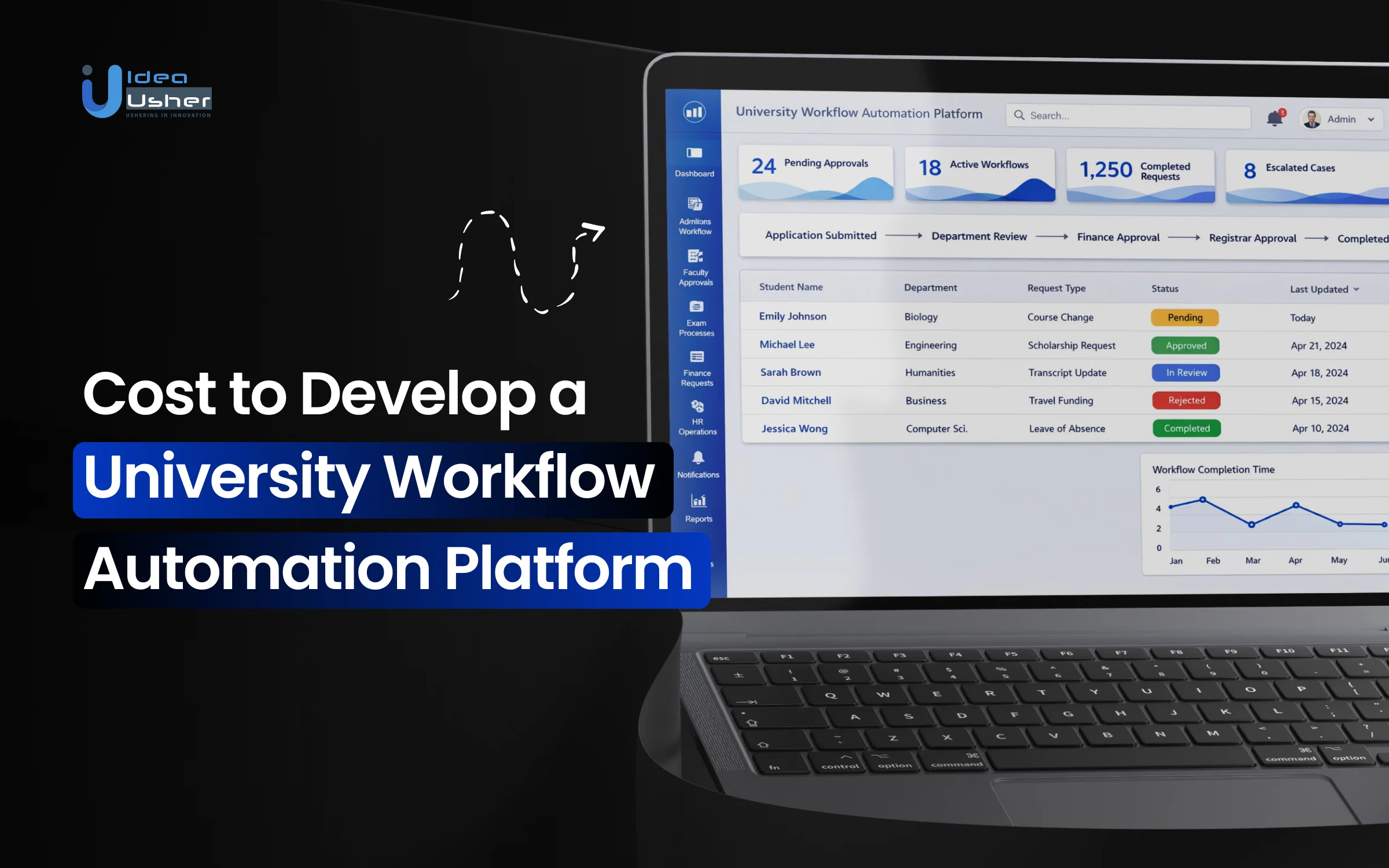
Most universities rely on disconnected systems and manual processes for operations beyond teaching, such as admissions dmissions, examinations, finance, HR, research administration, student services, and compliance workflows. As institutions grow and regulations rise, inefficiencies impactturnaround times, data accuracy, and staff workload, fueling demand for a university workflow automation platform that unifies processes and improves control.
The estimated development cost depends more on the overall scope of automation than on the number of features. Workflow depth, departmental coverage, integration with existing ERP and SIS systems, role-based access, compliance requirements, and scalability all influence development effort. Choices around customization, automation logic, and long-term maintenance play a major role in whether costs remain predictable or expand over time.
In this blog, we break down the cost of building a university workflow automation platform as a product that can be deployed across institutions, system components, and practical considerations involved in building a scalable and institution-ready automation solution.

What is a University Workflow Automation Platform?
A University Workflow Automation Platform is a specialized software solution designed to streamline, digitize, and automate repetitive administrative and academic processes within higher education institutions. These platforms replace manual, paper-based, or email-heavy tasks with rule-based digital workflows that move information between departments and systems without human intervention.
Core Functionality
Core functionality defines how university systems automate tasks and coordinate workflows. These capabilities enable seamless triggers, integrations, and easy customization, ensuring efficient operations without heavy technical effort or constant IT involvement.
- Trigger-and-Action Model: Systems operate on “if/then” logic; for example, if a student submits an application, the system automatically triggers a document verification request.
- System Integration: These platforms act as a “digital hub,” connecting disparate systems like Student Information Systems (SIS), Learning Management Systems (LMS), and Customer Relationship Management (CRM) tools to ensure data flows smoothly across campus.
- No-Code/Low-Code Builders: Most modern platforms feature drag-and-drop interfaces, allowing non-technical staff to design and deploy custom workflows without needing help from the IT department.
Why Universities Are Replacing Manual & Fragmented Workflows?
Universities are replacing manual, fragmented workflows to improve speed and accuracy. Automated, connected systems reduce errors, eliminate silos, and enable staff to focus on higher-value academic and student support activities.
1. Eliminating the “Paper Trail” Bottleneck
Manual processes often rely on physical forms or static PDFs that stall on desks or get lost in email threads. By digitizing these flows, institutions ensure documents move instantly to the next stakeholder, reducing processing times from weeks to minutes.
2. Improving the Student Experience
Modern students expect a “one-click” digital experience. Fragmented workflows force students to provide the same data to multiple departments (Admissions, Financial Aid, Housing); automation creates a unified profile, increasing student satisfaction and retention.
3. Ensuring Data Integrity and Compliance
Fragmented systems lead to “data silos” where information in the Registrar’s office doesn’t match the Finance office. Automated platforms sync data across all systems in real-time, maintaining a “single source of truth” and ensuring strict adherence to FERPA and GDPR regulations.
4. Redirecting Staff to High-Value Tasks
Administrative staff often spend over 40% of their time on repetitive data entry. Automation handles these low-level tasks, allowing faculty and advisors to focus on student success and personalized mentorship rather than pushing paperwork.
5. Meeting “Digital Native” Expectations
Administrative friction can discourage prospective students, especially when university systems feel slower than the apps they use daily, directly impacting yield and enrollment. Workflow automation helps close this gap by offering faster responses and mobile-friendly access that modern learners expect.
Why University Workflow Automation is Growing Massively?
The workflow automation market was valued at USD 9.38 billion in 2024. This market is expected to reach USD 11.63 billion in 2025, and is projected to reach approximately USD 78.26 billion by 2035, at a CAGR of 21% during the forecast period of 2025 to 2035. This rapid growth is driven by universities’ need to scale operations, reduce administrative costs, and meet rising expectations for seamless digital student experiences.

Institutional readiness for AI is increasing, with 83% of school administrators open to AI agent support. Meanwhile, 65% of institutions are already using AI in marketing and enrollment, where a 3–5 percentage point improvement in yield can translate into hundreds of additional enrolled students, highlighting AI’s impact on efficiency and growth.
Universities using Druid AI agents have seen 2% enrollment increases, generating $2.4M in additional revenue, and up to 75% of conversations with educational institutions are automated including course registration, financial aid questions, and administrative requests.
Chatbots are the most widely adopted AI in EDUCAUSE’s 2025 study, cited by 37% of respondents. Originally basic info tools, they now actively support learning and engagement, enabling institutions to offer more personalized, responsive experiences at scale.
Cost to Develop a University Workflow Automation Platform
Modern universities are adopting workflow automation to streamline operations, reduce manual effort, and improve efficiency. Understanding the development cost is essential for planning scalable, future-ready digital systems.

1. Discovery & Planning
This phase defines how accurately the platform reflects real university workflows. Proper consultation and strong discovery prevent rework, misaligned automation, and costly changes later.
| Sub-Step | MVP – Mid-Scale Cost | Enterprise Cost | Notes |
| Stakeholder Consultation | $2,500 – $6,000 | $6,000 – $12,000 | Identifies real operational pain points and reveals who actually controls approvals across departments. |
| Workflow & Logic Mapping | $3,000 – $8,000 | $8,000 – $18,000 | Documents complex “if-this-then-that” approval logic embedded in university operations. |
| Technical & Compliance Audit | $2,500 – $8,000 | $8,000 – $22,000 | Assesses legacy systems, integration feasibility, data flows, and regulatory constraints (FERPA, ADA, etc.). |
| Scope & Functional Documentation | $1,500 – $6,000 | $6,000 – $15,000 | Creates a locked execution blueprint that prevents scope creep and mid-development changes. |
| TOTAL (Approximate) | $9,500 – $28,000 | $28,000 – $67,000 | Discovery typically represents 10–15% of total project cost. |
2. UI/UX Design
University platforms succeed or fail based on adoption, not features alone. This stage ensures complex workflows feel intuitive to faculty, staff, and administrators with minimal training.
| Sub-Step | MVP – Mid-Scale Cost | Enterprise Cost | Notes |
| Architecture & User Flows | $2,000 – $5,000 | $5,000 – $12,000 | Structures navigation, menus, and end-to-end user journeys so faculty, staff, and students can move intuitively. |
| Wireframing Design | $2,000 – $6,000 | $6,000 – $14,000 | Defines layout and structure for key screens like dashboards, forms, workflow builders, and approval views. |
| Visual UI & Accessibility | $2,500 – $8,000 | $8,000 – $24,000 | Applies university branding while ensuring ADA/WCAG compliance, readability, contrast, and accessibility standards. |
| Prototype Responsive Design | $1,500 – $6,000 | $6,000 – $16,000 | Builds clickable prototypes, validates usability with real users, and adapts designs for desktop, tablet, and mobile. |
| TOTAL (Approximate) | $8,000 – $25,000 | $25,000 – $66,000 | Design typically represents 15–20% of total project cost. |
3. Frontend & Backend Development
This is where planning turns into a working system. Costs here reflect the complexity of workflow logic, permissions, scalability, and reliability across diverse university use cases.
| Sub-Step | MVP – Mid-Scale Cost | Enterprise Cost | Notes |
| Platform Setup | $4,000 – $10,000 | $10,000 – $22,000 | Establishes core system architecture, databases, cloud setup, and development foundations that affect long-term scalability. |
| Authentication & Role Management | $6,000 – $14,000 | $14,000 – $32,000 | Implements secure login, role-based access, and permission hierarchies for students, faculty, admins, and leadership. |
| Forms & Data Capture Engine | $7,000 – $18,000 | $18,000 – $45,000 | Builds flexible form builders, data validation, document generation, and structured data handling without coding dependency. |
| Workflow Engine | $10,000 – $26,000 | $26,000 – $70,000 | The system’s core logic layer handling conditional paths, approval chains, escalations, and parallel reviews. |
| Dashboards & Reporting | $6,000 – $18,000 | $18,000 – $50,000 | Delivers role-based dashboards, alerts, analytics, and reporting to monitor approvals, delays, and workload. |
| Admin Controls & Responsiveness | $3,000 – $10,000 | $10,000 – $31,000 | Central admin panel, configuration tools, and full responsiveness across desktop, tablet, and mobile devices. |
| TOTAL (Approximate) | $36,000 – $96,000 | $126,000 – $320,000+ | Development is the largest cost phase, typically 50–60% of total project budget. |
4. Systems Integration
Universities rely on multiple legacy and modern systems working together. Integration costs depend on data quality, API availability, and how fragmented the existing institutional tech stack is.
| Sub-Step | MVP – Mid-Scale Cost | Enterprise Cost | Notes |
| Core Academic Systems Integration (SIS & LMS) | $7,000 – $20,000 | $25,000 – $65,000 | Connects Student Information Systems and Learning Management Systems to sync student, faculty, and course data. |
| HR, Finance & ERP Integration | $4,000 – $15,000 | $15,000 – $45,000 | Enables workflows tied to hiring, payroll, reimbursements, procurement, and staff approvals. |
| Identity, SSO & Directory Sync | $4,000 – $12,000 | $12,000 – $35,000 | Implements SSO, LDAP, or Active Directory to unify authentication and user provisioning. |
| Legacy System Development | $4,000 – $15,000 | $15,000 – $60,000 | Builds custom connectors when older university systems lack APIs or rely on mainframes. |
| Payments & Digital Signatures | $2,000 – $6,000 | $6,000 – $20,000 | Supports fee payments, deposits, and legally binding approvals using gateways and e-signature tools. |
| Integration Testing & Data Validation | $2,000 – $4,000 | $4,000 – $22,000 | Verifies data accuracy, sync reliability, and system performance across all connected platforms. |
| TOTAL (Approximate) | $23,000 – $72,000 | $72,000 – $202,000+ | Integration costs vary widely depending on legacy systems and availability of modern APIs. |
5. Testing & QA
Academic systems cannot afford failures during peak periods like admissions or registration. This phase ensures reliability, security, compliance, and confidence before the platform goes live.
| Sub-Step | MVP – Mid-Scale Cost | Enterprise Cost | Notes |
| QA Strategy & Validation | $3,000 – $8,000 | $8,000 – $20,000 | Defines test coverage and verifies that workflows, forms, and approvals function correctly end-to-end. |
| Accessibility Testing | $3,000 – $8,000 | $8,000 – $25,000 | Validates usability with real university staff while ensuring ADA/WCAG accessibility compliance. |
| Security & Compliance Testing | $4,000 – $12,000 | $12,000 – $36,000 | Stress-tests peak usage, conducts penetration testing, and verifies FERPA-compliant data handling. |
| Bug & Regression Testing | $3,000 – $8,000 | $8,000 – $20,000 | Fixes issues discovered during testing and ensures new changes don’t break existing functionality. |
| TOTAL (Approximate) | $13,000 – $36,000 | $36,000 – $101,000 | Testing typically represents 10–15% of total project cost. |
6. Deployment & Training
Launching the platform is as much an operational change as a technical one. This stage focuses on smooth rollout, user readiness, and minimizing disruption across departments.
| Sub-Step | MVP – Mid-Scale Cost | Enterprise Cost | Notes |
| Infrastructure Setup | $3,500 – $9,000 | $9,000 – $25,000 | Configures cloud or on-prem infrastructure, security settings, and separate dev, staging, and production environments. |
| Data Migration Readiness | $3,000 – $9,500 | $9,500 – $28,000 | Cleans, migrates, and validates existing data to ensure the platform is accurate and usable from day one. |
| Documentation & Training | $4,000 – $11,000 | $11,000 – $32,000 | Delivers manuals, video tutorials, and live training sessions for admins, faculty, and staff. |
| Go-Live Support | $3,500 – $10,000 | $10,000 – $25,000 | Provides launch-phase support and a post-deployment warranty period to resolve issues quickly. |
| TOTAL (Approximate) | $14,000 – $39,500 | $39,500 – $110,000 | Deployment & training typically represents 5–10% of total project cost, plus the warranty period. |
Note: This aligns with the initial estimate of $50,000 to $300,000+ , with the detailed breakdown showing how costs scale based on complexity and university size.
Consult with IdeaUsher to get a tailored cost estimate based on your university’s workflows, system landscape, compliance needs, and long-term scalability goals.
Cost Drivers That Define Your Development Budget
Development costs vary widely because universities are operationally complex institutions. Budget is shaped less by feature count and more by workflow ownership, system fragmentation, compliance depth, and long-term scalability requirements.
1. Institutional Decision Workflow
Universities rarely operate as a single organization. The same approval process behaves differently across departments, colleges, and campuses, directly impacting automation complexity and build effort.
The Cost Fluctuation: $20,000–$120,000+ (platform-wide impact)
Why It Varies:
- Decentralized authority: HoDs, committees, registrars, and governing councils each enforce different approval norms
- Process inconsistency: Identical requests (leave, procurement, certificates) follow different paths across departments
- Exception-heavy logic: Informal approvals and manual overrides must be encoded as system rules
- Standardization effort: Aligning or intentionally separating workflows adds discovery, configuration, and testing overhead
2. Workflow Complexity vs Count
The cost is driven less by how many workflows exist and more by how complex each workflow becomes once real academic rules are applied.
The Cost Fluctuation: $15,000–$150,000+, depending on logic depth
Why It Varies:
- Linear vs conditional logic: Simple sequential approvals cost far less than multi-branch decision trees
- Parallel approvals: Committees reviewing simultaneously require concurrency handling
- Escalations & SLAs: Time-based rules and fallback approvers increase backend complexity
- Rollback & rework loops: Academic processes often require resubmissions, revisions, and partial resets
3. Role & Permission Architecture
Universities operate with deeply layered authority models, where access depends on role, department, designation, and sometimes tenure or committee membership.
The Cost Fluctuation: $10,000–$90,000+
Why It Varies:
- Role explosion: Students, faculty, HoDs, deans, registrars, finance officers, auditors, super-admins
- Context-based permissions: The same user may have different rights across departments or workflows
- Temporary roles: Committee members, acting heads, and interim authorities need time-bound access
- Audit-safe enforcement: Every permission decision must be logged and defensible during reviews
4. Integration & Legacy System Compatibility
Most universities already run on a fragmented tech stack. Automation platforms must adapt to existing systems rather than replace them.
The Cost Fluctuation: $25,000–$200,000+
Why It Varies:
- Number of systems: SIS, ERP, LMS, HRMS, finance tools, identity providers
- API maturity: Modern REST APIs vs legacy databases or flat-file exports
- Data quality issues: Inconsistent IDs, outdated records, and duplicate entries
- Custom middleware needs: Older systems often require bespoke connectors to function reliably
5. Audit & Accreditation Readiness
University platforms are not just operational tools; they are compliance systems subject to audits, inspections, and accreditation reviews.
The Cost Fluctuation: $10,000–$80,000+
Why It Varies:
- Regulatory scope: NAAC, UGC, internal audits, and institutional policies
- Immutable audit logs: Every action must be traceable, timestamped, and tamper-proof
- Evidence generation: Automated records for approvals, timelines, and decision trails
- Data retention rules: Long-term storage policies increase infrastructure and security costs
Post-Launch Operating Costs of a University Workflow Platform Development
These are the recurring operational costs that begin after the platform goes live. While frequently underestimated, they determine long-term adoption, reliability, compliance readiness, and total cost of ownership.
1. Infrastructure & Hosting
University platforms experience predictable traffic spikes during admissions, registrations, examinations, and result cycles. Supporting peak concurrency without downtime requires scalable infrastructure, load balancing, and capacity buffers that add ongoing cost.
2. Workflow & Configuration Maintenance
Academic policies, approval hierarchies, and compliance rules change every year. Maintaining workflows, updating approval logic, and reconfiguring permissions requires continuous engineering and configuration effort beyond initial development.
3. Integration & API Management
SIS, ERP, LMS, and HR systems evolve independently. API updates, version changes, authentication updates, and data schema shifts require regular monitoring and maintenance to prevent silent workflow failures.
4. Security & Compliance Updates
Universities must continuously invest in security patching, access reviews, audit log retention, and compliance reporting. Accreditation cycles and internal audits often demand new reports, controls, and evidence formats.
5. User Support & Adoption Management
New faculty, staff rotations, and student cohorts require repeated onboarding. Helpdesk support, refresher training, documentation updates, and change management become recurring operational responsibilities.
Typical Ongoing Monthly Costs by Institution Size
These costs reflect the ongoing operational expenses incurred by the platform provider as universities of different sizes use and scale on the system.
| Institution Scale | Infrastructure & Hosting | Integration & Maintenance | Security & Compliance | Support & Training | Total Monthly Opex (Typical) |
| Small College | $500 – $1,500 | $300 – $800 | $200 – $500 | $300 – $700 | $1,500 – $3,500 |
| Mid-Sized University | $1,500 – $4,000 | $800 – $2,500 | $500 – $1,500 | $700 – $2,000 | $3,500 – $10,000 |
| Large University | $4,000 – $10,000 | $2,500 – $6,000 | $1,500 – $4,000 | $2,000 – $4,000 | $10,000 – $24,000 |
| Multi-Campus / Enterprise | $8,000 – $20,000+ | $5,000 – $15,000+ | $4,000 – $10,000+ | $3,000 – $8,000+ | $20,000 – $50,000+ |
Why Approval Hierarchies Drive University Automation Platform Cost?
Approval hierarchies affect university automation costs. Multi-level decision flows need complex logic, access controls, audit trails, and exception handling, raising development challenges in academic and admin workflows.

1. Multiple Authority Layers
University approvals rarely follow a single chain. HoDs, committees, registrars, deans, and finance teams intervene at different stages, requiring conditional routing, fallback logic, and dynamic reassignment instead of simple sequential approvals.
2. Context-Based Permissions
The same user may approve one request but only review another, depending on department, role, or policy context. Designing permission models that adapt dynamically increases backend logic, testing scope, and audit requirements.
3. Temporary Committee Roles
Committees, acting heads, and time-bound authorities are common in universities. Supporting temporary access, expiry-based permissions, and historical traceability adds significant complexity beyond standard role-based access control systems.
4. Auditability and Compliance
Every approval decision must be logged, timestamped, and defensible during audits. Immutable records, justification capture, and approval history retention add architectural overhead that directly increases development and infrastructure costs.
5. Cross-Department Dependencies
University approvals often span multiple departments, where one decision can block or alter another workflow. Handling cross-dependencies, manual overrides, re-submissions, and exception paths requires advanced orchestration logic beyond standard approval models, increasing development and testing effort.
Examples of University Workflow Automation Platforms in the Market
Here are some workflow automation platforms used in university operations today. These solutions help streamline admissions, student services, and administrative processes with efficient, scalable automation capabilities across campuses worldwide.
1. Kuali Build

Kuali Build is designed specifically for higher education workflows, where approvals are policy-driven and compliance-heavy. It enables functional teams to digitize curriculum changes, faculty reviews, and grants while enforcing FERPA-aligned data access and audit trails.
2. Creatrix Campus

Creatrix Campus combines workflow automation with core academic operations like admissions, registration, and attendance. Its rule-based configuration is suited for institutions that want broad operational coverage without stitching together multiple disconnected systems.
3. ProcessMaker

ProcessMaker is often adopted by universities facing complex administrative bottlenecks. It is particularly effective for workflows involving multiple departments, exception handling, and conditional routing, such as credit transfers, program changes, and registrar-led approvals.
4. Classter

Classter approaches automation through a unified academic data model rather than isolated workflows. This makes it effective for scheduling, resource allocation, and finance-linked academic processes where real-time data consistency across modules is critical.
5. Laserfiche
Laserfiche is widely used in universities where document volume and auditability drive automation needs. It excels at records management, form-driven approvals, and compliance tracking, especially in institutions prioritizing long-term data retention and traceability.
Conclusion
Building a University Workflow Automation Platform is a strategic decision that extends beyond initial development costs. The true investment reflects system complexity, integrations, security requirements, and long-term scalability. When designed thoughtfully, such a platform reduces operational friction, improves staff efficiency, and creates more consistent student experiences. The development process also encourages institutions to reassess outdated workflows and align technology with institutional goals. Understanding these cost drivers helps universities plan realistically and invest with clarity, ensuring the platform supports sustainable growth and operational resilience across academic and administrative functions.
Develop a University Workflow Automation Platform With IdeaUsher!
We design and develop workflow automation platforms built specifically for higher education operations. Our solutions help universities streamline approvals, reduce manual workload, and modernize administrative processes without disrupting existing systems.
Why Work With Us?
- Higher Education Process Expertise: We understand university-specific workflows such as admissions approvals, academic governance, finance routing, and compliance-driven processes.
- Deep System Integration: Our platforms integrate smoothly with SIS, LMS, CRM, and legacy tools, ensuring uninterrupted data flow across departments.
- Security & Compliance First: We implement role-based access, audit logs, and data protection measures aligned with institutional and regulatory requirements.
- Scalable Architecture: Systems are built to support growing student volumes, new departments, and evolving operational needs without rework.
Discover our portfolio to understand how we transform complex ideas into reliable digital solutions through thoughtful design and modern engineering.
Contact us for a free consultation to discuss how we can bring your university workflow automation platform vision to life.


FAQs
A.1. Key cost drivers include platform scope, number of automated workflows, integrations with SIS, LMS, CRM systems, security compliance, and scalability requirements across departments.
A.2. Integrating legacy campus systems often requires custom APIs, data normalization, and security controls, which significantly affect both development time and overall cost.
A.3. Custom platforms cost more upfront but offer better alignment with university processes, stronger data control, and lower long-term limitations compared to generic automation tools.
A.4. Post-launch costs include maintenance, system upgrades, cloud infrastructure, security audits, and adding new workflows as institutional needs evolve.


