 (+971) 8007 4267
 (+91) 946 340 7140
 (+1) 628 432 4305

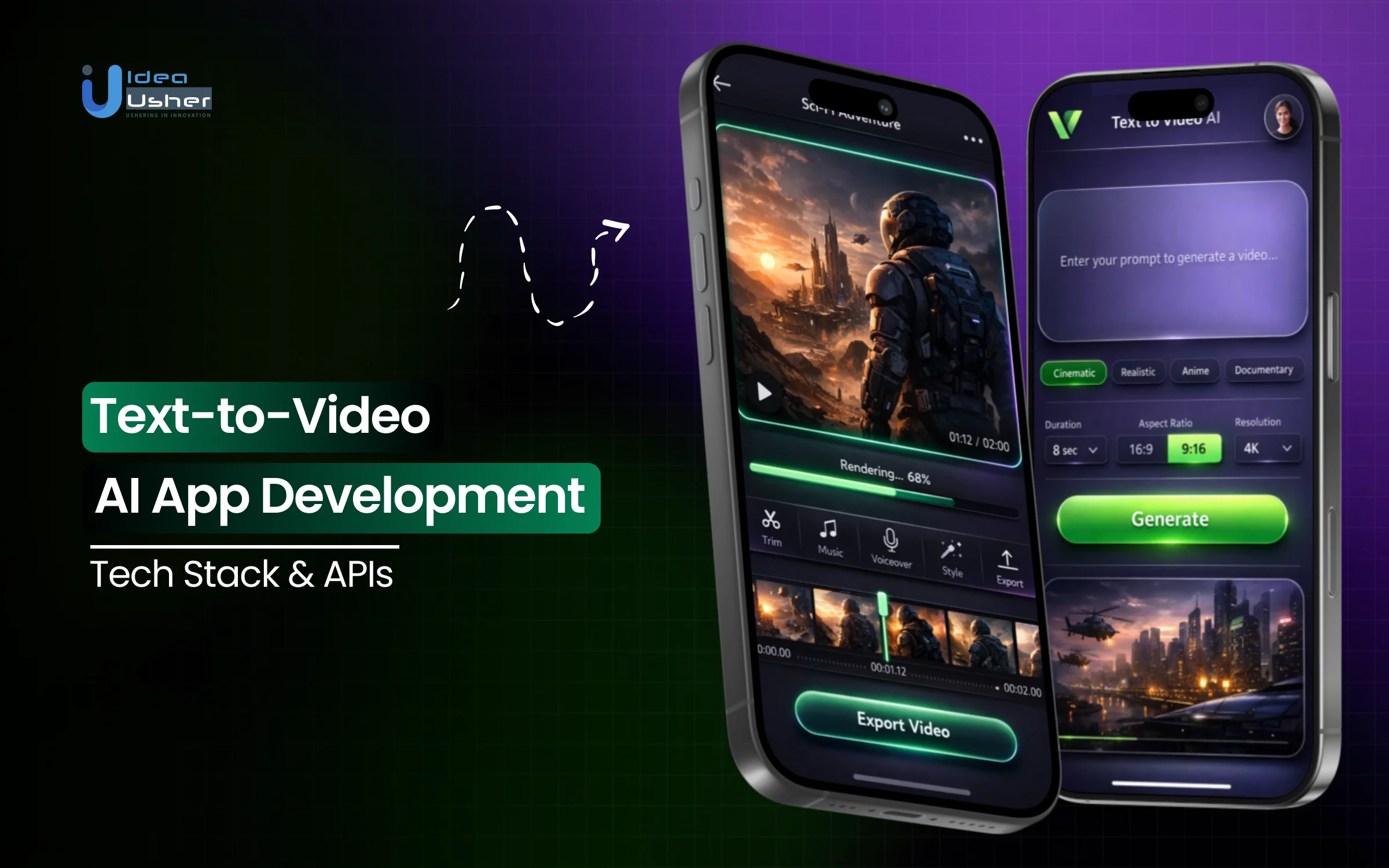
Text-to-video generation combines language understanding, visual synthesis, and media delivery in one workflow. Turning a text prompt into a coherent video requires more than a powerful model, relying on prompt interpretation, scene structure, frame generation, and large-scale output assembly. That’s why tech stack and APIs directly impact quality, performance and cost during text to video AI app development.
Once real users and workloads are introduced, the technical stack becomes a deciding factor. Model orchestration, inference infrastructure, asset storage, rendering pipelines, and streaming delivery all need to work together without introducing latency or instability. APIs play a central role in connecting these layers, enabling prompt handling, generation control, post-processing, and integration with external products or workflows.
In this blog, we break down text to video AI app development by examining the core tech stack, essential APIs, and architectural considerations involved in building a scalable, production-ready video generation platform.

What Is Text-to-Video AI App Development?
Text-to-video is often perceived as a straightforward process: type a sentence, get a video. In practice, however, advanced T2V AI development requires building sophisticated systems that translate language into visual and temporal experiences.
The text to video AI app development goes beyond basic API integration. It requires connecting natural language processing and computer vision. Robust T2V platforms prioritize coherence, intent, and scalability, transforming computational resources into practical solutions for creators, marketers, and educators.
A. End-to-End AI Video Systems
The evolution of this technology has been remarkably rapid, shifting from rigid, pre-defined templates to fluid, generative intelligence.
- The Template Era: Early “video AI” was essentially automated editing based on user-provided text, with the app swapping out stock footage and text overlays.
- The Generative Diffusion Wave: The current era uses latent diffusion models. Instead of searching a library of existing clips, the AI “paints” every pixel from scratch, frame by frame, based on learned patterns.
- The Rise of Multi-Modal Reasoning: Modern apps go beyond “seeing” pixels; they understand context. Multi-modal models ensure prompts like “a glass falling” result in the AI understanding gravity, transparency, and physical consequences.
The shift has moved from building “features” that generate clips to end-to-end systems capable of maintaining a narrative thread from the first frame to the last.
B. Key T2V Capabilities
Transforming a text to video AI app development from novelty to a professional tool requires mastering several non-negotiable pillars of video production:
- Scene Generation: The ability to create diverse environments from hyper-realistic cinematic landscapes to 2D flat animations, without “hallucinating” strange artifacts.
- Character Consistency: This is the “holy grail.” If a character appears in Scene A, they must look identical in Scene B. Modern apps use LoRA (Low-Rank Adaptation) or reference seeds to ensure the protagonist doesn’t change hair color or clothing mid-video.
- Style Control: Professional use demands more than “randomly beautiful” results. Granular control over lighting, camera angles (e.g., “low-angle tracking shot”), and aesthetic filters is essential.
- Motion Logic: Beyond slight movement in static images, realistic physics are expected. Water should flow, hair should catch the wind, and human movement should avoid the “uncanny valley.”
- Integrated Audio & Subtitles: A complete system synchronizes generative video with AI-synthesized voiceovers and perfectly timed captions, providing a comprehensive solution for content creation.
Why the Text-to-Video AI Apps Gaining Popularity?
The global AI video generator market size was valued at USD 716.8 million in 2025 and is projected to grow from USD 847 million in 2026 to USD 3,350.00 million by 2034, exhibiting a CAGR of 18.80% during the forecast period. This growth reflects sustained commercial adoption rather than short-term experimentation.

The adoption is accelerating because AI video platforms materially compress production timelines. Over 62% of marketers using AI video tools report cutting content creation time by more than half through text-to-video platforms, enabling faster execution without proportional cost increases.
AI video generation is quickly becoming mainstream. Nearly 49% of marketers now use AI-generated video, while 97% of learning and development professionals say video is more effective than text-based content.
AI video adoption is delivering high cost and scale advantages for enterprises. Businesses report 80–95% lower per-video production costs compared to traditional human-led editing workflows, while 69% of Fortune 500 companies already use AI-generated videos for brand storytelling and marketing initiatives.
How Text-to-Video AI Applications Actually Work?
The text to video AI app development involves a coordinated pipeline of specialized AI agents. Creating a cohesive video requires translating static words into temporal logic, visual consistency, and acoustic harmony.

1. Text Input & Context
The process begins with Text Ingestion, but modern apps do more than just read the prompt. Context Engineering is used to fill in the gaps often left in user input.
- Prompt Expansion: For example, the prompt “a cat in space” can be expanded by a Large Language Model (LLM) into a production-ready version: “A cinematic shot of a ginger tabby in a high-tech glass helmet, floating weightlessly inside a nebula-lit spaceship, 8k resolution, volumetric lighting.”
- Style Tagging: The app identifies the desired aesthetic such as “Cyberpunk,” “Wes Anderson,” or “Photorealistic” and injects the necessary technical parameters (focal length, color grading, lighting temperature) into the model’s instructions.
- Intent Mapping: The system determines the intended outcome such as educational explainer, social media ad, or cinematic narrative and adjusts pacing and tone accordingly.
2. Scene & Time Planning
Unlike early AI generators that produced random motion, current systems function as a digital director’s office.
- Shot Segmentation: For longer videos, the AI breaks a single prompt into a logical “storyboard,” deciding when to use a wide establishing shot versus a tight close-up to maintain engagement.
- Temporal Mapping: This is the “logic of time.” The system creates a temporal scaffold to ensure that motion is fluid and logical. If a character is running from left to right in frame one, the temporal model ensures they don’t suddenly teleport to the center in frame two.
- Character Persistence: Using techniques like Reference Seeds or LoRA (Low-Rank Adaptation), the app “locks” the visual identity of characters and environments across different shots so the video remains a singular story rather than a collection of disjointed clips.
3. Video, Audio & Rendering
This is the “engine room” where the visual and auditory data are actually synthesized into a file.
- Latent Diffusion & Transformer Models: The system uses diffusion models (like Sora 2 or Veo 3) to “denoise” random pixels into coherent frames. In 2026, many apps use Spatial-Temporal Transformers that process the entire video block simultaneously, rather than one frame at a time, drastically reducing “flicker.”
- Native Audio Generation: Modern apps generate soundscapes concurrently with the video. This includes Ambient Sound (wind, city noise) and Synchronized Dialogue.
- Lip-Sync & Phonetic Alignment: If the script includes speech, the AI aligns the character’s lip movements with the generated audio down to the millisecond, ensuring a professional, “non-dubbed” look.
4. Post & Export
The final stage ensures the video is ready for professional use, moving beyond raw AI output into a polished product.
- Upscaling & Frame Interpolation: Raw generation often happens at lower resolutions to save compute. Post-processing agents upscale the footage to 4K and use interpolation to “smooth out” the motion from 24fps to 60fps where needed.
- Automated Re-framing: The export pipeline can automatically crop a 16:9 cinematic video into a 9:16 vertical format for platforms like TikTok or Instagram, using Saliency Detection to keep the most important action centered in the frame.
- Codec & Bitrate Optimization: To ensure the file doesn’t take an hour to upload, the app uses AI-driven compression (like HEVC or AV1) to maintain high visual fidelity at the smallest possible file size.
Core AI Models Powering Text-to-Video Systems
Modern text-to-video applications are no longer dependent on a single model. Instead, they are orchestrated “model-of-models” systems that balance creative flexibility with physical realism.
| Model Category | Primary Role | Core Technology | Key Impact on Video Quality |
| Generative Engine | Pixels/Frame Synthesis | Diffusion Transformers (DiT) (e.g., Sora 2, Veo 3) | Combines the denoising power of Diffusion with the scalability of Transformers. Ensures high-resolution visual detail and complex motion logic. |
| Language Brain | Script-to-Scene Translation | Large Language Models (LLMs) (e.g., GPT-4o, Gemini 1.5 Pro) | Acts as the “Director.” It expands short prompts into detailed shot lists, maintaining narrative logic and character descriptions across scenes. |
| Temporal Logic | Fluidity & Consistency | Spatio-Temporal Attention | Prevents “flicker” by ensuring objects (like a moving car) remain consistent in shape and color across every frame of the sequence. |
| Acoustic Layer | Audio & Speech Sync | Multi-modal Latent Alignment | Synchronizes synthesized dialogue with lip movements and embeds diegetic sounds (e.g., footsteps, rain) directly into the video file. |
A. Diffusion Models vs. Transformer-Based Video Generation
The “Great Debate” of 2024–2025 has settled into a hybrid reality.
- Diffusion Models excel at creating the “texture” of the world, gradually refining noise into crisp, photorealistic images.
- Transformers excel at understanding long-range dependencies, knowing that if a ball is thrown in frame 1, it must land by frame 60.
The current industry standard uses Diffusion Transformers (DiT), which treat video as a sequence of “spacetime patches,” allowing the AI to “reason” about the video as a whole rather than just a collection of individual pictures.
B. Role of LLMs in Script-to-Scene Translation
An LLM serves as the interface between human intent and machine execution. When the user provide a prompt, the LLM performs Context Engineering:
- Structural Breakdown: It divides a paragraph into individual camera shots (Close-up, Wide, Pan).
- Visual Anchoring: It ensures a “red jacket” mentioned in the first sentence remains the same shade of red throughout the metadata passed to the video engine.
- Implicit Reasoning: It infers physics; if the script says “the glass shatters,” the LLM ensures the video engine receives instructions for high-speed motion and reflective debris.
C. Multimodal AI Coordination
In 2026, the best apps use End-to-End Multimodality. Instead of generating a silent video and “slapping” audio on top later, models like Veo 3 generate the visual and auditory data in the same latent space.
- Text-to-Visual: Translating descriptors into shapes and colors.
- Visual-to-Audio: Generating a “splash” sound the exact millisecond a virtual rock hits virtual water.
- Text-to-Speech (TTS): Aligning the phonetic timing of a script with the generated character’s facial muscles (Visemes) for perfect lip-syncing.
Tech Stack for Text-to-Video AI App Development
The text to video AI app development requires a “heavy-duty” stack. Unlike standard CRUD apps, T2V platforms must manage massive binary files, perform intense GPU computations, and provide a seamless, real-time user experience.

| Layer | Component | Industry Standard Tools | Role in the System |
| Frontend | UI & Video Canvas | Next.js / React + Tailwind CSS | Handles the dashboard, user prompts, and project management. |
| Timeline & Editing | Remotion / WebAssembly (WASM) | Enables frame-accurate scrubbing and client-side video previews. | |
| Backend | API Orchestration | Python (FastAPI) / Go | Manages requests and routes them to AI inference workers. |
| Task Queue | Celery + RabbitMQ / Redis | Handles long-running “generation” jobs without crashing the app. | |
| AI Infrastructure | Model Training/Inference | PyTorch / NVIDIA TensorRT | The engine that runs the Diffusion and Transformer models. |
| GPU Fleet | NVIDIA H100 / A100 (via CoreWeave/AWS) | High-performance hardware required for rendering video frames. | |
| Data & DevOps | Storage | Amazon S3 / Google Cloud Storage | Persistent storage for raw video assets and generated exports. |
| Content Delivery | Cloudflare / AWS CloudFront | Uses HLS/DASH streaming to deliver video to users with zero buffering. |
Why This Specific Stack?
This technology stack of text to video AI app development is chosen to balance performance, scalability, and user experience. It combines AI readiness, real-time browser processing, and elastic infrastructure to support high-demand, video-heavy applications efficiently.
- Python/FastAPI is the bridge to the AI world; almost every major video model (like Sora or Kling) is built using Python-based libraries.
- WebAssembly (WASM) is the “secret sauce” for the browser; it allows the user to trim or crop a 4K video instantly without waiting for a server to process it.
- Kubernetes (K8s) is non-negotiable for scaling. Video generation is “bursty,” with usage spiking from 10 users to 10,000 in minutes. K8s enables GPU clusters to scale efficiently and control costs.
Text-to-Video APIs and AI Services You Can Integrate
The text to video AI app development no longer requires training a multi-billion-parameter model from scratch. Instead, development involves acting as an “AI Orchestrator,” stitching together specialized APIs to handle visuals, voice, and motion.
1. Text-to-Video Generation APIs
The “Big Three” of 2026, that is, OpenAI, Google, and Runway, offer distinct advantages depending on the intended purpose, such as cinematic realism or social media speed.
| API Provider | Best For | Max Quality / Duration | Key Feature |
| OpenAI Sora 2 | Cinematic Narratives | 1080p / 20 Seconds | Advanced physics and complex multi-character scenes. |
| Google Veo 3.1 | Reliable Consistency | 4K / 8–10 Seconds | Native audio generation that “hears” the video it creates. |
| Runway Gen-4 | Professional Filmmaking | 4K / 15 Seconds | “Director Mode” for precise camera and motion control. |
| Kling AI (v2.6) | Long-Form Content | 1080p / 120 Seconds | Industry-leading duration and temporal consistency. |
| Luma Dream Machine | Rapid Prototyping | 4K Upscale / 5 Seconds | Excellent 3D object-centric motion and speed. |
2. Speech Synthesis and Voice Cloning APIs
A video is only as good as its audio. Modern apps use “Flash” models to ensure the voice is generated as quickly as the frames.
| Service | Primary Strength | Use Case |
| ElevenLabs (Flash v2.5) | Hyper-realism & Emotion | Audiobooks, storytelling, and emotional narration. |
| Deepgram Aura-2 | Ultra-low Latency (<90ms) | Real-time AI video avatars and conversational agents. |
| HeyGen / Synthesia | Video-Sync Avatars | Corporate training and multilingual “talking head” ads. |
| OpenAI TTS-1 | Ecosystem Integration | Fast, reliable voice for apps already using GPT-4o. |
3. Image, Motion, and Scene Enhancement APIs
Sometimes the raw AI output is blurry or lacks “brand feel.” These APIs polish the final product before being delivered to end users.
- Upscaling: Magnific AI or Topaz Video AI Cloud APIs can take a 720p AI generation and upscale it to a crisp 4K with added generative detail.
- Motion Correction: Stability AI Motion APIs enable the addition of “Motion Brushes” to static parts of a video, ensuring specific elements (like a flag waving) move naturally.
- Visual Reasoning: Nano Banana Pro (Google) allows for high-fidelity text rendering and “visual grounding,” ensuring that text appearing inside the video (like a billboard) is spelled correctly and matches the 2026 aesthetic.
API Limitations That Impact Commercial Product Scalability
While powerful, these APIs have “invisible walls” that developers must navigate when scaling text to video AI app development as a business.
| Limitation Category | The Challenge | Impact on Business |
| Generation Latency | High-quality 1080p clips still take 3–10 minutes to render. | Hurts user retention; requires complex “asynchronous” UI design. |
| Cost Per Second | High-end APIs (Sora) can cost $0.10 to $0.50 per second. | Makes “Free” tiers impossible to sustain without heavy VC funding. |
| Rate Limits | Most providers limit concurrent generations (e.g., 5 videos at a time). | Can cause “bottlenecks” during peak traffic hours for the app. |
| Content Safety | Strict filters can “false positive” on harmless prompts (e.g., “explosion of flavor”). | Frustrates users whose creative prompts are blocked by rigid AI safety layers. |
Choosing Between Custom AI Models vs. API-Based Development
The choice between a custom AI model and an API in text to video AI app development now depends on unique data needs, compute costs, and whether customization justifies investment over the robust capabilities offered by leading APIs like Sora or Veo.
A. API-First Advantages
For 90% of startups, the “API-First” approach is the fastest path to Product-Market Fit (PMF). It allows for focus on user experience and vertical-specific features rather than deep-tier infrastructure.
| Factor | Why APIs Win | Best Use Case |
| Speed to Market | You can deploy a functional MVP in weeks by connecting to OpenAI or Runway. | Social media content tools, “Magic Video” features for existing SaaS. |
| Cost Control | You pay only for what you use (OPEX) instead of massive upfront GPU costs (CAPEX). | Low-volume or experimental applications. |
| Innovation Subsidy | Big Tech handles the research. When Sora 3 drops, the app gets an instant upgrade. | General-purpose video editors or meme generators. |
| Simplicity | No need for a team of Ph.D. Research Scientists to maintain the model. | Small teams focused on UI/UX and niche marketing. |
B. Custom Model Benefits
Custom models (often achieved through Fine-tuning or LoRAs) are for companies that need to solve a specific problem that a “general” model cannot handle reliably.
| Factor | Why Custom Wins | Best Use Case |
| Niche Realism | General models struggle with specific physics (e.g., medical surgery or industrial machinery). | Medical training, industrial digital twins, or high-end VFX. |
| Brand Identity | A custom model can be “baked” to always produce a specific visual style or “universe.” | Gaming studios creating consistent cinematic cutscenes. |
| Unit Economics | At massive scale (millions of videos), running one’s own optimized model on reserved GPUs is cheaper than API fees. | Enterprise-level automated ad platforms. |
| Data Privacy | For sensitive industries, keeping the “weights” and data on private servers is a hard requirement. | Government, Defense, or high-security Corporate training. |
C. Cost, Control & Compliance
The choice isn’t just technical; it’s a strategic trade-off between agility and autonomy. This choice represents a strategic balance between rapid innovation, operational control, regulatory compliance, and sustainable autonomy.
| Category | API-Based (The “Renter”) | Custom/Fine-Tuned (The “Owner”) |
| Upfront Cost | Low: Pay-per-generation (approx. $0.20/min). | High: $50k–$500k+ for GPU training & engineering. |
| Latency | Variable: You are at the mercy of the provider’s server load. | Optimized: You control the inference speed and hardware. |
| Content Safety | Rigid: The provider’s filters may block your users’ creative (but safe) prompts. | Flexible: You set your own safety guardrails and moderation layers. |
| IP & Ownership | Limited: You don’t own the underlying tech; you only own the output. | High: The model becomes a proprietary asset (IP) for the company. |
| Compliance | Third-Party: Data must travel to the provider’s cloud (e.g., US-based). | On-Prem: Data stays within your sovereign cloud (e.g., GDPR/EU-local). |
Key Challenges in Text-to-Video AI App Development
Text to video AI app development faces technical, creative, and scalability challenges that impact quality and performance. Our developers solve these challenges through advanced models, optimized pipelines, rigorous testing, and scalable architecture design.

1. GPU Cost Management
Challenge: Video generation is exponentially more expensive than text or images, threatening startup survival with unsustainable compute bills.
Solution: We implement quantization and spot instances to cut GPU costs by up to 70% while maintaining visual fidelity, alongside dynamic batching and request shaping to maximize GPU utilization during peak demand without degrading output quality.
2. Video Quality Consistency
Challenge: General-purpose models often fail at specific motions or aesthetics, producing “spaghetti limbs” or inconsistent brand visuals.
Solution: We deploy custom LoRA layers and prompt refinement agents to anchor the AI to your brand DNA, reinforced by prompt-category benchmarks and regression testing to prevent motion artifacts, style drift, and aesthetic inconsistencies.
3. Latency Reduction
Challenge: Waiting 5+ minutes for a 10-second video clip creates friction that destroys user retention in impatient markets.
Solution: Our speculative decoding and streaming inference delivers first frames in seconds while rendering continues, supported by pre-warmed models and intelligent caching to eliminate cold starts during traffic spikes.
4. Content Safety & Abuse Prevention
Challenge: Hyper-realistic AI video raises deepfake risks and legal liabilities that can destroy brand trust overnight.
Solution: We build multimodal moderation with real-time frame scanning and invisible C2PA watermarking for traceability, combined with prompt-level intent classification and risk scoring to block unsafe generation before compute is consumed.
Security, Copyright, and Compliance in AI Video Generation
As text-to-video technology moves from the research lab to the enterprise, the conversation is shifting from “what can it do?” to “is it safe to use?” The text to video AI app development in 2026 requires navigating a complex web of legal precedents and security protocols.
1. Copyright Risks
The legal landscape for AI-generated video is centered on the concept of “unintentional infringement.” Because models are trained on vast datasets, there is a risk of generating content that too closely resembles copyrighted works.
- Training Data Transparency: Developers are increasingly opting for “Copyright-Clean” models trained on licensed or public-domain libraries (such as Adobe Firefly Video) to mitigate risk at the source.
- Similarity Detection: Modern platforms integrate visual fingerprinting tools that scan generated clips against databases of protected media to ensure the output is unique.
- Visual IP Blocking: System-level constraints are used to explicitly prevent the generation of trademarked logos, specific film characters, or the likenesses of public figures without authorization.
2. Content Moderation Risk
Text-to-video apps face higher stakes than text-based AI. A hyper-realistic “deepfake” video used for misinformation or harassment is a significant legal and ethical liability.
- Multimodal Filtering: Safety systems now scan both the input prompt (checking for harmful intent) and the pixel output (using computer vision to detect restricted imagery) in real-time.
- Biometric Verification: For tools that allow voice or face cloning, developers implement “Proof of Permission” protocols, requiring the person being cloned to provide live, recorded consent.
- Latent Space Monitoring: This involves “killing” a render job mid-process if the AI’s neural patterns begin to drift into restricted categories, such as violence or non-consensual content.
3. Enterprise Compliance
For B2B applications, passing the scrutiny of a Chief Information Security Officer (CISO) is a non-negotiable step for adoption.
- Data Residency & VPC: Enterprises often require the AI inference stack to be deployed within a Virtual Private Cloud (VPC), ensuring that sensitive prompts and proprietary video assets never leave their secure perimeter.
- Content Provenance (C2PA): This is the industry standard for 2026. Every video is embedded with a cryptographically signed “digital birth certificate” that proves the video is AI-generated and tracks its origin.
- SOC2 & GDPR Frameworks: Applications must include comprehensive audit logging, data encryption at rest, and “right to be forgotten” protocols to meet international data protection standards.
Use Cases Where Businesses Gain Real ROI from Text-to-Video AI
Text-to-video AI helps businesses convert ideas into videos quickly, consistently, and affordably. These use cases demonstrate clear ROI through faster content production, lower costs, higher engagement, and scalable video strategies.

1. Marketing & Ad Video
The “creative fatigue” of digital advertising requires brands to refresh their visual content weekly, if not daily. T2V allows for rapid A/B testing at a fraction of the cost of a traditional shoot.
How it works: Agencies use T2V to generate hundreds of variations of a single ad, swapping out backgrounds, products, or characters to see which resonates best with specific demographics.
Real-World Example: Coca-Cola recently utilized generative AI to create localized holiday advertisements. By using text-to-video tools, they could swap city backgrounds and local cultural nuances into their “Masterpiece” campaign without flying film crews to 50 different countries.
2. Social & Short-Form Video
The demand for vertical content (TikTok, Reels, Shorts) has created a “content treadmill.” AI video tools allow brands to stay relevant without 24/7 filming schedules.
How it works: AI tools can take a long-form blog post or podcast and automatically extract “hooks” to generate viral-style short videos with AI-generated visuals and captions.
Real-World Example: The Washington Post uses AI-driven video synthesis to turn breaking news headlines into 15-second “explainer” shorts for TikTok. This allows them to be the first to report visually, often beating competitors who rely on manual editing.
3. E-learning & Training Video
Corporate training is often dry and expensive to update. T2V turns static manuals into engaging, interactive video libraries that are easy to maintain.
How it works: A single English training script can be instantly turned into 50 different videos with native-speaking AI avatars, eliminating the need for expensive dubbing or reshooting.
Real-World Example: Cybersecurity firm CrowdStrike uses AI video avatars to create “Daily Threat Briefings.” Instead of a human recording a new video every morning, they input the daily data into a T2V platform, which generates a professional briefing video for their global employees in minutes.
4. Entertainment and Storytelling
The barrier to entry for high-end cinematic storytelling is collapsing. Independent creators and game studios are using T2V to build massive worlds on “indie” budgets.
How it works: Smaller game studios use T2V to generate high-fidelity cinematic sequences (cutscenes) without needing a full CGI animation team.
Real-World Example: Independent filmmaker Paul Trillo gained viral acclaim for creating “The Golden Record,” a short film made entirely using OpenAI’s Sora. By using text prompts to generate surreal, high-fidelity visuals, he produced a cinematic experience that would have previously required a multi-million dollar VFX budget.
5. Enterprise Internal Communication Videos
Internal newsletters are often ignored. AI video turns boring corporate updates into “watchable” content that employees actually consume.
How it works: Companies convert their “Help” and “FAQ” documents into short, visual guides, significantly reducing the load on internal support teams.
Real-World Example: WPP, the world’s largest advertising agency, uses internal T2V tools to allow their executives to send personalized video messages to thousands of employees. A leader can type a message, and the AI generates a video of the leader “speaking” the update, increasing engagement far beyond a standard text email.
Conclusion
Text to video AI app development empowers teams to transform ideas into engaging visuals at scale. A well-chosen tech stack, reliable APIs, and optimized pipelines ensure speed, quality, and cost control. By combining robust NLP, diffusion or transformer-based video models, and cloud acceleration, builders deliver seamless experiences. Strong orchestration, prompt engineering, and evaluation loops improve outputs over time. As demand for automated content grows, text to video AI development rewards teams that prioritize performance, ethics, and scalability while iterating fast to meet evolving creator and enterprise needs.
Why Choose IdeaUsher for Text to Video AI App Development?
We build AI-driven products across industries, specializing in performance systems, model integration, and scalable infrastructure. Our expertise helps us create text to video AI app development that balance rendering quality, inference costs, and business sustainability.
Our ex-FAANG and MAANG engineers bring over 500,000+ hours of hands-on AI development experience, allowing us to architect AI video platforms aligned with creative workflows, performance benchmarks, and monetization strategies.
Why Hire Us:
- AI & SaaS Expertise: We engineer high-traffic AI ecosystems, deploy robust computer vision and NLP models, and ensure smooth video playback and editing, even for complex, data-intensive generative tasks.
- Custom Solutions: We specialize in custom model fine-tuning and backend optimization, delivering unique platforms with superior visual consistency and a proprietary edge over standard API-based solutions.
- Full-Cycle Ownership: We go beyond coding and managing infrastructure selection, C2PA security, and global CDN to ensure scalable, compliant T2V products that are technologically advanced and commercially ready from launch.


FAQs
A1. Text to video AI app development is the process of turning written text into videos using artificial intelligence. It helps businesses create videos quickly without manual editing or production teams.
A2. Text to video AI app development typically uses NLP models, video generation models, cloud GPUs, and scalable backend frameworks. This stack ensures fast rendering, high quality output, and smooth user experience.
A3. Text to video AI app development relies on APIs for text processing, video generation, rendering, storage, and content moderation. These APIs help automate workflows and improve performance at scale.
A4. Text to video AI apps benefit marketers, educators, content creators, and enterprises the most. These tools allow teams to scale video content production while reducing time and costs.


