 (+971) 8007 4267
 (+91) 946 340 7140
 (+1) 628 432 4305

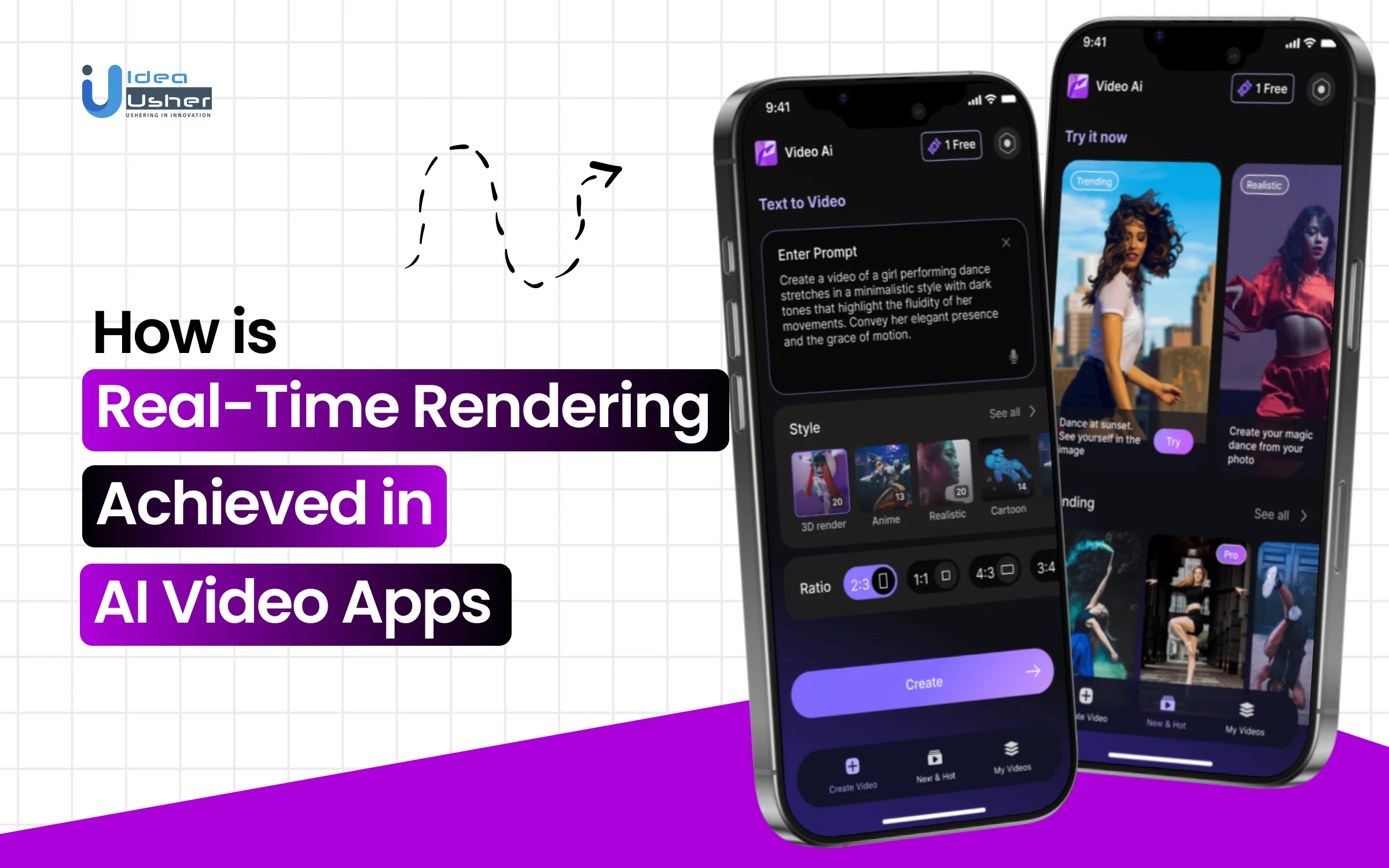
Real-time video generation sets a very different bar from offline rendering. Users expect immediate feedback, smooth motion, and consistent quality while interacting with prompts, controls, or live inputs. Meeting these expectations requires systems that can generate, assemble, and deliver frames with minimal delay, which is why real-time AI video rendering depends more on pipeline design and execution strategy than raw model capability alone.
Achieving this level of responsiveness involves tight coordination across inference, rendering, caching, and streaming layers. Techniques such as incremental frame generation, parallel processing, GPU scheduling, and adaptive quality control all play a role in keeping latency low under real usage. Small inefficiencies compound quickly at scale, making architectural decisions central to whether real-time performance is achievable in production.
In this blog, we explain how real-time rendering is achieved in AI video apps by breaking down the technical approaches, system components, and optimization strategies that enable low-latency, interactive video generation experiences.

What is an AI Video Generation Platform?
An AI Video Generation Platform is a comprehensive software ecosystem that uses artificial intelligence and machine learning to automate the entire video production lifecycle. Unlike a simple standalone app, a platform typically offers a “full-stack” creative suite, including tools for scriptwriting, storyboarding, character creation (AI avatars), and advanced editing.
- Prompt Interpretation: Analyzing text, images, or audio to determine the user’s intent and context.
- Video Composition: Automatically generating scenes, animations, and overlays that align with the input.
- Automated Post-Production: Applying transitions, color correction, and audio syncing (including lip-sync for avatars) without manual intervention.
- Collaborative Workflows: Enabling teams to share projects, manage assets, and integrate with other marketing or CMS tools via APIs.
What “Real-Time Rendering” Means in AI Video Applications?
Real-Time AI video rendering refers to the ability of the system to generate and display visual frames almost instantaneously, typically at speeds of 30 to 120 frames per second (FPS).
| Feature | Real-Time Rendering | Traditional (Offline) Rendering |
| Speed | Instantaneous; frames are produced as you interact. | Slow; can take minutes to hours per frame. |
| Interactivity | Allows for on-the-fly changes to lighting, materials, or camera angles. | Static; any change requires the entire scene to be re-rendered. |
| Technology | Heavily relies on GPU acceleration and optimized algorithms like rasterization. | Often uses intensive, physically accurate ray tracing for maximum detail. |
| Philosophy | “What you see is what you get” (WYSIWYG). | Focused on final, high-fidelity output over speed. |
Why Real-Time Matters in AI Video Apps?
Real-Time AI video rendering transforms creation from a slow, linear process into a dynamic, interactive experience. Instant visual feedback empowers faster decisions, richer collaboration, and dramatically shorter production cycles.
- Immediate Feedback: Creators can see the results of their text prompts or setting adjustments instantly, fostering a more experimental and intuitive design process.
- Immersive Presentations: Clients or stakeholders can “walk through” a virtual environment or interact with an AI avatar in a live session, making real-time decisions.
- Efficiency: It eliminates the “rendering bottleneck,” reducing production timelines from days or weeks to mere minutes.
- AI Optimization: Modern platforms use AI-based upscaling (like NVIDIA DLSS) to maintain high visual quality while ensuring the rendering remains fast enough for real-time interaction.
Global Market Growth of AI Video Generating Platforms
The global AI video generator market was valued at USD 716.8 million in 2025 and is expected to grow from USD 847 million in 2026 to USD 3,350.00 million by 2034, with a compound annual growth rate (CAGR) of 18.80%. This expansion indicates ongoing commercial adoption rather than temporary experimentation.

Nearly 69% of Fortune 500 companies now leverage AI-generated videos for brand storytelling and marketing initiatives. These companies transform content production at scale and complete video production cycles in hours instead of days, enabling faster, more agile content strategies.
AI adoption in video creation is delivering measurable business impact. About 58% of small-to-medium eCommerce businesses use AI-generated videos, cutting production costs by 53%. Meanwhile, 62% of marketers report over 50% faster content creation, with AI saving around 34% of editing time.
Platform-level adoption further validates this momentum. Over 70% of Fortune 100 companies use Synthesia, which surpassed $100M in annual recurring revenue in 2025. HeyGen reached $35M+ ARR and more than 19 million users by 2024, demonstrating strong enterprise and creator demand.
The Core Rendering Pipeline in AI Video Apps
The Real-Time AI video rendering pipeline is a generative synthesis process, unlike traditional video rendering (which relies on physics-based lighting and 3D models). It relies on massive pre-trained neural networks to interpret inputs and “imagine” the resulting video frames. The pipeline can be broken down into four distinct functional layers:

1. Input & Prompt Ingestion
This is the conditioning stage of the Real-Time AI video rendering. The model receives raw input and translates it into a format the AI can understand. The quality and richness of this stage directly dictate the coherence of the final video.
- Text & Image Prompts: The most common entry point. Text is converted into embeddings (vectors/numbers) using a language model (like CLIP or T5). Image inputs are passed through a vision encoder to extract semantic features.
- Audio & Motion Signals: For lip-sync or music videos, audio waveforms are analyzed to extract rhythm, pitch, and phonemes. For depth-aware or motion-brush tools, the system ingests optical flow maps or 3D depth data to understand spatial movement.
- Camera Feeds: In real-time apps (like AI avatars), the live feed is processed frame-by-frame, but instead of simply streaming it, the system performs pose estimation or keypoint detection to extract the “essence” of the movement.
2. Intermediate Latent-Space Processing
This is where the magic happens. Raw inputs are useless to a generator; they must be processed in the latent space, a compressed, mathematical representation of visual information. This stage determines how the video evolves.
- Denoising (Diffusion Models): Most modern AI video relies on diffusion. The system starts with a frame of pure “static” (noise) and iteratively refines it, guided by the input embeddings from Stage 1. It asks: “Given this text prompt, what image is hidden in this noise?” It does this step-by-step, gradually adding clarity.
- Temporal Attention: This is the critical component that separates video from image generation. The model doesn’t just look at one frame; it looks at chunks of frames (usually 16–24 at a time) and calculates attention across the timeline. It ensures that if a subject is in the top-left corner in Frame 1, it remains there in Frame 24 (unless prompted to move).
- Motion Control: The system interprets motion inputs (like a motion brush or LoRAs) to shift the latent pixels in a specific direction over time, simulating camera pans or object physics.
3. Frame Synthesis and Temporal Alignment
Once the latent space knows what should happen over time, the pipeline must output individual pixels. This is the most computationally expensive stage, dealing with visual coherence and flicker.
- The Decoder: The processed latent array is passed through a decoder (often a VAE – Variational Autoencoder) which upscales the mathematical data back into viewable RGB pixels.
- Frame Interpolation (Optical Flow): Because generating every single frame (e.g., 30fps) is prohibitively slow, many apps generate keyframes (e.g., every 4th frame) and use optical flow algorithms to calculate how the pixels move between them, generating the “in-between” frames to achieve smooth motion.
- Consistency Checks: The system performs a final check for temporal flicker. If a character’s shirt is red in Frame 1 and blue in Frame 5 due to a model “hallucination,” the alignment layer corrects it, often by cross-referencing back to the original latent instructions.
4. Streaming and Playback Loop
The final raw frames are massive (bitmap data) in Real-Time AI video rendering. They must be compressed and delivered to the user, often while the next segment is still being generated.
- Hardware Encoding: Raw frames are passed to dedicated hardware encoders (NVENC) to be compressed into a codec like H.264 or H.265. This shrinks the file size by 99% for streaming.
- Chunked Streaming (The Loop): To hide latency, AI video apps use a “rolling window” technique. The system generates a 2-second chunk, starts streaming it to the user, and immediately begins generating the next 2-second chunk in the background.
- Real-time Feedback Loop: In interactive apps (like AI video chats), the pipeline doesn’t end. The stream is fed back into the Input Ingestion stage (Stage 1) of the other AI agent, creating a persistent, real-time loop of generation.
Why Traditional GPU Rendering Pipelines Fail for AI Video?
Traditional GPU pipelines were built for fixed graphics workloads, not for Real-Time AI video rendering. When applied to AI video generation, they struggle with scalability, flexibility, and real-time adaptation across modern models.

1. Fixed Graphics Pipelines vs AI Inference
Traditional GPU pipelines are built for deterministic rasterization and shaders. AI video relies on probabilistic inference, iterative sampling, and dynamic tensor operations that do not align with fixed-function graphics execution models.
2. Pixel-Space Overhead
Graphics engines render directly in pixel space. AI video models operate efficiently in compressed latent space, and rendering full-resolution frames per step dramatically increases compute, memory bandwidth, and latency.
3. Frame Independence Limits AI
Conventional pipelines treat each frame independently. AI video requires temporal awareness, motion consistency, and cross-frame conditioning, which conflicts with stateless, parallel frame rendering assumptions.
4. GPU Memory Mismatch
Rendering pipelines optimize caches for textures and shaders. AI video workloads depend on large model weights and activation reuse, causing memory thrashing and inefficient VRAM usage.
5. Latency vs Throughput
Graphics schedulers prioritize overall throughput. Real-time AI video requires tight per-frame latency control, where micro-batching and asynchronous inference outperform traditional render queues.
6. Rendering–Encoding Coupling
Traditional pipelines bind rendering and encoding, but AI video systems must decouple inference, enhancement, and delivery to stream output during generation. This enables adaptive bitrate streaming and faster previews, reducing perceived latency while maintaining high quality.
How is Real-Time Rendering Achieved in AI Video Apps?
Real-Time AI video rendering is arguably one of the hardest challenges. Traditional gaming renders at 60 FPS by calculating lighting and physics. AI video, however, has to invent pixels based on a prompt, requiring trillions of mathematical operations per second.
To achieve “real-time” (generally defined as low latency, if not full 30fps), the industry relies on a combination of architectural shortcuts, streaming hacks, and hardware-level optimization.

1. Model-Level Techniques
Before any code is run, the underlying AI model architecture must be stripped down for speed. Real-Time AI video rendering models cannot use the massive, heavy architectures of offline renderers (like Stable Video Diffusion).
A. Latent Consistency Models (LCMs)
Standard diffusion models require 20–50 iterative “denoising” steps to create an image. LCMs are trained to skip these steps and can produce a coherent result in 1–4 steps. This is the single biggest factor in speeding up generation, reducing the workload by 10x.
B. Distillation and Pruning
Developers take a massive teacher model (e.g., Stable Diffusion 3.5) and train a smaller “student” model to mimic its outputs. This “distilled” model has fewer parameters and mathematical operations, allowing it to execute faster.
C. Temporal Compression
Instead of generating 30 unique frames per second, the model only generates a few “keyframes” (e.g., 5 frames). It relies on the decoder or a separate interpolation model to fill in the gaps, effectively reducing the generation load by 80%.
2. Streaming Architecture
Real-time perception is an illusion. Apps cannot generate a full 10-second video and then play it. They use a technique called chunked streaming, similar to how Netflix loads a video, but with a generative twist.
A. The Initial Latency
A prompt is submitted and the app generates the first chunk of video (usually 1–3 seconds). This takes a few seconds of processing and represents the unavoidable “buffering” phase.
B. Continuous Generation Loop
As soon as the first chunk is encoded, playback begins. While the user watches, the GPU generates subsequent chunks in parallel. This overlap hides inference latency behind playback time.
C. Temporal Anchoring
Each new chunk uses the final frame of the previous segment as a reference, preserving motion continuity and visual consistency during the Real-Time AI video rendering. This prevents visible jumps, flicker, or identity drift.
D. Seamless Appending
If generation stays ahead of playback, new chunks are appended just in time, creating a continuous viewing experience. Any delay beyond the buffer immediately breaks real-time perception.
3. GPU Optimization Strategies
The GPU is the workhorse for Real-Time AI video rendering, but it requires careful orchestration to keep it fed with data and running efficiently.
A. Operator Fusion
A neural network normally performs operations sequentially (Multiply, Add, Normalize). Operator fusion merges these steps into a single GPU kernel, reducing data transfer time between GPU memory and processors.
B. Quantization (FP16 to INT8)
High-precision math (FP32) is slow. Real-time apps quantize the model, reducing the precision of the numbers from 32-bit to 16-bit (half precision) or even 8-bit integers. This makes the math smaller and faster, allowing the GPU to crunch more data per second.
C. Tensor Core Utilization
Modern GPUs feature Tensor Cores, specialized hardware. Inference engines like TensorRT or Olive optimize matrix multiplications by routing them through these cores, which are tailored for AI math, not graphics.
4. The Role of Video Encoding and Transport
Rendering a frame achieves nothing if the system leaves it in GPU memory instead of sending it to the user. The transport layer often bottlenecks delivery. Fast transport unlocks the full value of real-time rendering.
A. Hardware-Based Encoding
Encoding a raw 1080p frame into H.264 using the CPU (software encoding) would consume 100% of a core. Real-time pipelines force this task onto dedicated hardware blocks on the GPU (NVENC). This frees up the main GPU compute cores to keep generating the next frame.
B. Low-Latency Transport Protocols
Interactive applications like AI avatars use protocols such as WebRTC instead of standard video streaming protocols (HLS). WebRTC minimizes buffering and delivers video in under a second over UDP connections.
5. Edge vs Cloud Rendering
The location of computation plays a decisive role in real-time AI video rendering. Choosing between edge and cloud rendering directly impacts latency, responsiveness, and the feasibility of real-time AI video experiences.
| Rendering Model | How It Works | Primary Advantage | Where Real-Time Breaks |
| Cloud Rendering | Video is generated on data center GPUs and streamed to user devices. | Supports large, high-quality models with massive compute. | Network latency. Round-trip delay quickly exceeds human interaction thresholds. |
| Edge Rendering | Models run on servers physically closer to users. | Lower network distance improves responsiveness. | Limited GPU capacity. High concurrency causes overload or cloud fallback. |
| On-Device Rendering | Models execute directly on user hardware. | Eliminates network latency entirely. | Model size limits. Heavy compression reduces output quality. |
How AI Video Apps Render in Real Time Without Full Frame Generation?
AI video generators enable real-time rendering by reusing temporal context, working in compressed latent space, and refining during streaming. This cuts computational load and latency, allowing responsive video creation without losing motion continuity.

1. Avoid Full Frame Generation
An AI Video Generator Platform avoids full frame-by-frame generation because doing so would make real-time rendering computationally impossible at scale. Instead, it relies on architectural and model-level shortcuts that reuse information across time, drastically reducing per-frame computation.
2. Latent-Space Generation
At the core of this approach is latent-space generation. The system encodes visual structure, motion, and identity efficiently by operating in a compressed latent representation instead of repeatedly producing full-resolution pixel frames.
3. Temporal Reuse and Context Carryover
Temporal reuse plays a critical role by generating a limited set of keyframes and carrying forward contextual information such as motion vectors, attention maps, or latent states. This allows subsequent frames to focus only on changes instead of full regeneration.
4. Progressive and Partial Rendering
Platforms maintain responsiveness by progressively and partially rendering video. They generate low-fidelity frames or short chunks first to meet latency targets and incrementally refine visual details during playback.
5. Real-Time Render Output
Together, latent-space processing, temporal anchoring, and progressive refinement allow an AI Video Generator Platform to achieve real-time rendering without the prohibitive cost of generating every frame from scratch.
Conclusion
Teams carefully coordinate models, hardware, and infrastructure to enable high-performance AI video systems. They optimize models, parallelize workloads, and use GPU acceleration to balance speed, quality, and cost. Real-Time AI video rendering relies on low-latency orchestration, intelligent scheduling, and adaptive pipelines that respond instantly to user input. By understanding these tradeoffs, teams design resilient architectures that scale with demand, maintain consistent performance, and manage creative complexity across devices, platforms, and production environments without compromising visual fidelity.
Build Real-Time AI Video Rendering Applications With Us!
We have built and deployed multiple AI-powered products and solutions, including platforms like Kamelion and advanced AI image and avatar generation systems, where real-time performance and visual accuracy were critical.
Our ex-FAANG/MAANG engineers bring over 500,000+ hours of hands-on AI development experience, enabling us to architect real-time AI video rendering solutions aligned with your business goals, performance benchmarks, and scalability needs.
Why Work With Us?
- Proven AI Product Experience: We’ve built real-world AI products like Kamelion, AI image generators, and avatar-based systems where real-time inference, rendering speed, and visual quality were non-negotiable.
- Real-Time Rendering Architecture Expertise: Our team designs optimized pipelines using model reuse, frame interpolation, GPU acceleration, and caching techniques to enable smooth, low-latency video generation.
- Performance & Cost Optimization: We balance rendering quality with infrastructure efficiency, reducing compute costs while maintaining real-time responsiveness at scale.
- Business-Driven AI Development: Teams architect every rendering system to serve product goals, user experience requirements, and monetization strategy, not just technical feasibility.
Explore our portfolio to see how we design, build, and scale production-ready digital products across industries.
Contact us for a free consultation and start building real-time AI video applications today.


FAQs
A.1. Optimized models, GPU acceleration, and parallel processing enable real-time rendering. These components reduce latency and generate video frames quickly without compromising visual consistency.
A.2. GPUs process parallel computations more efficiently than CPUs. This capability enables simultaneous video frame processing and AI inference, ensuring low-latency output for interactive and live video experiences.
A.3. Model pruning, batching inference requests, and caching intermediate outputs reduce redundant computation and maintain consistent frame generation speed under real-world usage.
A.4. Developers compress, quantize, or architect models for efficiency. These actions reduce computational overhead and preserve accuracy, enabling real-time AI video rendering under high user load or complex visual requirements.


