 (+971) 8007 4267
 (+91) 946 340 7140
 (+1) 628 432 4305

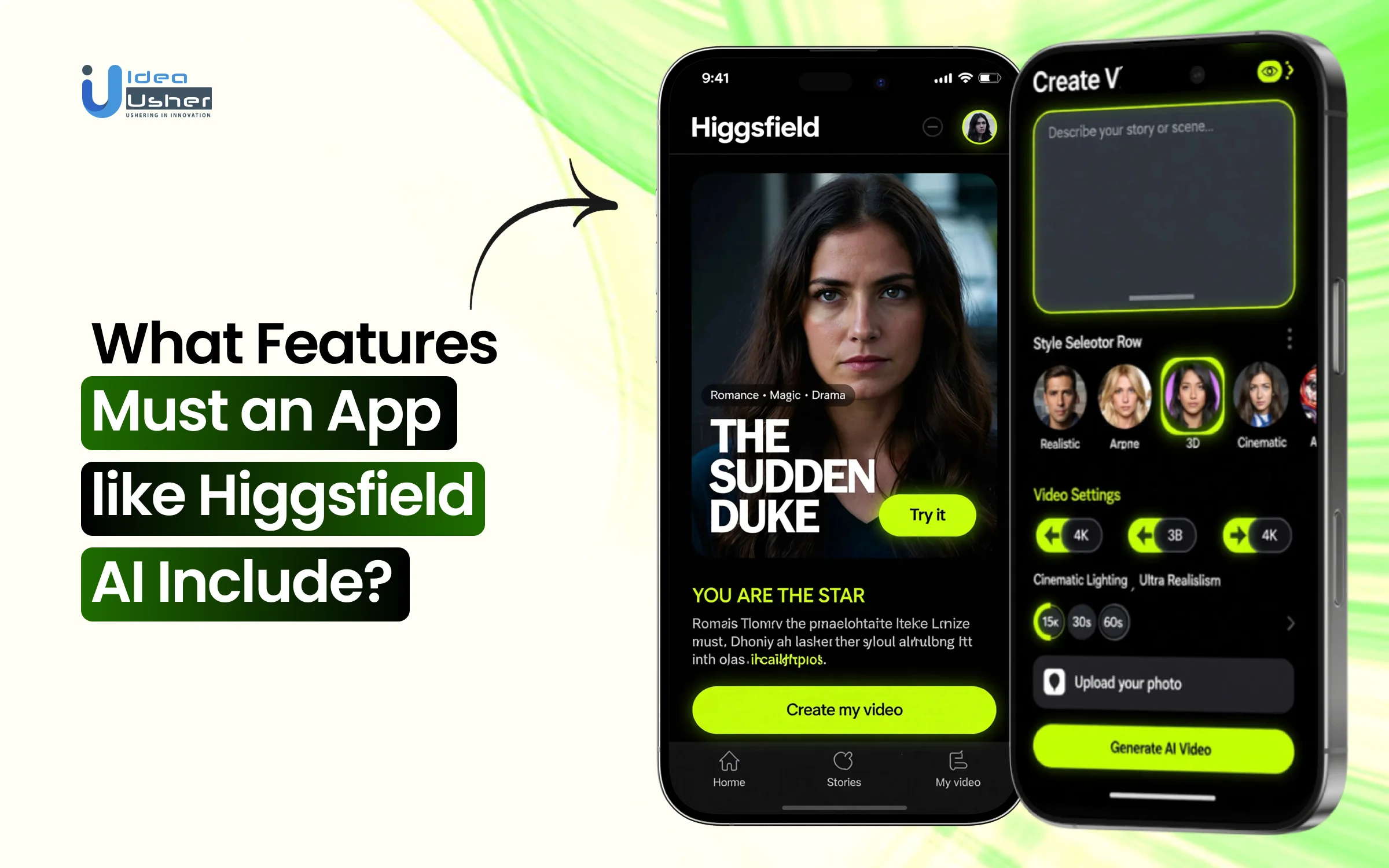
High-end video production was once controlled by studios with complex equipment and trained teams. Today, expectations have shifted, and even independent founders must deliver cinematic quality to stay relevant. AI video systems now automate rendering, motion synthesis, and scene composition, so creators can focus on storytelling.
This shift did not happen because the technology looked impressive, but because it removed technical friction in a measurable way. When you build an app like Higgsfield AI, you must carefully design user flows that translate complex model parameters into simple creative controls. The platform should intelligently manage GPU workloads and temporal consistency without exposing backend complexity to the user.
We’ve built numerous AI-powered video generation solutions that leverage technologies such as diffusion model architectures and cinematic rendering simulations. As we have this expertise, we’re sharing this blog to discuss the key features to include in an app like Higgsfield AI.
Key Market Takeaways for AI Video Generators
According to Fortune Business Insights, the AI video generator market is scaling at a steady and confident pace. Valued at USD 716.8 million in 2025, it is expected to grow to USD 3,350 million by 2034, reflecting a CAGR of 18.80 percent. This growth signals a clear shift toward automated video production as a strategic business tool rather than a creative experiment.

Source: Fortune Business Insights
What is accelerating this expansion is efficiency. AI video generators can reduce production costs by up to 70 percent while turning simple text prompts into polished videos in minutes. As we move toward 2026, real-time rendering and hyper-personalization are expected to further increase adoption across industries that require high volume and rapid turnaround.
Platforms like Synthesia are leading in corporate use cases with realistic AI avatars that deliver scripts in multiple languages, while HeyGen focuses on fast, customizable marketing content without traditional filming.
A major catalyst for the broader ecosystem is the reported $1 billion partnership between The Walt Disney Company and OpenAI, which will allow Sora users to generate short videos featuring well-known Disney, Pixar, Marvel, and Star Wars characters from 2026, under structured IP and safety controls.

What is the Higgsfield AI App?
Higgsfield AI is a generative video creation app that lets you turn simple text prompts or images into short cinematic AI videos. It uses advanced diffusion-based models with motion control systems to generate realistic movement and consistent frames. In simple terms, you describe a scene, and the app produces a dynamic video without traditional filming or editing tools.
Standout Features of the Higgsfield AI App
This AI video platform can convert simple prompts into controlled cinematic sequences with accurate motion and lighting. It can intelligently animate images and precisely sync audio with natural lip movement. You could rapidly produce high-quality video content while maintaining technical consistency.

1. Text-to-Video Generation
Higgsfield AI allows users to type a simple prompt, such as a flying robot in a neon city and instantly generate an animated cinematic video. The platform interprets scene details, lighting, motion, and mood to create dynamic clips with smooth camera movement.
What makes it stand out:
Most AI video generators treat your prompt as a vague suggestion. Higgsfield treats it as a directorial brief. When you type “flying robot in neon city,” the platform does not just generate random robot footage. It understands the cinematic context.
The robot moves with purpose. The neon lights refract off metallic surfaces with physical accuracy. The camera follows the action like a seasoned DP operating a gimbal.
The result is footage that feels shot, not generated. Each clip carries the weight of intentional cinematography rather than the chaotic AI hallucination look that plagues competitors.
Perfect for: Concept visualization, music video drafts, rapid storyboarding, and social media hooks that need to stop the scroll in its tracks.
2. Image-to-Video Animation
Users can upload starting and ending images to create seamless animated transitions between frames. The AI intelligently fills motion gaps and adds dynamic effects such as particle bursts or glowing neon lights.
The magic in the middle:
The real power lies in what happens between those two frames. Want a product photo to explode into particles and reform as your logo. Done. Need a serene landscape to gradually transform into a cyberpunk dystopia with neon rain.
Three clicks away. The platform understands dynamic effects at a granular level. Particle simulations, light transitions, and morphing shapes all happen with buttery smoothness.
Game-changer for: Product reveals, brand transitions, concept transformation videos, and any content requiring visual storytelling with a clear beginning and end.
3. AI Face Swap
Five free swaps daily. High-resolution output. Style-adaptive results that actually look natural.
Face swapping has existed for years, but it has always carried that uncanny valley stench. Faces that clearly do not belong. Lighting that never matches. Expressions that fight against the underlying image. Higgsfield’s implementation solves these problems through sophisticated style adaptation.
Beyond party tricks:
While fun applications abound, professionals are using this for:
- Casting visualization, seeing how different actors would look in a scene
- Historical recreations
- Consistent character placement across multiple assets
- Quick audition mockups
4. Cinematic Motion Library
Higgsfield AI includes a cinematic motion library with preset camera movements, including push-ins, pans, and aerial sweeps. Users can also fine-tune motion paths for up to thirty seconds to achieve professional storytelling effects.
The precision layer:
For power users, the 30-second timeline control unlocks the full potential of storytelling. You can choreograph complex sequences with multiple camera moves, character actions, and scene transitions all within a single generation. This is not just clip-making. This is filmmaking with AI as your production house.
Who benefits: Storyboard artists, commercial directors, content teams building multi-scene narratives, and anyone tired of the one-size-fits-all approach from other tools.
5. Real-Time Preview & Effects
The platform provides instant previews of AI-driven visual effects before final export. Creators can test styles such as cyberpunk tones or retro VHS textures in real time.
The effect library:
From subtle color grading to aggressive stylization, the range covers:
- Genre: noir, sci-fi, fantasy, horror
- Period emulations 80s VHS, 70s film stock, silent era
- Mood enhancers: dreamy, tense, energetic, melancholic
- Technical filters: anamorphic, fisheye, tilt-shift
Creative superpower:
This turns every creator into a visual stylist. You do not need to know color theory or lighting techniques. You just need to recognize what looks right when you see it.
6. Lip-Sync & Audio Tools
Higgsfield AI supports synchronized voice and audio integration for videos. Users can add talking clips, voiceovers, or multilingual audio while maintaining accurate lip movement alignment.
Beyond dubbing:
The audio toolkit extends to:
- Ambient sound integration: city noise, nature sounds, room tone
- Sound effect syncing explosions, impacts, transitions
- Character voice swapping try different voices for the same animation
- Background music mixing with auto-ducking during dialogue
Use cases expanding rapidly: Educational content, character-driven marketing, multilingual ad campaigns, audiobook visualizations, and virtual presenters that do not require studio time.
7. Viral Apps & Templates
The platform offers ready-to-use templates and specialized tools like sticker generators, signboard effects, and ad creation formats. From a single photo, users can quickly generate social-ready content optimized for trending formats.
The app ecosystem:
- Sticker Pack Generator: Turn any character or object into a consistent sticker set in seconds
- Signboard Creator: Place custom text on any surface with proper perspective and lighting
- Ad Generator: Drop a product photo into professionally designed commercial templates
- Meme Studio: Create trending formats with AI-enhanced visuals
- Social Cutter: Automatically reformat landscape videos into portrait, square, and vertical versions optimized for each platform
Perfect for: Social media managers drowning in content calendars, small businesses without design teams, creators launching merch lines, and anyone who needs quality at scale.
8. AI Effects Engine
It lets you quickly apply advanced animations like freeze frames, particle bursts, and neon transitions, instantly upgrading a simple clip. You can easily turn static visuals into high-impact sequences with controlled motion and effects. Instead of basic filters, Higgsfield offers a compact VFX engine that delivers noticeably cinematic results.
The standout presets:
- Freeze Frames that feel cinematic: Time stops, but energy continues. Particles hang in the air, and expressions lock dramatically.
- Particle Bursts with real physics: Explosions, confetti, and dust clouds behave like actual matter.
- Neon Transitions that electrify: Light trails wrap subjects, and color pulses through scenes like electricity.
Perfect for: Music videos, event recaps, product launches, and content fighting for scroll-stopping attention.
9. Image Reference Tool
It enables web images to be imported through a browser extension, so the system can analyze style, lighting, and composition before generation. The model can deliberately replicate tonal balance and framing logic in a controlled manner. Over time, every admired image can systematically shape visual direction without copying pixels.
How it works:
- Style Matching: Found a perfect color palette? The AI analyzes tonal relationships and applies them to your content.
- Lighting Transfer: That golden hour photograph? The AI analyzes light sources and relights your scene to match them.
- Composition Reference: The AI extracts framing principles such as where the eye should travel and how negative space functions.
The ethical advantage: You are learning from images, not stealing them. The AI extracts principles, not pixels.
Perfect for: Art directors, brand managers, and creators developing signature aesthetics.
10. One-Click Ad Creator
It converts raw content into polished ads, game avatars, or trend-ready videos through automated templates that can intelligently manage layout and motion. Professional-grade assets are generated quickly without manual timeline editing. For small businesses, this could realistically replace major parts of traditional production workflows.
The template intelligence:
- Professional Ads: Drop in your product. The AI builds a commercial around it with dynamic text and motion paths.
- Game Avatars: Character art becomes game-ready profile pictures with proper formatting and readability.
- Viral Trends: Templates stay updated with what is working on TikTok, Instagram, and YouTube.
Perfect for: Small business owners, social media managers, e-commerce brands, and game developers.
Revenue-Boosting Features Your AI Video App Must Include
If you want your AI video app to drive real revenue, you should build monetization tools, churn prediction, cost optimization, and scalable API access from the start. These features can directly increase lifetime value while reducing wasted acquisition spend. When engineered properly, the platform can consistently and efficiently maximize profit per user.

1. Influencer Studio
What It Is: A dedicated character builder that lets users create unique, brandable AI personalities with 100+ adjustable parameters, body types, aesthetic styles, and even hybrid species (e.g., “mushroom-featured forest creature”).
The Revenue Opportunity: Higgsfield’s data shows that creators using Influencer Studio are generating estimated monthly revenues of $400,000 through their AI character networks. The platform’s “Copy Paste” strategy, creating distinctive “weird” characters that stop the scroll, then posting consistently across platforms, has proven wildly effective.
Cost Fluctuation Analysis:
| Traditional Approach | AI Influencer Studio Approach | Savings/Revenue Impact |
| Hire human influencer: $5,000-$50,000 per campaign | Create AI influencer: Included in subscription ($35-$99/month) | 99.9% cost reduction on talent |
| Build character manually: 40+ hours of design work | Generate in minutes: Zero incremental cost | $2,000-$5,000 saved per character |
| Multiple character shoots: $10,000+ per shoot | Infinite variations: $0.058-$0.32 per generation | Ongoing 99%+ savings |
2. Higgsfield Earn
What It Is: An integrated payment system where creators get paid immediately for content performance, without waiting to build an audience first.
The Revenue Opportunity: Unlike traditional platforms that require粉丝 accumulation before monetization, Higgsfield Earn pays based on performance data. Creators participating in daily campaigns can achieve $100,000+ monthly earnings through consistent, high-frequency posting.
Cost Fluctuation Analysis:
| Traditional Monetization Path | Higgsfield Earn Path | Impact |
| Build audience for 6-12 months before monetizing: $0 earned during build period | Start earning immediately: $400-$1,000+ per active campaign | $5,000-$15,000 accelerated revenue |
| Multiple platform tools: $200-$500/month for separate creation/distribution tools | All-in-one workflow: $35/month subscription | 83-93% cost reduction |
| Manual campaign management: 20+ hours/week | Integrated system: 5-10 hours/week | 50-75% time savings |
3. Multi-Model Access with Tiered Pricing
What It Is: A “model zoo” that gives users access to multiple leading AI engines (Kling 3.0, Sora 2, Veo 3.1, Nano Banana Pro) within a single subscription, with transparent per-generation costs.
The Revenue Opportunity: By offering choice, platforms capture users at every budget level. Higgsfield’s Holiday 2025 pricing shows the strategic range:
| Model | Higgsfield Cost | Competitor Cost | Savings |
| Nano Banana Pro | $0.058 per generation | OpenArt: $0.29, Freepik: $0.22, Artlist: $0.48, Invideo: $1.05 | 80-94% cheaper than highest competitor |
| Kling Models | $0.29 per generation | Industry average: $0.35-$0.50 | 17-42% savings |
| Google Veo 3 Fast | $0.32 per generation | Industry average: $0.40-$0.60 | 20-47% savings |
| Monthly Subscription | $35 (70% off promotional) | Competitors: $20-$39 with higher generation costs | Best value per generation |
The Volume Advantage: For high-volume creators generating 1,000 videos monthly, the cost difference is dramatic:
- Using Invideo’s pricing: $1,050 for generation alone
- Using Higgsfield’s Nano Banana Pro: $58 for generation
- Annual savings: $11,904
4. Predictive Analytics for Churn Prevention
What It Is: AI-powered analytics that identify at-risk subscribers 30-90 days before they churn, enabling proactive retention campaigns.
The Revenue Opportunity: Customer acquisition costs have risen 40% since 2023, underscoring the importance of retention. Organizations using predictive analytics report up to 30% reduction in churn rate. With a 5% increase in retention, boosting profits by 25-95%, this feature pays for itself immediately.
Cost Fluctuation Analysis:
| Without Predictive Analytics | With Predictive Analytics | Impact |
| Reactive retention: Catch churn after it happens | Proactive intervention: Prevent churn before it occurs | 30% lower churn rate |
| Acquisition cost to replace lost customer: 5-7× retention cost | Retention campaign cost: 20-30% of acquisition | 70-80% savings per customer retained |
| Revenue at risk: 15-25% of annual recurring revenue | Protected revenue: 4-7% of ARR | $40,000-$70,000 saved per $1M ARR |
5. API Access for Enterprise Integration
What It Is: Programmatic access for businesses to integrate AI video generation directly into their own workflows, with tiered pricing for different volume needs.
The Revenue Opportunity: Enterprise customers generate 120× higher average revenue per user than individuals. Vidu’s model shows the potential:
| Tier | Pricing | Use Case | Annual Value |
| Basic API | $0.80 per 4-second video | Low-volume testing | Pay-as-you-go flexibility |
| Volume API | Negotiated bulk rates | 10,000+ videos/month | 60-80% discount from retail |
| Custom Model Training | $38,000 setup + ongoing | Brand-specific models | Enterprise lock-in |
| Private Deployment | $280,000+ annually | Fortune 500 security requirements | Maximum revenue per client |
The Scaling Effect: One enterprise client at the private deployment tier generates the same revenue as 8,000 individual subscribers at $35/month.
6. “Off-Peak” Generation Mode
What It Is: A scheduling feature that lets users run batch generations during low-demand periods (e.g., 11 PM – 7 AM) at dramatically reduced costs, sometimes zero.
The Revenue Opportunity: Vidu’s implementation shows that users can achieve 65-78% annual cost savings by shifting non-urgent work to off-peak hours, with 300% higher generation efficiency during these windows.
Cost Fluctuation Analysis:
| Peak-Time Generation | Off-Peak Generation | Savings |
| Standard rate: $0.29 per generation | Off-peak rate: $0.06-$0.10 per generation | 65-79% savings |
| 1,000 videos/month: $290 | Same volume off-peak: $60-$100 | $190-$230 monthly |
| Annual cost: $3,480 | Annual cost: $720-$1,200 | $2,280-$2,760 saved |
For power users generating 10,000 videos/month:
- Peak: $34,800 annually
- Off-peak: $7,200-$12,000 annually
- Savings: $22,800-$27,600
7. Automated UGC Generation
What It Is: AI-powered tools that automatically generate user-generated content (UGC), reviews, testimonials, and social posts based on real customer feedback, then distribute across platforms.
The Revenue Opportunity: Traditional UGC marketing requires massive investment. AllValue’s platform shows the transformation:
| Traditional UGC Marketing | AI-Powered UGC Generation | Impact |
| Annual staffing: $36,000 (front desk + operations) | AI automation: Included in the platform | 100% cost elimination |
| Agency management: $18,000/year | Zero agency fees | $18,000 saved |
| Advertising budget: $12,000/year | AI-optimized targeting: $3,000 | 75% reduction |
| Content production: $1,100/year | AI-generated: $0 incremental | $1,100 saved |
| Total Traditional Cost: $67,100/year | AI Platform Cost: $1,599/year | 97.8% total savings |
Revenue Impact:
- UGC content increases: 200+ pieces monthly
- New customer growth: 340% increase
- ROI on platform investment: 4,569%
8. Smart “Time-to-Value” Onboarding
What It Is: AI-guided onboarding that gets users to their first successful generation in minutes, not hours, dramatically reducing early abandonment.
The Revenue Opportunity: Pendo’s research shows that users who experience their first “aha moment” quickly are significantly more likely to convert to paid and remain loyal. Reducing abandonment directly impacts the bottom line.
Cost Fluctuation Analysis:
| Poor Onboarding | Smart Onboarding | Impact |
| 60% free-to-paid conversion | 80% free-to-paid conversion | 33% revenue increase |
| 5% monthly churn | 3.5% monthly churn | 30% lower churn |
| Customer acquisition cost: $100 | Effective CAC with higher conversion: $75 | 25% CAC reduction |
For a platform with 100,000 monthly trial users and $35/month subscription:
- Poor onboarding: 60,000 conversions = $2.1M monthly revenue
- Smart onboarding: 80,000 conversions = $2.8M monthly revenue
- Monthly difference: $700,000
- Annual difference: $8.4 million
How do AI Video Platforms Prevent Flickering & Frame Instability?
AI video generation platforms prevent flickering by enforcing temporal consistency across frames, so the model does not re-invent lighting color and texture every second. They usually use motion-aware architectures, optical flow guidance, and cross-frame attention to maintain stable details and make transitions feel physically correct.

What Actually Causes Flickering?
When an AI model generates a video, it’s essentially creating a series of individual images. Without strong connections between frames, the model resamples details with slight variance each time. You get a different answer every 1/24th of a second.
Common flicker types:
- Exposure shimmer: Highlights pulsing on skin or metal
- Color shifts: Tones changing without lighting cues
- Edge crawling: Text and details wobbling between frames
- Texture morphing: Backgrounds shifting during static shots
Modern platforms fight flicker through prevention, generation, and correction, working together.
1. Prevention Before Generation Starts
Smart prompting makes a difference. Platforms respond to “stability keywords” like:
- “consistent lighting, stable exposure, uniform tone mapping”
- “coherent detail continuity, temporal consistency”
For text: “high-fidelity typography, clean sans-serif, no distortion.”
Negative prompts block issues before they appear:
- “No exposure flicker, no color pulsing.”
- “No crawling edges, no warping text.”
Parameter optimization creates the technical foundation:
- CFG scale between 6.5–9.0 (7.5 for talking heads, 8.0–8.5 for product shots)
- Motion strength at 0.15–0.28 for products, 0.25–0.4 for lifestyle scenes
- Avoid above 0.45 unless stylized morphing is the goal
Input preparation matters more than most people expect because the model will usually amplify whatever visual noise you feed into it.
Clean and well-exposed inputs can significantly improve temporal stability while cluttered backgrounds often create unstable edge predictions and texture drift. If you keep the scene simple and softly graded the network can more reliably lock onto structure and maintain consistent detail across frames.
2. Generation Through Advanced Architecture
Sora 2 MAX from Higgsfield focuses on realistic camera logic that mimics physical film capture. By training on vast datasets of real-world footage, the model learns natural lighting transitions and motion physics, generating footage with built-in temporal coherence.
The result is frames that know they belong together.
3. Correction Through Post-Processing
Even the best generations sometimes need refinement.
Higgsfield’s Enhancer is specifically trained to identify and eliminate frame instability and flicker. It analyzes motion across frames to create smooth, stable, visually coherent results.
The process is simple:
- Upload a generated clip
- Select Enhancer
- Watch flicker disappear, motion smooth out, details lock into place
Frame interpolation offers an elegant hack. Generate at 12–16 fps, then interpolate to 24–30 fps. The interpolation blends micro-variance across frames, hiding residual shimmer without smearing detail.
The Higgsfield Advantage: Unified Workflow
What makes Higgsfield’s approach particularly effective is integration. Instead of jumping between separate tools for generation, stabilization, and enhancement, everything happens in one environment.
- Sora 2 MAX handles high-fidelity generation with built-in stability.
- Sora 2 Enhancer polishes continuity and eliminates residual flicker.
- Higgsfield Upscale bridges real-world material, restoring old footage to match new generations.
The workflow mirrors professional studios inside a framework built for speed and accessibility.
Conclusion
An app like Higgsfield AI is a serious AI production infrastructure, not just a creative tool. It can combine deterministic camera simulation, temporal modeling, identity persistence, and monetization logic into one scalable system. With the right architecture and an experienced partner like Idea Usher, you can confidently launch a production-grade AI platform that will grow strongly in a competitive market.
Looking to Develop an App like Higgsfield?
At IdeaUsher, we can architect a scalable AI video engine that should support high-fidelity generation and stable rendering. We will integrate advanced diffusion and transformer models via a modular orchestration layer to ensure consistent outputs.
At Idea Usher, we turn that vision into reality. With 500,000+ hours of coding experience, our team of ex-MAANG/FAANG developers specializes in building production-grade generative AI apps.
What we can build for you:
- Custom “Cinema Studio” Controls – Multi-axis camera rigs, optical lens physics, and keyframe-perfect animation.
- Your Own “Soul ID” System – Character persistence and brand-safe consistency across every shot.
- Model-Agnostic Architecture – Seamlessly integrate and toggle between the world’s best engines, such as Sora, Kling, Veo, and others under one hood.
- Mobile-to-Pro Workflows – Native iOS and Android apps that let creators shoot on the go and export Hollywood-grade content.
Check out our latest projects and see how we have already pushed the boundaries of what is possible in AI video.


FAQs
A1: A production-grade AI video app is built for control and consistency rather than quick generation. It should simulate camera physics, preserve character identity across frames, and apply temporal conditioning to keep motion stable. It must also synchronize audio natively with scene timing, making the output usable for commercial workflows rather than just simple experimental clips.
A2: Enterprises can monetize such a platform through structured subscription tiers and usage-based credit systems that scale with demand. They may also license APIs to studios or platforms that need embedded generation capabilities. A revenue-sharing program for creators can further expand distribution while steadily increasing recurring income.
A3: Yes, it is necessary because no single model currently excels at motion realism, lighting and scene coherence at the same time. A production platform should aggregate specialized engines and route tasks intelligently based on scene requirements. This architecture can significantly improve output quality and give the enterprise a durable technical advantage.
A4: The biggest challenge is maintaining temporal and identity consistency across multi-shot sequences where frames must align logically. The system must carefully manage latent states and conditioning inputs so characters do not drift or morph between cuts. If this layer is not engineered properly the platform will struggle to deliver reliable cinematic output at scale.


