 (+971) 8007 4267
 (+91) 946 340 7140
 (+1) 628 432 4305

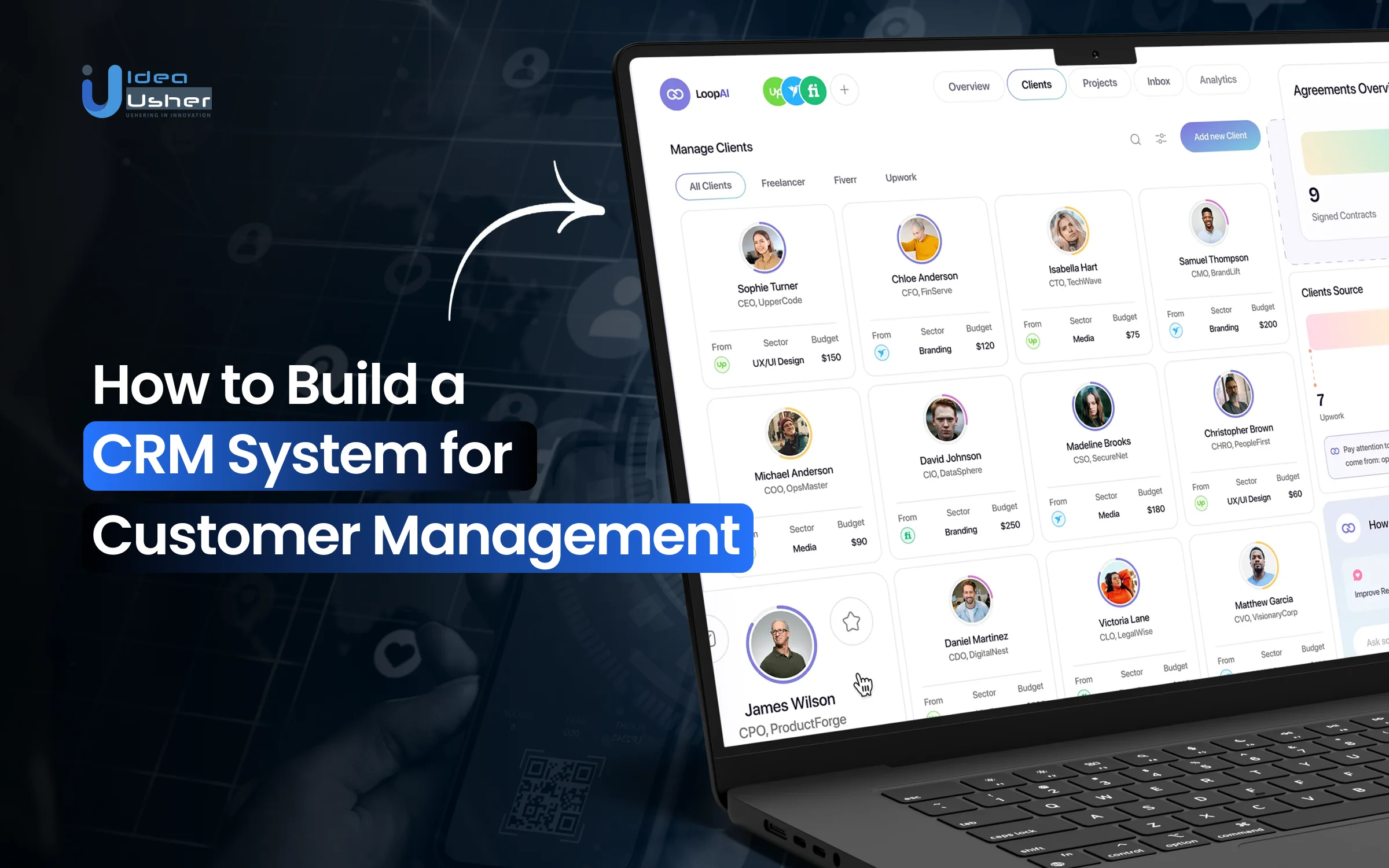
As businesses grow, managing customer relationships becomes less about individual interactions and more about how information flows across teams. Sales conversations, support requests, follow-ups, and account history often sit in separate tools, making it hard to maintain a consistent customer view. These gaps are what make a CRM system for customer management essential, bringing scattered touchpoints into a unified source of customer insight.
A well-designed CRM system structures how customer data is captured, shared, and used across the organization. It connects communication channels, automates routine workflows, and supports reporting based on real customer activity rather than isolated events. Decisions around data models, integrations, access controls, and automation logic determine whether the system improves coordination or adds unnecessary complexity.
In this blog, we explain how to build a CRM system for customer management by covering core features, architectural considerations, and practical steps involved in creating a scalable platform that supports sales, service, and long-term customer engagement.

What is a CRM System?
A CRM system (Customer Relationship Management) is a software and technology platform that helps businesses manage, track, and optimize interactions with current and potential customers across sales, marketing, and support channels, centralizing customer data for better engagement and growth.
By consolidating contact details, communication history, and purchase behavior, a CRM improves customer satisfaction, boosts retention, and streamlines business processes with insights that inform strategic decisions.
Why Businesses Need a CRM System for Customer Engagement?
A CRM (Customer Relationship Management) system is an indispensable tool for modern customer engagement. It serves as the central nervous system for all customer interactions, transforming scattered data into actionable relationship intelligence. Here’s why businesses at every scale need one:

1. Centralize and Personalize Interactions
A CRM consolidates data from emails, calls, support tickets, and purchases into a single customer view. This eliminates data silos, allowing teams to understand customer history instantly and deliver hyper-personalized engagement based on actual behavior.
2. Grow Revenue and Retain Customers
CRMs operationalize customer lifecycle management, providing visibility into the sales pipeline to prioritize leads and track deals. This increases conversion rates and shortens sales cycles while automating follow-ups to reduce churn and increase lifetime value.
3. Empower Teams with Efficiency
CRM automation handles repetitive tasks like data entry and email sequences, freeing teams for relationship building. Advanced analytics forecast trends, identify at-risk accounts, and reveal cross-selling opportunities, empowering proactive decision-making.
4. Scale Operations with Consistency
As businesses grow, manual processes break down. A CRM provides scalable infrastructure with customizable workflows and role-based permissions to maintain service quality, security, and consistency while enabling mobile, agile customer engagement.
5. Enhance Strategic Decision-Making
A CRM provides predictive analytics and AI-driven insights, transforming customer data into strategic foresight. It identifies trends, forecasts sales, and highlights at-risk accounts, empowering leadership to make proactive, data-informed decisions.
How a CRM System Centralizes Customer Data?
A CRM system centralizes customer data by acting as a unified digital hub that aggregates, organizes, and synchronizes all customer-related information from disparate sources. It replaces scattered spreadsheets, inboxes, and notes with a single source of truth that is accessible across departments.

1. Consolidates Information from Multiple Sources
The CRM gathers data from all customer channels such as emails, calls, forms, tickets, social media, and purchases, using APIs and integrations. This automatically pulls info from email, help desk, e-commerce, and marketing tools, avoiding manual entry and isolated interactions.
2. Unifies Data in a Structured Database
All ingested data maps to a centralized customer profile with demographics, interaction history, transactions, communication preferences, and support cases. This relational database links contacts to companies, deals to activities, and cases to products, providing a complete contextual view.
3. Real-Time Access and Updates
Once centralized, data is instantly accessible to authorized users across sales, marketing, and service teams. Updates by support agents or sales reps are reflected everywhere, ensuring teams work with current info, preventing miscommunication and fostering engagement.
4. Segments and Maps Relationships
The CRM not only stores data but also analyzes and structures data using rules and AI to segment customers by behavior, value, or profile, and maps hierarchies to identify influencers and decision-makers, turning data into insights for targeted outreach.
Global Market Growth of CRM Softwares
The global customer relationship management market size was valued at USD 73.40 billion in 2024 and is projected to reach USD 163.16 billion by 2030, growing at a CAGR of 14.6% from 2025 to 2030. This growth is driven by rising demand for data-driven sales, automation, and personalized customer engagement.

As organizations invest in CRM platforms, they gain measurable value across sales, marketing, and support, making CRMs essential for scaling businesses. The following advantages explain why CRM adoption continues to grow across industries.
- Improves Centralized Access to Customer Information: Up to 74% of businesses adopting a CRM report improved access to customer data, with 61% saying it’s easier to access key information. This eliminates data silos and ensures teams are informed.
- Increases Organizational Productivity: CRM software helps save employees significant time, with 43% of businesses reporting it saves 5-10 hours per employee per week by automating repetitive tasks and centralizing data.
- Strengthens Customer Retention: Research indicates that 93% of businesses see higher customer retention rates after implementing a CRM. By enabling personalized service and proactive follow-up, CRMs directly foster loyalty.
- Boosts Customer Service Quality: Centralized history in a CRM allows service teams to resolve issues faster and more personally. This leads to measurable improvements in service quality, as 86% of businesses using a CRM rate their customer service as “exceptional” or “very good,” compared to 73% without one.
CRM systems have become essential, enhancing efficiency, collaboration, and customer relationships. As adoption and market growth increase, investing in a strong CRM foundation helps businesses scale sustainably, make better decisions, and stay competitive long-term.
Key Benefits of Using a CRM System for Growing Businesses
CRM systems help growing businesses organize customer data, improve engagement, and streamline sales and service operations as they scale. These are the benefits that highlight how CRM platforms support sustainable business growth.

1. Centralized Customer Data
A CRM system consolidates all customer contact details, interaction history, and preferences in one place, eliminating data silos and giving teams a consistent, 360-degree view of customers across sales, marketing, and support.
2. Improved Sales Efficiency and Pipeline Management
CRM platforms streamline and automate the sales process, giving teams clear visibility into opportunities, prioritizing hot leads, and reducing manual tasks, which accelerates deal closures and boosts sales productivity.
3. Enhanced Customer Experience
CRM systems track customer interactions and preferences, allowing teams to tailor communication, respond quickly, and deliver personalized service that boosts satisfaction and loyalty. Consistent, context-aware engagement builds trust and improves relationships at each touchpoint.
4. Team Collaboration and Communication
With shared customer records and activity logs, teams avoid duplicated efforts, stay aligned on customer interactions, and maintain continuity across touchpoints, improving internal productivity.
5. Automated Tasks and Workflow Efficiency
CRM systems automate tasks like follow-ups and data entry, freeing teams for high-value work such as relationship building and strategy. This boosts efficiency, reduces errors, and ensures consistency in customer processes.
Core Features of a CRM System for Customer Management
CRM systems centralize customer data, automate interactions, and improve relationship management across sales, marketing, and support functions. The following core features highlight how CRM platforms enable effective customer management and engagement.

1. Contact Management
This is the centralized customer database for a “single source of truth.” Beyond storing details, it logs every interaction history, enabling 360-degree customer views for hyper-personalized communication and segmentation, turning raw data into relationship intelligence.
2. Lead and Opportunity Management
This feature maps the lead-to-revenue journey, visualizes the sales pipeline, tracks deal stages, and prioritizes opportunities using lead scoring. This turns prospects into predictable revenue by focusing effort on the most valuable conversions.
3. Sales Automation
Automation eliminates manual administrative overhead and it triggers personalized follow-ups, schedules tasks, and updates records, allowing sales teams to focus on high-value selling activities instead of data entry, directly boosting productivity and quota attainment.
4. Workflow Automation
This extends automation across departments using “if-then” logic to automate complex business processes, approvals, and notifications. This ensures consistent, error-free operations, faster cycle times, and seamless handoffs between marketing, sales, and service teams.
5. Reporting and Analytics
This feature transforms data into actionable intelligence. Custom dashboards and real-time KPIs provide visibility into sales performance, team activity, and pipeline health, enabling data-driven forecasting and strategic performance management.
6. Customer Service and Support Tools
Centralized case management and a ticketing system streamline support. Integrated knowledge bases empower agents for faster resolutions, while tracking service-level agreements (SLAs) ensures consistent, high-quality service that boosts customer satisfaction (CSAT) and loyalty.
7. Mobile Access
A mobile CRM ensures real-time accessibility. It allows for updating records, accessing data, and communicating with customers from anywhere, enabling agile remote work and ensuring teams are always informed and responsive in the field.
8. Integration Capabilities
This “connective tissue” links the CRM with email platforms, marketing automation, ERP systems, and other tools. It breaks down data silos, creating unified workflows and a complete, synchronized view of all business-customer interactions.
9. Customization & User Roles
Flexible custom fields, modules, and role-based permissions ensure the CRM adapts to unique business processes. This secures sensitive data while providing each user with a tailored, efficient interface that matches their specific workflow needs.
10. Analytics and Predictive Insights
This feature moves beyond hindsight, leveraging AI and machine learning. It provides predictive lead scoring, churn probability alerts, and trend forecasting, empowering proactive, strategic decisions to optimize customer lifetime value and future revenue.
How to Build a CRM System for Customer Management?
Building a CRM system for customer management requires aligning business workflows, data architecture, and user experience to support scalable customer engagement. Our developers follow proven development frameworks, security best practices, and user-centric design principles.

1. Discovery and Analysis
We first conduct a full-fledged consultation to map the unique customer journey and identify critical pain points. Our goal is to define core functional requirements and translate business goals into specific, actionable software objectives for a tailored solution.
2. Architecture and Tech Stack
Our architects design a scalable, secure data model to serve as the system’s backbone. We select a tech stack (frontend, backend, database) that balances performance, future scalability, and development efficiency for the project’s specific needs.
3. Core Module and Database Development
We begin building foundational modules: Contact Management, Lead Tracking, and Interaction History. Simultaneously, we implement a robust relational database schema to ensure data integrity and support complex queries across interconnected customer records.
4. Workflow Automation and Integration
We encode your business rules into the system’s workflow engine. This automates key processes like lead assignment, task creation, and email sequence triggers, ensuring consistent operations and reducing manual effort for your teams.
5. Reporting Dashboard and Analytics
We develop customizable reporting dashboards and visual analytics. This layer transforms raw data into actionable KPIs (Key Performance Indicators), providing real-time visibility into sales pipelines, team performance, and customer service metrics.
6. Third-Party Integration
Our developers build secure APIs and connectors to integrate with your essential tools such as email platforms, marketing automation software, and payment gateways. This creates a unified ecosystem, eliminating data silos and streamlining workflows.
7. Frontend Development
We design an intuitive, user-centric interface focused on usability and efficiency. The front end is built to be fully responsive, ensuring a seamless experience for your team on desktops, tablets, and mobile devices.
8: Testing and Deployment
We conduct comprehensive QA testing, including functional, performance, security, and user acceptance testing (UAT), to ensure system stability. Our developers manage secure deployment, environment configuration, and post-launch validation to ensure the CRM system runs reliably in production.
Cost to Build a CRM System for Customer Engagement
The cost to build a CRM system for customer engagement varies based on feature scope, integrations, scalability requirements, and technology stack choices. The following overview outlines key cost drivers and development considerations.
| Development Phase | What We Deliver | Estimated Cost Range |
| Consultation | Business workflow analysis, customer journey mapping, CRM scope definition, feature prioritization, and technical feasibility assessment | $5,000 – $7,000 |
| Architecture and Tech Stack Selection | Scalable CRM architecture design, database strategy, backend framework selection, security planning, and performance considerations | $6,000 – $9,000 |
| Core Module Development | Development of customer, lead, contact, account modules with optimized relational database schemas | $12,000 – $20,000 |
| Workflow Automation Integration | Custom pipelines, task automation, approval workflows, rule engines, and CRM-specific business logic | $8,000 – $14,000 |
| Reporting Dashboard Development | KPI dashboards, performance reports, data visualization, analytics exports, and insights configuration | $7,000 – $12,000 |
| Third-Party Integration | Email systems, marketing platforms, accounting tools, ERP integrations, and secure API connections | $7,000 – $12,000 |
| Frontend Development | Role-based CRM UI design, responsive layouts, usability optimization, and accessibility considerations | $6,000 – $10,000 |
| Testing and Deployment | Functional testing, performance testing, UAT support, secure deployment, environment setup, and production readiness validation | $4,000 – $6,000 |
Total Estimated Cost: $55,000 – $90,000+
Note: The cost of an enterprise CRM depends on workflow complexity, integrations, data scale, security, and scalability, with custom systems built to match long-term business needs.
Consult with IdeaUsher to evaluate CRM needs, define system architecture, and develop a secure, scalable solution tailored to your customer management.
Cost-Affecting Factors During CRM System Development
CRM system development costs are influenced by feature complexity, customization level, integrations, security needs, and deployment model. The following factors explain key cost considerations.
1. Workflow Depth and Process Variability
Highly customized sales, support, and post-sales workflows with conditional logic, exceptions, and approvals significantly increase development effort compared to linear, off-the-shelf CRM processes.
Estimated Cost: $5,000 – $10,000 — Complex conditional workflows, approvals, and exception handling require custom logic, extensive testing, and iterative refinement.
2. Data Model Complexity and Relationships
CRMs with deeply linked entities such as accounts, contacts, leads, deals, activities, and custom objects require advanced database modeling and optimization, directly impacting backend development cost.
Estimated Cost: $6,000 – $12,000 — Highly interconnected CRM entities demand careful schema design, indexing, and optimization to maintain performance and data integrity.
3. Real-Time Data Synchronization
Supporting real-time updates across dashboards, integrations, and user roles demands event-driven architecture, background jobs, and concurrency handling, increasing system complexity and infrastructure cost.
Estimated Cost: $4,000 – $9,000 — Event-driven updates, background processing, and concurrency handling add architectural and infrastructure complexity.
4. Integration Dependency Mapping
When multiple third-party systems depend on each other’s data inside the CRM, integration logic becomes tightly coupled, increasing development time, testing scope, and long-term maintenance effort.
Estimated Cost: $5,000 – $11,000 — Interdependent third-party integrations require orchestration logic, error handling, and extensive end-to-end testing.
5. Role-Based Access and Permission Granularity
Fine-grained permission models for different teams, hierarchies, and data visibility rules add significant complexity beyond basic user-role implementations.
Estimated Cost: $4,000 – $8,000 — Fine-grained access rules across teams, hierarchies, and records increase authorization logic and testing scope.
6. Data Migration and Historical Data Integrity
Migrating large volumes of historical customer data while preserving relationships, timestamps, and audit trails increases engineering effort and risk mitigation costs.
Estimated Cost: $3,000 – $7,000 — Preserving relationships, timestamps, and audit trails during migration increases engineering effort and risk management.
Challenges and How Our Developers Solve Them?
Developing a CRM system presents challenges across data consistency, integrations, scalability, and user experience. Here is how our developers will address these challenges through structured processes, secure architecture, and user-centric solutions.

1. Converting Business Processes into System Logic
Challenge: Business teams describe workflows inconsistently, with exceptions, informal rules, and undocumented processes, making direct translation into CRM logic technically complex.
Solution: Our developers analyze existing workflows through structured discovery sessions, convert informal processes into clear logic diagrams, identify edge cases early, and design modular workflows that adapt to change without disrupting the core CRM architecture.
2. Data Fragmentation During Expansion
Challenge: As CRM features grow, poorly planned data models create duplication, broken relationships, and reporting inconsistencies across leads, contacts, deals, and activities.
Solution: We create normalized and extensible data models with clearly defined relationships, ensuring that new CRM modules integrate seamlessly while maintaining data consistency, accuracy, and reliable reporting across all customer records.
3. Integration Failures and Sync Issues
Challenge: Third-party tools often change APIs, fail silently, or send partial data, causing CRM records to desynchronize or overwrite critical information.
Solution: Our team builds resilient integrations using version control, retry mechanisms, conflict resolution rules, and detailed logging, ensuring stable data synchronization even when third-party systems change or experience failures.
4. Data Accuracy During Migration
Challenge: Migrating historical CRM data often results in missing relationships, incorrect timestamps, or inconsistent statuses across records.
Solution: We follow a phased migration approach supported by validation scripts, reconciliation checks, and rollback options, ensuring historical data integrity, accurate relationships, and minimal disruption during CRM data transfers.
Emerging Technologies in CRM Systems for Customer Engagement
Emerging technologies are transforming CRM systems by enabling intelligent automation, data-driven insights, and personalized customer engagement. The following technologies showcase how modern CRM platforms are evolving to meet changing business needs.
1. Artificial Intelligence and Machine Learning
Modern CRM platforms embed AI and machine learning to deliver predictive insights, lead scoring, and automation. For example, Salesforce Einstein and Zoho’s Zia AI help businesses forecast customer behavior, prioritize leads, and personalize engagement at scale.
2. Predictive Analytics and Customer Intelligence
Predictive analytics enables CRMs to anticipate customer needs, churn risks, and buying intent. Microsoft Dynamics 365 uses predictive models to recommend next-best actions, helping enterprises optimize sales strategies and improve customer retention proactively.
3. Conversational AI and Chatbots
Conversational AI enhances real-time engagement through chatbots and virtual assistants. Platforms like HubSpot CRM and Wati.io use AI-driven chat and messaging automation to handle customer queries instantly, improving response times and customer satisfaction across channels.
4. Omnichannel Engagement Technology
Emerging CRM systems unify customer interactions across email, social media, messaging apps, and voice channels. Zoho CRM Plus enables businesses to manage omnichannel touchpoints from a single interface, ensuring consistent and seamless customer journeys.
5. Low-Code and No-Code Automation
Low-code and no-code tools allow teams to customize workflows without heavy development effort. Platforms like Zoho CRM and Creatio empower businesses to rapidly build automations, improving agility while reducing dependency on technical resources.
6. Real-Time Data Integration and Sync
Advanced CRMs support real-time data synchronization with marketing, ERP, and support systems. Salesforce and Microsoft Dynamics 365 ensure customer data stays consistent across departments, enabling timely, informed engagement decisions.
Top Examples of CRM Systems for Customer Engagement
Leading CRM systems help businesses strengthen customer engagement through centralized data, automation, and personalized communication. These examples highlight widely adopted CRM platforms and their practical use cases.
1. Workbooks CRM

Workbooks CRM is a cloud solution for mid-sized businesses that unifies sales, marketing, and customer service data. It offers contact management, pipeline visibility, and automation to streamline processes and increase engagement.
Example: Companies like 4ways Healthcare, IR Media, and TCMM Shutter Group have used Workbooks CRM to unify sales data, improve visibility, streamline lead tracking, and boost revenue growth across sectors like healthcare, media, and manufacturing.
2. Insightly CRM

Insightly combines CRM with project and workflow management tools to help businesses keep customer communication aligned with internal delivery. It supports automation, email tracking, and performance dashboards that boost operational efficiency.
Example: Businesses such as Bend Health (mental health provider), Brooklyn Outdoor (advertising agency), and Sport Court Las Vegas (sports equipment manufacturer) leverage Insightly CRM to enhance customer interaction tracking, streamline sales processes, and triple revenue growth without proportional team expansion.
3. GoHighLevel CRM

GoHighLevel is a customizable CRM and marketing automation platform tailored especially to agencies and small businesses. It integrates messaging, funnel automation, and pipeline management to enhance customer engagement and conversions.
Example: Real estate teams use GoHighLevel CRM to automate lead capture, segmented follow-ups via email/SMS, and pipeline tracking, helping them improve conversion rates and speed up sales cycles.
4. Pipedrive CRM

Pipedrive CRM focuses on visual pipeline management and engagement tracking, helping sales teams prioritize deals, automate follow-ups, and maintain consistent customer communication throughout the sales journey.
Example: Big Dog Solar, a U.S. solar installation company, increased revenue by 40%. The CRM provided better sales visibility, lead tracking, and pipeline insights that helped streamline follow-ups and improve conversion rates across their team.
5. Bigin by Zoho CRM

Bigin is a lightweight version of Zoho’s CRM tailored for small businesses and solo entrepreneurs. It focuses on simplicity, mobile access, and pipeline management to make daily customer tracking more efficient.
Example: Enterprises like Agoda and industrial players such as CIMCO Refrigeration use Zoho CRM to streamline partner workflows, enhance account management, and increase sales acquisition through coordinated engagement and automation
Conclusion
Building a CRM system is not only about software features, but about understanding how your teams interact with customers and data. A thoughtful CRM System for Customer Management development approach aligns business workflows, scalability, security, and user experience from the start. When the system reflects real operational needs, it becomes easier to drive engagement, improve decision-making, and maintain consistent relationships. Taking time to plan architecture, integrations, and long-term growth ensures the CRM remains adaptable as customer expectations and business objectives evolve across different teams and customer touchpoints globally.
Why Choose IdeaUsher for CRM System Development?
We specialize in building CRM systems that align closely with real business workflows, customer journeys, and long-term growth goals. Our team focuses on creating scalable, secure, and intuitive CRM solutions that help organizations manage customer relationships efficiently across sales, marketing, and support functions.
Why Work With Us?
- Business-Centric Architecture: We design CRM systems around your operational processes, not generic templates.
- Custom-Built Solutions: From core features to advanced automation and analytics, every component is tailored to your needs.
- Secure and Scalable Development: Our CRM platforms are built with data security, performance, and future scalability in mind.
- Proven Delivery Experience: We help businesses launch reliable CRM systems that adapt as customer expectations evolve.
Explore our portfolio to see how we have delivered customer-focused software solutions across industries.


FAQs
A.1. Essential features include contact and lead management, activity tracking, workflow automation, reporting dashboards, role-based access, and data security. These features ensure usability, operational efficiency, and adoption across customer-facing teams.
A.2. User adoption improves when the CRM mirrors daily workflows, minimizes manual effort, and offers intuitive navigation. Proper onboarding, role-based access, and automation reduce friction and help teams quickly see value in using the system.
A.3. Yes, a well-designed CRM system supports sales, marketing, and support teams through shared data models, role-based views, and automated workflows, ensuring consistent customer information while addressing department-specific operational needs.
A.4. Custom CRM systems offer flexibility, better alignment with workflows, and scalability. Off-the-shelf solutions are faster to deploy but may limit customization, making custom development more suitable for long-term growth and differentiation.