 (+971) 8007 4267
 (+91) 946 340 7140
 (+1) 628 432 4305

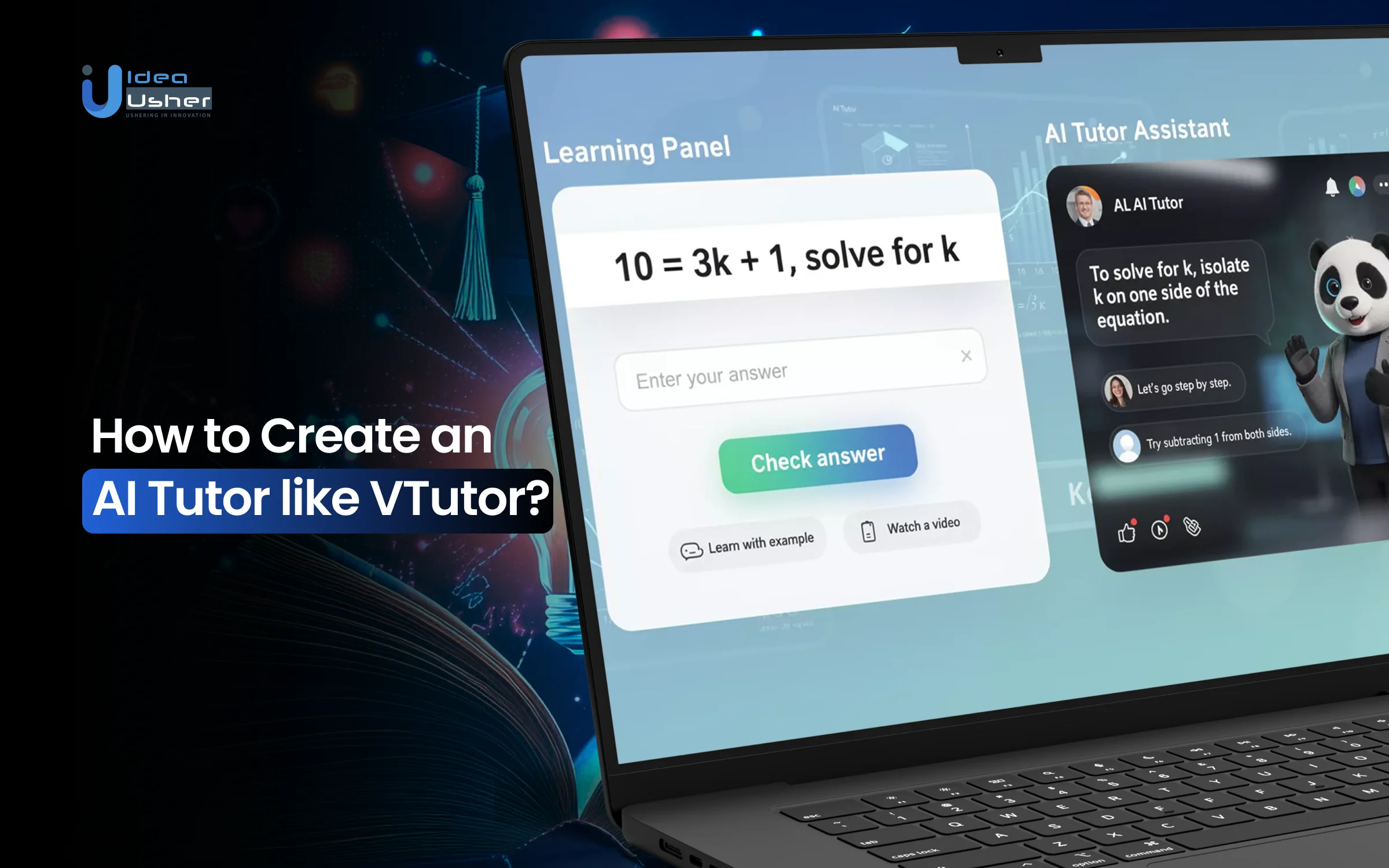
Learning today moves fast but not always smoothly. Students deal with tight schedules and learning tools that do not adjust to their pace. Many still miss the sense of being supported by someone who understands how they learn, which is why the popularity of AI tutors is increasing. Platforms like VTutor make this shift even more compelling with real-time voice interaction, expressive avatars, and adaptive reasoning that can respond to a learner’s progress.
What once required a teacher and a fixed setup can now be handled by intelligent systems that listen and adjust in real time. With machine learning and natural language processing, virtual tutors can personalise guidance and deliver step-by-step support.
Over the years, we’ve developed numerous AI-powered tutors using advanced technologies, including generative AI and real-time multimodal interaction frameworks. Using this expertise, we’re writing this blog post to walk you through the steps to create an AI tutor similar to VTutor. Let’s begin.
Key Market Takeaways for AI tutors
According to Grandview Research, the market for AI tutoring tools is expanding quickly. Current estimates place the value of this segment at about USD 1.63 billion in 2024, with expectations that it will climb to nearly USD 8 billion by 2030. This growth is driven by rapid advances in adaptive learning technology and rising demand for one-to-one support at scale, especially in environments where access to traditional tutoring is limited or costly.

Source: Grandview Research
Interest in AI tutors has accelerated since the pandemic, as schools, training providers, and learners looked for flexible support beyond the classroom. Advances in natural language processing and machine learning now enable these tools to respond to students in a conversational, context-aware way.
They are being adopted across K-12, higher education, and corporate learning, with strong momentum in areas like STEM instruction, language learning, and test preparation where individualized feedback matters.
Several platforms have emerged as early leaders. Khan Academy’s Khanmigo offers guidance across a wide range of subjects using a Socratic approach that prompts learners to think through problems rather than rely on quick answers.
Squirrel AI Learning takes a more diagnostic path by identifying knowledge gaps and building tailored study plans. Partnerships are also shaping the market, including the collaboration between Instructure and Khan Academy, which brings generative tutoring capabilities directly into Canvas to support both teachers and students.

What is the VTutor Platform?
VTutor is an open-source SDK, not a closed platform or prebuilt learning system. It is designed to let developers embed animated pedagogical agents into web platforms. These agents are virtual tutors or avatars that can speak, respond intelligently, move their lips in sync with speech, and display expressive facial or body animations.
VTutor uses generative AI (such as large language models) to generate the tutor’s dialogue and feedback. It combines speech synthesis, animation, and real-time lip synchronization to simulate a natural conversation.
Here are some of the key features of VTutor,
1. Animated Pedagogical Agents
VTutor allows developers to use or import 2D and 3D character models, including stylized or anime-style avatars. This gives creators control over personality, style, and aesthetics, rather than relying on a plain talking head. The result is a more engaging and relatable user experience.
2. Real-time Speech with Lip Sync
The platform generates speech using text-to-speech and synchronizes the voice with lip movement, facial expressions, and body gestures. This realistic animation helps avoid the robotic or static feel that earlier virtual tutors often had, making interactions feel more natural and immersive.
3. Generative AI for Adaptive Dialogue
VTutor integrates with large-language models to generate responses based on the user’s input, context, or learning progress. This enables personalized guidance, conversational tutoring, and dynamic feedback rather than pre-scripted dialogue, making it behave more like a real tutor.
4. Web-based Integration
VTutor runs directly in the browser using WebGL and offers multiple integration paths, including iframe embedding or a JavaScript or React SDK. This makes implementation straightforward and accessible, without requiring complex infrastructure or specialized software.
5. Scalable Use Across Domains
Although designed with education in mind, VTutor can be used for a wide range of scenarios, including onboarding, training, language learning, customer support avatars, and interactive storytelling. It also supports multi-learner environments and monitoring features in some configurations, which makes it suitable for classroom or hybrid learning setups.
6. Open-Source and Fully Customizable
VTutor is open source under a permissive license, allowing developers and researchers to modify its appearance, behavior, AI pipelines, and functionality. This community-driven approach encourages experimentation, collaboration, and continuous improvement without dependency on a proprietary vendor.
How Does the VTutor Platform Work?
The VTutor analyzes what the learner is doing and decides how to respond based on patterns and context. It converts that response into real-time speech and facial movement so the digital tutor looks and sounds natural while explaining concepts. All of this runs through a web-based engine that can scale to many learners at once while still adapting to each person individually.

1. The Intelligent Reasoning Layer
At the heart of VTutor is an AI model built to teach, not just answer questions. This layer processes what the learner is doing, why they might be stuck, and how best to respond.
- Context-Aware Understanding: The system doesn’t simply detect mistakes. It analyzes patterns to determine whether a learner is missing a core concept, made a procedural slip, or misinterpreted instructions.
- Adaptive Teaching Strategies: Responses shift based on the learner’s behavior. If someone is confused, VTutor provides hints and questions to guide them. If errors are careless, the tutor encourages checking and reflection.
- A Connected Knowledge Base: Behind the scenes, a structured concept map helps the tutor link ideas together, build understanding step by step, and support meaningful learning progress.
2. The Human-Like Interaction Layer
This layer turns AI-generated guidance into a lifelike tutoring experience.
- Real-Time Avatar Animation: Instead of static text, responses appear through a digital tutor whose expressions and gestures align with the tone and message. Everything is generated live based on the conversation.
- Accurate Lip Sync and Body Language: VTutor converts speech into mouth shapes and facial expressions frame by frame. This gives the tutor natural timing, pacing, and presence rather than robotic delivery.
- Emotionally Aware Feedback: Encouragement comes with warmth. Explanations come with thoughtful pauses. The tutor reacts in ways that feel supportive and human, not mechanical.
3. The Scalable Instruction Layer
This layer makes VTutor useful not only for autonomous tutoring, but also as a powerful assistant to human educators.
- Live Monitoring Dashboard: Teachers can view multiple sessions at once and see what each student is doing. Progress and confusion points appear in real time.
- Smart Alerts and Intervention: If patterns like repeated errors, inactivity, or guessing appear, the system notifies the instructor. Intervention becomes timely instead of reactive.
- Seamless Human-AI Collaboration: A teacher can step in at any time. Their message is delivered through the same animated tutor so the transition feels smooth and invisible to the learner.
The VTutor Learning Cycle
Assessment and Understanding
Every session begins by gauging a learner’s current skill level. This evaluation continues throughout the interaction, adjusting as the learner progresses. The goal is to understand how the student thinks rather than just what they get right or wrong.
Personalized Teaching
Content, pacing, and explanations adapt to the individual. Analogies, examples, and difficulty levels shift based on what resonates. This helps the tutor better match each student’s learning style.
Active Problem-Solving
Instead of waiting for final answers, the tutor engages mid-process, prompting reflection, offering hints, and encouraging purposeful thinking. This helps learners build confidence and learn to reason through challenges step by step.
Meaningful Feedback
Feedback goes beyond correct or incorrect. It explains reasoning, highlights patterns, and suggests concrete next steps for improvement. This type of response helps learners better understand how to adjust their approach the next time.
Continuous Adaptation
The system tracks progress over time, building a richer understanding of strengths, misconceptions, and learning habits. As patterns emerge, the tutor can refine strategies and support long-term growth rather than short-term recall.
How to Create an AI Tutor like VTutor?
To develop an AI tutor, you would start by building an adaptive NLP model that can interpret user intent accurately and respond with context-aware guidance. You should integrate reinforcement learning, so the system may steadily improve based on student progress and feedback. We have built many AI tutors similar to VTutor for clients, and we follow this process.

1. Multimodal Architecture
We start by designing how the voice, avatar, and LLM will work together as one coordinated system. This includes selecting inference engines, rendering pipelines, and communication layers so the final tutor responds fluidly rather than mechanically.
2. Reasoning & Verification
Next, we build the logic layer that ensures responses are accurate and instructional. We apply structured reasoning patterns, external validators, and fact-checking workflows to ensure the tutor teaches correctly, not just confidently.
3. Real-Time Avatar System
Once intelligence is solid, we focus on presence and expression. Using Unity or WebGL, we engineer realistic lip-sync, phoneme mapping, gestures, and emotional cues so the avatar feels personable and engaging during conversation.
4. Hybrid Supervision
We integrate live support capabilities, including WebRTC streaming, tutor dashboards, and escalation logic. This allows the AI to automate most interactions while human tutors step in when needed, creating a balanced and reliable learning experience.
5. Deployable SDK
To support seamless integration, we build an SDK with embedding options, command-based APIs, and tenant-level customization. This allows clients to plug the tutor into existing platforms, LMS systems, or apps without re-engineering their environment.
6. Scale, Secure & Monetize
Finally, we add authentication, compliance measures, usage tracking, billing logic, and multi-tenant scalability. This ensures the platform is secure, commercially ready, and capable of supporting growth across schools, enterprises, or consumer markets.
How Much Revenue Can an AI Tutor Generate?
Artificial intelligence is reshaping education, not just as a novelty but as an engine for measurable learning outcomes, personalized instruction, and scalable support systems. Unlike human tutors, AI systems operate continuously, adapt instantly, and scale globally at near-zero marginal cost once developed.
This combination makes AI tutoring one of the most financially attractive categories in EdTech, although actual revenue outcomes vary based on business model, target audience, and execution strategy.
Revenue Models and Detailed Financial Scenarios
AI tutoring revenue typically follows one of three dominant paths:
- B2C subscription
- B2B licensing
- Hybrid or ecosystem monetization
Each has a different margin profile, sales process, and speed of scale.
Model 1: B2C Subscription to Students and Households
This model is familiar to consumers and offers straightforward revenue predictability. It works best when the value proposition is easily explained, emotionally resonant, and directly tied to academic performance or confidence building.
Pricing Behavior
Price sensitivity depends on geography and purpose.
| Market Type | Price Range | Notes |
| US, UK, Canada | $9.99–$39.99 per month | Higher willingness to pay for math and test prep |
| India, SE Asia, LATAM | $2.50–$6.00 per month | Lower price but higher volume |
| Test Prep (SAT, GMAT, IELTS) | $49–$149 monthly | Tied directly to outcomes and credentials |
A reasonable starting price for a broad tutor product is $9.99 per month.
Adoption and Revenue Forecasting
Assumptions:
- 50,000 trial users
- 15% conversion to paid subscription
- 4% monthly churn
- 100% user growth year over year
Forecast Table
| Year | Total Users | Paying Users | Price | ARR |
| 1 | 50,000 | 7,500 | $9.99 | $899,100 |
| 2 | 100,000 | 15,000 | $9.99 | $1,798,200 |
| 3 | 200,000 | 30,000 | $9.99 | $3,596,400 |
Lifetime Value and CAC Targets
- Average subscriber lifespan at 4 percent churn is 25 months
- Lifetime value at $9.99 monthly is approximately $249.75
A sustainable customer acquisition cost target should remain below $75.
Model 2: B2B Institutional Licensing
Schools purchase based on evidence of learning improvement, curriculum alignment, compliance readiness, and long-term support. This model favors companies with strong credibility, onboarding systems, and formal integrations.
Pricing Structure
- $50–$150 per student annually
- Setup or onboarding fee between $5,000 and $100,000
- Optional analytics subscriptions of $5–$25 per student
A mid-market assumption:
- $75 per student annually
- $10,000 implementation fee
Example Scale Scenario
Assume:
- 500 schools adopt the platform
- 500 students per school actively use it
| Revenue Category | Calculation | Amount |
| Student Licensing | 500 × 500 × $75 | $18,750,000 |
| Implementation Fees | 500 × $10,000 | $5,000,000 |
| Total Year 1 Revenue | — | $23,750,000 |
Profit Characteristics
| Metric | Rate | Value |
| Gross Margin | ~70% | ~$16.6M |
| Operating Expenses | ~30% | ~$7.1M |
| Potential Net Profit | — | ~$9.5M |
This model is slower to acquire but extremely sticky once deployed.
Model 3: Hybrid and Freemium Growth Ecosystem
This approach mirrors that of companies like Duolingo and Grammarly, focusing on building a large user base first and then monetizing through multiple revenue streams. It is designed for platforms seeking international reach and multi-tier monetization.
Revenue Streams Include
- Free tier with ads
- Premium tier subscriptions
- Institutional and API licensing
- Certification and tutoring marketplace fees
Example Economics
Assume:
- 10 million users
- 2 percent conversion to paid users → 200,000 subscribers
| Tier | Price | Share | Revenue |
| Basic | $24 per year | 70% | $3,360,000 |
| Plus | $48 per year | 30% | $2,880,000 |
Subscription total: $6,240,000 annually
Additional monetization:
| Category | Range |
| Advertising | $192,000–$480,000 annually |
| API Licensing | $500,000–$2M annually |
| Marketplace Upsell | $1M or more |
The total estimated range is $7M to $9M annually once scaled.
Why 70% Students Learn More Quickly Using AI Tutors?
Many students learn faster with AI tutors because the system can adapt the difficulty level in real time and provide instant corrections rather than delayed feedback. According to a study, 70% of students in the AI-tutored group spent less than 60 minutes on task (median 49 minutes) yet still outperformed the class-learning group.

1. Personalized Learning Pathways
In most classrooms, teachers must teach at a single pace for everyone. Even the best educators struggle to meet each student exactly where they are. In many classrooms, a student may only get a few minutes of one-on-one attention per day, which isn’t nearly enough for deep learning or individual support.
How AI Changes the Experience
AI tutoring adapts to each learner with every interaction. It can:
- Increase or decrease difficulty based on performance
- Detect whether the student learns best through visuals, audio, or hands-on practice
- Slow down or accelerate the pace based on mastery
- Spot missing foundational knowledge instantly
With this approach, students work at the exact level that keeps them engaged rather than frustrated or bored.
2. Instant Feedback and Correction
Feedback in school often comes too late. By the time an assignment is graded, a student may have already repeated the same misunderstanding many times. This allows incorrect processes to become habits, making them harder to fix.
The Advantage of Instant Correction
AI tutors respond the moment an error occurs. They offer:
- Step-by-step hints rather than just the final answer
- Explanations tailored to the type of mistake
- Encouragement when the student demonstrates progress
- Guidance exactly when confusion appears
Research consistently shows that immediate feedback improves understanding and memory significantly more than delayed correction.
3. Adaptive Questioning
Teachers ask many questions throughout the day, but those questions must be shared among the entire class. Some students never get the chance to respond, and others are hesitant to participate.
How AI Expands the Opportunity
AI tutors can ask unlimited personalized questions. They are able to:
- Diagnose understanding through targeted questioning
- Gradually remove hints as mastery grows
- Encourage reasoning instead of memorization
- Guide students toward discovering answers instead of simply giving them
This leads to stronger comprehension and more confident problem-solving.
4. Elimination of Learning Anxiety
Many students worry about looking slow, asking the “wrong” question, or falling behind their peers. This anxiety makes it harder to think clearly and retain information.
Why AI Feels Safer for Many Learners
With AI tutoring, students learn privately. There’s:
- No judgment
- No fear of embarrassment
- No pressure to perform on the spot
- Unlimited attempts and patience
This emotional safety creates a better environment for learning, especially for students who have struggled with confidence.
Common Challenges to Create an AI Tutor like VTutor
After working on advanced tutoring systems for many organizations, we’ve seen the same core obstacles appear repeatedly. Understanding these challenges early can prevent expensive rework and ensure your platform supports real learning rather than just delivering novelty.
Here are the most common hurdles teams face and the strategies our 500,000+ hours of development experience have helped us refine.
Challenge 1: Real-Time Interaction and Latency Limits
An AI tutor must respond quickly enough to feel conversational, not delayed or robotic. When a student asks a question, the system simultaneously generates an LLM response, converts it to speech, processes audio timing, and synchronizes facial animation at 60 frames per second. To feel natural and engaging, all of this must take place in about 1.5 seconds or less.
How We Solve It
We use optimization techniques, including:
- Predictive streaming, where audio generation begins as soon as the first response tokens arrive
- Edge execution using tools like Cloudflare Workers or Lambda@Edge for local processing
- Smart caching for common expressions and repeatable content
- Rendering optimization using Level of Detail logic, so heavier animation loads only apply to capable devices
Challenge 2: Preventing Incorrect or Misleading Responses
In subjects like math, science, and programming, precision is essential. Language models can occasionally generate answers that sound correct but contain errors, missing exceptions, or inaccurate examples.
How We Solve It with a Four-Layer Framework
- Controlled Generation: Prompts require structured reasoning, verification steps, and transparent assumptions.
- External Validation: The system connects to trusted validators such as Wolfram Alpha, code execution engines, and version-controlled knowledge bases.
- Confidence Scoring and Transparency: Each response includes a confidence rating. Low confidence triggers alternatives such as a clarification prompt, an alternate explanation, or a message like: “Let me verify that before continuing.”
- Human Review Loop: Responses flagged by users or the system flow into a review process that improves future performance.
Challenge 3: Avatar Performance Across Devices
A visually rich avatar works well on modern laptops and office hardware. However, the same animation may lag or fail entirely on older tablets, low-spec Chromebooks, or mobile devices with limited bandwidth.
Our Solution: Adaptive Rendering
A Device Intelligence Layer evaluates available GPU power, memory, and connection quality, then selects the best possible experience.
- High-end hardware receives full 3D animation with detailed facial expressions
- Mid-range devices receive simplified 3D or polished 2D animation
- Low-end devices default to lightweight animations or audio-only output
Fallbacks include waveform visualization, static character imagery with speech, or text-first tutoring.
Challenge 4: Handling Unstable Connections
In a real classroom scenario, connections vary. One unstable connection should not interrupt a full group session or cause a student to lose progress.
Our Solution: A Resilient Communication Layer
Adaptive bitrate streaming shifts quality based on available bandwidth and prioritizes audio over visuals
Offline-first design stores interactions locally and syncs when the connection returns
Graceful degradation ensures learning continues in stages such as:
- Full interactive avatar
- Reduced frame rate or audio-only
- Text-based tutoring when bandwidth is severely limited
Predictive reconnection logic preloads materials and maintains session continuity even before a connection fully stabilizes.
Tools & APIs to Create an AI Tutor like VTutor
Building an AI tutor similar to VTutor isn’t about using one single model or technology. It requires a well-planned stack where each layer supports reasoning, personalization, communication, and scalable delivery. Below is a simplified roadmap of the core components needed to power a fully interactive, intelligent digital tutor.

1. AI and Reasoning Layer
This layer powers the tutor’s intelligence, reasoning ability, and adaptability.
Core Language Models
Modern AI tutors rely on advanced language models for understanding context, generating responses, and performing complex reasoning. Common options include:
- OpenAI GPT-4 or GPT-4o for strong reasoning and multi-step problem breakdowns
- Google Gemini for multimodal learning scenarios, especially STEM explanations
- Anthropic Claude for safe, instruction-heavy tutoring and structured responses
- Open-source models like Llama 3 and Mistral are suitable when privacy, on-premise hosting, or customization is required
Orchestration Frameworks
To manage memory, conversation flow, and reasoning steps, frameworks such as LangChain or LlamaIndex are typically used. They help chain prompts, build custom thinking patterns (like Socratic questioning), and route different tasks through the proper logic.
Knowledge and Retrieval Systems
A tutor must reference verified content rather than rely only on generative reasoning. This requires:
- A vector database (Pinecone, Weaviate, Qdrant) for fast semantic search
- A retrieval-augmented generation workflow (RAG) to ground responses
- Knowledge graphs to map topic dependencies and personalize learning progressions
2. Voice and Audio Layer
If the tutor speaks and listens, these tools matter.
Text-to-Speech Engines: High-quality TTS services like ElevenLabs, Google Cloud TTS, Azure Speech, or Amazon Polly give the tutor natural tone, pacing, and emotion control.
Audio Management Tools: Libraries such as Web Audio API, Howler.js, or FFmpeg.wasm helps with streaming, processing, and manipulating audio inside the browser or app.
3. Avatar and Rendering Layer
For tutors with visual characters or digital presence, animation tools enable expressions, gestures, and personalization.
- Blender or Adobe Character Animator for building and rigging avatars
- Mixamo for auto-rigged body animations
- Rendering engines like Unity WebGL, Three.js, Babylon.js, or React Three Fiber for real-time animation in the browser
- Lip-sync solutions like OVRLipSync or Rhubarb to match speech with mouth shapes and emotion
4. Real-Time Communication Layer
For live tutoring sessions or collaborative learning, low-latency communication tools are essential.
- WebRTC for peer-to-peer video, audio, and screen sharing
- Libraries like PeerJS, SimplePeer, or WebSockets for event-based syncing
- Scalable real-time services such as Ably, Pusher, Firebase Realtime Database, or Socket.IO
This ensures conversations, reactions, and progress updates feel instant.
5. Infrastructure and Security Layer
A tutor that supports thousands of users needs reliable hosting, scaling, and strong data protection.
- Cloud and Deployment: Platforms like AWS, Google Cloud, Azure, Vercel, or Netlify handle hosting, model inferencing, and deployments. Docker and Kubernetes support containerization and automated scaling.
- Authentication and Data Safety: Secure user login and controlled access are handled through OAuth, Auth0, AWS Cognito, or JWT-based authentication. Educational platforms must also support data privacy standards such as GDPR or FERPA, including encryption and anonymization pipelines.
6. Monitoring and Analytics Layer
Learning platforms require insight into both system performance and learner progress.
- Datadog, New Relic, or Sentry for error tracking and system monitoring
- Google Analytics or Mixpanel for engagement tracking
- Learning-focused standards like xAPI for recording skills, mastery checkpoints, and learning behaviors
- BI tools such as Metabase or Looker for reporting and dashboards
7. Development and DevOps Tools
To build, test, and continuously improve the system, reliable frameworks and development tools are essential.
- Frameworks like React, Next.js, Vue, or Nuxt for user interfaces
- TypeScript for scalable development
- Testing tools such as Jest, Cypress, or Playwright
- CI/CD workflows and infrastructure-as-code tools like Terraform or GitHub Actions
Conclusion
VTutor-like platforms are becoming the next evolution of learning because adaptive AI training finally feels practical and measurable. 2025 is the moment to invest since costs have dropped and the tech is stable enough to scale. Early adopters will likely monetize faster through data advantages and custom learning assets, and a specialized development partner ensures the platform is truly enterprise-grade and not just another AI demo.
Looking to Develop an AI Tutor like VTutor?
IdeaUsher can help you design and build an AI tutor that feels natural and adaptive using real-time interaction and intelligent learning models. We can guide you through the entire process from system architecture to deployment so the platform works smoothly at scale.
With over 500,000 hours of coding experience, our team of ex-MAANG/FAANG developers specializes in the complex fusion of:
- Generative AI & LLM Orchestration
- Real-time animation & WebGL rendering
- Scalable ed-tech architecture
Check out our latest AI & EdTech projects to see our expertise in action.


FAQs
A1: Building an AI tutor can cost anywhere from a few thousand dollars for a simple MVP to several hundred thousand dollars for a fully scalable system with custom models and advanced personalization engines. You must account for model training, infrastructure costs tied to inference and storage, and SDK licensing if you are integrating speech, vision, or LMS features.
A2: AI tutors will not fully replace educators because human guidance, emotional context, and adaptive judgment remain essential in many learning environments. A more effective approach is a hybrid system in which AI handles repetitive assessment, instant feedback, and scalable personalization, while teachers focus on mentorship and higher-order problem-solving.
A3: The same core stack can support corporate training, healthcare onboarding, field service simulations, sales enablement, and certification preparation, as it is built on adaptive learning engines and multimodal interfaces. With the right content pipeline and domain dataset, the system will gradually learn industry context and produce tailored instruction or scenario-based coaching.
A4: A basic monetizable MVP can usually go live in four to eight weeks if the features stay focused on core tutoring workflows such as assessments, feedback, and user tracking. A full-scale platform with personalized learning paths, voice interaction, analytics, and LMS integrations may take six to twelve months, depending on complexity and regulatory needs.


