 (+971) 8007 4267
 (+91) 946 340 7140
 (+1) 628 432 4305

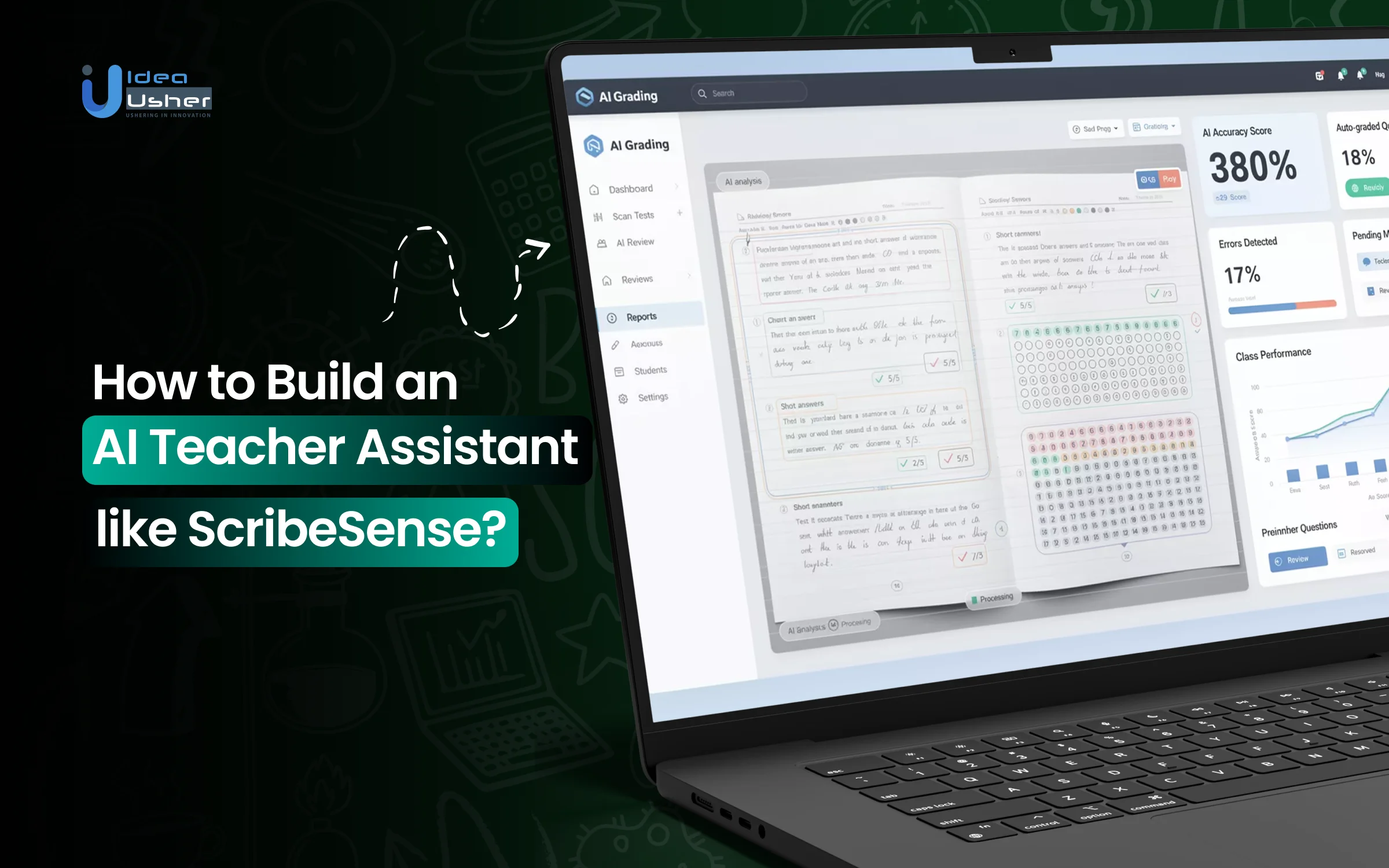
Teaching has always required heart and steady hustle, yet the workload has grown heavier as classrooms have become busier and expectations have risen. Paperwork, grading, and constant documentation often push teachers toward burnout long before the end of the day. That’s why many educators now rely on AI teacher assistants that can ease the strain without replacing the human connection that shapes real learning.
Platforms like ScribeSense automate the grading of handwritten assignments and even complex responses using advanced machine learning and handwriting recognition, helping teachers save hours of manual work. It also supports multiple-choice, short-answer, and open-ended formats while delivering consistent evaluation and fast results.
We’ve built many AI teacher assistant solutions over the years, powered by computer vision systems and large-scale evaluation pipelines. Since IdeaUsher has this expertise, we are sharing this blog to explore the steps needed to develop an AI teacher assistant like ScribeSense. Let’s start.
Key Market Takeaways for AI Teacher Assistants
According to SNS Insider, the market for AI teacher assistants is expanding rapidly as schools adopt tools that streamline instruction and improve student support. Valued at USD 1.41 billion in 2023 and projected to reach USD 15.47 billion by 2032 at a 30.58% CAGR, the sector is seeing strong traction in K–12, especially in North America, where demand for workflow automation and enhanced lesson planning continues to rise.

Source: SNS Insider
Leading platforms illustrate how AI is reshaping classroom support. Khan Academy’s Khanmigo helps teachers design lessons, build individualized learning plans, and deliver real-time feedback while prioritizing data security.
Eduaide.Ai offers more than 150 tools for grading, content generation, multilingual resources, and brainstorming. Google’s Gemini, which works within Classroom, creates quizzes, lesson starters, and custom AI features that help educators personalize instruction efficiently.
Industry partnerships signal a broader shift toward preparing educators for AI-integrated teaching. Microsoft, OpenAI, and Anthropic are working with the American Federation of Teachers on a USD 23 million National Academy for AI Instruction that will train 400,000 K–12 educators in responsible AI use over five years.

What is the ScribeSense Platform?
ScribeSense was an EdTech platform that automated the grading of handwritten student assessments using AI-powered handwriting recognition. Although the platform is no longer active, it once helped teachers turn scanned assignments into instant scores, insights, and searchable student portfolios across a wide range of subjects.
Below are several of the key features the platform offered while it was still in operation:
1. Scan-and-Upload Workflow
Teachers scanned handwritten assignments using a copier or standard scanner and uploaded them to ScribeSense, where the system automatically graded the papers. This workflow allowed teachers to continue using traditional paper-based assessments without changing their existing routines.
2. Instant Grades & Performance Summaries
After processing, the platform delivered instant scores along with color-coded charts showing class trends and learning gaps. These visual summaries helped teachers identify struggling groups or outliers far more quickly than manual grading allowed.
3. Student Work Portfolios
ScribeSense generated digital portfolios that stored scanned copies of each student’s handwritten responses over time. These portfolios served as an ongoing record of growth and made it easier to share authentic learning samples with parents or administrators.
4. Gradebook Integration
Teachers imported scores directly into digital gradebooks, reducing repetitive data entry and minimizing errors. This integration helped ensure that grading data remained accurate and up to date across the school’s existing systems.
5. Feedback on Learning Gaps
The platform analyzed student responses to highlight recurring mistakes and common misunderstandings. This insight supported more targeted instruction and helped teachers adjust lessons based on real patterns in student thinking.
6. Manual Score Review
Educators reviewed and modified AI-generated scores, ensuring accuracy and maintaining professional control over final grades. This safeguard helped teachers trust the system while still applying their own judgment in nuanced cases.
7. Multi-Subject Support
ScribeSense interpreted handwriting, equations, diagrams, and short written responses across math, science, language arts, and other subjects. Its flexibility made it useful in classrooms where traditional multiple-choice systems failed to capture deeper reasoning.
How Did the ScribeSense Platform Work?
ScribeSense was built to reduce the workload of grading handwritten classroom tests. Instead of forcing teachers to rely on bubble sheets, the platform automated the grading of naturally handwritten student work.

1. Uploading Student Work
Teachers began by scanning students’ completed tests using a common scanner or document camera. Once scanned, the files were uploaded securely to ScribeSense’s online portal. The interface was simple and teacher-friendly, making large uploads easy even for those with limited technical experience.
2. Converting Handwriting Into Usable Data
After submission, ScribeSense’s analysis engine processed each page. The platform used handwriting-recognition technology designed specifically for the variability of real student writing, such as messy penmanship, light pencil marks, and inconsistent formatting.
Unlike traditional OCR, which works best with printed text, ScribeSense could handle math notation, diagram labels, and short written answers.
3. Scoring Answers
Once responses were converted to digital text, the system compared them with the teacher’s answer key or rubric. It supported:
- Multiple-choice responses
- Fill-in-the-blank answers
- Short-answer responses with multiple acceptable forms
- Math problems using numbers or symbols
Teachers could also set flexible matching rules, allowing for spelling variations, synonyms, or alternate valid formats.
4. Delivering Insightful Results
ScribeSense focused heavily on providing actionable feedback, not just scores. It generated:
- Color-coded performance charts
- Individual student reports
- Question-by-question analysis
- Progress tracking across multiple assessments
These insights were delivered directly to teachers in a clear, ready-to-use format for planning, conferences, or instructional adjustments.
How to Build an AI Teacher Assistant like ScribeSense?
To build an AI teacher assistant like ScribeSense, you would start by developing a vision system that reads handwritten work with high accuracy and adapts to a wide range of layouts. Then you would add a grading engine that uses structured knowledge and model reasoning to score answers and offer helpful feedback.
We have created several ScribeSense-style teacher assistant systems for clients, and this is how we approach the work.

1. Scanning & Ingestion
We start by creating a flexible ingestion pipeline that handles scanned pages, mobile captures, and handwritten tablet inputs with consistent accuracy. Our preprocessing tools clean and structure every submission by de-skewing, removing noise, and segmenting it. We also ensure the system can interpret many different answer sheet layouts so teachers never need to change their existing formats.
2. Handwriting Recognition
Next, we develop a handwriting recognition engine powered by models such as GPT 4o, Claude 3.5 Vision, or custom vision transformers. Our field detection models identify answer boxes, diagrams, and math work without relying on fixed templates. With anchor-free layout detection, the platform can read nearly any student submission as if it were designed for the system.
3. Grading Intelligence
We then build a grading intelligence layer that ingests answer keys, rubrics, and curriculum standards into a structured RAG pipeline. LLM agents evaluate each response, assign partial credit, detect misconceptions, and generate clear feedback. The system can also recommend next practice questions so teachers get an assistant that supports learning, not just grading.
4. Teacher Review System
To keep educators in control, we create a review interface where teachers can quickly approve or adjust scores. We also cluster similar responses to speed up bulk grading for large classes. Every correction is logged so the platform learns from real classroom judgment and improves over time.
5. Analytics & Reporting
For administrators, we build detailed analytics that highlight learning gaps across topics, standards, and classrooms. Visual dashboards with heatmaps, progress curves, and growth insights help schools make informed decisions. Curriculum frameworks can be uploaded so results map automatically to academic standards.
6. LMS & Gradebook Sync
Finally, we connect the system to the school’s LMS through integrations with Google Classroom, Canvas, Moodle, Blackboard, and more. Assignments, submissions, grades, and feedback sync automatically, reducing manual work for teachers. We also implement SSO options such as OAuth2 and SAML to ensure seamless access across the institution.
How Much Revenue Can an AI Teacher Assistant Generate?
A well-designed AI Teacher Assistant can capture a meaningful portion of that growth, with annual revenue potential ranging from $3 million to more than $50 million, depending on product quality, distribution, and adoption. The strongest opportunity is not in replacing teachers but in expanding their productivity by automating grading, surfacing insights, and reducing repetitive administrative work.
Model 1: B2B SaaS
This is the most predictable and scalable model for an AI Teacher Assistant that integrates into school operations, especially for grading and analytics. Schools typically purchase software on a per-student, per-year basis, which creates consistent Annual Recurring Revenue.
Market Benchmarks
- Nearpod and ClassDojo charge districts between $3 and $12 per student per year, depending on features and volume.
- Khan Academy’s district offering follows a similar pricing logic and focuses on data and rostering features.
Revenue Scenario for an AI Teacher Assistant
Assume the product includes automated grading, feedback suggestions, and basic reporting at $8 per student per year.
| Step | Metric | Value | Notes |
| 1 | Price per Student | $8/year | Competitive for tools that include analytics and workflow automation. |
| 2 | Partner Districts | 10 | A reasonable target after pilots and early traction. |
| 3 | Students per District | 15,000 | Typical for midsize districts. |
| 4 | Total Licensed Students | 150,000 | Ten districts multiplied by fifteen thousand students each. |
| 5 | Estimated ARR | $1,200,000 | One hundred fifty thousand students multiplied by eight dollars. |
Why This Target is Realistic
Success in a handful of districts often leads to referrals and statewide opportunities. Adding advanced dashboards or curriculum-alignment features can justify higher pricing in the $15 to $20 per-student range, doubling or tripling revenue without expanding the customer base.
Model 2: B2C and Freemium
A teacher-facing tool can spread quickly when supported by strong word of mouth, online communities, and SEO. The free tier drives adoption and creates an upgrade path for a subset of heavy users.
Market Benchmarks
- Quizlet Plus charges about $36 per year and reaches millions of individual users.
- MagicSchool AI grew rapidly through a freemium model before expanding into district contracts.
Revenue Scenario for a Teacher-Focused AI Assistant
Assume a free tier with wide adoption and a 2 percent conversion rate to a $99 per year premium plan.
| Step | Metric | Value | Notes |
| 1 | Monthly Active Teachers | 200,000 | Achievable with strong product utility and distribution. |
| 2 | Conversion Rate | 2 percent | Standard for productivity tools with clear value. |
| 3 | Paying Subscribers | 4,000 | Two percent of two hundred thousand. |
| 4 | Pro Plan Price | $99/year | Supported by time saved each week. |
| 5 | Estimated ARR | $396,000 | Four thousand multiplied by ninety-nine. |
Why This Model Works
The freemium approach grows quickly and avoids the slow district procurement cycle. If adoption reaches one million teachers, even a one percent conversion produces nearly one million dollars in ARR.
Model 3: B2B2C and Institutional Data and Training
This model serves district leaders rather than just teachers. It packages the AI assistant’s grading and feedback data into strategic insights, benchmarking tools, and leadership dashboards. Contract values are higher, and renewal rates are often strong.
Market Benchmarks
- NWEA and Renaissance Learning charge significant fees for assessment platforms and the analytics that interpret student performance.
- Panorama Education prices its SEL and climate analytics in the tens of thousands of dollars per school.
Revenue Scenario for a District-Level Data Platform
This scenario assumes the AI Teacher Assistant becomes a comprehensive analytics and professional learning partner.
| Step | Metric | Value | Notes |
| 1 | Customer | One mid-to-large district | A single enterprise agreement. |
| 2 | Annual License Fee | $50,000 to $150,000 | Based on district size and modules purchased. |
| 3 | Professional Development | $20,000 | Training sessions for teachers and administrators. |
| 4 | Estimated ACV | $70,000 to $170,000 | Recurring annual value. |
Why This Model Scales
District leaders pay for visibility into trends such as skill gaps, teacher support needs, and curriculum alignment. Securing ten districts at an average of $100,000 per year yields $1 millionin recurring, high-margin revenue.
Critical Risks and Revenue Constraints
- Sales Cycle: District procurement can take six to eighteen months, which delays revenue. Growth tends to come in batches rather than monthly increments.
- Churn: Teacher turnover and shifting district priorities can create ten to fifteen percent annual churn, requiring continuous sales pipeline growth.
- Implementation Costs: Training, onboarding, and support for B2B customers can reduce margins if not tightly managed.
- Market Competition: Large providers such as Google Classroom, Microsoft Teams for Education, and Canvas sometimes bundle similar features, which can place downward pressure on pricing.
How AI Assistants Save Teachers 6 Hours Weekly?
AI assistants save teachers time by handling routine tasks that typically consume hours, such as drafting lesson materials or evaluating basic assignments. These tools can automate much of the repetition so teachers may finally focus on higher-value decisions in the classroom. According to a survey, AI tools save teachers up to six hours of work per week on average, and that reclaimed time can genuinely improve both planning and instruction.

Where the Time Goes
Before appreciating how AI helps, it is worth examining why teachers are overloaded in the first place. A typical week often includes:
- Lesson planning and material creation: 3–4 hours
- Grading and feedback: 5–7 hours
- Administrative tasks and paperwork: 2–3 hours
- Adapting materials for varied learning needs: 2–4 hours
- Communication with parents and colleagues: 2–3 hours
It is no surprise that many teachers consistently push past the 50-hour mark. The Gallup report highlighted that some of the biggest time drains, including lesson preparation, worksheet creation, and administrative work, are the areas where AI tools provide the greatest relief.
Here’s how AI assistants can help,
1. Automated Content Creation and Adaptation
What it traditionally required: Searching for resources, adjusting materials to standards, differentiating for varied ability levels, and formatting everything neatly.
How AI lightens the load: Modern AI assistants can generate tailored lesson plans, scaffolded assignments, and ready-to-use class activities in minutes. For example, a teacher can request a 45-minute lesson on photosynthesis for seventh graders with three levels of differentiation and receive a polished, editable plan with prompts, activities, and assessment options.
Estimated weekly time saved: 2–3 hours
2. Intelligent Assessment and Feedback Systems
What it traditionally required: Grading piles of repetitive assignments and writing individualized feedback from scratch.
How AI helps: AI-enhanced grading platforms now evaluate writing samples, math problems, and open-ended responses against rubrics. They highlight errors, explain their reasoning, and draft constructive comments that teachers can refine with a quick review, rather than writing everything manually.
Estimated weekly time saved: 1.5–2.5 hours
3. Administrative Automation
What it traditionally required: Logging attendance, creating reports, organizing documentation, and drafting routine communication.
How AI assists: New automation tools generate progress summaries, turn quick teacher notes into clear documentation, and create parent emails or newsletters from a few bullet points. These systems take repetitive, paperwork-heavy tasks and reduce them from hours to minutes.
Estimated weekly time saved: 1–1.5 hours
4. Personalized Learning Support
What it traditionally required: tracking each student’s progress, identifying learning gaps, and manually adjusting instructional plans.
How AI improves the process: Adaptive platforms analyze performance in real time and identify trends that may not be immediately visible. For example, if 70 percent of a class struggles with fractions on a quiz, the system flags the quiz and recommends targeted review activities or alternative explanations.
Estimated weekly time saved: 0.5–1 hour.
Why AI Struggles More With Handwritten Grading?
If you’re building an AI teacher assistant, here is a critical insight. Grading handwritten answers is exponentially harder than evaluating typed essays in an LMS. Understanding this gap is not just technical. It is what separates a basic tool from a truly transformative education platform.
The Typed Essay: A Controlled Digital Environment
When a student submits an essay through Google Classroom, Canvas, or another LMS, your AI receives clean and structured digital text.
Why this matters technically
- Zero ambiguity in input. Every character is exact. They’re never confused with their at the character level.
- Rich metadata availability. Font data, formatting, timestamps, and student identifiers are already attached.
- Clean text extraction. No preprocessing is required before NLP pipelines begin.
- Standardized structure. Paragraphs, headings, and punctuation follow predictable patterns.
Your AI starts directly at the understanding phase. The LMS already solves the hardest data acquisition problems.
The Handwritten Answer: A Multi-Layer Problem
Grading handwritten work forces your system to solve three separate technical problems before content evaluation even begins. This is where platforms like ScribeSense faced their toughest limitations.
1. The Vision Problem
This is where traditional OCR systems struggle most with student work.
- Variable input quality caused by smudges, faint ink, eraser marks, and notebook shadows.
- Developmental handwriting differences between early learners and older students require different recognition models.
- Spatial complexity where answers wrap around margins, overlap boxes, or intersect diagrams.
The ScribeSense challenge: In 2012, their approach relied on pictorial response processing. The system attempted to extract meaning directly from scanned images. Without modern vision-language models, error rates were high, and human verification became unavoidable.
2. The Interpretation Problem
Even perfect transcription does not solve understanding.
- Informal shorthand, such as abbreviations, arrows, and symbols, rarely appears in typed essays.
- Partial corrections where the intent is unclear due to cross-outs and overwriting.
- Mathematical ambiguity where a dot can represent multiplication or a decimal.
- Sketch-based answers that combine text, diagrams, and spatial relationships.
The Modern Solution: Contemporary AI uses contextual reasoning. If a student writes “Nat. Sel.” instead of “Natural Selection,” or draws an arrow between two concepts, the system understands the intent, not just the literal transcription.
3. The Contextual Grounding Problem
This is the most subtle challenge and the one most platforms underestimate.
Typed LMS submissions provide context automatically.
- Assignment instructions
- Rubric alignment
- Question identifiers
- Submission history
Handwritten pages arrive without context.
Your AI must determine which question is being answered. It must separate rough work from final answers. It must detect partial understanding or misinterpreted prompts. It may need to interpret teacher grading marks already on the page.
Why This Complexity Creates a Major Opportunity?
1. The Hidden Data Gap
LMS platforms capture roughly 30 percent of student cognition. Handwritten work accounts for the remaining 70 percent, including false starts, reasoning paths, and conceptual struggles. The platform that unlocks this data gains visibility into how learning actually happens.
2. The Equity Imperative
Early learners, students with disabilities, and under-resourced schools rely heavily on paper-based work. AI systems that only support typed input unintentionally exclude these populations. Handwriting-capable AI is not only more advanced. It is more equitable.
3. The Teacher Workflow Reality
Teachers do not want disconnected tools. They want help with what sits on their desk. A system that evaluates typed LMS essays and also understands handwritten classwork solves the full grading problem rather than a partial one.
How Batch Grading Undermines Learning While Promising Efficiency?
Batch grading can look efficient but it quietly breaks the learning loop by delaying feedback past the moment when the brain is ready to adjust. When feedback arrives late students may no longer recall their reasoning so corrections fail to rewire understanding. If feedback flows quickly, learning can improve continuously and effort should translate into real progress.
The Psychology of Feedback Timing
Learning science consistently shows one principle. Feedback effectiveness decays rapidly with time.
The Forgetting Curve Meets Grading Delays
When a student completes an assignment, cognitive engagement is at its peak. The neural pathways used to solve the problem are active and flexible. This creates a narrow learning window where correction leads to durable understanding.
The problem
That window closes quickly.
- 24-hour rule. Research shows learners forget close to 50 percent of new information within one day without reinforcement.
- The ScribeSense paradox. Their system required six hours to grade one thousand handwritten tests. By the time later students received feedback, the mental state that produced the answer was already gone.
The outcome: Feedback turns into a postmortem. Students see what was wrong, but they no longer remember why they thought it was right.
The Batch Processing Mentality
Batch grading did not originate from learning theory. It came from scale constraints: one teacher, many students, limited time. When technology simply automates this workflow, it preserves the same cognitive damage.
Three Cognitive Costs of Batched Feedback
- Attribution breakdown: Delayed feedback forces students to reconstruct past thinking. Confusion replaces insight.
- Motivation collapse: Immediate feedback reinforces effort through reward signals. Delayed feedback feels like detached judgment rather than guidance.
- Compounding misunderstanding: In cumulative subjects, one error propagates. A mistake on Tuesday silently corrupts learning through Friday.
The Modern Alternative
The question is not how to grade faster. The question is whether grading should even be episodic at all.
Real Time Formative Assessment in Practice
- During-class scanning. Teachers scan small samples of work while students are still engaged.
- Just-in-time intervention. AI detects shared misconceptions early and triggers short corrective instruction.
- Progressive refinement. Students receive feedback on early questions while actively solving later ones.
This creates a true loop. Feedback leads to adjustment. Adjustment leads to application. Application leads to learning.
The Technical Shift
This is not only a pedagogical change. It is an architectural one.
| Aspect | Legacy Batch Grading Model | Modern AI Continuous Feedback Model |
| Input handling | Scan all student work together | Scan one response at a time |
| Processing method | Process work in a queued sequence | Process instantly as data arrives |
| Feedback timing | Generate reports after full batch completion | Return feedback immediately |
| Instructional response | Teaching continues without adjustment | Instruction adapts in real time |
| Learning impact | Feedback arrives after context is lost | Feedback arrives during active cognition |
| Error correction | Mistakes compound across lessons | Mistakes are corrected before progressing |
| System behavior | Periodic and delayed | Continuous and responsive |
| Outcome | Efficiency for grading tasks | Efficiency for learning outcomes |
Why This Model Wins
- Prioritization intelligence. Critical misconceptions surface first.
- Adaptive pacing. Instruction speed adjusts based on real comprehension.
- Personalized recovery paths. Students correct errors before those errors harden.
Challenges of an AI Teacher Assistant like ScribeSense
Creating an AI-powered teacher assistant that can reliably read, assess, and interpret student work presents unique technical and compliance challenges. After supporting numerous education-focused clients, we’ve identified the most common obstacles and the solutions that consistently lead to high-performing, scalable systems.
Challenge 1: Handwriting Variability
Teachers work with an extraordinary range of handwriting styles. Differences in age, motor skills, writing instruments, cultural habits, and paper quality can cause significant inconsistencies that traditional OCR models struggle to interpret.
Solution:
To achieve high accuracy, modern systems incorporate multimodal large language models that understand both visual and textual context. When these models are fine-tuned on localized handwriting datasets that reflect real classroom conditions, the system becomes far more robust.
This approach allows the assistant to interpret messy writing, unconventional lettering, and mixed formats such as drawings plus text with greater confidence.
Challenge 2: Scanned Page Misalignment
Scanned or photographed assignments often arrive tilted, cropped, or with inconsistent spacing between elements. Misalignment can cause models to misread student responses or incorrectly segment question areas.
Solution:
Anchor-free detection methods allow the system to identify key elements on a page, even when the scan is rotated or imperfect. When combined with semantic layout analysis, the AI learns to understand the structure of worksheets, answer boxes, tables, and free-response areas.
This minimizes errors and ensures that each part of the submission is interpreted accurately, regardless of scan quality.
Challenge 3: FERPA and GDPR Compliance
Handling student data introduces strict legal requirements. Schools and districts expect full transparency about data usage, storage, and access. Any system that processes student information must comply with FERPA in the United States and applicable GDPR requirements.
Solution:
A compliant architecture begins by minimizing the exposure of identifiable student data through pseudonymization.
For districts with stricter requirements, offering on-device or on-premise processing ensures data never leaves the school environment. When cloud storage is needed, encryption, access control, and region-specific storage policies maintain the highest level of compliance and trust.
Challenge 4: Scaling to Thousands of Papers
Schools can process hundreds or thousands of assignments within a short timeframe. Without proper architecture, systems may lag, crash, or deliver inconsistent performance during peak usage.
Solution:
Serverless infrastructure scales automatically with demand. It manages spikes during grading periods without requiring manual intervention or expensive always-on servers.
This enables cost-efficient performance, predictable latency, and reliable throughput, regardless of the number of submissions.
Tools & APIs to Develop an AI Teacher Assistant
Building an AI assistant for teachers involves coordinating computer vision, language models, secure data handling, and integration with school tools. It also requires designing workflows that fit seamlessly into existing classroom routines so the technology supports teachers rather than interrupts them.

1. AI & Vision Models Layer
Multimodal Language Models
Models like GPT-4o, Claude 3.5 Vision, or Google Gemini serve as the primary processing layer because they handle both text and images in a single pass. GPT-4 often excels at reading messy handwriting, Claude helps with reasoning tasks, and Gemini can reduce cost when scaling large workloads.
Specialized Vision Tools
Libraries such as OpenCV, PaddleOCR, or Tesseract offer robust OCR, LaTeX conversion for math, and clearer diagram analysis. A practical approach is to use these tools only when multimodal model confidence falls below a defined threshold.
2. Backend & Infrastructure
Core Development Stack
A combination of Python and Node.js offers both ML power and responsive APIs. Many teams use Python for executing the grading pipeline and Node.js as the API gateway.
Serverless Compute
Platforms such as AWS Lambda, Google Cloud Run, and Azure Functions are well-suited for grading systems because teacher submissions often arrive in bursts.
3. Data Layer
Relational Databases
Tools such as PostgreSQL or MySQL manage structured data, including rosters, assignment files, and grading history. PostgreSQL’s pgvector extension can store embeddings if you want to keep everything in one system.
Vector Databases
Systems such as Pinecone, ChromaDB, or Weaviate store embeddings of standards, textbook content, rubrics, and past responses, which support curriculum-aware retrieval.
4. The Connective Layer
LMS APIs
Support for Google Classroom, Canvas, and Blackboard provides assignment retrieval, roster syncing, and gradebook updates.
Analytics and Dashboards
Tools like Superset, Metabase, or custom React dashboards help teachers track grading progress, class patterns, and student growth.
5. Compliance and Security
Handling student data requires AES-256 encryption at rest, TLS 1.3 for all data in transit, and comprehensive audit logs that track every access and system action. Many institutions also mandate region-specific hosting or on-premise deployment to meet their compliance and governance standards.
Conclusion
AI teacher assistants are emerging as the next step in classroom productivity because schools need tools that reduce workload, improve instruction, and scale reliably, and this shift now feels both practical and timely.
ScribeSense highlighted the demand for faster assessment and smoother feedback, and modern AI now solves the accuracy and volume issues that limited early tools. With multimodal LLMs, RAG pipelines, strong analytics, and LMS integrations, companies can build platforms that deliver consistent value and recurring institutional revenue. Idea Usher can design, integrate, and launch these systems end-to-end so education teams may adopt them with confidence.
Looking to Develop an AI Teacher Assistant like ScribeSense?
Idea Usher can guide you through the full build of an AI teacher assistant like ScribeSense by shaping a precise model pipeline that grades work and delivers feedback in real time, and with over 500,000 hours of coding experience and a team of ex-MAANG FAANG developers, you gain solid engineering power behind every step.
Our team would design a scalable backend that adapts smoothly as your user base grows, ensuring stable performance.
Why build with us?
- Expert AI and machine learning integration
- Seamless data security and compliance (FERPA, GDPR)
- Scalable architecture for schools or enterprise EdTech
- Intuitive UI/UX for educators and learners
Check out our latest EdTech projects to see the real-world impact we’ve already delivered.


FAQs
A1: To develop an AI teacher assistant, you usually start by understanding the teaching workflow rather than the model itself. The system should ingest student inputs, such as text, images, or submissions, and then process them using vision and language models. You will likely add a confidence layer to make it easier for teachers to review edge cases.
A2: The cost of developing an AI teacher assistant depends on the scope and the expected accuracy. A focused MVP with grading and feedback may cost moderately, while enterprise-grade systems can scale higher. Costs usually come from model usage data pipelines and human review tooling.
A3: An AI teacher assistant works by converting student work into machine-readable signals and then reasoning over them. It may first clean images or text and then apply models that understand intent rather than keywords. Teachers stay in control because low-confidence outputs are flagged automatically.
A4: AI teacher assistants make money through software subscriptions and institutional licensing. Schools may pay per student or per classroom, depending on usage. Revenue grows steadily when the assistant proves it can save time without compromising academic fairness.


