 (+971) 8007 4267
 (+91) 946 340 7140
 (+1) 628 432 4305

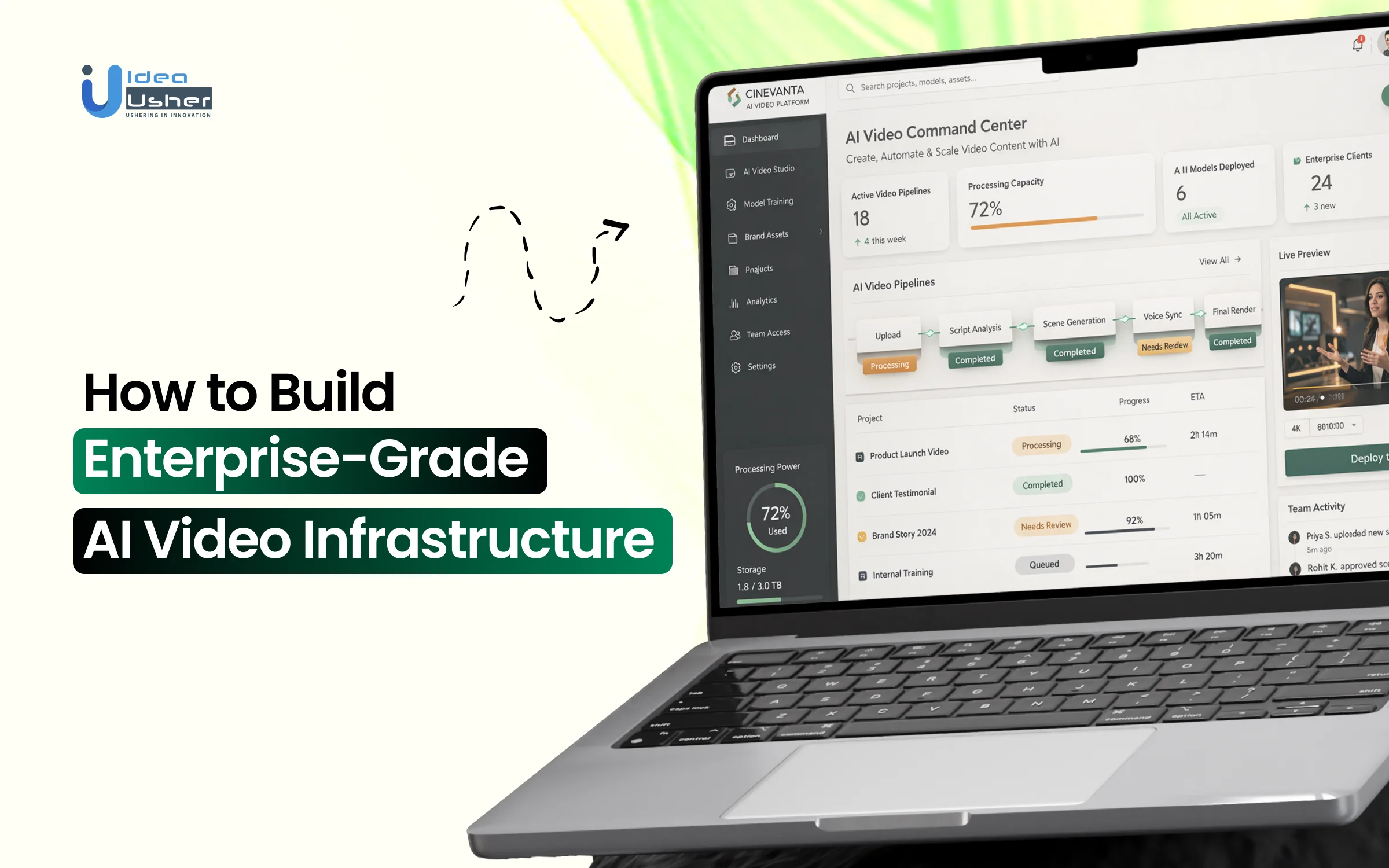
Enterprise AI video systems operate under very different expectations than experimental or consumer-grade tools. Production workloads demand predictable latency, consistent output quality, strict access control, and cost discipline across large user bases. Meeting these requirements depends less on model novelty and more on how the system is structured, which is where AI video infrastructure architecture becomes critical to long-term reliability.
As usage scales, infrastructure choices compound like GPU orchestration, model versioning, storage pipelines, job scheduling, monitoring, and failover mechanisms must function as a coordinated system rather than isolated services. Security, compliance, and auditability become part of the architecture when enterprise data flows through generation pipelines. The infrastructure’s strength lies in how well these layers are designed to operate under sustained load without performance or control issues.
In this blog, we explain how to build enterprise-grade AI video infrastructure by breaking down core architectural layers, infrastructure components, and the practical considerations involved in supporting high-volume, production-level AI video workloads.

Why Enterprise AI Video Is Not a Simple SaaS Layer?
Enterprise video AI platform requires more than a sleek interface; it demands a robust, integrated foundation. Surface-level SaaS wrappers often lack the security, scalability, and deep API control essential for professional corporate environments.
A. The Gap Between Demo AI and Production Systems
Bridging the divide between a “viral clip” and a consistent business output requires shifting from creative experimentation to rigorous engineering standards.
| Feature | Demo / Consumer AI | Enterprise Production Systems |
| Primary Goal | Creative experimentation and “viral” appeal. | Consistent, brand-aligned business output. |
| Output Control | Random/Stochastic: Results vary wildly; “happy accidents” are welcomed. | Deterministic: High control via seed management and fixed character consistency. |
| Input Method | Manual Prompting: Trial-and-error natural language strings. | Parametric/API: Structured data (JSON) driving business logic without human intervention. |
| Performance | Best-effort: Unpredictable processing times and latency. | SLA-backed: Guaranteed rendering times and system availability. |
| Consistency | High Variance: Frequent hallucinations or stylistic drift. | Low Variance: Validated outputs that adhere to strict brand parameters. |
| Review Process | Manual: Human “cherry-picking” of the best results from many attempts. | Automated: Programmatic Quality Gates (QA) to filter or re-generate failures. |
B. What Breaks When AI Video Scales to Millions
Scaling from ten videos to ten million exposes architectural bottlenecks that generic tools cannot handle, primarily due to the “Compute Tax” and orchestration complexity.
- GPU Orchestration: Generating massive volumes requires sophisticated load balancing across clusters to prevent system timeouts during high-traffic marketing campaigns.
- Asset Management (DAM) Integration: At scale, manual uploading is impossible. Infrastructure must automatically tag, categorize, and push videos directly into a company’s existing Cloud storage or CMS.
- Compliance & Safety Filtering: Automated scanning must detect PII (Personally Identifiable Information) or brand-unsafe content in real-time across millions of generated frames, a task far beyond manual oversight.
C. Why Enterprises Need Infrastructure, Not Tools
The difference between a tool and infrastructure is the difference between an application and a platform. AI video infrastructure architecture provides the “piping” that lets every department build its own custom AI solutions.
Strategic Insight: A “tool” solves a one-off problem (e.g., making one video), while “infrastructure” creates a permanent capability (e.g., enabling an entire sales force to generate personalized videos on demand).
- Data Sovereignty: Infrastructure allows for deployment within a private VPC (Virtual Private Cloud), ensuring proprietary data never leaves the corporate firewall to train public models.
- Custom SDKs: Developers need the freedom to build bespoke front-end experiences on top of the generation engine, rather than being locked into a vendor’s specific UI.
- Cost Efficiency: While SaaS tools charge high per-video premiums, infrastructure-led models allow for “compute-based” pricing, significantly lowering the marginal cost of content as volume increases.
Global Market Growth of Enterprise-Grade AI Video Platforms
The global AI video generator market size was valued at USD 716.8 million in 2025 and is projected to grow from USD 847 million in 2026 to USD 3,350.00 million by 2034, exhibiting a CAGR of 18.80% during the forecast period. As adoption accelerates at this pace, enterprises must invest in scalable, secure, and SLA-driven AI video infrastructure capable of supporting high-volume production workloads and long-term growth.

Over 62% of marketers using AI video tools report cutting content creation time by more than half through text-to-video platforms, enabling faster execution without proportional cost increases.
Nearly 49% of marketers now use AI-generated video, while 97% of learning and development professionals say video is more effective than text-based content. This shift is reinforced by user behavior, with around 80% of online traffic driven by video
What Enterprise-Grade Really Means in AI Video?
True enterprise-grade AI video infrastructure architecture moves beyond basic generation into a resilient, hardened infrastructure. It prioritizes system reliability, data integrity, and deterministic performance to support mission-critical business operations without interruption.

1. High Availability and Fault Tolerance
In a professional setting, downtime is not just an inconvenience; it is a loss of revenue and brand trust. High availability ensures the video engine is accessible 24/7/365.
- Redundancy Protocols: Enterprise systems utilize “Multi-AZ” (Availability Zone) deployments. If a data center in one region fails, traffic automatically fails over to another without dropping active render jobs.
- Self-Healing Infrastructure: Orchestrators like Kubernetes monitor the health of GPU nodes. If a “worker” node generating a video crashes, the system automatically redistributes that specific task to a healthy node.
- State Management: By decoupling the “rendering state” from the hardware, enterprises ensure that even if a physical server reboots, the video generation resumes from the last checkpoint rather than starting from zero.
2. Real-Time and Batch Rendering Pipelines
Enterprises require two distinct speeds of production: immediate interaction and massive scale. A “one-size-fits-all” pipeline cannot efficiently handle both.
| Pipeline Type | Use Case | Priority |
| Real-Time (Low Latency) | Interactive avatars, customer support, live streaming. | Speed of first-frame delivery. |
| Batch (High Throughput) | Global marketing campaigns, personalized sales videos. | Total volume and cost efficiency. |
| Hybrid Orchestration | Dynamically shifting resources based on current queue demand. | Resource optimization (ROI). |
3. Secure Multi-Tenant Architecture
Security in AI video means ensuring that data from Department A is logically and physically isolated from Department B, preventing any risk of internal or external data leakage.
- Logical Isolation: Even on shared hardware, robust “containerization” ensures that one client’s proprietary training data or prompts cannot be accessed by another process.
- Encryption at Rest & Transit: All video assets, transcripts, and metadata are encrypted using AES-256 at rest and TLS 1.3 during transit, meeting the highest global security standards.
- Identity & Access Management (IAM): Granular permissions allow admins to control exactly who can initiate renders, view sensitive assets, or modify model parameters.
4. Governance and Compliance Layers
For regulated industries like finance or healthcare, every second of generated video must be traceable and compliant with legal frameworks.
- The Audit Trail: Every action from the initial API call to the final export is logged with a timestamp and user ID. This provides a “paper trail” for legal reviews or internal investigations.
- Compliance Frameworks: Enterprise infrastructure is designed to align with:
- SOC2 Type II: For operational security and privacy.
- GDPR/CCPA: Ensuring “Right to be Forgotten” applies to AI-generated likenesses and data.
- HIPAA: For secure handling of sensitive health-related video content.
- Content Provenance: Integration of “Digital Watermarking” or C2PA metadata to verify that a video was officially generated by the company, protecting against deepfake impersonation.
5. Performance SLAs and Latency Benchmarks
Unlike consumer apps, enterprise contracts are built on Service Level Agreements (SLAs). These are quantifiable promises of performance that provide business predictability.
Key Benchmarks:
- Uptime SLA: Typically 99.9% or 99.99% availability.
- Time-to-First-Frame (TTFF): The critical metric for interactive AI, usually targeted under 500ms.
- Render-to-Duration Ratio: For batch jobs, a 1:1 ratio (1 minute of video takes 1 minute to render) is often the gold standard for high-speed production.
Selecting the right model is less about finding the “best” AI and more about matching the specific architecture to your business constraints. A high-fidelity foundation model is useless if the inference costs eat your entire margin, just as a cheap model is useless if it can’t maintain brand consistency.
Core Architecture of Enterprise-Grade AI Video Platform
Building enterprise-grade AI video infrastructure requires a robust foundation that balances high-performance processing with strict security protocols. This architecture ensures seamless content generation, scalability, and data integrity for global operations.
| Infrastructure Layer | Component Functionality | Implementation Strategy |
| Compute Layer | The “engine room” where neural networks are optimized and executed. | Utilizing dedicated A100/H100 clusters for high-throughput inference and low-latency response. |
| GPU Orchestration | Dynamic allocation of GPU resources based on real-time traffic demands. | Using specialized operators to spin up/down GPU nodes to prevent idle costs and handle peak loads. |
| Model Serving | Managing multiple model versions and routing requests efficiently. | Deploying models via containers with load balancing to ensure 99.9% uptime and seamless updates. |
| Data Storage | High-speed access to massive datasets, training weights, and raw video files. | Utilizing NVMe-backed storage or S3 buckets with high-speed caching for rapid I/O operations. |
| Content Delivery | Ensuring the final video reaches the end-user without lag or buffering. | Distributing processed video through global CDNs (Content Delivery Networks) to reduce latency for the final viewer. |
Designing the AI Video Processing Pipeline
A high-performance AI video pipeline is a sophisticated assembly line, transforming raw data into cinematic output. It requires seamless coordination between data ingestion, model inference, and global distribution.
1. Input Processing and Asset Normalization
Before a single frame is generated, the system must sanitize and standardize all incoming data to ensure consistency across the entire production run.
- Multimodal Ingestion: The pipeline accepts diverse inputs like structured JSON, raw text, audio files, or reference images and converts them into a unified internal format.
- Media Standardization: High-end systems perform automatic “normalization” of assets.
- Resolution Scaling: Ensuring all reference images match the target aspect ratio.
- Audio Leveling: Normalizing decibel levels for voice-overs or background tracks.
- Color Space Alignment: Matching Rec. 709 or HDR profiles across different visual elements.
2. Prompt Engineering and Workflow Orchestration
Orchestration is the “brain” of the pipeline, translating high-level business logic into low-level machine instructions that the AI models can execute.
| Component | Function | Enterprise Value |
| Dynamic Templating | Injects user data into pre-verified prompts. | Prevents prompt injection and ensures brand tone. |
| Task Queueing | Manages thousands of concurrent render requests. | Maintains system stability during traffic spikes. |
| Directed Acyclic Graphs (DAG) | Maps the logical flow of video “scenes.” | Enables complex, multi-shot narrative structures. |
3. Model Inference and Rendering Engine
This is where the heavy lifting occurs in AI video infrastructure architecture. The rendering engine coordinates multiple specialized models to synthesize pixels, motion, and temporal consistency.
- Base Model Inference: Utilizing Diffusion or Transformer-based architectures to generate the core visual sequence based on the orchestrated prompt.
- Temporal Consistency Layers: Specialized “motion modules” ensure that objects do not warp or disappear between frames, maintaining a fluid, realistic look.
- Parallelization: Large videos are often broken into smaller “chunks” and rendered simultaneously across multiple GPUs, then stitched back together to drastically reduce total production time.
4. Post-Processing and Quality Enhancement
Raw AI output often requires a “finishing” layer to meet professional broadcast or digital marketing standards.
The Refinement Stack:
- Upscaling: Taking a 720p base generation and intelligently uprezzing it to 4K using super-resolution models.
- Frame Interpolation: Increasing the frame rate (e.g., from 24fps to 60fps) for smoother slow-motion or action sequences.
- Face Restoration: Applying specialized neural filters to ensure human features remain sharp and anatomically correct.
5. Output Packaging and CDN Distribution
The final stage ensures the video reaches the end-user in the optimal format, regardless of their device or bandwidth constraints.
- Multi-Codec Encoding: The system generates various versions of the file (H.264, H.265/HEVC, VP9) to ensure compatibility across web, mobile, and smart TVs.
- Adaptive Bitrate Streaming (ABR): Packaging the video into HLS or DASH manifests, allowing the player to adjust quality in real-time based on the viewer’s internet speed.
- Edge Caching: Pushing the final assets to a Global Content Delivery Network (CDN). This reduces “time-to-play” by serving the video from a server physically closest to the user.
Choosing the Right AI Models for Video Systems
The table below breaks down the strategic choices involved in selecting and optimizing the model layer for an enterprise-grade video application.
| Model Category | Core Functionality | AI Model Examples |
| Foundation Models | Text-to-Video: Generating original scenes, B-roll, and cinematic transitions from text. | OpenAI Sora 2, Runway Gen-4.5, Kling 2.6, Luma Ray 3 |
| Synthetic Presenters | Avatar Models: Creating realistic human “talking heads” with natural gestures. | Synthesia (v3), HeyGen, Colossyan, Creatify Aurora |
| Audio Integration | Voice Cloning & Lip Sync: Mapping cloned voices to avatar mouth movements. | ElevenLabs (Professional Voice), Resemble AI, Sync 2.0, HeyGen (Translation) |
| Deployment Logic | Fine-Tuning vs. APIs: custom-trained models and managed services | Wan2.2 (MoE), HunyuanVideo 1.5, Mochi, LTX-2 |
| Cost Management | Enterprise Optimization: Balancing model “weight” (size) against hardware | vLLM, BentoML, TensorRT-LLM |
The “Cost vs. Quality” Frontier
Production environments rarely rely on a single model. Most systems use a cascading architecture:
- A “heavy” foundation model for the initial generation.
- A “light” upscaler model for resolution enhancement.
- A specialized “narrow” model for the final lip-sync or facial refinement.
This approach significantly reduces the Model Optimization hurdles mentioned above by only using expensive compute where it’s absolutely necessary.
Enterprise-Grade Use Cases of AI Video Platforms
Enterprise AI video platforms are revolutionizing corporate workflows by automating high-fidelity content production at scale. These tools drive significant ROI by slashing traditional production costs while enabling hyper-personalized engagement.

1. AI Avatar Platforms
These platforms replace traditional video shoots with lifelike digital presenters. L&D teams transform static manuals into interactive, multilingual training modules, significantly reducing production costs while maintaining high learner engagement.
Real-World Platform Example:
Synthesia allows L&D teams to turn text scripts into professional videos using AI avatars that speak 120+ languages. It removes the need for cameras, actors, or studios. Users upload training manuals; an AI presenter narrates with perfect lip-sync, enabling instant global updates to curricula.
2. Generative Video Creation
Media and creative departments use generative AI to produce high-fidelity b-roll, cinematic scenes, and social teasers from text. These tools accelerate storyboarding and pre-visualization, enabling rapid creative iteration.
Real-World Platform Example:
Runway provides creative teams with Gen-3 Alpha tools to generate cinematic b-roll or visual effects from simple text prompts, drastically shortening the pre-visualization and asset-creation phases.
3. Personalized Sales Video
Sales teams automate 1:1 outreach by dynamically inserting prospect names and company details into pre-recorded or AI-generated videos. This “mass personalization” boosts open rates and humanizes cold prospecting.
Real-World Platform Example:
Tavus uses advanced cloning technology to create thousands of unique videos where the AI “speaks” each lead’s name and specific data points, making cold outreach feel like a 1:1 conversation.
4. AI Video Localization for Global Enterprises
Enterprises use AI to dub and lip-sync existing content into dozens of languages in real time. This ensures brand consistency across global offices without the weeks-long lead times of traditional dubbing studios.
Real-World Platform Example:
Rask AI automates the dubbing process by translating speech and matching the original speaker’s voice and lip movementsin the new language, ensuring brand consistency across different regions.
5. Interactive AI Video for Customer Engagement
Interactive platforms allow viewers to make choices within a video, leading to branched paths or real-time responses. This tech is widely used for personalized onboarding and automated customer support.
Real-World Platform Example:
VideoAsk creates asynchronous, face-to-face interactionswhere customers can choose their own path or record video responses, making the support and onboarding experience feel more human and responsive.
Infrastructure Decisions That Impact AI Video Platform ROI
Strategic AI video infrastructure architecture choices directly dictate the long-term profitability and scalability of AI video initiatives. Poor architectural foundations can lead to spiraling compute costs that quickly outpace the business value generated.

1. Cloud vs Hybrid vs On-Prem AI Deployment
The deployment model is the most significant factor in balancing upfront capital expenditure against long-term operational flexibility.
- Cloud (SaaS/IaaS): Offers maximum agility and zero maintenance. Ideal for startups or variable workloads where you only pay for the “compute minutes” you consume.
- On-Prem: High initial CAPEX but lowest TCO (Total Cost of Ownership) for constant, 24/7 high-volume rendering. It provides the highest level of data privacy and zero latency for local pipelines.
- Hybrid: The “best of both worlds.” Organizations keep sensitive training data on-prem while “bursting” to the cloud during massive production spikes.
2. Cost Modeling for GPU-Intensive Workloads
Video generation is exponentially more expensive than text-based AI. Accurate ROI modeling must account for the specific hardware “burn rate” required for high-fidelity output.
| Cost Driver | Metric to Watch | Strategy for ROI |
| GPU Instance Type | Cost per TFLOPS | Match the card (e.g., A100 vs. L40) to the specific task complexity. |
| Idle Time | “Cold Start” Latency | Use auto-scaling groups to terminate instances when the queue is empty. |
| Data Egress | GB per Video Export | Keep storage and compute in the same region to avoid hidden transfer fees. |
3. Reducing Inference Costs at Scale
At the scale of millions of videos, “naive” inference becomes financially unsustainable. Optimization must happen at the mathematical and architectural levels.
- Model Quantization: Reducing model precision (e.g., from FP32 to INT8). This allows models to run on cheaper hardware with minimal loss in visual quality.
- KV Caching: Reusing mathematical “keys and values” from previous frames to speed up the generation of subsequent frames, cutting compute time by up to 30%.
- Distillation: Training a smaller “student” model to mimic a massive “teacher” model. The smaller model is faster and significantly cheaper to run in production environments.
4. Build vs. Integrate Third-Party APIs
The classic engineering dilemma in AI video is whether to own the model or rent the capability through an API provider.
The “Rule of Core Competency”: > * Integrate (API): If video is a feature of your product (e.g., a “generate video” button in a CRM). It allows for faster time-to-market and shifts the burden of R&D to the provider.
Build (Proprietary): If video is your product (e.g., a specialized AI film studio). Owning the weights and the pipeline allows for unique competitive advantages and removes “vendor lock-in” risks.
Timeline and Cost to Build Enterprise AI Video Infra
Building a custom AI video infrastructure architecture is a marathon, not a sprint, typically spanning 6 to 12 months depending on complexity. Success depends on a modular approach that allows for iterative testing before committing to heavy GPU expenditures.
Phase 1: Architecture and Model Selection
Timeline: Weeks 1–4
The foundation of AI video infrastructure architecture is laid by defining the technical stack and selecting the “base” models that will drive the generation engine.
- Requirements Mapping: Identifying the specific needs such as character consistency, lip-sync accuracy, or style transfer to choose between Diffusion or Transformer models.
- Feasibility Studies: Running small-scale “Proof of Concepts” (PoCs) to verify that the chosen model architecture can handle the specific business use case.
- Vendor Evaluation: Deciding between open-source weights (e.g., Stable Video Diffusion) or proprietary licenses that offer enterprise support.
Phase 2: Core Infrastructure Setup
Timeline: Weeks 5–12
This phase focuses on the “plumbing”, building the environment where the models will live, breathe, and render at scale.
- GPU Cluster Provisioning: Setting up high-performance compute instances (like NVIDIA H100s or A100s) and configuring orchestration via Kubernetes.
- Data Pipeline Development: Creating the ingestion systems that clean and normalize training data or user inputs before they reach the model.
- Security Hardening: Implementing VPC isolation, encryption protocols, and IAM roles to ensure the environment is “enterprise-ready” from day one.
Phase 3: Model Integration and Testing
Timeline: Weeks 13–24
During this period of AI video infrastructure architecture, the “raw” models are integrated into the custom pipeline and fine-tuned to meet specific brand or quality standards.
- Fine-Tuning & LoRA Training: Training Low-Rank Adaptation (LoRA) layers to ensure the AI understands specific brand assets, logos, or styles.
- API Layer Construction: Developing the REST or gRPC endpoints that allow internal or external applications to communicate with the video engine.
- Stress Testing: Simulating high-concurrency scenarios to identify where the pipeline “breaks” and optimizing the scheduler to handle those bottlenecks.
Phase 4: Deployment and Scaling
Timeline: Week 25+
The system goes live, shifting focus from development to operational excellence, monitoring, and cost optimization.
- Blue-Green Deployment: Rolling out updates to a small segment of users first to ensure stability before a full-scale launch.
- Monitoring & Observability: Implementing real-time dashboards to track GPU utilization, render success rates, and latency.
- Global CDN Push: Distributing the finalized video assets across edge locations to ensure low-latency playback for end-users worldwide.
Estimated Budget Breakdown by Stage
Implementing a high-performance AI video infrastructure architecture requires a strategic allocation of capital, balancing upfront engineering costs with the ongoing operational expenses of GPU-intensive cloud computing and AI inference.
| Phase | Primary Cost Drivers | Estimated Cost |
| Research & Design | AI Architects, Model Licensing, Feasibility PoCs. | $25,000 – $50,000 |
| Infra & Hardware | GPU Reservations (A100/H100), Cloud Storage, Security Audits. | $60,000 – $150,000 |
| Development | Engineering hours, Data Labeling, Model Fine-tuning/LoRA. | $75,000 – $200,000 |
| Ops & Maintenance | Ongoing Inference costs, CDN fees, Monitoring & Support. | $20,000 – $50,000+ |
A Real Enterprise AI Video Architecture Example
Implementing a personalization engine for a global brand requires moving beyond creative concepts into a hardened, multi-region production environment. This real-world example demonstrates how a retail giant automated their video marketing funnel to deliver hyper-relevant content at scale.

A. Use Case: Global Retail Personalization Engine
A Tier-1 fashion retailer needed to generate personalized “Lookbook” videos for 2 million loyalty members, featuring items based on their specific purchase history and local weather patterns.
The Challenge: Traditional video production would have taken years and millions of dollars to create unique clips for each customer.
The Solution: An automated pipeline that pulled real-time inventory data and injected it into a pre-trained “Brand Model” to generate 15-second high-fidelity reels.
Integration: The system was connected directly to the retailer’s CRM (Salesforce) and Digital Asset Management (Adobe Experience Manager) to ensure every product shown was currently in stock.
B. Architecture Diagram Walkthrough
The AI video infrastructure architecture follows a modular, “event-driven” pattern to ensure that the heavy compute load doesn’t interfere with the customer-facing website performance.
- Ingestion Layer: A Trigger (e.g., a customer opens an email) sends a request via an API Gateway to a RabbitMQ message queue.
- Orchestration: A Python/FastAPI controller pulls the customer’s “Style Profile” and assigns the task to an available GPU node.
- Generation: ComfyUI-based headless workers running on NVIDIA L40S GPUs generate the video frames, applying a custom LoRA to maintain the retailer’s specific lighting and aesthetic.
- Delivery: The final MP4 is optimized via FFmpeg, uploaded to AWS S3, and served through CloudFront for immediate viewing.
C. Performance Metrics Achieved
Moving to an infrastructure-led model allowed the retailer to hit benchmarks that are physically impossible with manual or basic SaaS tools.
| Metric | Previous (Manual/Basic Tools) | New (Enterprise Infra) |
| Production Time | 48 Hours per video | < 45 Seconds per video |
| Throughput | 50 videos / week | 50,000+ videos / day |
| Consistency | High variation in style | 100% Brand Guidelines Adherence |
| Cost per Asset | ~$250.00 | ~$0.18 |
D. Cost Optimization Outcomes
The shift from a “pay-per-video” SaaS model to an “owned” infrastructure model resulted in a drastic reduction intotal cost of ownership(TCO) as the project scaled.
Key Financial Wins:
- Inference Optimization: By implementing TensorRT acceleration, the team reduced the GPU compute time per video by 40%, directly lowering cloud provider costs.
- Spot Instance Utilization: The batch rendering for email campaigns was moved to “Spot Instances,” which provided a 70% discount compared to on-demand pricing.
- Zero Waste Storage: An automated lifecycle policy was set to move generated videos to “Cold Storage” (Glacier) after 30 days of inactivity, reducing storage overhead by 65%.
Conclusion
Building an AI video infrastructure architecture requires a strategic fusion of deterministic data logic and high-performance generative models. As static content loses its efficacy, enterprise leaders must pivot toward modular, GPU-accelerated systems that turn raw CRM data into authentic human connections. By following the roadmap from identity resolution to real-time rendering, organizations can finally scale personalized outreach without the traditional production bottlenecks. The future of digital engagement is no longer about reaching a crowd; it is about mastering the infrastructure to speak to every customer individually.
Why Choose IdeaUsher for Enterprise AI Video Platform?
Building video infrastructure for massive scale, low-latency rendering, and complex model orchestration demands more than code; it requires sturdy architecture.
At IdeaUsher, we develop AI products across industries, focusing on high-performance systems, smooth model integration, and cloud scalability.
Our ex-FAANG and MAANG engineers bring over 500,000+ hours of hands-on AI development experience, allowing us to architect video platforms that balance rendering quality, inference costs, and global delivery reliability.
Why Hire Us:
- Scalable Backend Engineering: We design high-traffic AI ecosystems capable of handling concurrent video processing jobs, ensuring smooth playback and editing even for data-intensive generative tasks.
- Full-Stack Infrastructure Ownership: We go beyond coding, managing infrastructure selection, C2PA security compliance, global CDN distribution, and cloud optimization to ensure your platform is commercially ready from day one.
- Custom Model Integration: We specialize in deploying robust computer vision and generative models into production, ensuring your infrastructure is built for both today’s workloads and tomorrow’s innovations.


FAQs
A.1. A robust stack typically includes data ingestion pipelines, model orchestration, GPU-backed rendering, storage/CDN delivery, API layers, monitoring, and SLA-backed processing systems.
A.2. By using distributed computing (GPU clusters), autoscaling cloud infrastructure, edge/CDN delivery, workload prioritization, and queue-based orchestration with failover mechanisms.
A.3. Enterprise systems require encryption in transit and at rest, role-based access control (RBAC), audit logs, data residency controls, and compliance with frameworks like SOC 2, GDPR, or HIPAA (if applicable).
A.4. Through model validation pipelines, automated QA checks, deterministic rendering workflows, template governance, and continuous monitoring with feedback loops.


