


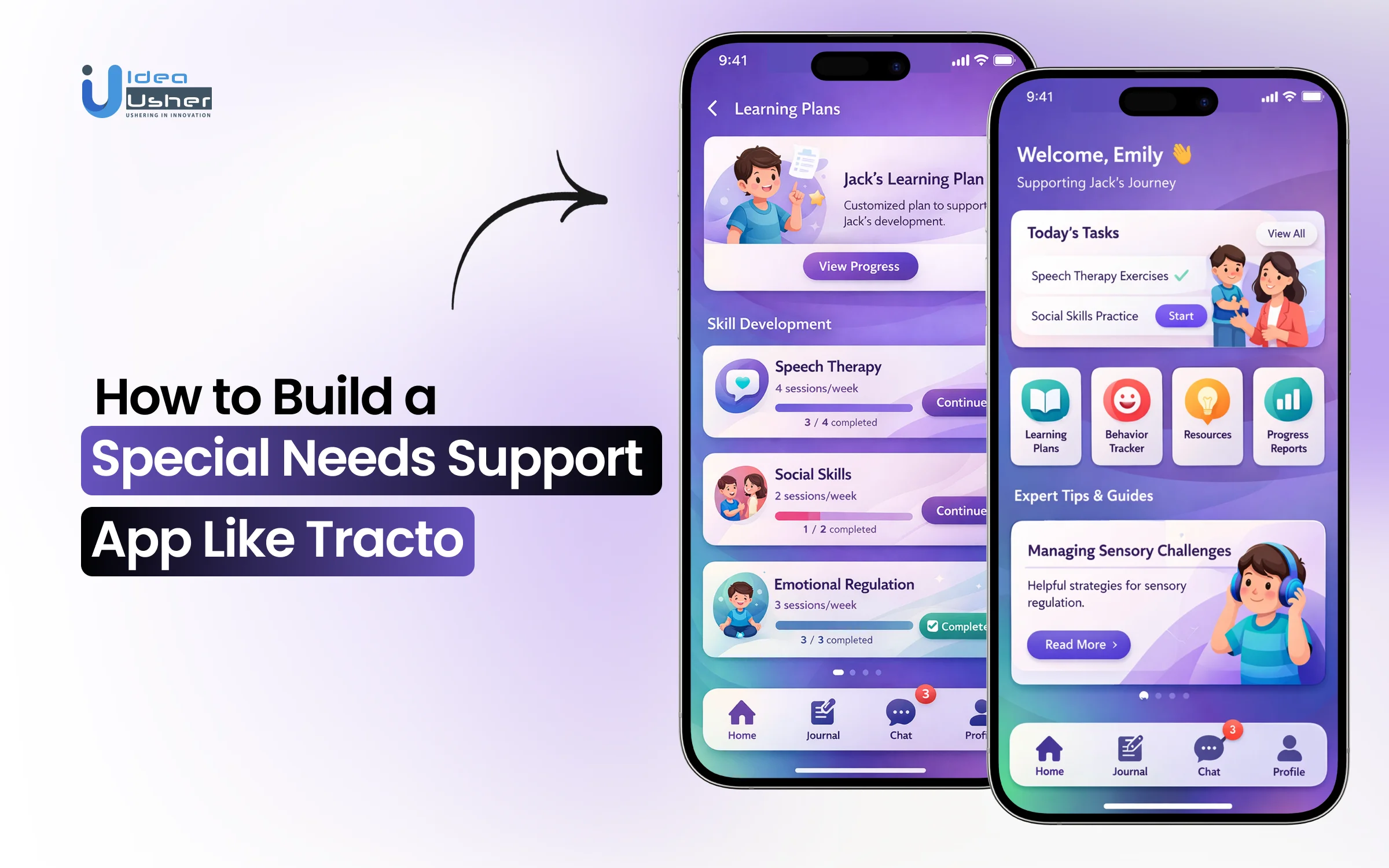
Caregiving for a child with special needs often unfolds in moments that do not follow a clear pattern. Small behaviors can feel difficult to decode, and routines may shift without warning. Families usually rely on memory or scattered notes, which may lead to inconsistent information over time. This can make progress tracking and decision-making harder to manage.
The popularity of special needs support apps has started increasing because awareness around neurodiversity is rising, and immediate professional support may not always be available. These platforms can provide real-time tracking and structured guidance that helps organize care data more effectively. These apps can gradually turn fragmented observations into a more reliable and coordinated care system.
We’ve built numerous special needs support solutions powered by clinical data interoperability frameworks and real-time behavioral analytics systems. As we have this expertise, we’re sharing this blog to discuss the steps to develop a special needs support app like Tracto.
Why Special Needs Apps Are Gaining Rapid Demand?
According to GM Insights, the global care management solutions market was valued at USD 14.67 billion in 2024 and is projected to reach USD 33.26 billion by 2030, growing at a CAGR of 14.8% from 2025 to 2030. This surge reflects a move toward decentralized, digital-first neurological support as technology becomes critical infrastructure for neurodivergent care.

Source: GM Insights
Market demand is peaking due to a transition from reactive crisis management to proactive, data-driven prevention. Unlike general wellness apps, special needs platforms like Otsimo and Proloquo2Go serve as essential operating systems for families, ensuring clinical accuracy and high user retention.
By bridging the gap between clinical therapy and daily life, these tools create significant competitive moats and offer a scalable solution to the global shortage of traditional care providers.
Why Special Needs Apps are in Demand
With 1 in 36 children diagnosed with ASD, the addressable market is expanding. There is also a surge in the adult ADHD segment, where professionals seek tools to manage executive dysfunction in high-pressure environments.
Investors should note two primary segments:
- Pediatric Intervention: Focuses on milestones and behavioral regulation, using tools like GogoBrain for cognitive training and Spokle for home-based speech therapy.
- Adult Executive Support: Focuses on productivity and sensory management, exemplified by Tiimo, which uses visual scheduling to reduce cognitive load.
Modern platforms are now integrating Agentic AI to learn behavioral patterns and provide proactive interventions, such as task reshuffling based on physiological data from wearables.
Gaps in Traditional Care
Traditional healthcare often fails due to long waitlists and high costs. Digital platforms close the “care gap” by acting as Digital Case Managers, automating the administrative labor of tracking medications and behavioral triggers.
Apps like Birdhouse for Autism and AngelSense provide longitudinal data that makes clinical sessions more effective. This hybrid model, supporting the 99% of time spent outside the clinic, offers the most significant ROI by making care continuous rather than episodic.
Trends Driving Digital Adoption
Consumerization is forcing medical tools to be as intuitive as social media. Key trends include:
- Data Interoperability: New regulations allow apps to sync with Electronic Health Records (EHRs), integrating them into official clinical pathways.
- Reimbursement: Increased insurance coverage for Digital Therapeutics (DTx), like Mightier, allows platforms to move from B2C subscriptions to lucrative B2B payer-funded models.
- AI Personalization: LLMs translate complex clinical data into actionable insights for parents, democratizing high-quality care access.

What Is Tracto and Why Does It Work So Well?
Tracto represents a shift from static health apps to active, clinical-grade companions. For investors, its efficacy lies in a “micro-intervention” architecture that simplifies complex therapy into manageable workflows. Features like the Personalized Video Guide Library reduce caregiver burnout while maintaining high clinical standards.
The platform succeeds by respecting the “time-poverty” of parents. By delivering expert strategies in minutes rather than hours of consultation, Tracto ensures high daily active usage. This utility-first design is a primary driver of long-term platform valuation and user retention.
Bite-Sized Expert Videos
Tracto’s engagement centers on the Tracto Video Guides, most of which are under five minutes. This “just-in-time” learning model provides immediate, actionable guidance during high-stress moments, such as sensory meltdowns or transition struggles, directly through the On-Demand Expert Support module.
Curated by experts with decades of experience in ADHD and autism, these videos empower parents as co-therapists. This creates a scalable model where the app acts as a force multiplier for traditional healthcare systems.
Simple Behavior and Medication Tracking
Tracto closes the “subjectivity gap” between home and the clinic with the Behavior & Side Effect Tracker. Users log emotional states and medication efficacy via the Multi-Modal Journal, which supports text, voice notes, and images.
This data-first approach converts anecdotal notes into objective, longitudinal trends. Features like Scheduled Tracking Reminders ensure data consistency. For entrepreneurs, this aggregated, anonymized data is a high-value asset for potential research and pharmaceutical partnerships.
Real-Time Care Team Collaboration
The “silo effect” is a major pain point where teachers, therapists, and parents lack a unified view. Tracto’s Care Team Invitation feature allows users to bring external stakeholders into the app, while the Holistic Care Progress Reports ensure all parties see the same real-time data.
This transparency improves clinical outcomes through consistency across environments. From a business perspective, the Collaborative Care Ecosystem serves as an organic growth engine, lowering customer acquisition costs as professionals advocate for the tool.
Community Support That Builds Trust
Tracto addresses the isolation of neurodivergent care through Online Community Events and dedicated Expert-Led Support Groups. This fosters a sense of belonging that generic health apps cannot replicate.
In this market, trust is the primary currency. By providing a vetted, safe space for families within the Tracto Community Hub, the platform builds an emotional moat. For investors, this translates into ironclad brand loyalty and a resilient user base in a fragmented market.
Key Features of a Special Needs Support App Like Tracto
Building a high-ROI platform in this space requires a shift from generic tools to specialized infrastructure. Investors must prioritize features that solve for decision fatigue among caregivers while providing clinicians with high-fidelity data.
To succeed, special needs support apps must act as a seamless link between daily home life and professional clinical intervention.

1. Personalized Content Engine
The platform needs a dynamic library of clinical expertise delivered through short, actionable media. This engine should use machine learning to suggest specific strategies based on the child’s age, diagnosis, and current behavioral trends.
Tracto leads this space by offering a personalized video guide library that provides immediate solutions for real-time challenges, ensuring the app remains a daily necessity.
2. Smart Behavior and Mood Tools
Effective support relies on moving from anecdotal observations to objective data. The app must include intuitive tracking interfaces that allow caregivers to log emotional states and behavioral triggers in seconds.
Birdhouse for Autism excels here, allowing parents to visualize patterns over time to identify environmental factors that influence progress, making it an essential tool for adjusting therapeutic approaches.
3. Med and Side Effect Monitoring
Safety and efficacy are paramount when managing pharmacological interventions. A dedicated module for tracking dosage, timing, and physiological side effects is critical for high-needs users. CareZone provides a clear data trail that allows doctors to make informed adjustments to prescriptions, significantly reducing the risks associated with trial-and-error medication management.
4. Secure Collaborative Dashboard
To break down the silos in special needs care, the app must feature a centralized, HIPAA-compliant portal for all stakeholders. This dashboard allows parents to share reports and real-time insights with teachers and therapists.
Thread Learning provides this unified view, ensuring that the child receives consistent support across all environments, which is a primary factor in developmental success.
5. Routine and Alert Builders
Neurodivergent individuals often thrive on predictability, making a robust routine builder a core requirement. The app should allow for the creation of visual schedules and automated reminders for medications and daily tasks.
Tiimo serves as a highly effective external brain, reducing the executive function load on both the user and the caregiver through a highly visual, intuitive interface.
6. Community and Peer Support
A successful platform must address the social isolation that often accompanies special needs parenting. Integrating a secure space for peer-to-peer connection and expert-led forums builds a community-driven moat around the product.
Wolf+Friends integrates social networking with professional resources, causing retention rates to skyrocket as the platform evolves into a trusted emotional and technical ecosystem.
How to Design UX for Special Needs Parents?
Designing for this demographic requires an acute understanding of caregiver burnout. Users often operate under chronic stress and sleep deprivation. Therefore, the UX of special needs support apps must prioritize utility over aesthetics, ensuring every interaction reduces friction..
1. Simple UI to Reduce Load
When users are overwhelmed, working memory is compromised. Interfaces must follow a strict one-task-per-screen philosophy.
- Progressive Disclosure: Hide advanced features until contextually necessary. Instead of complex data trends on the home screen, use a simple “How is today going?” prompt.
- Color Coding: Use consistent colors for categories like blue for medication and green for positive behaviors, to allow for glanceable navigation.
- Minimalist Typography: Use high-legibility, sans-serif fonts with generous spacing to prevent text from appearing as a daunting wall of information.
2. Accessible Design for Families
Accessibility must account for the sensory sensitivities of both parents and children.
Strategic Insight: Many parents of neurodivergent children are neurodivergent themselves. A sensory-friendly mode with muted palettes and reduced animations is a core requirement to prevent digital overstimulation.
Navigation should be multi-modal. Platforms like Proloquo2Go excel by using high-contrast symbols and customizable grid sizes to ensure accessibility for various motor and visual needs.
3. Stress-Free Daily UX
The daily life of a caregiver is unpredictable; the UX must be resilient to frequent interruptions.
- Auto-Save: If a parent attends to a crisis mid-log, the data must be preserved.
- Gentle Feedback: Avoid jarring notification sounds. Use soft haptic vibrations or gentle tones to reinforce a sense of calm.
- One-Handed Navigation: Place critical actions, like a “Log Incident” button, within the thumb zone. Tiimo uses this approach, making scheduling updates easy for those with only one hand free.
4. Building Trust with Data Insights
To build long-term trust, apps must translate raw tracking data into clear, visual narratives.
| Feature Type | How it Builds Trust |
| Trend Visuals | Shows parents that efforts result in long-term progress, even when daily life feels stagnant. |
| Exportable Reports | Provides professional-grade summaries that parents can confidently hand to a doctor. |
| Contextual Tips | Identifying that “meltdowns happen most on Tuesdays” proves the app is actively analyzing data. |
By presenting data as a story of growth, the platform transforms from a simple tracker into a source of clinical confidence and empowerment.
How to Build a Special Needs Support App Like Tracto?
Developing special needs support apps starts with defining real care workflows, and the system should focus on behavior tracking, content delivery, and collaboration as core modules. Then the architecture can gradually scale to handle sensitive data securely and adapt intelligently to evolving user patterns.
We’ve built several special needs support apps like Tracto, and this is how the process works.

1. Define Use Cases First
We start by identifying friction points that cause the most distress for your audience. Rather than a generic wellness tool, we focus on high-impact scenarios like transition management for autism or executive function for ADHD.
This ensures your MVP delivers immediate, non-negotiable value. This strategy is the fastest way to secure user adoption and investor confidence from day one.
2. Modular Architecture for Scaling
Your platform must be built on a modular, microservices-based architecture to allow for long-term growth. This ensures that, as new therapeutic methods or regulatory requirements emerge, we can update specific components without a full rebuild.
A scalable backend is essential for supporting a growing user base while maintaining low latency. We prioritize a structure that handles increased data loads without compromising performance.
3. Smart Content Recommendations
To replicate the success of top-tier platforms, we move beyond static libraries. We build smart engines that use behavioral data to serve “just-in-time” advice.
If a user logs high anxiety, the system automatically surfaces a three-minute de-escalation video. This proactive model transforms the app from a passive folder into an active participant in the care journey.
4. Real-Time Behavior Tracking
Our tracking interfaces are designed for speed, allowing users to log data in under ten seconds. We combine standardized clinical scales with customizable markers tailored to your specific niche.
Real-time data processing is a priority. We ensure the app provides instant visual feedback to help parents spot correlations between environmental triggers and behavioral shifts immediately.
5. Secure Collaboration Flows
Since special needs care is a team effort, we architect complex permission levels and secure data sharing. We build collaborative flows that allow parents to invite teachers and therapists into a unified care circle.
Protecting this data with high-level encryption and HIPAA-compliant protocols is our baseline requirement. This is critical for building trust with users and institutional partners.
6. Validation Before Launch
Our final development stage involves rigorous testing with a cohort of high-stress caregivers. This validation goes beyond bug hunting. It ensures the UI remains intuitive even during a crisis.
We use these insights to refine navigation and notification frequency. This proves the app survives real-world use cases before your full-scale market launch.
Cost to Build a Special Needs Support App Like Tracto
When we estimate the investment for special needs support apps, we categorize costs based on the depth of clinical integration and data security.
A basic MVP typically starts at $40,000 to $60,000, while a fully-featured ecosystem like Tracto, incorporating advanced video libraries and collaborative dashboards, generally ranges between $100,000 and $250,000+.
The variation in price reflects the shift from a simple tracking tool to a high-performance healthcare platform that meets strict medical data standards.

Development Cost by Feature Complexity
The core architecture accounts for the largest portion of the budget. We break down the development into tiers based on the sophistication of the user experience and backend logic.
- Core Infrastructure ($20,000 – $35,000): This includes user authentication, profile management for various roles (parent, teacher, clinician), and HIPAA-compliant database structures.
- Multimedia Content Delivery ($15,000 – $25,000): Implementing a smooth, on-demand video library with offline caching and categorized search functionality.
- Collaborative Care Tools ($12,000 – $20,000): Building secure invitation flows and shared reporting dashboards that sync across different user accounts in real time.
Cost of AI, Analytics, and Integrations
To move from a passive app to a “smart” companion, you must invest in the data layer. This is where the platform gains its competitive edge and long-term value for investors.
Technical Note: Integrating third-party health APIs (like Apple HealthKit or EHR systems) adds roughly $8,000 – $15,000 to the budget but is essential for clinical validation.
| Component | Estimated Cost | Impact on ROI |
| Predictive AI Engine | $25,000 – $45,000 | Automates content suggestions based on behavioral data. |
| Advanced Data Analytics | $10,000 – $18,000 | Provides longitudinal reports and “trend-spotting” for clinicians. |
| Push Notification Logic | $5,000 – $10,000 | Powers the complex reminders and routine builders for ADHD support. |
Ongoing Maintenance and Scaling Costs
Building the app is only the first phase. Long-term success requires a budget for operational continuity and platform health. We recommend setting aside 15% to 20% of the initial development cost annually for maintenance.
- Server & Cloud Hosting: $500 – $2,000 per month (scales with user growth).
- Security Audits: $5,000 – $10,000 annually to maintain HIPAA/GDPR compliance.
- Content Updates: Regular production of new expert-led video guides and therapeutic strategies.
- OS Updates: Ensuring the app remains compatible with the latest iOS and Android releases.
How to Optimize Budget Without Cutting Value
We help our clients maximize their investment by prioritizing “sticky” features that drive retention. Efficiency doesn’t mean cutting corners; it means building smart.
The “Phase-One” Strategy:
Instead of building every possible feature at once, we recommend a phased approach. Focus your initial budget on the Behavior & Mood Tracking and the Video Guide Library. These are the features that prove clinical utility and gather the data needed to justify a Series A funding round or a larger internal budget expansion.
By using cross-platform frameworks like Flutter or React Native, we can also reduce costs by up to 30%, as a single codebase powers both iOS and Android versions without sacrificing performance.
How Expert-Led Content Drives Daily Decisions?
The true value of special needs support apps lies in their ability to bridge the gap between a monthly therapy session and a Tuesday afternoon meltdown. For our clients, we develop content systems that don’t just inform but intervene. By integrating expert-led strategies directly into the user’s workflow, the app shifts from a digital library to a real-time clinical companion.
1. Turning Knowledge into 2-Minute Actions
In a crisis, a parent cannot read a 20-page white paper on sensory processing. We design content engines that distill complex ABA or Occupational Therapy principles into micro-actions.
Platforms like GogoBrain excel here by offering bite-sized cognitive training exercises that fit into a busy family schedule.
- The Now Principle: Every video or guide must provide one clear instruction that can be executed in under 120 seconds.
- Visual Modeling: We prioritize short-form video because seeing a clinician model a calm-down technique is more effective than reading about it.
- Checklist Integration: Following a video, the app provides a simple interactive checklist to help the parent track if the strategy worked.
2. Context-Aware Video Recommendations
A smart app shouldn’t wait for the user to search for help. Our development process includes building trigger-based content delivery. If a parent logs a level 5 meltdown in the behavior tracker, the app’s notification layer immediately surfaces a specific de-escalation video.
Strategic Insight:
By mapping content to data inputs, we reduce the search fatigue of exhausted parents. The app anticipates the need, delivering the right expert advice at the exact moment of highest stress.
3. Mapping Content to Real Scenarios
We organize content libraries not by medical category, but by real-world pain points. This user-centric taxonomy makes the app feel intuitive and deeply personal. Spokle utilizes this effectively by offering speech therapy resources specifically mapped to everyday family interactions and routines.
| Scenario | Expert-Led Intervention | Goal |
| Morning Routines | Visual schedule walkthroughs | Reduce transition anxiety. |
| Public Outings | Sensory prep social stories | Prevent environmental overwhelm. |
| Bedtime Struggles | Guided heavy-work exercises | Improve sleep regulation. |
By categorizing content this way, we ensure that parents can find a solution for “Screen Time Transitions” faster than they could find a generic article on “Autism Behaviors.” This relevance is what drives high daily active usage and long-term platform loyalty.
Building a Behavior Tracking System Parents Trust
Trust is the most valuable currency in special needs support apps. For our clients, we don’t just build a logging tool; we develop a diagnostic partner. Parents are often hesitant to track behavior because it can feel like documenting failures.
We reframe this by building systems that focus on data-driven hope. By capturing the “why” behind the “what,” we turn daily logs into a powerful roadmap for therapeutic progress and clinical clarity.
1. Capturing Triggers and Patterns Clearly
A robust tracking system must look beyond the behavior itself to the environmental context. We use the ABC Model (Antecedent-Behavior-Consequence) to structure our data entry points, ensuring a holistic view of every incident.
- Antecedents: What happened right before? (e.g., loud noise, transition, hunger).
- Behavior: What did it look like? (e.g., stimming, meltdown, withdrawal).
- Consequence: How did the environment react? (e.g., sensory break, verbal redirection).
By standardizing these inputs, we help parents identify that a “meltdown” isn’t random; it is often a logical response to a specific, recurring trigger that can be mitigated.
2. Making Logs Simple and Useful
“Data fatigue” is a real risk for busy caregivers. When we design tracking modules, we prioritize speed without sacrificing clinical depth. We implement 10-Second Logging features that use one-tap icons rather than text-heavy forms.
Design Rule:
If it takes more than three taps to log an event, the user won’t do it. We use “smart-defaults” based on the child’s most frequent behaviors to shave off precious seconds during high-stress moments.
We also built in Voice-to-Data capabilities. A parent can simply say, “Log a sensory trigger at 2:00 PM,” and the app categorizes it automatically. This ensures the data is captured in the moment, preventing the “memory gap” that occurs when trying to log events at the end of a long day.
3. Designing Insights That Drive Action
Raw data is useless until it is visualized. We transform lists of logs into intuitive, actionable charts that reveal the “hidden story” of the child’s week.
| Visual Tool | Purpose | Parent Action |
| Heat Maps | Shows “hot zones” of behavior by time/day. | Adjusts therapy or quiet time to match high-stress periods. |
| Correlation Charts | Links sleep/medication data to mood. | Identifies if a specific med dosage is causing irritability. |
| Progress Sliders | Compares this month’s frequency to last month. | Provides much-needed encouragement that strategies are working. |
These insights do more than just inform; they empower. When a parent can show a clinician a clear graph of progress rather than a pile of sticky notes, they become a more effective advocate for their child’s needs.
Creating a Unified Care Loop Across Stakeholders in Tractor-like Apps
Special needs care is never a solo effort. Successful special needs support apps act as a digital bridge between home, school, and the clinic. When a therapist sees what happened at breakfast, and a teacher understands why a student is tired, the child receives a unified front of support.
Centralizing communication eliminates the silo effect where critical information is lost in paper notebooks or fragmented emails.

1. Syncing Parents and Care Teams
Multi-user environments allow for real-time synchronization across the entire care team. A Care Circle feature lets parents grant specific permission levels to external stakeholders based on their role.
- Clinician View: Access to detailed behavioral graphs and medication logs for data-driven sessions.
- Teacher View: High-level daily goals and successful de-escalation strategies for the classroom.
- Parent View: The primary hub that manages all inputs and receives updates from the professional team.
This synchronization ensures that a breakthrough in a therapy office on Monday becomes a practiced skill in the classroom on Tuesday.
2. Sharing Context Without Overload
Professionals are as time-poor as parents. Glanceable reporting tools prioritize the most relevant data for each stakeholder. Instead of a spreadsheet of every logged event, the app generates automated care summaries.
Strategic Insight: A therapist doesn’t need to see every meal logged; they need to see the weekly anxiety trend. Smart filters ensure that the shared data is always high-signal and low-noise.
By presenting data through visual snapshot reports, care team meetings are spent discussing strategies rather than catching up on missed information.
3. Building Accountability Across Teams
A unified loop only works if everyone is active. Specific features encourage consistent participation from all members of the care team.
- Shared Goal Setting: The team agrees on priority skills, ensuring everyone works toward the same outcome.
- Read Receipts and Comments: Tracking who has viewed the latest log prevents critical updates from being ignored.
- Strategy Endorsements: Teachers can mark a strategy that worked, validating successful interventions across environments.
This structure creates a culture of transparency. When everyone is accountable to the same data set, the quality of care remains high, and the child’s progress accelerates through consistent environmental reinforcement.
Designing for Real-Life Parenting Stress Scenarios
Designing special needs support apps requires a deep understanding of the high-stress environments caregivers face. When a child is having a meltdown, a parent lacks the cognitive bandwidth for complex menus. The UX must transition from a data tool to a crisis partner in seconds.
The goal is a fail-safe design. Busy interfaces or small buttons add to the user’s stress. Every pixel must ground the parent and provide an immediate path forward.
1. Supporting Quick Decisions
In a sensory crisis, speed is the only metric that matters. The app should function as a digital first-aid kit with low-barrier interventions.
- The SOS Button: A prominent, single-tap feature surfacing the child’s most effective de-escalation strategies.
- Predictive Assistance: If the app detects a high-stress log, it should automatically offer a 60-second breathing exercise for the parent.
- Glanceable Instructions: Use large, high-contrast text and simple icons for emergency steps.
Designing for the stressed brain means reducing choices. In high-pressure moments, provide one clear recommendation rather than a list. This prevents decision paralysis when every second counts.
2. Reducing Friction in Daily Logging
Data is the backbone of clinical progress, but logging can feel like a chore. To ensure consistency, the friction of entry must be virtually non-existent. Birdhouse for Autism addresses this by letting parents organize health and behavior data into one easy-to-update timeline.
- Contextual Shortcuts: The home screen should update based on the time of day. In the morning, “Morning Routine” buttons should be front and center.
- Voice-to-Insight: Allow parents to record a quick voice note. Use Natural Language Processing to categorize the behavior and intensity without typing.
- One-Handed Utility: Place all frequent actions at the bottom of the screen. This allows parents to navigate with a thumb while holding a child or a therapy tool.
3. Creating Calm, Distraction-Free Experiences
The visual language should act as a counterweight to daily chaos. Avoid bright colors and excessive animations that can trigger sensory overload. MagnusCards provides a great example by using discrete, step-by-step visual aids that simplify life skills without digital clutter.
- Muted Palettes: Use soft blues, greens, and greys to create a psychological sense of stability.
- Negative Space: Avoid crowding the screen. Plenty of white space helps the user focus on one piece of information at a time.
- Gentle Haptics: Replace loud notification pings with soft vibrations. This communicates information discreetly without startling a noise-sensitive child.
Treating the interface as a therapeutic space makes the app a source of calm. This design ensures parents want to visit the platform even on their hardest days.
Building a Scalable Video Content Ecosystem in Support Apps
For special needs support apps, a video library is more than a resource; it is a lifeline. Scaling this ecosystem requires a balance between clinical depth and technical performance. A high-quality video strategy moves the platform from a static tool to a dynamic learning environment. This provides parents with visual modeling that text simply cannot replicate.
The infrastructure must handle high-bandwidth content while ensuring parents in low-connectivity areas can access critical advice.
1. Structuring Content for Easy Discovery
Information architecture is the difference between a helpful tool and a frustrating search. Content must be organized by the user’s current need rather than just a medical diagnosis.
- The 3-Click Rule: A user should find a relevant intervention within three taps of opening the app.
- Problem-Based Categories: Group videos under titles like Mealtime Transitions or Sensory Breaks.
- Length Constraints: Keep expert tips under three minutes. Caregivers rarely have time for long-form lectures during a busy day.
Platforms like Otsimo demonstrate the power of structured content by providing clear, gamified pathways for learning.
Similarly, Tracto organizes its video guides into a streamlined dashboard that prioritizes immediate clinical strategies over dense theory.
2. Tagging Content for Personalization
A smart tagging system is the engine behind a personalized experience. Every video in the library should be mapped to specific metadata that allows the app to serve the right content at the right time.
Technical Insight: Use a multi-dimensional tagging schema. A single video on deep pressure therapy should be tagged with Autism, Sensory Overload, Calming Technique, and Ages 5-10.
- Diagnosis Tags: ADHD, ASD, SPD, or Down Syndrome.
- Trigger Tags: Loud noises, bright lights, or schedule changes.
- Intensity Levels: Low-level anxiety vs. full-blown meltdowns.
- Expert Credentials: Tagging by the specific BCBA or Occupational Therapist to build clinical authority.
This granular data allows the app to learn from the user’s behavior logs. If a parent consistently tracks noise sensitivity, the recommendation engine can proactively surface videos on using noise-canceling headphones or auditory desensitization.
3. Ensuring Consistent Content Quality
As the library grows, maintaining a gold standard of clinical accuracy is paramount. A fragmented or low-quality video library can erode user trust and diminish the app’s perceived value.
- Clinical Review: Every video must be vetted by a certified professional. This ensures the safety and efficacy of the advice provided.
- Visual Consistency: Standardized lighting, audio, and branding across all clips reduces sensory distraction for neurodivergent viewers.
- Closed Captioning: Mandatory high-accuracy subtitles allow parents to watch without sound during quiet times or in public.
Establishing a strict production playbook ensures that whether you have 50 videos or 5,000, the user experience remains cohesive. This professional consistency is a major differentiator that attracts both high-value subscribers and potential healthcare partners.
Why Choose IdeaUsher for Special Needs Support Apps?
Choosing the right development partner is the most critical decision in your product’s lifecycle. At IdeaUsher, we combine technical mastery with human-centric design. With over 500,000 hours of coding experience, our team of ex-MAANG/FAANG developers brings world-class engineering to the disability support space.
Proven Care-Focused Experience
We specialize in digital solutions that serve vulnerable populations and their caregivers. Our portfolio includes high-impact platforms prioritizing accessibility and emotional resonance. We build tools that provide genuine relief in real-world scenarios for neurodivergent families.
Expert Behavior and Health Data
Special needs data requires clinical integrity. Our team excels at architecting systems that handle complex behavioral metrics and longitudinal health data. We ensure every point is captured accurately and protected by high-level encryption for parents and therapists.
End-to-End Development
We take your vision from raw concept to a market-ready platform. Our process covers everything from initial strategy and UI/UX design to backend development and post-launch optimization. We provide the roadmap to grow your user base and attract institutional partners.
Conclusion
Building a platform like Tracto requires more than just clean code; it requires clinical accuracy and caregiver empathy. By prioritizing modular architecture, secure collaboration, and expert-led video, you create an essential developmental tool.
Success is defined by the trust you build with parents and the measurable progress they see. With a strategic approach to data and sensory-conscious design, your app can become a leader in neurodiversity support.
FAQs
A1: These apps are digital tools designed to assist individuals with disabilities and their caregivers. They range from AAC communication devices to behavioral trackers and sensory-friendly educational games. By providing structured routines and expert-led interventions, they bridge the gap between professional therapy and daily home-based care.
A2: Building a successful app requires a “human-first” approach, prioritizing accessibility and clinical accuracy. The process starts with deep research to identify specific pain points, followed by a sensory-conscious UI that avoids user overwhelm. Developers must then integrate secure data architecture and collaborate with therapists to ensure every feature serves a valid therapeutic goal.
A3: Most platforms use a freemium model, offering core tracking for free while charging for premium expert video and advanced analytics. Others generate revenue through B2B partnerships with therapy clinics or school districts. Additionally, some apps qualify for insurance reimbursements, allowing parents to access the service as part of a funded care plan.
A4: Core features include real-time behavior logging, visual daily schedules, and a library of expert-led video tutorials. Collaborative care loops are also essential, allowing parents to securely share data with teachers and clinicians. To reduce burnout, many apps include one-tap logging, voice-to-text notes, and automated progress summaries that highlight small victories.


