


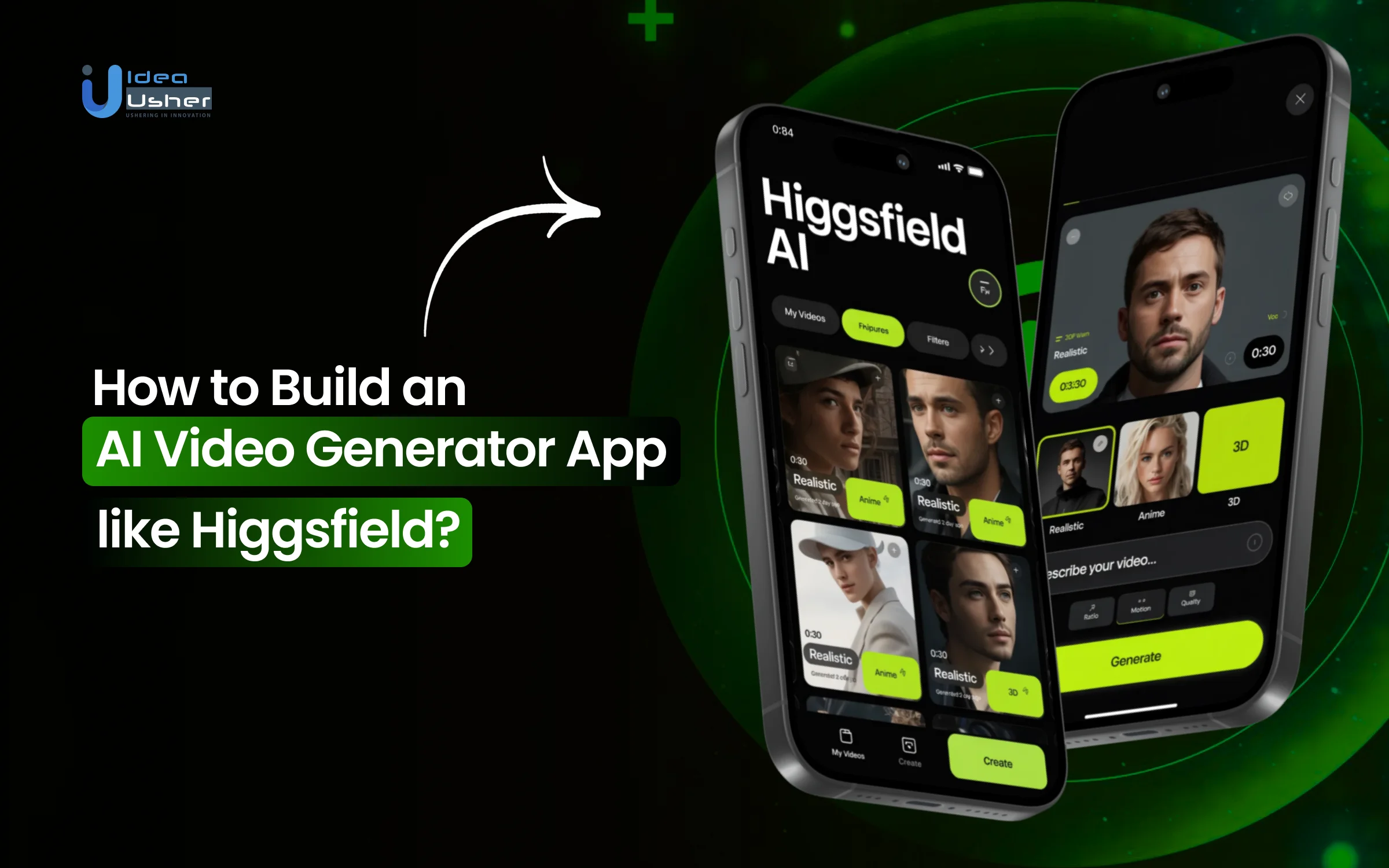
Modern content teams quietly face a production constraint where they must move fast or risk losing relevance. If they slow down to polish every frame, they often miss the release window, especially when campaigns pivot midweek, and algorithms reward velocity.
That is why more and more teams have started using AI video generator apps, which reduce production turnaround time, lower reliance on large creative crews, and enable rapid iteration of multiple concepts within hours. These systems can automate scene composition, voice synthesis, animation sequencing, and parallel rendering, so output may scale without creative collapse.
Over the years, we’ve developed numerous AI video generation solutions, powered by generative AI architecture and distributed GPU compute orchestration. With this expertise, we are sharing this blog to break down the step-by-step approach to building an AI video generator app like Higgsfield.
Key Market Takeaways for AI Video Generator Apps
According to Grandview Research, the AI video generator market is moving fast. Valued at USD 788.5 million in 2025 and projected to hit USD 3,441.6 million by 2033, it is growing at a CAGR of 20.3 percent. This tells you one thing clearly. Businesses and creators are actively investing in tools that can turn simple text or images into studio-quality videos without traditional production overhead.

Source: Grandview Research
What is driving this surge is accessibility combined with real creative power. Tools like OpenAI’s Sora gained over a million downloads within days of launch, even with limited access.
Meanwhile, Runway’s Gen-4.5 model has set a new benchmark for motion realism and prompt accuracy, making AI video creation viable not just for hobbyists but also for professional VFX teams and serious content brands.
Strategic partnerships are accelerating adoption even further. The multi-year collaboration between Adobe and Runway integrates advanced AI video models directly into tools like Adobe Premiere Pro and Firefly. This means AI video generation is no longer a standalone experiment.

What is the Higgsfield AI App?
Higgsfield AI is a mobile-first AI platform available on iOS and Android that helps creators generate cinematic videos, images, and visual effects from simple text prompts, photos, or reference images. It is designed for social media content creators who want fast, high-quality results without complex editing tools.
Through its web tools at higgsfield.ai and its dedicated mobile app, users can access features such as text-to-video generation, face swaps, and motion controls to produce engaging, scroll-stopping content in minutes.
How Does the Higgsfield AI App Work?
Higgsfield AI takes your prompt and converts it into structured motion instructions that a video diffusion model can process. It then gradually predicts frames while maintaining temporal consistency so movement looks stable and realistic. In simple terms, you describe the scene, and the system generates the video step by step.

The Core Philosophy
The fundamental insight driving Higgsfield’s architecture is simple but profound: users describe feelings, not camera instructions.
When a creator says “make this feel dramatic” or “this should look premium,” they are expressing an emotional outcome, not a technical specification. Video models, by contrast, require structured direction such as timing rules, motion constraints, visual priorities, and shot sequencing.
Higgsfield bridges this gap through what the team calls a cinematic logic layer, an intermediate processing stage that interprets creative intent and expands it into a concrete video plan before any generation occurs.
Here is how the pipeline flows:
User Input (text/image/URL) → Intent Interpretation → Cinematic Planning → Multi-Model Generation → Output Assembly
The Brains: Multi-Model AI Orchestration
Planning with OpenAI’s Finest
When you input a product URL or image, the system deploys GPT-4.1 mini and GPT-5 to perform deep analysis. These models do not generate video. Instead, they draft the video plan. They infer:
- Narrative arc: What story beats should the sequence hit?
- Pacing: How quickly should shots transition?
- Camera logic: Where should the “virtual camera” focus?
- Visual emphasis: Which elements deserve to be highlighted?
This planning approach reflects the team’s background. Co-founder and CEO Alex Mashrabov previously led generative AI at Snap, where he invented Snap Lenses, shaping how hundreds of millions interact with visual effects. CTO Yerzat Dulat brings deep technical expertise in model orchestration.
Routing to the Right Engine
Higgsfield does not rely on a single model. Instead, it acts as a model-agnostic orchestration layer, routing requests to the most suitable tool for each job.
| Task Type | Model Used | Why |
| Deterministic, format-constrained workflows | GPT-4.1 mini | High steerability, predictable outputs, fast inference |
| Ambiguous intent interpretation | GPT-5 | Deeper reasoning, multimodal understanding |
| Video generation | Sora 2, Google Veo 3.1, Kling 3.0, Wan 2.5 | Each excels at different aspects of motion and realism |
| Image generation | Soul (proprietary) | Fashion-grade realism with character consistency |
The routing decisions balance several factors:
- Required reasoning depth versus acceptable latency
- Output predictability versus creative latitude
- Explicit versus inferred intent
- Machine-consumed versus human-facing outputs
As Dulat explains: “We don’t think of this as choosing the best model. We think in terms of behavioral strengths. Some models are better at precision. Others are better at interpretation. The system routes accordingly.”
Cinema Studio 2.0: Where Film Grammar Meets Code
The most distinctive technical achievement in Higgsfield is Cinema Studio 2.0, a professional grade workflow that encodes decades of cinematographic knowledge into computational parameters.
Virtual Camera Arsenal
Instead of generic “zoom in” commands, Cinema Studio 2.0 provides access to digital recreations of Hollywood’s most coveted equipment.
Camera Bodies:
- ARRI Alexa 35
- Red V-Raptor
- IMAX
- Digital S35
- Classic 16mm Film
- Premium Large Format Digital
Lens Libraries:
- Panavision C-series (柔美焦外,复古光晕)
- Canon K35 (锐利通透)
- Hawk V-Light Anamorphic (独特的拉伸感和呼吸效应)
- Creative Tilt
- Compact Anamorphic
- Extreme Macro
Focal Lengths: From 8mm ultra wide to 85mm tight portrait, including the “human eye” standard of 35mm
Apertures: f/1.4 for shallow depth of field, f/4 balanced, f/11 for deep focus
These are not just labels. The models have been trained on the optical characteristics of each lens-camera combination, learning how they respond to different lighting conditions, exhibit color responses, and exhibit distinctive bokeh patterns.
Physics-Based Camera Movement
The motion engine supports multi-axis simultaneous movement. You can stack pan, tilt, and zoom in a single shot, mimicking professional crane or drone operations.
Presets include:
- Dolly in/out
- Drone shots
- 360 rolls (环绕拍摄)
- FPV arcs
3D Scene Exploration
A groundbreaking 2026 feature allows creators to “enter” a generated image as a 3D environment. You can move a virtual camera spatially within the scene, find the perfect angle, and then animate movement through that space before committing to generation.
Soul ID: Solving the Consistency Crisis
The single biggest frustration in AI video has been character drift. Faces change between shots, breaking immersion and making narrative impossible. Higgsfield’s Soul ID solves this through a sophisticated personalization architecture.
How Soul ID Works
- Training: Users upload 10-20 photos of a face. Processing takes 5-10 minutes.
- LoRA Generation: The system creates a lightweight Low-Rank Adaptation weight file. It is not a full model retrain but a small modifier that guides the base model.
- Cross-Attention Modulation: During generation, the system prioritizes facial structure from the Soul ID embedding while allowing other layers to handle novel scene information freely.
- Persistence: That character can now be generated across unlimited scenes, poses, outfits, and lighting conditions, while remaining recognizably the same person.
The technical achievement lies in avoiding overfitting. If you train too aggressively on a face, the model can only generate that face in limited angles. Soul ID preserves the ability to generate novel scenarios while locking identity.
Beyond Faces
Soul ID extends to:
- Emotion control
- Brand mascots
- Fashion lookbooks
The Virality Engine
Higgsfield treats virality as an engineering problem. Using GPT-4.1 mini and GPT-5, the system continuously analyzes short-form social videos at scale, identifying patterns in:
- Hook timing
- Shot rhythm
- Camera motion
- Pacing structures
- Engagement to reach ratios
These patterns are encoded into the Sora 2 Trends library, with roughly 10 new presets added daily and older ones cycled out as engagement declines. Videos generated through this system show a 150% increase in share velocity and roughly 3x higher cognitive capture compared to baseline.
The API Layer: Powering Automation
For developers and enterprises, Higgsfield exposes a comprehensive REST API that mirrors the platform’s capabilities.
Key Endpoints
| Endpoint | Purpose |
| POST /v1/generations | Submit generation jobs (text-to-image, image-to-video) |
| GET /v1/generations/{id} | Check status and retrieve results |
| DELETE /v1/generations/{id} | Cancel pending jobs |
| Character endpoints | Create, list, and delete persistent characters |
Generation Flow
The API uses an asynchronous pattern:
- Submit: POST request with parameters (model, prompt, input images)
- Job ID: Receive an immediate response with the generation ID
- Poll: Check status every few seconds or configure webhooks
- Retrieve: Download results when status = “completed.”
Pricing Structure
Credits are charged only on successful generations:
- Image Generation (Soul): 1.5-3 credits ($0.09-0.19) per image
- Video Generation (DoP): 2-9 credits ($0.125-0.563) depending on quality and speed
- Character Creation: 40 credits ($2.50) one-time
- Rate: $1 = 16 credits
The Multi-Model Abstraction Layer
Higgsfield’s core technical achievement is its unified abstraction layer that normalizes interactions with fundamentally different models. Each underlying model, such as Sora, Kling, and Veo, was trained differently and operates within its own latent space. Higgsfield provides:
- Universal Prompt Translator: Converts natural language into model-specific syntax
- Output Normalization: Post-processing that aligns color science, frame rates, and resolutions
- Consistency Enforcement: Ensures assets from different models look cohesive in the same timeline
What is the Business Model of the Higgsfield AI App?
Higgsfield AI’s app, including its flagship Diffuse mobile app, powers AI-driven video creation for social media and marketing. It uses a consumption-based model to generate cinematic short-form videos from text, images, or selfies, serving over 15 million users.
Core Business Model
Higgsfield operates a hybrid B2C/B2B platform as an AI-native video reasoning engine. Users buy credits for video generations across Web Studio, Diffuse app, and Higgsfield Ads, with costs scaling by model quality and length, for example, $30 for clips that once cost $10,000.
Supplements include monthly subscription plans and enterprise SKUs for high-volume studios, processing 3 million generations daily. Mobile-first focus via Diffuse enables quick personalization, such as inserting selfies into scenarios, targeting creators and marketers.
Revenue Streams
Primary revenue comes from pay-per-use credits, driving scalability with usage.
- Credit consumption for features like WAN 2.5, 10-second 1080p clips, and Sora integrations. Higher ARPU from Ads 2.0 and Soul UGC Builder for e-commerce.
- Bundled plans and contracts for enterprises. Partnerships cut infra costs by 45%, supporting freemium entry.
- Expansion into multi-shot storyboards and 4K upgrades boosts per-user spend.
Financial Performance
Higgsfield achieved explosive growth, hitting $230M ARR by January 2026.
From $11M ARR in May 2025 to $100M in November 2025, then doubling to $230M via 60% CMGR. Earlier $200M run rate in 9 months post-launch. Serves 15M accounts with 300,000 paying customers. Targets $1B run rate by end-2026. Processes payments via Stripe, exceeding $200M run rate in under a year.
Funding Rounds
Total funding reaches $138M since 2023 founding.
- Seed $8M in April 2024, led by Menlo Ventures.
- Series A $50M in September 2025, led by GFT Ventures, oversubscribed, investors include BroadLight and AI Capital.
- Series A Extension $80M in January 2026, led by Accel $1.3B post-money valuation, approximately 5.7x revenue multiple.
How to Develop an AI Video Generator App Like Higgsfield?
To develop an AI video generator app like Higgsfield, a multi-model orchestration layer must be architected to intelligently route prompts across text to video motion and audio systems. Temporal consistency controls and identity anchoring should be implemented so outputs remain stable across frames.

1. Multi-Model Layer
We start by building a centralized orchestration layer that connects multiple video, motion, and audio models into a single intelligent system. We design routing logic that automatically selects the right model based on scene complexity and duration. Outputs are normalized across formats and resolutions to maintain consistency. We also implement fallback inference pipelines to ensure reliability during load spikes.
2. Cinematic Engine
We then develop a cinematic translation engine that converts prompts into structured filmmaking parameters. We build mood-to-metadata mapping systems that define lighting, tone, and pacing. Lens simulation parameters and motion trajectory logic are encoded to replicate professional cinematography. We integrate 3D camera pose controllers to enable dynamic scene composition.
3. Temporal Anchoring
Consistency across frames is critical, so we implement temporal and identity anchoring systems. We design latent embedding storage to preserve character and scene continuity. Motion-aware stabilization reduces flicker and structural drift. We also build identity training workflows and personalization layers for repeatable branded outputs.
4. Post-Processing
We develop built-in workflow and post-processing modules so teams can refine content inside the platform. This includes relighting tools, color grading engines, and high-quality upscaling systems. Aspect ratio auto-formatting ensures compatibility across formats. Scene-stitching pipelines enable multi-clip composition for long-form content.
5. Cloud Scaling
AI video generation demands strong infrastructure, so we architect scalable GPU-based cloud systems from the beginning. We implement intelligent queue management to optimize inference flow. Cost monitoring dashboards track resource usage in real time. Credit-based metering ensures predictable cost governance.
6. Revenue Layer
Finally, we design the monetization and enterprise access layer. We structure subscription tiers aligned with usage and feature access. We build secure API gateways for enterprise integrations. Usage analytics dashboards provide operational transparency. Role-based access control ensures secure collaboration.
How to Control GPU Costs while Maintaining High Output Quality?
Controlling GPU costs requires right-sizing models and routing workloads so expensive architectures are used only when necessary. Mixed precision and intelligent batching can significantly improve utilization while reducing waste. Continuous cost monitoring with dynamic scaling ensures high output quality without uncontrolled spending.

Understanding Your Cost Structure
Before implementing optimizations, you need to understand where your money goes. Let’s establish benchmarks using real-world data.
Current Market Cost Benchmarks
| Model | Resolution | Cost Per Minute (Batch) | Hardware Required | Source |
| WAN2.2 5B | 1280×704 | $0.87 | L40S (8 GPUs) | |
| WAN2.2 5B | 1280×704 | $1.65 | RTX 4090 | |
| WAN2.2 A14B | 480p | $0.92 | L40S | |
| WAN2.2 A14B | 1280×704 | $3.53 | L40S | |
| Traditional Cloud | 1080p | $4.00-$8.00 | Various | Industry estimate |
The takeaway. With proper optimization, you can produce professional-grade AI video for under $1 per minute. That represents a 75-90% reduction compared to traditional approaches.
1. Architectural Optimization
1.1 Model Selection
The most expensive mistake is using a sledgehammer to crack a nut. Different tasks require different models.
The WAN2.2 Approach
This model family offers two primary variants with dramatically different cost profiles.
| Variant | Parameters | Best For | Cost Per Minute | Quality |
| 5B | 5B | Rapid prototyping, consumer hardware, high volume scaling | $0.87 | Professional grade |
| A14B | 14B active / 27B total | Maximum quality, cinematic projects, datacenter environments | $3.53 | State of the art |
Implementation Strategy. Route requests dynamically based on user needs. A social media teaser does not need the A14B model. The 5B variant delivers 80 percent of the quality at 25 percent of the cost.
1.2 Linear Attention Architecture
Traditional diffusion transformers suffer from quadratic complexity. Double the tokens and you quadruple the compute. This is fatal for video, where token counts explode.
The SANA Video Breakthrough
By replacing traditional self-attention with linear attention, SANA Video reduces computational complexity from O(N²) to O(N). The results are significant.
- 2 to 4 times latency reduction for 5 second video generation
- 8 times speedup at 480p resolution compared to traditional models
- 16 times speedup at 720p compared to competitors like SkyReelV2
How it works. Linear attention reformulates the attention mechanism to avoid the quadratic bottleneck, enabling efficient processing of the massive token sequences required for video.
1.3 Sparse Attention with Semantic Aware Permutation
Even with linear attention, not all tokens are equally important. Sparse attention techniques identify and prioritize critical tokens while deprioritizing background elements.
The SVG2 Innovation
Traditional sparse attention clusters tokens by position, leading to imprecise representations. SVG2 uses semantic aware permutation. It clusters tokens based on semantic similarity using k-means before applying sparse attention.
Results:
- 2.30 times speedup on HunyuanVideo
- 1.89 times speedup on WAN2.1
- PSNR quality preservation of 26 to 30
Implementation. This is a training-free framework, meaning you can apply it to existing models without retraining costs.
1.4 Vectorized Timestep Adaptation VTA
Traditional video model training treats all frames synchronously, requiring massive datasets and substantial computational resources. The Pusa V1.0 breakthrough changes this entirely.
The VTA Innovation
By assigning independent time embeddings to each frame, VTA enables precise control over frame evolution. This allows models to generate coherent video with dramatically less training data.
The Numbers:
- Training cost. Just $500
- Data required. 3,860 video text pairs
- Parameter updates. 10 times fewer than comparable approaches
- Result. SOTA performance at 1/200th of the typical cost
For your platform: This means you can fine-tune specialized models for specific use cases, such as product videos or cinematic styles, for essentially zero marginal cost.
2. Infrastructure Optimization
2.1 The GMI Cloud Partnership
Higgsfield’s partnership with GMI Cloud provides a masterclass in infrastructure optimization.
Before GMI Cloud:
- Compute costs growing 25 percent monthly
- Inference latency 800ms
- Model training cycle 24 hours
After GMI Cloud:
- 45 percent reduction in compute spend
- 65 percent reduction in inference latency to approximately 280ms
- 200 percent increase in user throughput
- Support for 1,100 percent user growth to 11M plus users
Key infrastructure tactics:
Tailored GPU Clusters: Instead of generic cloud instances, GMI Cloud provided clusters optimized specifically for Higgsfield’s model architecture and inference patterns.
NVIDIA Official Certification: As one of only 6 NVIDIA-certified cloud partners globally, GMI Cloud provided access to the latest-generation GPUs with optimized drivers and configurations.
Custom Inference Engine: Rather than using off-the-shelf inference stacks, GMI Cloud worked with Higgsfield to build a custom engine matching their specific algorithms.
2.2 Spot Instances and Preemptible Resources
For non-critical or retryable workloads, spot instances offer dramatic savings.
| Workload Type | On-Demand Cost | Spot Instance Cost | Savings |
| Batch processing | $1.00/min | $0.10-$0.30/min | 70-90% |
| Model training | $10.00/hour | $1.00-$3.00/hour | 70-90% |
| Testing/QA | $0.50/min | $0.05-$0.15/min | 70-90% |
Implementation strategy:
- Use spot instances for preprocessing, testing, and batch generation
- Implement auto failover to on demand for critical paths
- Design idempotent workloads that can resume if instances are reclaimed
2.3 Dynamic Resource Allocation
Static infrastructure guarantees waste. Dynamic allocation matches resources to demand in real time.
Tactics:
- Auto scaling groups: Scale to zero during low demand periods
- Serverless GPU instances: Pay only for actual inference time
- Time-based scheduling: Run batch jobs during off-peak hours
Example: If your peak usage is 8 AM to 8 PM, schedule model training and large batch jobs for midnight when rates are lower, and spot instance availability is higher.
3. Memory and Compression Optimization
3.1 KV Cache Optimization
Long video generation traditionally requires linearly increasing memory. Generate a 60-second video and consume 12 times the memory of a 5-second video.
The SANA Video Innovation
Their Constant Memory KV Cache mechanism leverages linear attention cumulative properties to maintain a fixed memory footprint regardless of video length.
How it works:
- Process video in blocks
- Cache KV states from previous blocks
- Accumulate rather than duplicate as new blocks are added
Result. Constant memory usage for videos of any length.
Impact. LongSANA can generate 1-minute videos with the same memory footprint as 5-second videos, enabling 35-second generation time for full-minute clips.
3.2 Deep Compression Autoencoders DC AE
The bottleneck in video generation is often the VAE, which maps between pixel and latent spaces.
The Innovation. Traditional VAEs compress video spatially by a factor of 8. DC AE V achieves 32 times spatial compression while maintaining quality.
Impact:
- 4 times reduction in latent tokens
- Direct acceleration of high-resolution generation
- Enables real-time performance on consumer hardware
For your platform. This means 4 times more throughput from the same GPU infrastructure or a 75 percent cost reduction per minute of output.
3.3 Mixed Precision Training and Inference
Using lower-precision formats, such as FP16 or BF16, instead of FP32 reduces memory bandwidth and accelerates computation on Tensor Core-enabled GPUs.
Results:
- 1.5 to 2 times faster training with minimal accuracy loss
- 30 to 40 percent memory reduction, enabling larger batches
- Support for NVFP4 quantization on RTX 5090 with 2.4 times speedup
Implementation. Enable automatic mixed precision AMP in PyTorch or TensorFlow. For inference, consider quantization to INT8 or FP4 for additional gains.
4. Operational Optimization
4.1 Real-Time Cost Monitoring and Analytics
You cannot optimize what you do not measure. Implement comprehensive cost tracking.
Key metrics to track:
- Cost per minute of generated video by model, resolution, and time of day
- GPU utilization percentage target greater than 80 percent
- The idle time percentage target is less than 5 percent
- Inference latency p95 and p99
Tools: Cloud native cost management dashboards such as AWS Cost Explorer, GCP Billing, Tencent Cloud Billing Center, or third-party tools like Vantage or CloudHealth.
4.2 Batch Processing and Queuing
Not all video generation needs to happen instantly. For non-interactive workloads, batching provides massive efficiency gains.
The economics:
- On-demand (real-time): $2.19/min for WAN2.25B
- Batch (queued): $0.87/min for same quality
- Savings: 60%
Implementation: Use message queues such as RabbitMQ, Kafka, or cloud queue services to manage batch workloads. Offer users a choice. “Instant” or “Economy”.
4.3 Reserved Instances for Predictable Workloads
For your baseline predictable workload, reserved instances offer significant discounts.
| Commitment | Discount | Best For |
| 1 year | 30-40% | Stable, predictable base load |
| 3 year | 50-60% | Core infrastructure, long-term commitment |
| Savings Plans | 30-50% | Flexible but predictable spend |
Strategy: Cover your baseline load, such as 50 percent of peak, with reservations. Use on demand for spikes and spot for batch or non-critical work.
5. The Cost Quality Pareto Frontier
The ultimate goal is not to minimize costs or maximize quality. It is finding the optimal trade-off for each use case.
5.1 Multi-Tier Quality Offering
Different users have different quality requirements. Offer tiered options.
| Tier | Model | Resolution | Cost/Min | Use Case |
| Economy | WAN2.2 5B | 720p | $0.87 | Social media, prototyping, high volume |
| Professional | WAN2.2 A14B | 480p | $0.92 | Commercial work, client deliverables |
| Cinema | WAN2.2 A14B | 1280×704 | $3.53 | Broadcast, film, high-end advertising |
5.2 Progressive Generation
Do not generate full quality for every frame. Use a multi-pass approach.
- Generate a draft at low resolution (240p) to validate composition and motion
- Iterate on prompt/styling at low cost
- Only when approved, generate the final at the target resolution
Savings: 80-90% of iterations happen at 10-20% of the final cost.
5.3 Caching and Reuse
Many elements repeat across video generations, so intelligent caching can cut redundant GPU work without lowering quality. Background scenes, character pose latents, and motion pattern priors can be cached and quickly reused across new prompts. With cache hit tracking and strict versioning, output stays consistent while throughput rises and cost per minute drops.
Impact: Reduce redundant computation by 30-50% for content series or campaigns.
How do AI Video Apps Maintain Character Consistency Across Multiple Scenes?
AI video generator apps maintain character consistency by anchoring identity to reference embeddings, enabling the model to reproduce the same facial structure across scenes. They also control seed states and apply temporal attention, keeping frames linked and identity stable under motion and lighting changes.

1. Understanding the Problem
Before diving into solutions, we need to understand why AI models struggle with consistency in the first place.
The Fundamental Challenges
| Challenge | Description | Why It Happens |
| Per-Frame Independence | Video diffusion models often denoise frames or short windows with weak temporal ties | Each frame starts from different random noise. Without constraints, details drift |
| Stochastic Noise | Each generation begins from a different noise realization | Subtle attributes vary unless explicitly constrained |
| Entangled Features | Identity cues mix with motion and style in attention layers | Naive sharing overconstrains motion or washes out identity |
| No Persistent Memory | Models process each prompt independently, optimizing for beauty, not continuity | The AI has no memory of what came before |
| Attention Fatigue | By Shot 4 or 5, the model starts to “forget” the character | The character’s features soften or drift over longer sequences |
Think of the model as a talented but improvisational actor. Without a continuity supervisor, references, controls, and temporal links, they will play “roughly the same role” differently, each in their own way.
What Character Consistency Actually Means
Character consistency means preserving a character’s identity, defining attributes across scenes and time. Facial geometry, hair, and signature attire remain recognizable even as lighting, angle, and background change.
It is NOT merely repeating a prompt template. Prompt stability alone rarely survives new angles, lighting, or complex compositions.
And it is NOT a face reenactment or a deepfake on real footage. Those transfer expressions onto a real target video. Character consistency concerns the preservation of identity within fully generated images or video.
2. The Architecture of Memory
Modern AI video apps use a combination of techniques to solve the consistency problem. Here are the primary architectural approaches.
2.1 Reference First Architecture
Unlike legacy “Text-to-Video” models that hallucinate a character based on vague adjectives like “brave explorer,” Seedance 2.0 utilizes a Dual Branch Diffusion Transformer DiT.
This architecture separates identity data from motion data, treating your character as a persistent data object, a digital asset, rather than a temporary cloud of pixels.
How It Works:
- Identity Branch: Processes reference images to extract facial geometry, skin texture, and structural features
- Motion Branch: Handles movement, camera angles, and temporal dynamics
- Fusion Layer: Combines both streams during generation, ensuring the character moves as themselves
The @Character Tagging System: By tagging a reference as @Character1, you create a global pointer in the model’s latent space. Every subsequent prompt must reference this tag to maintain the “memory link”:
Shot 1: @Character1 walking through a neon-drenched Tokyo alley, low-angle tracking shot
Shot 2: Extreme close-up of @Character1’s eyes reflecting the neon lights, sweating, 4k cinematic
Without the @ tag, the model reverts to its base training data, causing the character to “drift” toward a generic average.
2.2 Intelligent Visual Memory
Higgsfield’s Popcorn engine represents a fundamental shift in how AI handles consistency. Its intelligent memory system retains not just surface details but the structural relationships between subjects, backgrounds, and atmosphere.
What Makes It Different:
Multi-Frame Awareness: Popcorn does not treat images as isolated tasks. It generates them as connected frames in a larger visual sequence.
Contextual Building: Where other tools regenerate details from scratch, Popcorn builds upon existing context, the same way a director maintains continuity from one shot to the next.
Structural Memory: The system remembers facial features, clothing texture, and lighting direction from the first frame, applying them perfectly to new scenes.
Real-World Impact: In user tests, creators reported that “every image feels like a still from the same cinematic production, a level of realism that even advanced AI generators rarely achieve.”
2.3 Unified Lighting and Style Logic
One of the hardest parts of maintaining consistency is keeping lighting, tone, and visual texture identical from frame to frame. Traditional AI systems re render these aspects independently, leading to subtle mismatches in color temperature or shadow depth.
Style Coherence Modeling: Popcorn solves this by locking visual logic to the same internal conditions. Once the tone of the first image is set, soft daylight, neon reflections, film grade contrast, all future generations follow the same lighting rhythm.
The Result: Transitions between frames feel natural, and the emotional tone remains uninterrupted, creating a distinctly cinematic quality.
3. Advanced Research Techniques
Beyond commercial implementations, academic research is pushing the boundaries of what is possible.
3.1 PHiD
Researchers have developed PHiD, Preserving Human IDentity, a plug-in approach that enhances facial ID preservation in pose-guided character animation models.
Three Core Innovations:
| Component | Function | Benefit |
| Pose Driven Face Morphing PFM | Uses 3D Morphable Model 3DMM to synthesize proxy faces based on reference ID and target pose | Provides multi-view facial features for temporal consistency |
| Masked Face Adapter MFA | Projects proxy face embeddings and applies masked attention on facial regions | Captures and refines localized facial features precisely |
| Facial ID Preserving Loss FIP Loss | Combines feature similarity, reconstruction, and pose consistency | Enables effective training with low resources |
Key Advantage: PHiD can be seamlessly integrated into existing pose-guided image-to-video models without case-specific fine-tuning. When implemented in Animate Anyone and MagicPose, it significantly enhanced facial ID preservation.
3.2 Lookahead Anchoring
Audio-driven human animation models often suffer from identity drift during temporal autoregressive generation. Characters gradually lose their identity over time.
The Lookahead Anchoring Solution
Rather than generating keyframes as fixed boundaries within the current window, Lookahead Anchoring leverages keyframes from future timesteps ahead of the current generation window.
How It Works:
- Future anchors act as “directional beacons.”
- The model continuously pursues these future anchors while responding to immediate audio cues
- Identity is maintained through persistent guidance
The Distance Control Trade-off: Temporal lookahead distance naturally balances expressivity vs consistency.
- Larger distances allow greater motion freedom.
- Smaller distances strengthen identity adherence.
Results: When applied to three recent human animation models, Lookahead Anchoring achieved superior lip synchronization, identity preservation, and visual quality.
Conclusion
Building an AI video generator app like Higgsfield is not about plugging in one model and hoping it works. You would need to deliberately design a production pipeline that blends cinematography logic with temporal modeling and strong identity anchoring while ensuring the infrastructure can reliably scale under load. AI video is quickly becoming a core digital media layer and companies that invest early in robust model orchestration and efficient compute pipelines will likely own the next phase of creative automation.
Looking to Develop an AI Video Generator App like Higgsfield?
At IdeaUsher, we can design a scalable AI video architecture that blends model orchestration with temporal consistency and GPU-optimized inference. We can structure your pipelines and infrastructure so the platform performs reliably under real enterprise load.
With 500,000+ hours of coding experience, our team of ex-MAANG/FAANG developers specializes in turning complex concepts like “Soul ID” and “Cinema Studio” into scalable, market-ready products.
Why Build with Us?
- Model-Agnostic Architecture: We unify Sora, Kling, and Veo into a single seamless dashboard.
- Deterministic Control: We build the custom splines and camera rigs that replace the “AI lottery.”
- Scalable Infrastructure: Built by engineers who have handled traffic at Google and Meta scale.
Check out our latest projects to see the difference that senior engineering makes.


FAQs
A1: To develop an AI video generator app, you would first define the use cases and output quality targets, then design a modular pipeline that handles prompt parsing, scene planning, frame generation, and temporal consistency. You must integrate scalable GPU infrastructure and build a model-orchestration layer that reliably routes tasks while monitoring latency and cost in real time.
A2: The cost can vary widely based on GPU consumption, model licensing, and engineering depth, and you may expect serious builds to start in the high six figures if you want production-grade performance. Expenses will also include data pipelines and continuous model optimization, which can significantly influence long-term operating costs.
A3: An AI video generator app typically converts text or reference inputs into structured scene representations and then uses generative models to produce frames that are stitched together through temporal modeling. The system must maintain character identity and motion coherence while inference engines run efficiently on distributed compute clusters.
A4: Core features usually include text-to-video generation, image-to-video conversion, style control, character consistency modules, and timeline editing tools. Advanced platforms may also provide API access and real-time preview pipelines so creators can iterate quickly without compromising output stability.


