

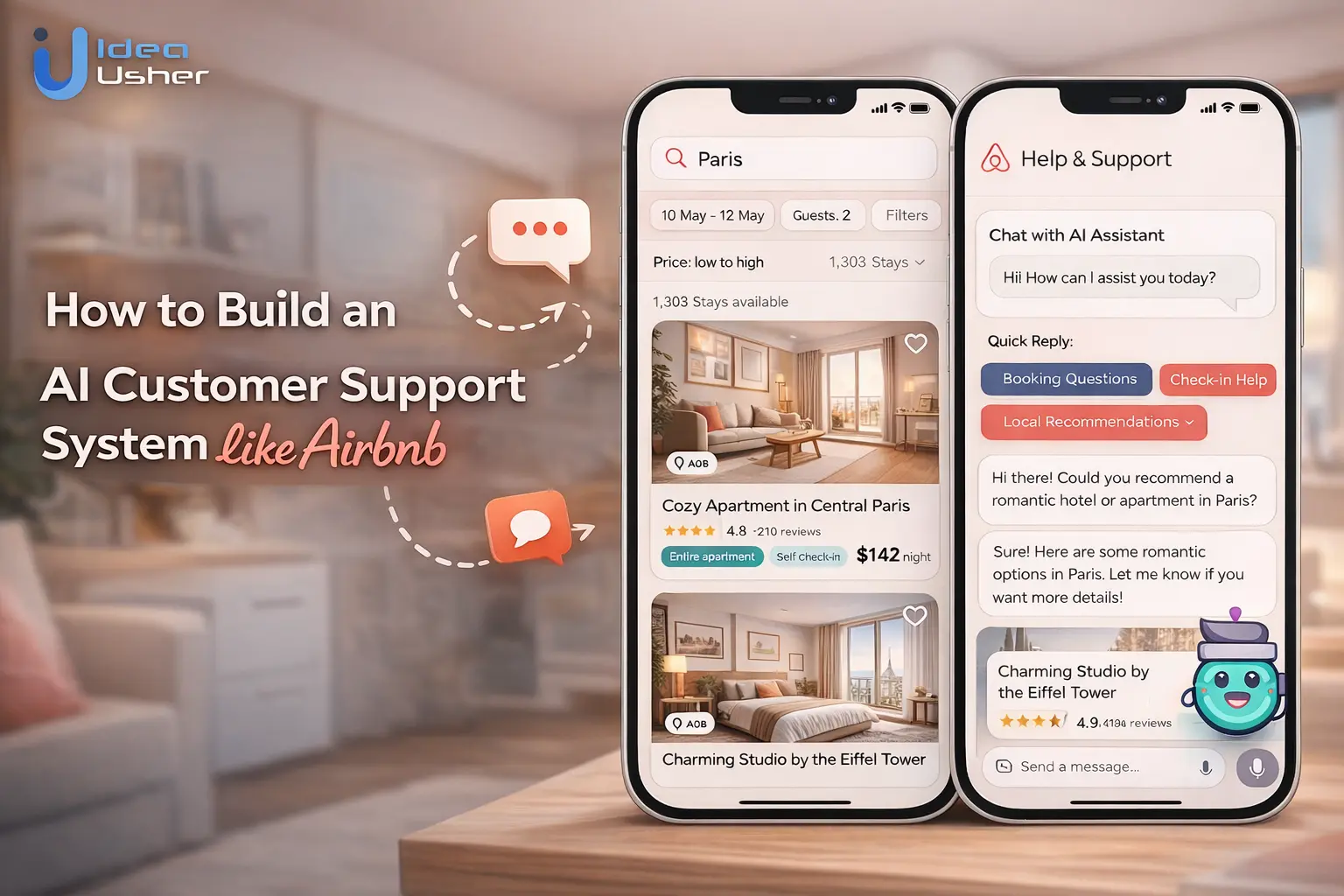
In the modern digital economy, a single minute of delay in customer support can be the difference between a confirmed booking and a lost user. As platforms scale globally, the traditional “call center” model is buckling under the weight of 24/7 demands and multilingual complexities. Giants like Airbnb have signaled a massive shift in this landscape, moving away from reactive, human-dependent troubleshooting toward a sophisticated, AI-first ecosystem.
Building an AI customer support system like Airbnb isn’t just about plugging in a chatbot; it’s about creating an intelligent layer that understands context, identifies user intent, and resolves issues with human-like nuance. This guide explores how to architect a system that automates the mundane, scales effortlessly, and allows your human agents to focus on the high-empathy challenges that matter most.
Why Airbnb Is Automating 30% of Customer Support With AI
Airbnb manages millions of global interactions daily, ranging from simple booking inquiries to complex, high-stakes dispute resolutions. By automating nearly a third of their support volume, they aren’t just cutting costs; they are redefining the user experience. This shift represents a move from reactive troubleshooting to proactive assistance, leveraging Large Language Models (LLMs) to handle the heavy lifting while reserving human empathy for situations that truly require it.
The Business Problem with Traditional Support Teams
Traditional support models are inherently difficult to scale. For a global platform, the “human-only” approach presents three critical bottlenecks:
- The Latency Gap: Customers in different time zones often face “blackout periods” or long wait times during peak travel seasons, leading to frustration and booking abandonment.
- High Operational Overhead: Maintaining 24/7 multilingual support requires massive teams, complex shift management, and constant training to keep up with evolving platform policies.
- Inconsistency in Answers: Human agents, despite their best efforts, can provide varying solutions to the same problem based on their individual training or fatigue levels, leading to a fragmented brand voice.
How AI Improves Cost, Speed & Resolution Accuracy
The transition to an AI-driven system like Airbnb’s offers a “triple win” for the platform’s infrastructure:
- Drastic Cost Reduction: AI handles thousands of concurrent tickets at a fraction of the cost of a human workforce. Once the initial RAG (Retrieval-Augmented Generation) pipeline is built, the marginal cost per interaction drops significantly.
- Instantaneous Response (Zero Wait Time): AI doesn’t need to “lookup” a manual; it queries a vector database in milliseconds. Whether it’s 3 AM or 3 PM, the user receives an immediate, relevant response.
- Data-Driven Accuracy: Unlike keyword-based bots of the past, modern AI understands intent. By training on historical support data and policy documentation, the system ensures that every response is grounded in the latest company guidelines, reducing the margin for human error.
What This Means for Digital-First Platforms
For emerging digital-first platforms, the “Airbnb model” is no longer a luxury—it’s the blueprint for survival. It signals a shift where automated efficiency becomes the baseline expectation for users.
Platforms that adopt this architecture early can focus their capital on product innovation rather than massive call centers. It also allows for hyper-personalization; the AI knows the user’s booking history, preferences, and current issues instantly, creating a seamless “concierge” feel that traditional support teams struggle to replicate at scale.
What an AI Customer Support System Actually Includes
To build a platform that rivals a global leader’s support infrastructure, you have to look beyond a simple chat window. A modern AI support ecosystem is a multi-layered architecture where different specialized modules work in tandem to resolve issues, route data, and manage resources efficiently.
AI Chatbot (Text-Based Support Layer)
The chatbot serves as the primary gateway for user interaction. Unlike the rigid, keyword-based bots of the past, a sophisticated AI chatbot uses Natural Language Understanding to grasp the nuance of a user’s request.
- Contextual Intelligence: The system maintains a “memory” of the conversation. If a user mentions a refund in the first message and “the booking” in the third, the AI connects the two logically without asking for clarification.
- Dynamic Data Retrieval: By integrating with a central knowledge base, the bot can pull specific policies—such as cancellation rules or check-in procedures—and present them in a conversational format rather than a wall of text.
- Action-Oriented Capability: The chatbot is linked directly to backend systems. This allows it to perform real-time tasks like updating a user’s email address, verifying a payment status, or modifying a reservation.
AI Voice Agent (Call Automation Layer)
Voice remains a critical channel for urgent situations where typing is inconvenient. An AI Voice Agent handles inbound phone calls with the same logic as the chatbot but adds a layer of complex audio processing.
- Real-Time Processing: It converts spoken language into data and responds with natural-sounding synthesis that mimics human tone and cadence.
- Barge-in Support: High-end voice agents can handle instances where a user interrupts the AI with a new detail. The system pauses and listens rather than forcing the user to wait for a script to finish.
- Queue Elimination: Because AI can handle thousands of calls simultaneously, the concept of a “holding pattern” is eliminated, providing users with instant assistance.
Ticket Classification & Smart Routing
Behind the scenes, the AI acts as a digital triage nurse. It analyzes incoming tickets in milliseconds to determine the most efficient path to resolution.
- Automated Intent Tagging: The system categorizes tickets under labels like Billing, Safety, or Technical Bug based on the content and tone of the message.
- Urgency Scoring: Machine learning models scan for high-stakes keywords to push critical issues—like a guest being locked out at midnight—to the very front of the line.
- Specialized Assignment: The AI ensures the ticket lands on the dashboard of a human agent who possesses the specific expertise or language skills required for that case.
Sentiment Detection & Escalation System
One of the most powerful features of advanced AI is the ability to read “between the lines” to detect the emotional state of a customer.
- Frustration Monitoring: If the AI detects signs of escalating anger or repetitive behavior, it recognizes that the automated path is no longer sufficient for the user.
- Risk Mitigation: For high-risk sentiments involving legal threats or safety concerns, the system triggers an immediate alert to a specialized human response team.
- Adaptive Tone: Sophisticated models can adjust their own response style—becoming more formal, apologetic, or empathetic—based on the user’s perceived mood.
Human-in-the-Loop Fallback Architecture
The ultimate safeguard in a world-class system is the Human-in-the-Loop model. AI is designed to augment human potential, ensuring that technology and people work in a tight feedback loop.
- Confidence Thresholds: If the AI’s confidence in a specific answer falls below a set percentage, it stops and asks a human agent to review or edit the proposed response before it is sent.
- Seamless Handoff: When a human takes over, the AI provides a concise summary of the entire interaction so far. This ensures the customer never has to repeat their problem from the beginning.
- Continuous Improvement: Every time a human corrects or approves an AI-generated draft, that data is fed back into the model. This makes the system more accurate and autonomous over time.
System Architecture of an AI Support Platform
Building an AI support system that functions with the precision of a global travel platform requires a sophisticated multi-tiered architecture. Rather than a single piece of software, it is an ecosystem where data, logic, and external integrations communicate in a seamless loop. Each layer must be optimized to ensure the final response is not only fast but also contextually accurate.
Data Layer (Historical Tickets, FAQs, Knowledge Base)
The data layer is the foundational “brain” of the entire system. Without high-quality information, even the most advanced AI will fail to provide helpful answers.
- Vector Databases: Modern systems convert text documents, such as FAQs and policy manuals, into numerical vectors. This allows the AI to perform a semantic search, finding the most relevant information based on the meaning of a query rather than just matching keywords.
- Historical Ticket Refinement: Past human-to-customer interactions are anonymized and used to teach the system how successful resolutions look. This provides the AI with a library of “gold standard” responses to emulate.
- Real-Time Knowledge Updates: The data layer must be dynamic. When a company policy changes, the knowledge base is updated instantly, ensuring the AI never provides outdated or incorrect information to a user.
AI Model Layer (LLMs + Fine-Tuned Models)
The model layer provides the reasoning capabilities required to understand and generate language. Most enterprise systems use a hybrid approach to balance general intelligence with niche expertise.
- Large Language Models (LLMs): These provide the base understanding of human language, allowing the system to handle slang, typos, and complex sentence structures.
- Domain-Specific Fine-Tuning: To sound like a specific brand, the base models are often fine-tuned on company-specific data. This ensures the AI uses the correct terminology and adheres to the brand’s unique “voice.”
- Specialized Small Models: For tasks like sentiment analysis or language detection, smaller, faster models are often used to reduce latency and operational costs while maintaining high accuracy for specific tasks.
Orchestration Layer (Workflow Automation Engine)
The orchestration layer acts as the “conductor,” managing the flow of information between the user and the various AI models.
- Prompt Engineering & Management: This layer structures the instructions sent to the AI, providing it with the necessary context from the data layer to ensure the output is grounded in fact.
- Logic Branching: It determines whether a query can be handled by an automated response or if it requires a multi-step workflow, such as verifying a user’s identity before discussing billing details.
- State Management: The orchestrator tracks the “state” of the conversation, ensuring that if a user pauses for five minutes, the system still remembers exactly where the interaction left off.
Integration Layer (CRM, Helpdesk, Payment Systems)
An AI support system is only as powerful as its ability to take action. The integration layer connects the AI to the tools your business already uses.
- CRM Syncing: By connecting to platforms like Salesforce or Zendesk, the AI knows exactly who it is talking to, their previous issues, and their current loyalty status.
- API Connectivity: This allows the AI to perform “read/write” actions, such as checking a refund status in a payment processor or updating a reservation in a booking engine.
- Secure Authentication: This layer ensures that any data exchanged between the AI and the backend systems is encrypted and complies with global privacy standards.
Monitoring & AI Quality Control
To maintain a high standard of service, the system must be constantly audited. The monitoring layer identifies errors before they become widespread problems.
- Hallucination Detection: Specialized scripts scan AI responses for “hallucinations” instances where the AI provides confident but false information and flag them for immediate human review.
- Performance Analytics: Dashboards track key metrics such as “Resolution Rate,” “Time to Resolution,” and “Customer Satisfaction Score” specifically for AI-led interactions.
- A/B Testing Frameworks: Engineers use this layer to test different versions of prompts or models against each other, ensuring that every update to the system actually improves the user experience.
Step-by-Step Process to Build an AI Support System
Transitioning to an automated support model is not an overnight task; it requires a strategic, phased approach. To mirror the success of a platform like Airbnb, you must move from a state of data collection to a fully integrated, self-learning ecosystem.
Step 1: Support Data Audit & Preparation
The quality of your AI is entirely dependent on the data it consumes. Before writing a single line of code, you must organize your internal knowledge.
- Audit Existing Content: Collect all FAQs, policy documents, and help center articles. Identify which pieces are outdated and need revision.
- Clean Historical Tickets: Analyze past chat logs and emails. Filter out “low-quality” interactions and keep the ones where a human agent resolved a problem perfectly.
- Data Structuring: Convert this unstructured text into a format suitable for a vector database. This process ensures the AI can perform semantic searches to find the right answer in milliseconds.
Step 2: Define Automation Scope (Start With 20–30%)
Attempting to automate 100% of your support on day one is a recipe for failure. The key is to start with high-frequency, low-complexity issues.
- Identify “Low-Hanging Fruit”: Look for repetitive queries like “Where is my refund?” or “How do I change my password?” These are perfect candidates for initial automation.
- Set Realistic Goals: Aim to automate roughly 20–30% of your total ticket volume initially. This allows you to prove the concept without risking the user experience on complex cases.
- Constraint Mapping: Clearly define what the AI cannot do. For example, any query involving physical safety or high-value legal disputes should be routed to humans immediately.
Step 3: Choose the Right AI Models
Your choice of technology will determine the balance between cost and intelligence. Most enterprise systems utilize a layered model approach.
- Foundation Models: Use Large Language Models (LLMs) to handle natural language understanding and conversation flow.
- Task-Specific Models: Deploy smaller, fine-tuned models for specific tasks like detecting a user’s language or identifying the “sentiment” (frustrated vs. happy) of a message.
- Performance vs. Latency: Balance the complexity of the model with the speed of the response. A slightly smaller, faster model is often better for a live chat environment than a massive, slow one.
Step 4: Build Hybrid AI + Human Workflows
The most effective systems don’t replace humans; they augment them. You must design the “hand-off” points between the bot and the agent.
- The Silent Assistant: Configure the AI to draft responses for human agents. The agent can then review, edit, and send the message with one click, drastically reducing handling time.
- Contextual Handoff: Ensure that when a bot passes a ticket to a human, it includes a summary of the conversation. This prevents the customer from having to repeat their story.
- Trigger Points: Set clear rules for when a human should intervene, such as when the AI’s confidence score drops or the user’s sentiment becomes highly negative.
Step 5: Train, Test & Deploy Gradually
Before going live to your entire user base, you must put the system through rigorous testing in a controlled environment.
- Shadow Mode: Run the AI in the background of live human chats. Compare the AI’s “draft” response with what the human agent actually sent to measure accuracy.
- Internal Beta: Roll the system out to a small percentage of your traffic (e.g., 5%) or a specific geographic region to monitor performance in the real world.
- Adversarial Testing: Intentionally try to “break” the bot with confusing questions or edge cases to see how gracefully it fails or redirects to a human.
Step 6: Optimize with AI Performance Metrics
Once the system is live, the work shifts to continuous refinement based on real-world data.
- Resolution Rate: Track how many conversations the AI completes from start to finish without any human intervention.
- CSAT for AI: Measure Customer Satisfaction specifically for automated interactions. If users are unhappy with the AI, analyze the logs to find out where the logic failed.
- Feedback Loops: Use the corrections made by human agents to retrain your models. This creates a self-improving system that gets smarter with every interaction.
Cost to Build an AI Customer Support System
Designing an AI-driven support ecosystem involves balancing upfront development with recurring operational expenses. In 2026, the shift from basic chatbots to autonomous “agentic” systems has moved the financial focus from simple licensing to usage-based and performance-aligned models.
Development Cost Breakdown
The total investment is divided across several technical workstreams, each contributing to the system’s ability to reason and act.
- AI Model Integration: This includes the cost of selecting base Large Language Models and the engineering required for Prompt Management and Retrieval-Augmented Generation (RAG). Integrating advanced models with contextual understanding typically ranges from $40,000 to $150,000.
- Backend Infrastructure: Building the “pipes” that allow the AI to communicate with your database requires robust cloud architecture. Costs involve setting up vector databases for semantic search and secure API gateways. Initial setup usually falls between $20,000 and $80,000.
- Voice AI APIs: Implementing a voice layer adds specialized costs for Speech-to-Text and Text-to-Speech services. Usage rates generally hover between $0.10 and $0.50 per minute, with initial integration adding $15,000 to $30,000.
- CRM Integration: For an Airbnb-like experience, the AI must “know” the user. Connecting to platforms like Zendesk or Salesforce ensures the AI can pull real-time booking data. This deep integration typically costs $20,000 to $50,000.
- Ongoing Model Optimization: AI requires continuous monitoring for “model drift” and periodic retraining. Companies should budget 15% to 25% of the initial build cost annually for maintenance and performance tuning.
Estimated Budget Ranges
Depending on the scale of your platform and the volume of interactions, the total cost of ownership can vary significantly. The following table provides a high-level overview of expected investments for 2026.
| Component | Startup (MVP) | Mid-Size Platform | Enterprise Marketplace |
| Primary Goal | Automate 20-30% volume | Multi-channel & Voice | Fully Autonomous Global Ecosystem |
| Data Preparation | $5,000 – $15,000 | $15,000 – $40,000 | $50,000 – $150,000+ |
| Model Development | $10,000 – $30,000 | $40,000 – $100,000 | $150,000 – $400,000+ |
| System Integration | $5,000 – $15,000 | $20,000 – $60,000 | $80,000 – $200,000+ |
| Annual Maintenance | $8,000 – $15,000 | $25,000 – $70,000 | $100,000 – $300,000+ |
| Total Build Cost | $30,000 – $75,000 | $100,000 – $350,000 | $500,000 – $1.5M+ |
Startup-Level Implementation
This stage focuses on a Minimum Viable Product (MVP) that automates the most common text-based queries. It utilizes off-the-shelf APIs and basic RAG-based logic to handle tasks like password resets or order tracking with minimal custom engineering.
Mid-Size Platform
Designed for growing companies that require a multi-channel approach (Chat + Email) and basic voice automation. This tier includes deeper CRM connectivity, allowing the AI to take autonomous actions such as processing refunds or modifying reservations without human intervention.
Enterprise Marketplace
A full-scale, global ecosystem similar to Airbnb, capable of handling millions of interactions across every medium. This includes fully autonomous voice agents, advanced safety and compliance guardrails (GDPR/SOC2), and custom-fine-tuned models designed for specific high-stakes domains.
ROI: How AI Reduces Support Costs by 30–50%
Investing in an AI-driven support architecture is not just a technological upgrade; it is a fundamental shift in the economics of customer service. By transitioning from a labor-intensive model to a capital-efficient automated system, platforms can achieve massive savings while simultaneously improving the quality of the user experience.
Ticket Deflection Rate
The most direct contributor to ROI is ticket deflection the ability of the AI to resolve a user’s problem without it ever reaching a human agent’s queue.
- Self-Service Empowerment: By providing instant, accurate answers to common queries (like “How do I claim my refund?”), the AI “deflects” the volume that would otherwise require manual labor.
- Cost Per Interaction: While a human-led support ticket can cost a company between $5 and $25 depending on the complexity, an AI-resolved interaction costs mere cents in API tokens and server processing.
- Capacity Management: High deflection rates allow the existing human team to focus on high-value, complex issues that truly require critical thinking and empathy, rather than getting buried under repetitive tasks.
Faster Resolution Time
AI doesn’t just respond faster; it resolves faster. In the support world, “Time to Resolution” is a primary driver of operational cost and customer satisfaction.
- Zero Search Latency: Unlike a human agent who may need to browse through internal wikis or consult a supervisor, the AI queries the entire company knowledge base in milliseconds.
- Simultaneous Processing: An AI system can process thousands of requests at the exact same moment. This eliminates the “waiting in line” phase that traditionally inflates the time it takes to close a ticket.
- Reduced Back-and-Forth: Because the AI can instantly pull user data (like booking history or payment status) via API, it avoids the “clarification” messages that often stretch a simple support interaction over several hours.
Lower Agent Headcount Dependency
Traditionally, if a company’s user base grew by 100%, its support staff had to grow by a similar margin. AI breaks this linear relationship between growth and headcount.
- Decoupling Growth from Cost: With a robust AI layer, a platform can double or triple its user base while keeping the support team at its current size. This “flat-line” scaling is essential for maintaining profitability during rapid expansion.
- Reduced Training & Turnover Costs: Customer support often has high turnover rates. Every new hire requires weeks of training. AI models, once trained, never quit, never tire, and never need a “refresher course” on company policy.
- Optimized Staffing: Companies can shift their hiring focus from high-volume “generalists” to a smaller group of “specialists” who handle complex escalations, leading to a more professional and efficient workforce.
24/7 Global Coverage Without Scaling Teams
For a global marketplace like Airbnb, the sun never sets on customer issues. Providing 24/7 support across multiple time zones is historically one of the most expensive aspects of customer service.
- Eliminating Shift Differentials: Maintaining a “night shift” or “weekend team” typically requires paying premium wages. AI provides the same level of service at 3 AM as it does at 3 PM without any additional labor cost.
- Instant Multilingual Support: Hiring native speakers for every language a platform supports is a massive logistical and financial burden. AI models can instantly translate and respond in dozens of languages, providing localized support to a global audience from a single centralized system.
- Uniformity of Service: Regardless of when a user reaches out or what language they speak, the quality and accuracy of the support remain perfectly consistent, protecting the brand’s reputation worldwide.
Common Mistakes Companies Make When Implementing AI Support
As experts who have navigated the complexities of AI integration, we’ve seen that the difference between a seamless “Airbnb-style” experience and a frustrating user journey often lies in the details of execution. Many organizations rush into automation without a strategic roadmap, falling into predictable traps that can damage brand reputation. Avoiding these pitfalls is the key to building a system that users actually trust.
Over-Automating Too Early
One of the most frequent errors is the “all-or-nothing” approach. Companies often attempt to automate complex, emotionally charged interactions before the AI has been properly grounded in simpler tasks.
- The Forced Bot Loop: When a system tries to handle a high-stakes issue—like a security breach or an urgent safety concern—without the proper training, it often gets stuck in a repetitive loop, leading to extreme user frustration.
- Loss of Brand Empathy: Automating everything at once can make a brand feel cold and robotic. We advocate for a phased rollout, starting with routine inquiries and gradually expanding the AI’s scope as the model’s confidence scores improve.
Ignoring Data Quality
An AI is only as intelligent as the data it consumes. Many companies point their Large Language Models at messy, outdated, or contradictory internal documents and expect magic to happen.
- Garbage In, Garbage Out: If your help articles are five years old or your historical chat logs contain incorrect advice from former employees, the AI will repeat those mistakes with total confidence.
- The Hallucination Risk: Without a clean, “source-of-truth” data layer, AI is more likely to hallucinate—making up policies or prices that don’t exist. Our approach prioritizes a rigorous “Data Audit” to ensure the AI only speaks from verified, up-to-date facts.
No Human Escalation Layer
The biggest mistake a digital-first platform can make is “trapping” a user in an automated system with no way out. AI should be a bridge to a solution, not a wall between the customer and the company.
- The “Dead-End” Bot: Nothing kills customer loyalty faster than a bot that says “I don’t understand” repeatedly without offering a human transfer.
- Lack of Contextual Handoff: Even when companies do have humans available, they often fail to pass the chat transcript along. We ensure that when a human steps in, they receive a full summary of the AI interaction so the customer never has to repeat themselves.
Poor Multilingual Handling
For global platforms, “translation” is not the same as “localization.” Relying on basic, literal translation models often leads to cultural misunderstandings and incorrect technical advice.
- Tone Deafness: A response that sounds polite in English might come across as blunt or rude when translated literally into another language.
- Policy Nuance: Legal and booking policies often vary by region. A common pitfall is using a single “Global AI” that doesn’t account for local regulations or regional service differences. We build systems that are context-aware, ensuring the AI understands the specific regional laws and cultural expectations of the user it is assisting.
Use Cases by Industry
While the Airbnb model serves as the gold standard, AI-driven support is being adapted across various sectors to solve industry-specific pain points. By integrating real-time data with specialized automation, companies are moving beyond generic responses to high-impact, vertical-specific solutions.
Travel & Hospitality Platforms
In the travel sector, support is often defined by urgency and high emotional stakes. AI systems in this space focus on real-time logistics and rapid remediation.
- Real-World Example: Platforms like Expedia or Booking.com use AI to handle “re-accommodation” logic. If a flight is canceled or a hotel is overbooked, the AI can instantly scan for alternative availability and offer a one-click re-booking option to the traveler.
- Key Function: Automating complex modifications like extending a stay, adding travel insurance post-purchase, or translating check-in instructions for international guests.
Fintech & Payment Apps
For financial services, security and accuracy are the top priorities. AI support in fintech must be deeply integrated with core banking systems to be effective.
- Real-World Example: Klarna recently reported that their AI assistant is performing the work equivalent to 700 full-time agents. The system handles everything from dispute resolution to managing payment schedules and checking credit limits.
- Key Function: Instant transaction verification, reporting lost or stolen cards, and explaining complex fee structures or currency conversion rates without human intervention.
E-Commerce Marketplaces
E-commerce support is driven by volume and tracking. The goal here is to reduce the “Where is my order?” (WISMO) tickets that clog up support channels.
- Real-World Example: Shopify merchants often use AI agents that don’t just track a package but can also initiate returns or exchanges based on the merchant’s specific return policy. The AI checks the item’s delivery date and condition status before generating a shipping label for the customer.
- Key Function: Managing high-volume “order status” inquiries, processing partial refunds for damaged items, and offering personalized product recommendations based on previous support interactions.
Healthcare Platforms
AI in healthcare support (often referred to as “Health-Tech”) focuses on triage and administrative efficiency while adhering to strict privacy regulations.
- Real-World Example: Platforms like Babylon Health or Zocdoc utilize AI to help users navigate their symptoms and find the right specialist. The AI can check a doctor’s real-time availability and sync the appointment directly with the user’s digital calendar.
- Key Function: Patient intake automation, prescription refill requests, and providing general information about clinic hours or insurance coverage without disclosing sensitive medical data.
On-Demand Service Apps
For “gig economy” platforms like ride-sharing or food delivery, support is about immediate problem-solving during a live transaction.
- Real-World Example: Uber and DoorDash use AI to handle “missing item” reports or “driver late” inquiries. If a user reports a missing part of their order, the AI can instantly verify the receipt and issue a credit or refund to the user’s account in seconds.
- Key Function: Real-time location tracking for dispute resolution, automatic fare adjustments for route deviations, and instant safety reporting for both the service provider and the customer.
How Idea Usher Builds Enterprise AI Support Systems
At Idea Usher, we specialize in transforming standard customer service into a high-performance, AI-first ecosystem. By moving beyond basic automation, we focus on creating “agentic” systems that don’t just talk to users but actively solve their problems. Our approach is built on the principle that AI should be as reliable as a human agent but with the infinite scalability of a global platform.
Custom AI Model Integration
We don’t believe in one-size-fits-all solutions. While Large Language Models provide the “brain,” we provide the specific “domain knowledge” your business needs.
- Proprietary Fine-Tuning: We train models on your historical support tickets, brand voice, and internal documentation. This ensures that the AI doesn’t just give a generic answer but sounds like a senior member of your team.
- Retrieval-Augmented Generation (RAG): We implement advanced RAG architectures that allow your AI to pull from real-time data sources. This eliminates “hallucinations” by grounding every response in verified, up-to-the-minute facts.
- Model Agnostic Flexibility: Whether it’s GPT-4, Claude, or a specialized open-source model like Llama 3, we select and integrate the specific engine that balances your needs for cost, speed, and intelligence.
AI Governance & Compliance Framework
For enterprises, security is not optional. We build every system with a “Security-First” mindset, ensuring your data remains your intellectual property.
- Data Sovereignty: We implement local and private cloud deployments where your sensitive customer data never leaves your secure environment.
- Regulatory Alignment: Our systems are architected to comply with global standards like GDPR, HIPAA, and SOC 2. We include automated PII (Personally Identifiable Information) masking to protect user privacy during every interaction.
- Auditability & Transparency: We provide a dedicated compliance dashboard where you can audit the AI’s decision-making process, ensuring every automated resolution is fair, safe, and explainable.
Multilingual Voice & Chat Deployment
To compete globally like Airbnb, your support must be borderless. We deploy omnichannel systems that feel local in every market.
- Real-Time Translation & Localization: Our AI understands dialects and cultural nuances, moving beyond literal translation to provide empathetic support in over 100 languages.
- Low-Latency Voice Agents: Using streaming Speech-to-Text and high-fidelity synthesis, we build voice bots that handle phone calls with human-like rhythm, eliminating the “robotic” delays that frustrate callers.
- Unified Omnichannel Experience: Whether a customer starts on WhatsApp, moves to your website, and ends with a phone call, our system maintains the context of the entire journey.
Scalable Cloud Architecture
A support system is only as good as its uptime. We design infrastructures that handle millions of concurrent users without breaking a sweat.
- Kubernetes-Based Orchestration: We use containerized deployments that scale resources up or down automatically based on ticket volume, ensuring you only pay for what you use.
- High-Speed Vector Search: By utilizing industry-leading vector databases like Pinecone or Milvus, we ensure the AI can retrieve information from millions of documents in less than 200 milliseconds.
- Legacy System Integration: We specialize in the “Integration Labyrinth,” connecting modern AI to your existing ERP, CRM, and payment gateways through secure, high-performance APIs.
Ongoing AI Optimization & Monitoring
Launch day is just the beginning. Our systems are built to get smarter every single day through continuous feedback loops.
- Sentiment & Performance Analytics: We provide real-time dashboards that track CSAT (Customer Satisfaction), resolution rates, and sentiment trends, allowing you to see exactly how users feel about the automation.
- Automated Quality Control: Our “Observer Agents” constantly monitor the AI’s outputs. If a response is flagged as low-confidence or off-brand, it is automatically routed for human review before it ever reaches the customer.
- Human-in-the-Loop Refinement: We create a seamless workflow where human agent corrections are used to “re-train” the model. This creates a self-improving cycle where the AI learns from your best employees.
Is Your Platform Ready for AI-Powered Support?
Before investing in a high-level AI ecosystem, it is essential to evaluate whether your current infrastructure and ticket volume justify the transition. While AI can drastically reduce overhead, the most successful implementations occur when a platform meets specific operational “tipping points.” Use the following checklist to determine if your organization is ready to move toward an Airbnb-style support model.
The AI Readiness Checklist
- Monthly Ticket Volume: Are you handling more than 1,000 tickets per month? AI provides the highest ROI when it manages high volumes where human labor costs scale linearly with growth. If you are experiencing rapid user acquisition, AI is the only way to scale without a corresponding explosion in headcount.
- Repetitive Query Percentage: Analyze your last 30 days of support logs. If more than 30% of your inquiries are “Level 1” questions—such as “Where is my order?”, “How do I reset my password?”, or “What is your refund policy?”—your platform is a prime candidate for immediate automation.
- Multi-Language Requirements: Do you have a global user base but a support team that only speaks one or two languages? If you are losing customers due to language barriers or the high cost of hiring native-speaking agents in multiple time zones, AI can bridge this gap instantly.
- Current Support Cost: Calculate your “Cost Per Ticket.” If your human-led support is costing more than $5–$10 per interaction, an AI layer can likely reduce that specific operational expense by up to 80% for automated cases.
- CRM/Helpdesk Stack: Is your customer data centralized? For AI to be effective, it needs to connect to a source of truth like Zendesk, Salesforce, or a proprietary SQL database. If your data is siloed in spreadsheets, the first step is migrating to a structured Helpdesk stack.
Evaluating Your Results
If you checked at least three of the boxes above, your platform is not just ready for AI—it is likely losing money and efficiency by delaying the transition. The “Airbnb model” is successful because it addresses these specific areas through a unified technical architecture.
Building a system that understands the nuance of your specific industry requires more than just a generic chatbot; it requires a partner who understands the integration of Large Language Models with complex business logic.
Let’s Build Your AI Customer Support System
The shift toward AI-driven support is no longer a futuristic concept it is a competitive necessity. For platforms aiming to scale globally while maintaining high customer satisfaction and low operational overhead, the time to architect your AI layer is now. At Idea Usher, we help you navigate the transition from traditional ticketing to an autonomous, intelligent ecosystem tailored to your specific business needs.
Start Your Journey with a Specialized Strategy Session
We offer three distinct pathways to help you move from a concept to a fully deployed AI support system. Whether you are in the early stages of planning or ready to integrate complex voice and chat agents, our team is here to guide the process.
- Free AI Feasibility Audit: Not sure which parts of your support can be automated? We will analyze your current ticket volume, query types, and data structure to provide a clear report on which areas are ready for AI intervention and which require human expertise.
- Cost Estimation Call: Get a transparent, line-item breakdown of the investment required for your specific build. We’ll discuss model selection, integration complexities, and ongoing maintenance costs to help you build a budget that delivers a high ROI.
- AI Automation Roadmap Session: Sit down with our senior architects to design a phased rollout plan. We will define your “Phase 1” automation targets and map out how the system will evolve as your user base and data complexity grow.
FAQ
1. How does Airbnb’s AI customer support system actually work?
Airbnb uses a multi-layered Intelligent Automation Platform that handles nearly one-third of all support cases. It combines Large Language Models (LLMs) with proprietary data—like booking history and 500 million+ reviews—to resolve issues like refund status, booking changes, and troubleshooting without human intervention.
2. Can an AI chatbot handle complex guest-host disputes?
While AI is excellent for routine tasks, complex disputes still trigger a Human-in-the-Loop handover. Airbnb’s system uses “Intent Detection” to identify high-emotion or legally sensitive cases, instantly routing them to a human agent while providing that agent with AI-generated context and suggested response templates.
3. What is the tech stack required to build an AI support system like Airbnb?
Building at this scale typically requires:
- LLMs: Models like GPT-4 or Llama 3 (custom-tuned).
- Infrastructure: AWS (Amazon EC2, S3) for hosting and scalability.
- Vector Databases: To store and retrieve help center articles (RAG – Retrieval-Augmented Generation).
- Communication Layers: Unified messaging APIs (like Twilio or SendGrid) for cross-channel support.
4. How does AI improve customer satisfaction (NPS) in support?
The primary drivers are speed and availability. AI provides 24/7 instant responses in multiple languages, eliminating the “hold time” frustration. By the time a human agent is needed for complex issues, the AI has already gathered all necessary data, making the eventual human interaction much faster.
5. Is it expensive to implement an AI-native support system?
Initially, the R&D and integration costs are significant. However, as Airbnb CEO Brian Chesky noted in 2026, the long-term “step-change” in efficiency leads to a massive reduction in the cost-per-ticket. For smaller companies, using pre-built AI agent platforms can provide a similar “Airbnb-style” experience at a fraction of the cost.