


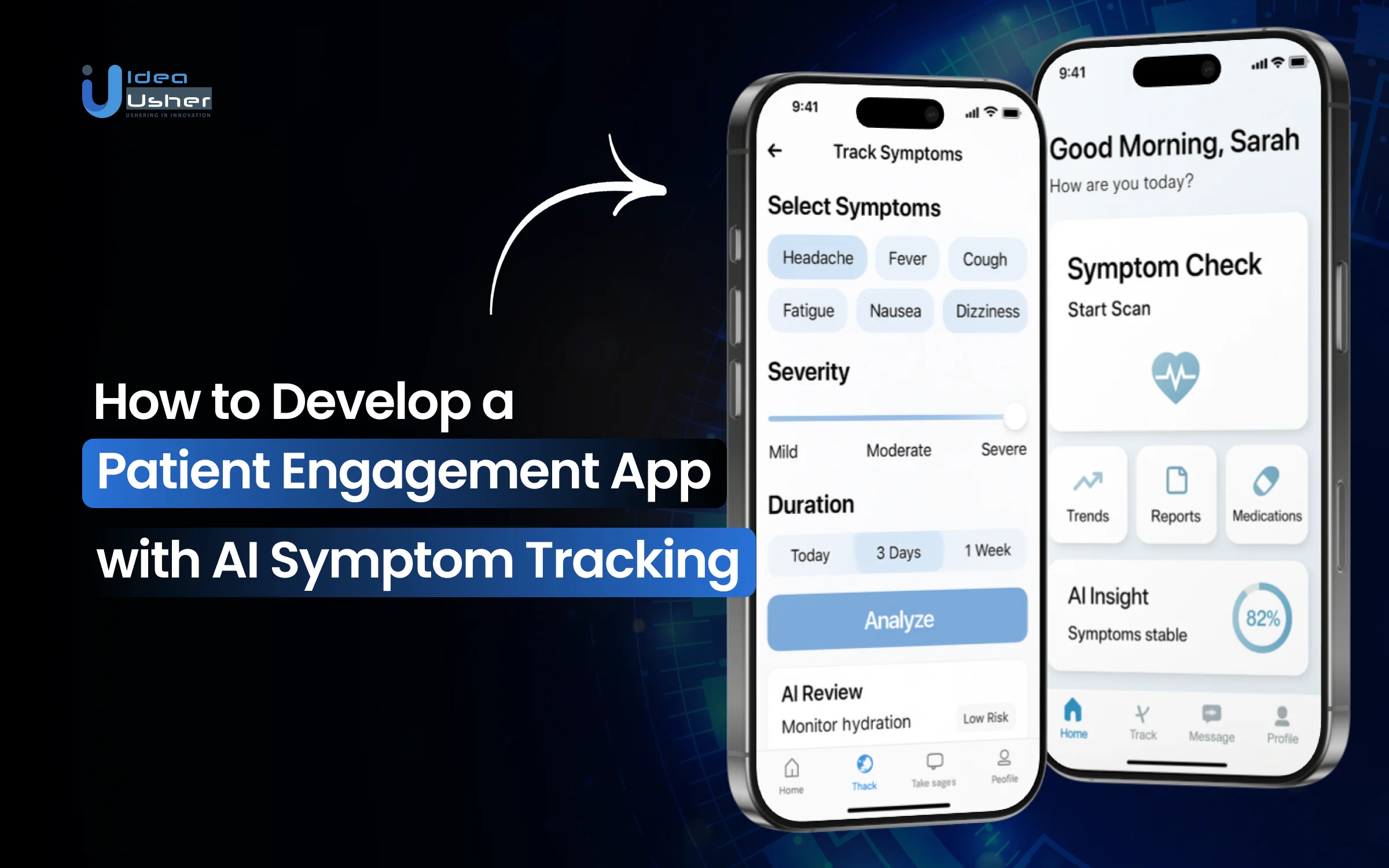
Healthcare does not really happen inside hospitals anymore, and it often unfolds in the quiet hours between appointments when symptoms change, and concern grows. Many people have started using patient engagement apps because timely guidance has become harder to access, and waiting for appointments has become impractical.
Rising medical costs and overcrowded clinics have pushed patients to seek clarity earlier rather than react later. People want to track symptoms as they evolve and understand what is normal for their own bodies. AI symptom tracking can analyze inputs continuously and highlight meaningful patterns, helping reduce unnecessary emergency visits and support calmer decision-making.
Over the years, we’ve developed multiple patient engagement solutions, powered by clinical NLP systems and FHIR-based interoperability layers. Given our expertise in this space, we’re sharing this blog to outline the steps to develop a patient engagement app with AI symptom tracking.
Key Market Takeaways for Patient Engagement Apps
According to RootsAnalysis, the patient engagement software market is entering a strong growth phase, valued at approximately $ 8.12 billion in 2024 and projected to grow steadily through 2035. This momentum largely comes from patient-facing apps that extend care beyond clinic walls. People now expect to book visits, view reports, manage medications, and receive guidance through simple digital flows that fit their daily lives rather than hospital schedules.

Source: RootsAnalysis
Two platforms often referenced in this space are MyChart and Luma Health. MyChart integrates tightly with Epic’s EHR and provides patients with direct access to messages, test results, refills, and virtual visits, while also adding AI support to ease clinician response pressure.
Luma Health takes a different route by sitting on top of existing systems and improving scheduling, reminders, intake, and follow-ups through automated multi-channel communication.
Larger ecosystem partnerships are also reshaping expectations for engagement. Apple’s Health Records capability inside Apple Health allows patients to combine hospital records with wearable and lifestyle data in one place.
Integrations with systems such as Johns Hopkins Medicine show how engagement is shifting from single-app interactions to a continuous, connected view of personal health.

What Is a Patient Engagement App?
A patient engagement app is a digital healthcare tool designed to help patients actively participate in their care through simple, continuous interactions. It usually allows users to book appointments, receive reminders, track symptoms, access health records, and communicate securely with providers.
The goal is to improve adherence, outcomes, and satisfaction by keeping patients informed, involved, and connected throughout their care journey.
Key Features of AI-Powered Patient Engagement Apps
When evaluating AI-powered patient engagement apps, leaders often focus on backend architecture. But for the solution to work, patients and clinicians must actually use it. The real value emerges at the intersection of advanced AI and intuitive user experience.
Here are the key interactive features that define next-generation apps users touch, speak to, and rely on daily to transform their healthcare journey.

1. Conversational Symptom Checker
What the User Sees: A simple chat interface, similar to texting a knowledgeable clinician.
How It’s Different: This is not a static questionnaire. It is a dynamic AI-driven conversation that mirrors clinical reasoning.
User Experience:
A patient types “My stomach hurts.” Instead of returning a generic list of causes,
The AI asks contextual follow-up questions such as “Is the pain sharp or crampy?” and “Have you taken any new medication?” It also recalls history by saying, “Last month you mentioned acid reflux. Is this similar?”
The Wow Factor: The conversation feels personal, relevant, and intelligent, which significantly improves trust and data accuracy.
2. AI-Powered Care Navigator
What the User Sees: Clear next step recommendations with friction removed.
How It’s Different: The app does not stop at guidance. It actively orchestrates the next action.
User Experience:
After a symptom check suggesting a possible UTI, the patient sees, “Based on your symptoms, a same-day virtual visit is recommended. Dr. Chen has availability at 3:15 PM today. Would you like to book it?”
One tap confirms the appointment and syncs directly with the provider’s scheduling system.
The Wow Factor: Zero-friction access to care. This feature directly reduces patient drop-off by keeping care within the same network.
3. Unified Health Dashboard
What the User Sees: A single clean dashboard that brings all health data into one view.
How It’s Different: It moves beyond manual entry and passively integrates data from devices patients already use.
User Experience:
A diabetic patient opens the app and sees glucose trends from their CGM, step count from Fitbit, meal logs, and medication schedules, all visualized together. The AI may note, “Your glucose spiked after breakfast. Let’s review your meal log.”
The Wow Factor: Patients gain a holistic view of their health, helping them feel understood and empowered with actionable insights.
4. Personalized Health Nudge Engine
What the User Sees: Timely and highly relevant reminders and motivational prompts.
How It’s Different: These are not generic notifications. They are behaviorally intelligent interventions.
User Experience:
For a patient recovering from knee surgery
- At 10 AM, “Time for your physio exercises. Here is a quick two-minute video of your prescribed movements.”
- After a rainy day, “I noticed you were less active today. How is your pain level? Let’s log it.”
- Before a refill is due, “Your prescription is ready. I have pre-filled the pickup details at your preferred pharmacy.”
The Wow Factor: The system adapts to individual patterns, improving adherence and outcomes through personalized encouragement.
5. Ambient Symptom and Progress Journal
What the User Sees: An effortless way to track health over time, often using voice input.
How It’s Different: It removes the friction of manual journaling.
User Experience:
A patient managing migraines says, “Voice log headache starting moderate pain behind left eye took Advil at 2 PM.” The AI converts this into a structured timeline, identifies potential triggers such as poor sleep, and prepares a concise summary for the clinician.
The Wow Factor: Clinicians receive rich, structured longitudinal data, enabling more precise and informed care decisions.
6. AI Summarized Visit Prep and Recap
What the User Sees: A feature that makes medical visits more focused and productive.
How It’s Different: It actively prepares both the patient and the clinician.
User Experience:
Before the visit, the app generates “Here are three key points to discuss with Dr. Lee based on your symptom logs. Headache frequency. New sleep patterns. Medication side effects.”
After the visit, the patient receives a clear recapof “Dr. Lee’s plan. Start medication X at night. Complete a blood test before the next visit. Watch for these warning signs.” Tasks are automatically added to the dashboard.
The Wow Factor: Appointments become structured and data-driven, improving understanding, efficiency, and patient satisfaction.
7. Intelligent Escalation & Safety Net Alerts
What the User Sees: Immediate and unambiguous action when high-risk symptoms appear.
How It’s Different: It delivers a visible and trustworthy safety net.
User Experience:
If a patient logs “chest pain and shortness of breath,” the interface immediately switches to a red emergency screen stating “Emergency symptoms detected.
Please call 911 or go to the nearest emergency room. Your care team has been notified.” A high-priority alert is sent to the clinical monitoring team at the same time.
The Wow Factor: This feature demonstrates hard-coded clinical guardrails that reinforce trust and safety for both patients and providers.
How Does a Patient Engagement App with AI Symptom Tracking Work?
An AI symptom tracking app listens to patient inputs and connects data to understand risk in context. It may quickly flag serious patterns for clinical review. Otherwise, it can calmly guide the patient to the next appropriate step.
1. The Intelligent Interface Layer
This is what the patient interacts with. A conversational chatbot, smart forms, or a voice interface. But it is far more than a simple Q&A.
How it Works
Using Natural Language Processing NLP the app understands free text or voice inputs like “I’ve had a throbbing headache since yesterday, and light hurts my eyes.”
It does not just match keywords. It discerns sentiment, urgency, and nuance.
The AI’s Role: A finely tuned Large Language Model LLM guides the conversation dynamically, asking clarifying questions just as a triage nurse would.
For example, “On a scale of 1 to 10, what is your pain level?” or “Is the pain behind one eye or both?”
2. The Context & Analysis Engine
This is where raw symptoms transform into personalized insight. The app avoids contextual drift by never viewing a symptom in isolation.
Data Synthesis
The engine instantly pulls the patient’s historical context from your EHR via a secure FHIR API. This includes age, medications such as blood thinners, past diagnoses like migraines or hypertension, and known allergies.
Real-Time Validation
It simultaneously ingests passive data from connected wearables and IoMT devices with patient consent. This enables it to validate subjective inputs, such as fatigue from sleep data on a wearable or palpitations from heart rhythm signals on a smartwatch.
Probabilistic Analysis
A specialized clinical machine learning model cross-references synthesized data with medical ontologies and population health patterns to generate risk assessments and recommended care pathways.
3. The Action & Orchestration Layer
This layer determines what happens next and is governed by a critical, deterministic safety override.
The Safety Check
Every output is screened by a hard-coded rule-based engine. If the analysis detects high-risk red-flag clusters, such as chest pain radiating to the arm and shortness of breath, the generative AI is bypassed immediately.
The app triggers an emergency protocol by displaying instructions such as “Call 911” and/or notifying your clinical team directly.
The Orchestration
For non-emergent cases, the AI acts as an agent.
For the Patient
It delivers personalized education, a tailored care plan, and clear next steps. For example, guidance such as resting in a dark room, hydrating, and monitoring symptoms, along with a brief explanation of why this approach is recommended. It can also automate follow-up check-ins.
For the Practice
It generates a structured clinical summary that flows directly into the EHR. Crucially, it can execute closed-loop scheduling. If a telehealth visit is recommended, the AI checks real-time provider availability in your scheduling system and offers the patient a one-click booking option.
How to Develop a Patient Engagement App With AI Symptom Tracking?
To develop a patient engagement app with AI symptom tracking, we start by designing a system that can remember patient context over time. The AI should intelligently assess symptoms and may safely guide users while escalating risk to clinicians when needed.
We have delivered several patient engagement apps that use AI symptom tracking, and this is how we structure the development.

1. Longitudinal Health Intelligence
We start by designing stateful patient profiles that evolve with every interaction. Symptoms are continuously linked to medical history and risk scores so the system understands progression, not snapshots. Contextual memory layers allow the AI to retain meaningful clinical signals and deliver more accurate engagement over time.
2. Hybrid AI Decision Engine
We build a layered decision engine where deterministic rules handle safety-critical paths and AI models support intelligent conversation and prediction. Probabilistic models assess risk trends, while emergency override logic ensures rapid escalation when thresholds are crossed. This approach lets innovation operate safely within clinical limits.
3. Secure PHI Infrastructure
We implement a secure mediation layer that separates AI reasoning from raw PHI. Tokenization gateways, Zero-Trust APIs, and strong encryption protect data across every touchpoint. Isolated inference environments ensure compliance without restricting system intelligence.
4. Bi-Directional FHIR Integration
We integrate EHR systems through bi-directional FHIR APIs that support both data retrieval and validated write-back. AI-generated outputs are clearly labeled and reviewed through clinician workflows before becoming part of the record. This keeps engagement aligned with clinical accountability.
5. Edge AI for Fast Triage
We deploy lightweight AI models on the edge to enable low-latency symptom assessment. Wearable data is ingested continuously, while local preprocessing reduces latency and dependence on cloud availability. This ensures faster responses in real-world usage conditions.
6. Compliance and Monitoring
We complete the platform with audit, explainability, and monitoring frameworks. Immutable logs capture every AI decision, while dashboards support clinical review and regulatory audits. Continuous testing and documentation keep the system compliant as it scales.
How to Prevent Alert Fatigue for Both Patients and Clinicians?
Alert fatigue is mitigated by allowing the system to think before it speaks. The app should quietly learn patient baselines and clinician thresholds, so only meaningful changes trigger alerts. When AI triages data carefully and delivers short, actionable summaries, both patients and clinicians can stay engaged without feeling overwhelmed.

The Dual Challenge
For Clinicians
The EHR inbox is already overloaded with notifications. Adding a patient engagement app without intelligence can feel like opening a firehose of unprioritized data. Alerts such as John reporting a mild cough or Sue’s step count dropping by 10% rarely justify an interruption and quickly erode trust in the system.
For Patients
A constant stream of generic reminders, like take your meds or drink water conditions users to dismiss notifications automatically. Over time, the app shifts from being a supportive health partner to a background annoyance.
The core principle is tiered intelligence. Not all data points are equal and not all require human attention. The system must behave as a smart filter rather than a loud messenger.
1. For Patients
The goal is to create a calm, supportive digital experience rather than a stressful one.
Personalization Over Broadcast
Alerts must be anchored to individual baselines and care goals. A low activity alert for a postoperative knee replacement patient may be clinically significant. The same alert for a healthy user on a planned rest day is noise. The AI continuously learns personal patterns to separate signal from distraction.
Behavioral Timing Intelligence
Timing matters as much as content. The system analyzes when users actually respond. If morning medication reminders are ignored but evening reminders are acknowledged, the schedule adapts automatically.
In some cases, the channel may change as well, such as shifting from push notifications to voice for a low-vision user.
Smart Escalation Pathways
Reminders follow a structured escalation flow managed by the system.
- Silent In-App Nudge: A gentle message within the app’s home screen.
- Personalized Push Notification: “Maria, time for your Lisinopril. Your BP was perfect after yesterday’s dose!”
Alternative contact escalation for critical events, with prior consent, such as notifying a caregiver or sending a structured summary to the care team
Consolidated Daily Digest
Instead of sending multiple notifications for medications, hydration, and symptom check-ins, the app delivers a single intelligent summary. A morning view outlines today’s plan. An evening view reflects progress and highlights what matters.
2. For Clinicians
The app must act as a continuous virtual assistant that filters and interprets data before it reaches a clinician.
AI Triage and Summarization Layer
Raw patient inputs never flow directly into the clinician’s inbox.
- The system analyzes new data against patient history, care plans, and relevant population baselines
- It generates a concise clinical summary instead of forwarding raw messages
For example, instead of listing symptoms, the system generates a structured triage note that highlights correlations, context, and recommended next steps, with a clear priority level.
Structured Priority Channels
Alerts are routed using explicit clinical rules.
| Priority Level | Description | Delivery Path |
| High priority and action required | Critical symptoms or values | Sent immediately to the assigned provider or nurse via secure clinical channels |
| Medium priority and review required | Needs clinical review | Routed to a nursing triage dashboard or care manager inbox |
| Low priority and log only | Informational updates | Logged in the patient record without alerts |
Role-Based Views
Each clinician sees only what is relevant to their role. A cardiologist views cardiac trends and alerts. A care coordinator sees adherence gaps and social risk indicators. No role is exposed to unnecessary noise.
Measuring Patient Engagement Quality Beyond Usage
Usage may show activity, but it does not show value. Engagement quality should measure whether symptoms are resolved or escalated correctly and whether patients follow care guidance over time. If AI consistently improves outcomes and reduces clinical workload, engagement is real.

The Problem with Traditional Metrics
Traditional digital health metrics were borrowed from e-commerce and social media. They often create a sense of progress while hiding real gaps in care delivery.
Vanity Metric: 50,000 monthly active users.
In reality, this could mean patients logging in once to check a lab result. It does not indicate whether a diabetic patient improved A1c control or whether a heart failure patient avoided an emergency visit.
Vanity Metric: Average session duration of four minutes.
The reality is unclear. Those minutes could reflect thoughtful symptom tracking or confusion while searching for answers.
In an AI-powered system, engagement quality follows a closed-loop model. Input flows into AI processing, which leads to action and, ultimately, to outcomes. Each stage must be measured.
1. Clinical Actionability and Resolution Rate
This pillar assesses whether the AI converts patient input into appropriate, complete clinical actions.
Key Metrics
Symptom to Resolution Rate: Measures the percentage of symptoms resolved within the app using education or home care guidance without a clinic visit. This reflects safe deflection of low acuity issues.
Appropriate Escalation Rate: Measures how often high-risk symptoms lead to a completed clinical encounter within the correct timeframe. This assesses triage accuracy rather than alert volume.
Closed Loop Scheduling Conversion: Tracks the percentage of AI recommended visits that are booked directly within the app in one session. This quantifies reduced patient drop-off.
2. Behavioral Depth and Adherence
This pillar focuses on the richness of engagement and patient commitment to care plans.
Key Metrics
Longitudinal Data Density: Measures how patient data evolves over time by comparing passive inputs from devices with active self-reports. A higher share of passive data often signals trust and seamless integration.
Care Plan Adherence Score: Tracks completion of assigned tasks such as medication logs or symptom diaries. Measure how often patients act after AI-personalized nudges versus generic reminders.
Conversation Quality Index: Uses AI to assess dialogue quality by identifying detailed descriptions, contextual responses, follow-up questions, and clarity about next steps.
3. Clinical Efficiency and Burden Reduction
This pillar focuses on whether the app genuinely reduces clinician workload or unintentionally adds operational noise.
Key Metrics
Provider Time Saved per Encounter: Measures reductions in documentation and intake time using EHR timestamps. AI-generated summaries should reduce visit duration by several minutes.
Signal to Noise Ratio for Alerts: Calculates the percentage of alerts that lead to meaningful intervention. A high ratio indicates strong AI specificity and lower alert fatigue.
Pre Visit Completion Rate: Measures how many patients complete AI-guided symptom check-ins before appointments. This directly improves visit efficiency.
4. Health Outcome Correlation
While outcomes take time, leading indicators can show whether engagement is moving care in the right direction.
Key Metrics
Patient Activation Measure Score Change: Tracks improvements in validated activation scores over time. Higher activation strongly correlates with better outcomes.
Condition Specific Control Metrics: Correlates engagement depth with trends in biometric data, such as blood pressure control or glucose time-in-range.
Thirty-Day Avoidable Utilization: Measures reductions in avoidable emergency visits, urgent care use, and readmissions among engaged patient cohorts.
Top 5 Patient Engagement Apps With AI Symptom Tracking
We examined how modern patient engagement apps handle AI-driven symptom tracking. What stood out is how these platforms can quietly guide users while still respecting clinical boundaries.
1. Ada Health

Ada focuses on structured AI symptom tracking that guides users through medically grounded questions and builds a personal symptom history over time. The app helps patients understand what their symptoms could mean and gently directs them toward self-care or clinical follow-up. This clarity keeps users engaged without replacing professional care.
AI Symptom Tracking Feature: Uses AI-powered questioning to assess user-entered symptoms and suggest possible conditions based on clinical data in real time.
2. K Health

K Health combines AI symptom analysis with real-world clinical data to provide patients with fast, contextual health insights. Users can track symptoms, receive AI-driven guidance, and seamlessly escalate to licensed clinicians when needed. This tight loop between AI and care delivery strengthens long-term engagement.
AI Symptom Tracking Feature: AI analyzes user-reported symptoms against millions of anonymized records to provide personalized symptom assessment and likely conditions.
3. Buoy Health

Buoy uses conversational AI to assess symptoms and suggest the right level of care based on risk and urgency. Patients stay engaged by understanding whether to wait, see a doctor, or seek urgent care. The experience feels supportive rather than overwhelming.
AI Symptom Tracking Feature: Engages users in an AI-driven chat to refine symptom descriptions and recommend possible causes and care options.
4. MayaMD

MayaMD offers an AI symptom checker that works like a health conversation rather than a form. Patients can track symptoms, receive triage guidance, and transition to telehealth or scheduling workflows. This continuity keeps users active across multiple care touchpoints.
AI Symptom Tracking Feature: The conversational AI assistant gathers symptom details and triages users to the appropriate care pathways through an interactive assessment.
5. Outcomes4Me

Outcomes4Me is built for oncology patients and uses AI to track symptoms alongside treatment journeys. It helps users log side effects, understand care options, and stay informed between visits. This focused approach drives deep engagement over the long term.
AI Symptom Tracking Feature: Tracks and logs patient symptoms over time to show trends and insights specific to cancer care.
Conclusion
AI-powered patient engagement apps are becoming intelligent care layers that quietly coordinate patient data and clinicians. For healthcare businesses, this shift should feel necessary because secure, compliant AI systems now directly support scale, efficiency, and outcomes. IdeaUsher helps teams build HIPAA-compliant AI healthcare apps with strong triage interoperability and a security-first architecture.
Looking to Develop a Patient Engagement App?
IdeaUsher helps you design a patient engagement app that feels clinically safe and technically reliable. We may guide you through AI architecture, HIPAA compliance, and EHR integration while keeping clinicians in the loop.
Open it with a smart, intuitive Patient Engagement App. At Idea Usher, our team of ex-MAANG developers brings over 500,000 hours of coding experience to build solutions that:
- Act as a 24/7 health co-pilot for patients.
- Automate administrative tasks for your staff.
- Seamlessly connect wearables, EHRs, and AI for holistic care.
We build the bridge between patients and providers. See our work in action.


FAQs
A1: The cost usually depends on how deep the AI goes and how stringent the compliance requirements are. A basic engagement layer may cost less, but enterprise platforms often require secure cloud infrastructure, EHR integrations, and audit-ready AI workflows. You should expect higher investment when clinical safety and scalability are priorities.
A2: AI symptom tracking cannot replace doctors, and it is not designed to do so. It may help with early triage and structured data collection, but clinical judgment must still come from licensed professionals. Most secure platforms intentionally keep a human in the loop at every decision point.
A3: Development timelines typically range from six to twelve months. The duration may increase if multiple EHR systems are involved or if custom AI models are trained for specific care pathways. Compliance validation and security testing also add meaningful time, but they are essential.
A4: Revenue often comes from a mix of subscription-based access and enterprise contracts with providers. Some platforms may also support reimbursable care models such as remote monitoring or value-based care programs. Licensing the technology to health systems is another common path.


