


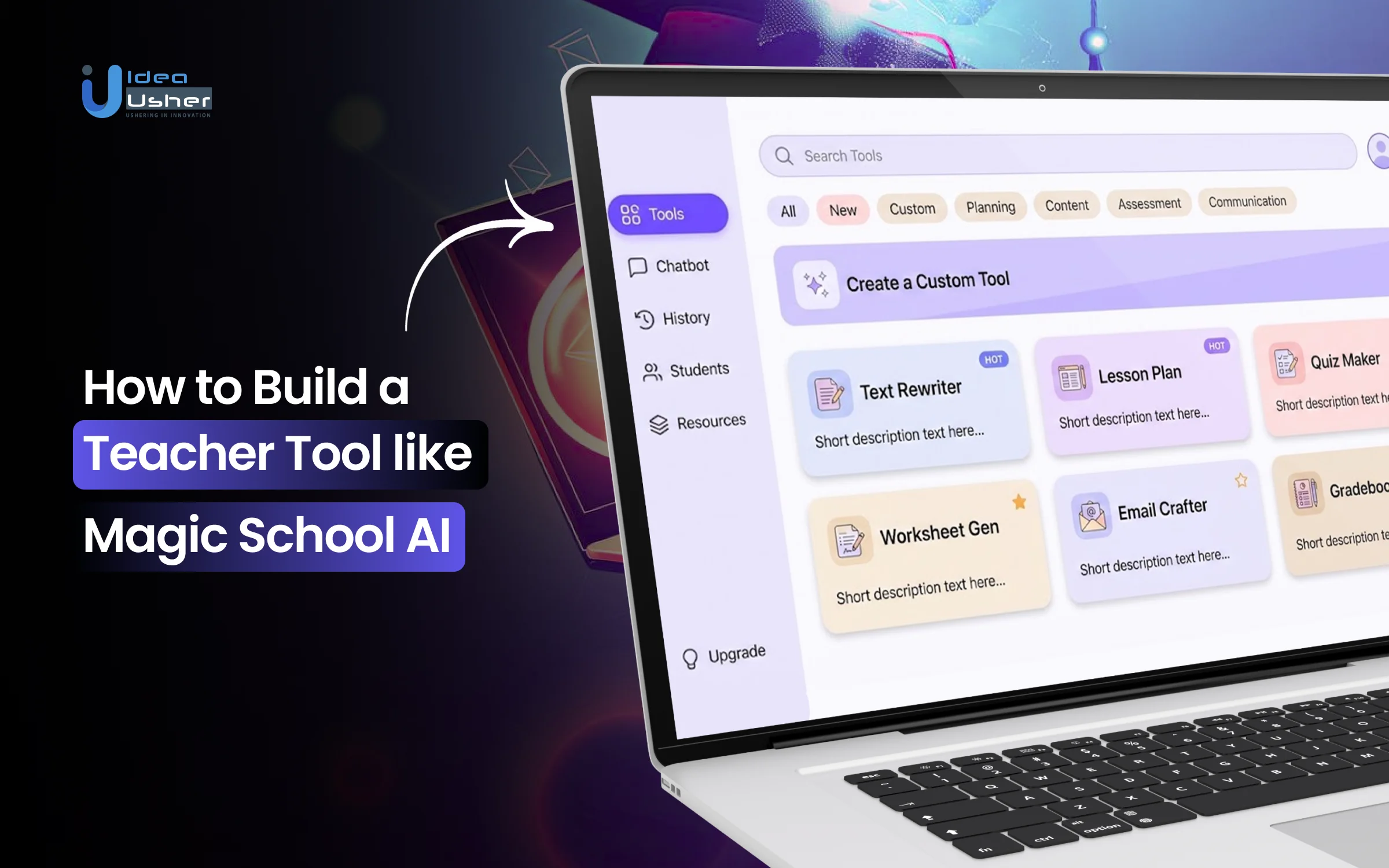
Teachers today juggle lesson planning, grading, classroom management and administrative tasks with limited time. Even dedicated educators struggle to personalize learning while meeting daily demands. These pressures are driving interest in a Magic School AI-like teacher tool that streamlines routine work, accelerates content creation and frees teachers to focus on meaningful instruction in the classroom.
AI-powered teacher tools show how transformative technology can be when it supports educators rather than adding work. By generating lesson plans, creating assessments, adapting materials for different learning levels and aiding communication, these platforms act as intelligent assistants. The result is a smoother workflow and more room for creativity, personalization and meaningful student interaction.
In this guide, we’ll explore how to build a teacher tool similar to Magic School AI, the essential features it requires, and the technology that powers AI-driven classroom support. This blog will provide a clear roadmap for creating a scalable teacher-focused platform that truly makes educators’ lives easier.

What is an AI Teacher Tool, Magic School AI?
Magic School AI is an AI-powered teaching assistant platform that enables educators to work faster and teach more effectively by automating time-intensive tasks. It provides curriculum-aligned lesson planning, differentiation, assessments, feedback generation, and classroom communication tools, all optimized for real-world teacher workflows.
It represents a verticalized generative-AI solution for K–12 education, built to increase teacher productivity, reduce burnout, and improve instructional quality. Its value proposition lies in workflow automation, pedagogically informed AI models, and district-level scalability, positioning it as an infrastructure layer for AI-enabled teaching rather than just a content generator.
- Offers 80+ teacher tools and 50+ student tools, covering planning, assessment, differentiation, and AI-guided learning.
- Built with K–12 privacy and compliance at its core (SOC 2, FERPA/COPPA), ensuring safe deployment at scale.
- Provides a student-safe AI environment with teacher oversight, enabling AI-literacy and personalized tutoring.
- Supports district-wide integrations, including SSO, LMS/Google/Microsoft compatibility, and centralized admin controls.
- Enables custom AI tools and RAG-powered assistants for schools, letting districts tailor AI to their own curriculum and policies.
Business Model:
MagicSchool AI acts as a verticalized “AI-SaaS for education”, positioning itself as infrastructure for schools rather than just a generic AI chatbot.
- MagicSchool AI offers a comprehensive suite of AI-powered tools for K–12 education, including lesson planning, assessment creation, text leveling, differentiation, student feedback and tutoring, and classroom communication tools.
- The platform supports both teachers and students through a separate student offering, providing AI-based tutoring, AI literacy tools, and assignments under teacher supervision.
- MagicSchool AI is designed to comply with school and district data privacy regulations, ensuring it is safe and suitable for institutional adoption.
Revenue Model:
MagicSchool AI monetizes via a tiered SaaS/subscription + enterprise licensing model tailored to different user segments
- Freemium / Free Tier: MagicSchool offers a “free forever” tier that provides access to basic tools, helping with user acquisition by allowing teachers to start using the platform at no cost and lowering friction to adoption.
- Paid / “Plus” Subscription Tier (Individual Teachers): Individual educators can access unlimited AI outputs, student rooms, 1-click export, and early feature access. Pricing is $8.33 USD/user/month (billed annually) or $12.99 USD/month.
- Enterprise / Institutional Sales (Schools & Districts): MagicSchool’s Enterprise plan offers enhanced privacy and compliance (GDPR, FERPA, COPPA), moderation and safety tools, usage analytics, SSO, dedicated support, and volume-based or discounted pricing.
How the Magic School AI Teacher Tool Works?
A Magic School AI-like teacher tool uses intelligent automation and adaptive models to support daily teaching tasks. It streamlines planning, content creation, and student assistance for more efficient and effective instruction.

1. Teacher Provides Inputs & Learning Context
The process starts when a teacher selects a tool and enters details such as topic, objective, grade level or student needs. These inputs help the system build an instruction-aware context that guides the AI generation.
2. Platform Interprets & Structures the Intent
The platform analyzes the teacher’s request through a context modeling layer, identifying the instructional purpose, desired structure and academic relevance. This ensures the system responds with meaningful, curriculum-conscious outputs.
3. Retrieval of Curriculum & Knowledge Sources
If standards, curriculum documents or teacher resources are available, the system triggers RAG-based retrieval to pull verified information. This grounding step keeps generated content aligned with local academic frameworks and teacher expectations.
4. AI Generates Structured Classroom Materials
Using context and retrieved data, the AI produces lessons, assessments, differentiated tasks or rubrics. The engine applies instruction-aware processing, maintaining appropriate scaffolding, clarity and difficulty levels for various learner profiles.
5. Quality Validation & Teacher Customization
Before delivering results, the platform performs internal self-review checks for accuracy and alignment. Teachers can then refine tone, depth and complexity through built-in adjustment tools, shaping the output to match their instructional style.
6. Exporting & Sharing Report
Finalized content can be exported in preferred formats or shared directly with students through the student-safe workspace. The system also adapts future outputs through subtle preference learning, ensuring smoother and more tailored content creation over time.
Why 83% of K-12 Teachers Use AI for School Activities?
The global AI Education Tools market was USD 7.5 billion in 2024 and will grow from USD 10.5 billion in 2025 to about USD 223.2 billion by 2034, with a CAGR of 40.4%. This growth is mainly driven by teachers adopting AI tools for lesson planning, content creation, and automation, turning AI into essential teaching infrastructure.

Generative AI tools have become a significant part of K-12 teaching, with 83% of teachers using them for school-related activities during the 2023-2024 academic year. This widespread adoption reflects how seamlessly AI is being integrated into daily teaching practices to support instruction and productivity.
A. Voluntary Teacher Adoption Driving Market Growth
AI teacher tools are increasingly adopted bottom-up by educators, unlike traditional EdTech that needs lengthy procurement and mandates. This demand is pushing schools to formalize AI integration, creating steady market interest in platform solutions.
- 60% of K-12 teachers used AI tools in the 2024-2025 school year, with 32% using AI weekly and 28% less often. This shows AI teacher tools have moved from experimentation to mainstream practice, creating a large market opportunity for developers.
- 44% of teachers use AI for research and content gathering, with others applying it to lesson planning (38%), summarizing information (38%), and creating classroom materials (37%), demonstrating product-market fit for multi-functional AI platforms.
- Weekly AI users save 5.9 hours per week, totaling six weeks per year, which can be reinvested in instruction and engagement, helping reduce teacher burnout and improve retention and job satisfaction.
- 99% of teachers find AI tools beneficial, with 42% reporting less time on administrative tasks, confirming that AI teacher tools deliver value across diverse teaching contexts.
B. Productivity & Quality Driving Institutional Adoption
Grassroots teacher adoption boosted market growth, but now educational institutions invest more in AI teacher tools due to measurable productivity, improved instructional quality, and cost savings. This dual benefit fuels long-term growth.
- Automation in administrative tasks can reduce teacher workload from five to three hours per week, saving 13 hours and giving nearly two full workdays back, improving teacher-student ratios and instructional time without raising staffing costs.
- AI-assisted professional development boosts instructional quality by 41% compared to traditional methods, showing that AI tools enhance teaching expertise rather than replace.
- AI improves accessibility for students with disabilities, with 57% of teachers and 65% of special education teachers seeing its potential, driving demand for tools that support differentiated instruction and compliance.
- Generative AI productivity gains could increase GDP by $650 billion by 2033, reflecting both classroom efficiency and systemic economic impact in the education sector.
- AI-based learning programs improve knowledge retention by 25%, enhancing teaching methods and content delivery, directly improving educational outcomes.
The rapid rise of AI among K–12 teachers is transforming classrooms, instruction, and school efficiency, making it a fast-growing education tech market. As AI tools provide time savings, better outcomes, and scalable support, demand from educators and schools grows, positioning AI-powered teacher platforms as the new foundation of modern education.
Why AI-Powered Teacher Tools Are Becoming Essential?
AI-powered teacher tools are becoming essential as they streamline lesson planning, grading, and student engagement while saving educators valuable time. By enhancing productivity and personalized learning, these tools are transforming modern classrooms.

1. Meeting Increasing Classroom Demands
Teachers face growing workloads and diverse classroom needs. AI tools reduce pressure by automating routine tasks and offering instruction-aware support, giving educators more time for meaningful teaching and student engagement.
2. Enhancing Instructional Quality
AI helps create structured lessons, assessments and feedback quickly. With personalized learning insights and consistent instructional support, teachers can improve lesson quality while reducing manual preparation efforts.
3. Supporting Diverse Learners
Classrooms include varied proficiency levels and multilingual learners. AI tools enable real-time differentiation and accessibility adjustments, helping teachers deliver tailored support without adding extra workload.
4. Saving Time Through Smart Automation
Tasks like grading and planning consume hours each week. AI provides smart workflow automation, helping teachers save significant time while maintaining accuracy and efficiency.
5. Driving Scalable Educational Efficiency
Schools adopt AI to improve consistency and operational efficiency. Scalable AI workflows support curriculum alignment, performance tracking and data-informed decisions, making these tools essential in modern education.
Key Features of a Magic School AI-like Teacher Tool
Discover the key features that make a Magic School AI-like teacher tool a game-changer for educators. These powerful features streamline lesson planning, boost student engagement, and enhance classroom productivity.

1. AI Lesson Planning & Generation
The platform produces structured lesson plans using instruction-aware AI models that analyze topics, grade levels and learning objectives. Teachers receive complete outlines with activities, scaffolds and pacing suggestions, allowing them to accelerate planning while preserving instructional accuracy and classroom relevance.
2. Standards & Curriculum Alignment
Content is generated according to specific standards through curriculum-linked generation that interprets learning outcomes and benchmarks. This alignment helps educators maintain consistency across units and ensures each resource reflects both academic expectations and institutional guidelines.
3. Differentiation & Accessibility Tools
Teachers can instantly adapt content using automatic text transformation, readability tuning and multilingual support. These tools help personalize activities for diverse learners and promote inclusive instruction without requiring additional preparation or extensive manual editing from the educator.
4. Context-Aware Content Generation
The system remembers prior inputs, subject focus and teaching patterns through persistent context modeling. This enables more relevant responses, reduces repetitive prompt entry and creates materials that feel connected across planning tasks within a single instructional sequence.
5. Retrieval-Augmented Knowledge Integration
A retrieval layer links AI outputs with curriculum documents or teacher-uploaded files. This RAG-based integration ensures material accuracy and produces content grounded in verified sources, helping teachers generate resources aligned with local policies or specialized instructional frameworks.
6. AI Assessment & Rubric Creation
Educators can build quizzes, formative checks and rubrics using generator tools that interpret skill objectives. The system applies criteria mapping, producing assessments that evaluate comprehension, process skills and application, reducing the workload of manual test and rubric design.
7. Adaptive Difficulty & Reading Level Adjustment
The platform adjusts complexity using lexile-aware modeling and cognitive load indicators. This creates tasks suitable for varied proficiency levels and supports differentiated learning pathways, helping teachers provide appropriately challenging or simplified materials based on student needs.
8. Guided Prompt-Free Input Interface
Instead of requiring complex prompts, teachers use structured input panels that organize goals, constraints and context. This guided interaction workflow ensures high-quality outputs and lowers barriers for users unfamiliar with traditional prompt engineering or model-specific phrasing.
9. Personalized AI Profiles for Teachers
The system learns each teacher’s style, preferred tone and structural patterns through profile-based adaptation. Outputs gradually reflect these preferences, reducing editing time and making the AI feel like a personalized assistant that evolves with the educator.
10. Student-Safe Learning Workspace
A dedicated student environment provides AI support with teacher oversight. Built-in filters, supervision controls and controlled AI interaction allow students to explore content safely while gaining exposure to AI-assisted learning experiences appropriate for classroom use.
How to Build a Magic School AI-like Teacher Tool?
Creating a Magic School AI-like teacher tool involves integrating automation, adaptive learning, and multi-modal content processing to assist educators at scale. Our team follows a structured approach to develop a powerful, engaging, classroom-ready AI teaching experience.

1. Consultation
We start with a detailed consultation to understand goals, expectations, and priorities. Our team reviews workflows, curriculum, and compliance to create a product blueprint, supported by initial system-level discovery aligned with the school environment and platform vision.
2. Requirement Analysis
Our developers collect functional requirements, analyze teacher pain points and map essential AI capabilities. We translate these insights into well-defined system specifications that guide architecture choices, feature scope and user experience planning through a structured requirements engineering approach for the initial platform version.
3. UX Research & Wireframing
We perform targeted UX research to understand how educators interact with digital tools. Using these findings, we design wireframes that highlight intuitive navigation, guided inputs and user-friendly layouts. This process is reinforced by interaction flow modeling that supports fast content creation without overwhelming teachers.
4. AI Workflow Design
We design the AI workflows that will power lesson generation, differentiation and assessments. This includes configuring instruction-aware processing, context handling and retrieval logic through pipeline-oriented AI orchestration to ensure outputs remain accurate, aligned and responsive to teacher inputs across different instructional tasks.
5. Platform Architecture Planning
Our team structures the platform architecture to support scalability, modular features and future AI enhancements. We define how components communicate, how content flows through the system and how structured data pipelines and service-layer coordination support consistent and reliable AI responses.
6. Core Feature Development
We build the primary functionalities such as lesson generators, assessment tools and accessibility features. Each tool is developed with teacher-centered logic, supported by modular feature implementation, ensuring that AI outputs remain practical, classroom-ready and adaptable to varied learning contexts.
7. AI Model Integration
We integrate the required AI models and configure them for educational use. Our process includes tuning behavior, establishing context protocols and adding validation layers supported by model-governance routines so the model produces instructionally relevant content suitable for real classrooms.
8. Retrieval & Knowledge Integration
We set up retrieval pipelines that allow the platform to reference curriculum documents, policy files or teacher resources. This RAG-driven integration uses controlled document indexing and query routing to ensure the AI remains grounded in verified information and aligns with academic standards.
9. User Testing & Iteration
We conduct structured testing sessions with educators to gather feedback on usability, accuracy and workflow efficiency. Our team refines features, adjusts prompts and enhances interaction flows using iterative refinement cycles based on real classroom insights and continuous improvement practices.
10. Deployment & Ongoing Support
We deploy the platform with a stable infrastructure, configure administrative controls and ensure smooth onboarding. After launch, our developers provide continuous monitoring, performance validation and feature improvements through an ongoing post-deployment enhancement cycle to maintain performance and meet evolving educational needs.
Cost to Build a Magic School AI-like Teacher Tool
Building a Magic School–like AI teacher tool includes costs for AI development, integrations, and classroom-focused features. Knowing these factors helps you budget effectively and create a scalable, high-impact solution.
| Development Phase | Description | Estimated Cost |
| Consultation | Initial discovery and project blueprinting for platform direction. | $3,000 – $6,000 |
| UI/UX Design | Educator-focused research and interface workflow design. | $6,000 – $10,000 |
| Platform Architecture Design | Structuring scalable systems with modular architecture planning. | $5,000 – $9,000 |
| Core Platform Development | Building essential tools and primary feature modules. | $18,000 – $34,000 |
| AI Workflow & Model Integration | Integrating AI logic with instruction-aware processing. | $14,000 – $26,000 |
| Retrieval & Knowledge Integration | Implementing curriculum-linked RAG-based retrieval pipelines. | $12,000 – $22,000 |
| QA Testing | Conducting validation cycles and usability refinement. | $6,000 – $12,000 |
| Deployment & Post-Launch Support | Launching the platform with continuous monitoring and updates. | $7,000 – $16,000 |
Total Estimated Cost: $66,000 – $126,000
Note: Development costs vary based on complexity, AI depth, customization, and ongoing improvements. Advanced retrieval and scalability needs can also impact the final investment.
Consult with IdeaUsher to receive a tailored cost estimate and a detailed roadmap for building a robust AI Teacher Tool aligned with your educational vision and product goals.
Cost-Affecting Factors of AI Teacher Tool Development
Several key factors influence the cost of developing a Magic School AI-like teacher tool, from feature complexity to scalability requirements.
1. Scope and Feature Complexity
The overall cost increases as the platform expands to include advanced tools, multi-role support and AI-driven workflows. More features require specialized development efforts and extended design cycles.
2. AI Model Requirements
Costs vary based on the sophistication of AI behavior, context handling and retrieval logic. Higher accuracy demands more training, tuning and model optimization workflows.
3. Curriculum and Data Integration
Integrating academic content, curriculum documents or district guidelines affects development time. RAG pipelines and structured ingestion require domain-aligned data processing.
4. UX & Interface Depth
A teacher-friendly platform needs intuitive flows, guided inputs and polished interfaces. Enhanced usability involves iterative testing and experience-focused refinement.
5. Integration with External Systems
Connecting to LMS platforms, authentication systems or content tools adds work. Seamless operation requires interoperability-focused integration.
Challenges & Solutions of AI Teacher Tool Development
Developing a Magic School AI-like teacher tool comes with challenges such as data accuracy, personalization, and system scalability. Addressing these with strong architectures and smart optimization ensures a reliable, high-performing educational platform.

1. Ensuring Accurate & Aligned AI Outputs
Challenge: AI can occasionally produce content that does not match curriculum depth or instructional goals, creating inconsistencies in teacher workflows and planned learning sequences.
Solution: We solve this by shaping the model with instruction-aware tuning, integrating curriculum-backed retrieval and adding layered validation checks. These steps ensure the platform consistently generates aligned, reliable and classroom-ready content for every instructional need.
2. Handling Diverse Curriculum Requirements
Challenge: Different schools follow unique standards, which makes it difficult for one system to produce universally aligned educational material.
Solution: We use curriculum-aware retrieval, flexible alignment logic and modular content mapping to let the platform adapt to any academic framework. This ensures accurate generation that reflects local requirements without manual adjustments from teachers.
3. Maintaining Data Privacy & Responsible AI Use
Challenge: Teacher and student data must be protected to meet educational policies and prevent misuse across distributed learning environments.
Solution: We build with privacy-focused architecture, controlled data flows and responsible AI governance. Access protections, audit trails and strict isolation practices ensure safe operation while meeting institutional expectations for secure digital learning tools.
4. Achieving High Performance at Scale
Challenge: Large user activity can slow down processing, affecting real-time responses that teachers rely on during packed schedules and live classrooms.
Solution: We plan for scalability using optimized data flows, smart caching and performance-tuned processes. These approaches keep the platform stable and responsive, even when thousands of teachers interact with AI tools simultaneously.
Conclusion
A Magic School AI-like Teacher Tool Platform gives educators a practical way to simplify lesson planning, automate routine work, and improve classroom efficiency. Building such a platform requires clear goals, the right AI models, strong data workflows, and a user experience that supports teachers rather than overwhelming them. When these elements come together, the result is a tool that genuinely improves teaching quality. With thoughtful development choices and a focus on real classroom needs, this kind of platform can offer long-term value to schools and educators.
Why Choose IdeaUsher for Your AI Teacher Platform Development?
At IdeaUsher, we specialize in building intelligent teaching tools that streamline lesson creation, automate administrative tasks, and support personalized learning. Our team develops scalable AI solutions that help institutions and EdTech companies create platforms teachers can rely on.
Why Work With Us?
- Deep AI Expertise: We build robust teacher assistance systems powered by reliable AI models that ensure accuracy and ease of use.
- Tailored Development: Every platform is fully customized, from workflow automation to content generation and classroom management tools.
- Strong Delivery Record: With a proven history of launching education-focused digital products, we ensure your platform is ready for real-world use.
- Secure and Scalable: Our development approach ensures long-term performance, user safety, and smooth integration with existing school systems.
Explore our portfolio to see how we help clients bring innovative AI education products to market.
Contact us for a consultation and start building your teacher tool platform with confidence.


FAQs
The first step is defining the core teaching workflows your platform will support. This includes lesson planning, assessments, content creation, personalization features, and integration needs. A clear feature roadmap helps you shape the platform’s architecture and development plan.
You need NLP models, LLM APIs, vector databases, and a strong backend framework to power content creation and suggestion features. Frontend technologies help you design a clean, intuitive interface that teachers can use without technical friction.
Schools can integrate the platform by adding it to their existing LMS, syncing teacher accounts, and setting clear workflows. Smooth onboarding, staff training, and role-based access ensure teachers use the tool effectively without disrupting current processes.
Data safety requires secure authentication, encrypted storage, compliance with FERPA and regional education laws, and strict access rules. Building a privacy-focused architecture helps teachers and institutions trust the platform with sensitive learning information.


